Most mid-range AM5 and LGA1851 boards ship with three or four M.2 slots, and with 2TB and 4TB drives still carrying a premium this year, plenty of builders end up wanting more slots rather than bigger drives. A PCIe adapter card is the usual answer, and the category got fresh attention in April 2026 when a low-cost adapter was reported that turns a half-height GPU into a full-height one while adding two M.2 slots. These five cards cover one-drive cards with no setup, two-drive Gen4 and Gen5 cards, and four-drive cards.
| Spec | ASUS Hyper M.2 x16 Gen5 Card 9.1/10 | SABRENT 4-Drive M.2 NVMe to PCIe 4.0 x16 Adapter Card (EC-P4BF) 8.8/10 | GLOTRENDS PA52L Dual M.2 NVMe to PCIe 5.0 x8 Adapter 8.4/10 | GLOTRENDS PA21 Dual M.2 NVMe to PCIe 4.0 x8 Adapter 8.2/10 | M.2 NVMe to PCIe 4.0 x4 Adapter with Aluminum Heatsink 7.6/10 |
|---|---|---|---|---|---|
| Interface | PCIe 5.0 x16 (up to 512 Gbps per ASUS) | PCIe 4.0 x16 | PCIe 5.0 x8 | PCIe 4.0 x8 | PCIe 4.0 x4 |
| M.2 slots | 4x Key M, 2242/2260/2280/22110 | 4x M key, 2230/2242/2260/2280 | 2x NVMe | 2x NVMe | 1x NVMe |
| Cooling | Active fan with heatsink, fan header control | Aluminum casing with fins, switch-operated fan, thermal pads | — | — | Aluminum heatsink |
| Extras | 4x M.2 access LEDs, fan power switch | — | — | — | — |
| Dimensions | 29 x 12.2 x 1.5 cm | — | — | — | — |
| Rating | 9.1/10 | 8.8/10 | 8.4/10 | 8.2/10 | 7.6/10 |
Prices change daily — tap Check Price for the current Amazon price.
Prices change daily — tap Check Price for the current Amazon price.
Quick Picks
- Best for a big array: the ASUS Hyper M.2 x16 Gen5 Card takes four drives, including 22110 lengths, on a PCIe 5.0 x16 interface with an active fan
- Best Gen4 four-drive: the SABRENT EC-P4BF gives you four 2280-length drives with a switchable fan on a Gen4 x16 card
- Best no-fuss option: the single-drive x4 adapter with heatsink needs no bifurcation, so it works on boards that cannot split a slot
Buying Guide: What to Check Before You Buy
Bifurcation decides everything
A multi-drive card has no controller chip doing the work. It relies on the motherboard splitting a PCIe slot into separate x4 links, a BIOS setting usually labeled “PCIe bifurcation” or “x4/x4/x4/x4.” If your board does not offer it for the slot you want to use, only the first drive appears. Check your motherboard manual for the slot and the split it supports before buying anything with more than one M.2 socket. The single-drive card at the bottom of this list is the only one here that skips this requirement.
Match the card to the slot’s lane count
A four-drive x16 card wants a slot that is physically x16 and wired for at least x16 to run all four drives at full x4 speed. A slot that is x16 in length but wired x8 will run two drives at full speed on a four-drive card, or both drives on a dual card at full x4. On most consumer boards the second x16-length slot is wired x4 or x8 and shares lanes with M.2 sockets on the board, so adding a card can disable onboard M.2 slots. Look for a lane-sharing note in the manual.
Do not put it in the GPU slot
Putting a storage card in the primary x16 slot means the GPU moves to a slower one. A modern GPU in an x8 slot loses little, but an x4 slot is a real hit. The dual x8 cards (GLOTRENDS PA21 and PA52L) are designed to fit a slot wired x8, which is why they pair well with boards that split the CPU’s lanes across two slots.
Generation matters less than lane count
A Gen4 card with a Gen5 SSD falls back to Gen4 speeds, which is perfectly adequate for game libraries, scratch disks and media. Pay for Gen5 on the card only if you are putting Gen5 SSDs on it and care about sequential speeds. For drive picks see our NVMe SSD roundup, and for cheaper larger drives see the 2TB NVMe guide.
Cooling
The two four-drive cards ship with a fan, which helps with several drives running in a closed case. The dual and single cards depend on case airflow. If you run a hot Gen5 drive on a passive card, add a dedicated M.2 heatsink or put the card where a case fan blows across it.
Detailed Reviews
1. ASUS Hyper M.2 x16 Gen5 Card — Best Gen5 Four-Drive
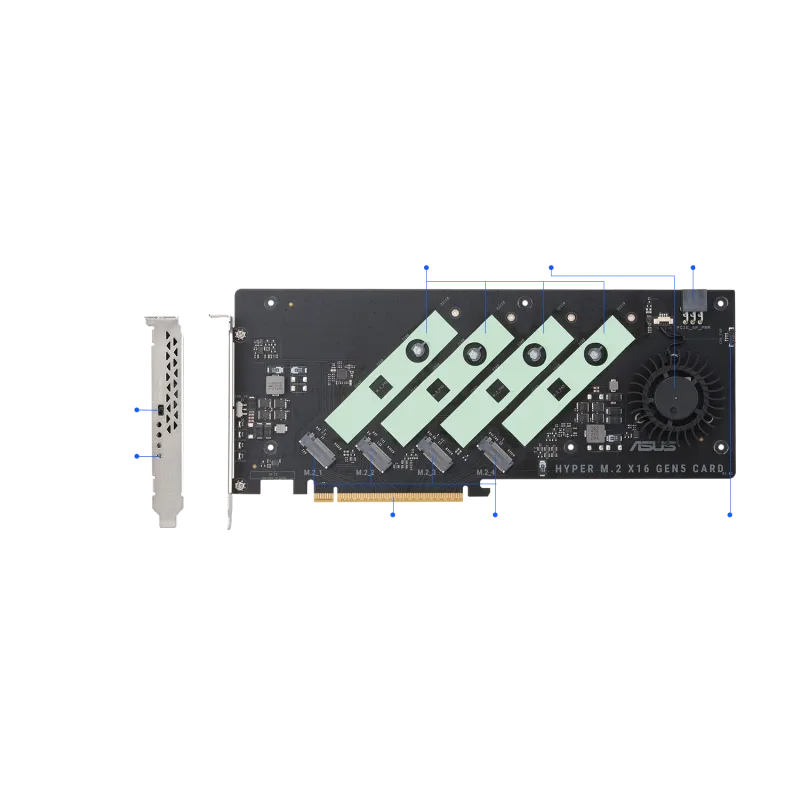
The ASUS Hyper M.2 x16 Gen5 Card is the premium option here: four Key M slots, a PCIe 5.0 x16 interface rated by ASUS for up to 512 Gbps, and support for 2242, 2260, 2280 and 22110 drives. An active fan with a heatsink handles cooling, and a fan power switch plus four access LEDs round out the hardware.
The caveat is platform support. The card needs a board that can split an x16 slot four ways. On AMD X670 boards the full four-drive configuration is reported to work, while on some Intel Z690 and Z790 boards only two drives are reported to work, so read your board’s manual first. It is also a lot of hardware for someone who just needs one extra drive.
2. SABRENT 4-Drive M.2 NVMe to PCIe 4.0 x16 Adapter Card (EC-P4BF) — Best Gen4 Four-Drive
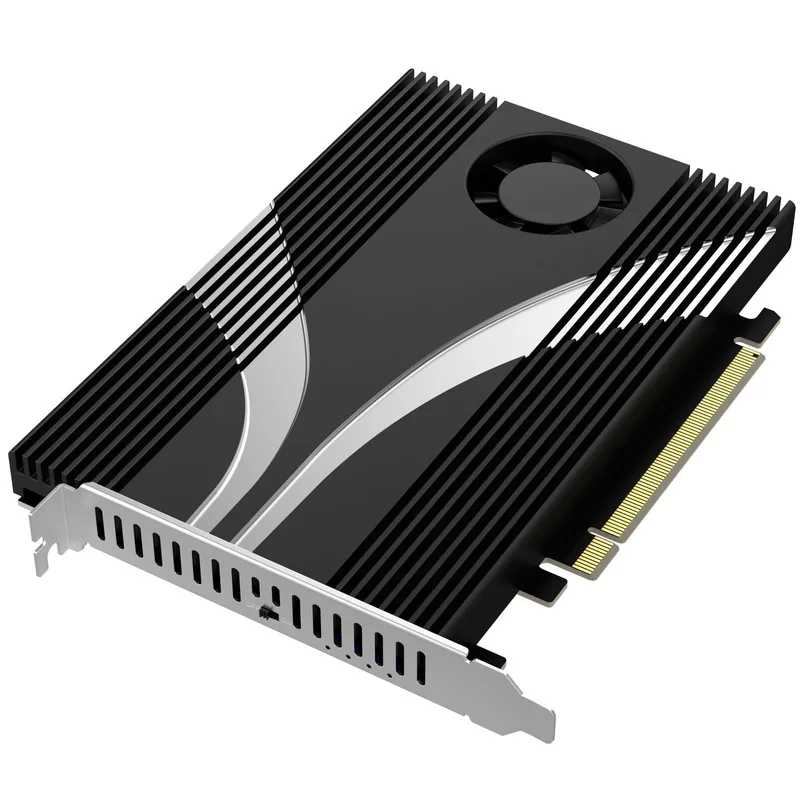
SABRENT 4-Drive M.2 NVMe to PCIe 4.0 x16 Adapter Card (EC-P4BF)
The SABRENT EC-P4BF takes four M key drives in 2230, 2242, 2260 or 2280 lengths and connects over PCIe 4.0 x16. The aluminum casing with fins is paired with a switch-operated fan and thermal pads for all four drives. Sabrent states it requires UEFI bifurcation support and a physically x16 slot.
For a four-drive Gen4 array it is the simpler choice: you skip Gen5 pricing on the card, and Gen4 drives are plentiful. The tradeoffs are the 2280 length limit and Gen4 speeds on any newer SSD. If your plan is four Gen5 drives or 22110 enterprise SSDs, the ASUS card is the better fit.
3. GLOTRENDS PA52L Dual M.2 NVMe to PCIe 5.0 x8 Adapter — Best Dual Gen5
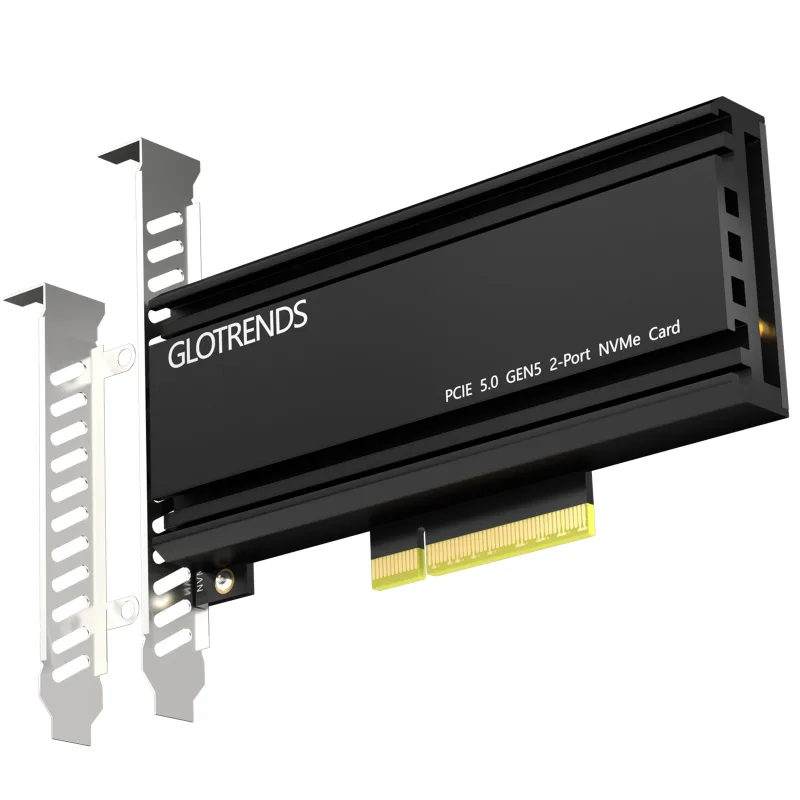
GLOTRENDS PA52L Dual M.2 NVMe to PCIe 5.0 x8 Adapter
The GLOTRENDS PA52L is a two-drive card on a PCIe 5.0 x8 link. Split x4/x4, each drive gets a full Gen5 x4 connection, as long as the board supports bifurcation and the slot is at least x8. That makes it a neat match for boards whose second x16-length slot is wired x8.
It is a bare, compact design, and a Gen5 SSD generates a lot of heat. Plan on airflow across the card or an aftermarket heatsink if the drive will see sustained writes, and confirm bifurcation support in your BIOS first, since the Amazon listing states it is required.
4. GLOTRENDS PA21 Dual M.2 NVMe to PCIe 4.0 x8 Adapter — Best Value Dual
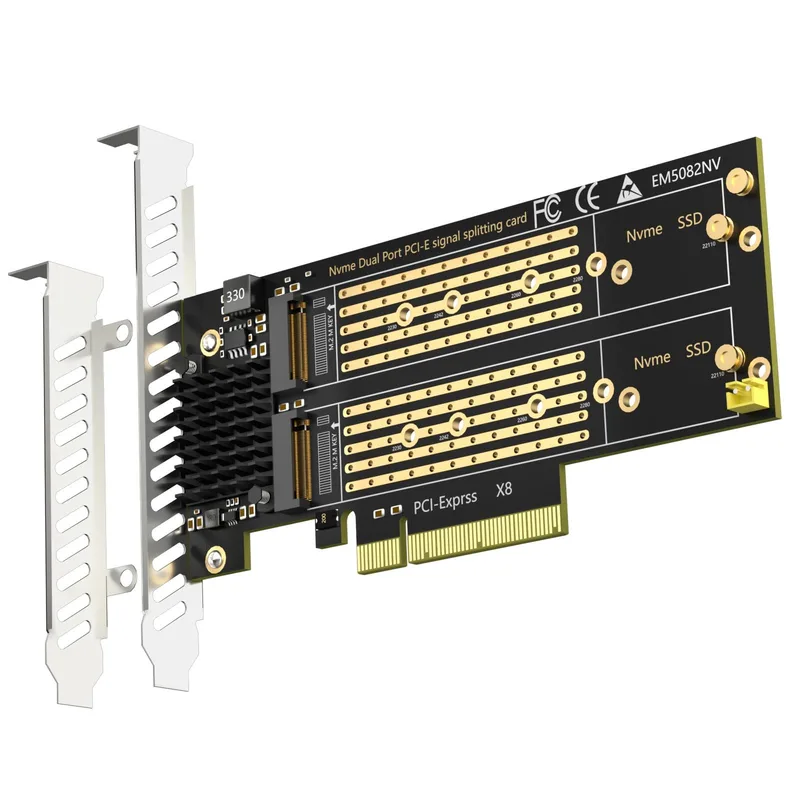
GLOTRENDS PA21 Dual M.2 NVMe to PCIe 4.0 x8 Adapter
The GLOTRENDS PA21 does the same job on Gen4: two NVMe drives, a PCIe 4.0 x8 link, and support for lengths from 2230 up to 22110. For most gaming and general-use builds, two Gen4 drives at x4 each is plenty of bandwidth, and this is the least expensive way here to add two drives at once.
Bifurcation support is required, and without it only the first slot shows a drive. There is no fan, so a warm drive depends on case airflow, and a Gen5 SSD in it is held to Gen4 speeds.
5. M.2 NVMe to PCIe 4.0 x4 Adapter with Aluminum Heatsink — Best Budget
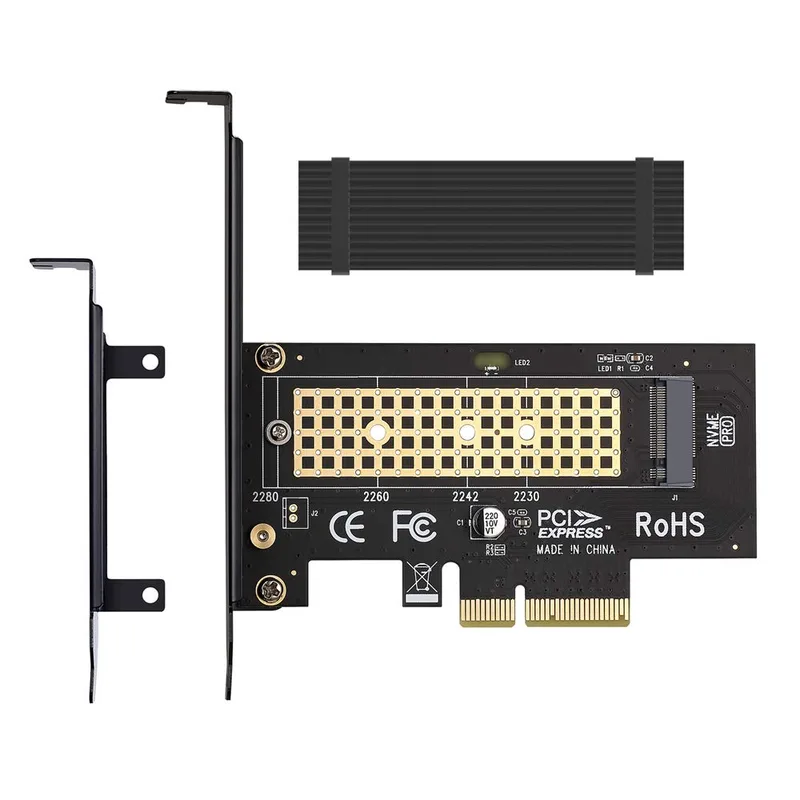
M.2 NVMe to PCIe 4.0 x4 Adapter with Aluminum Heatsink
This single-drive card is the one to buy if your board cannot bifurcate or you only need one more drive. It uses a PCIe 4.0 x4 interface, carries one NVMe drive under an aluminum heatsink, and does not need any BIOS bifurcation setting, so it works in any open x4 or larger slot.
The tradeoff is one drive per slot, and a passive heatsink is a modest match for a hot Gen5 SSD under sustained writes. For a secondary game library or scratch drive on a Gen4 SSD, it is the least complicated solution on this list. Check how much storage you need before spending on slots you may not fill.
FAQ
Do I need PCIe bifurcation for an M.2 adapter card?
For any card holding more than one M.2 drive on this list, yes. The card relies on your motherboard splitting the slot into separate x4 links. The single-drive card does not need it.
Will a Gen5 SSD work in a Gen4 adapter card?
Yes, it falls back to Gen4 speeds. The Gen4 cards here are fine for Gen5 drives if you do not need Gen5 sequential speeds.
Can I boot from an SSD on an adapter card?
Generally yes on modern UEFI boards, since the drive shows up as a normal NVMe device. Check your motherboard manual for boot support from add-in slots.
Will an adapter card slow down my graphics card?
It can if you put it in the GPU’s slot or in a slot that shares lanes with it. Use a secondary slot and read the lane-sharing notes in the manual. Big drives can also be worth a look at high-capacity SSDs for content creators.
The Bottom Line
For a large multi-drive setup on a board with the right bifurcation support, the ASUS Hyper M.2 x16 Gen5 Card is the pick for Gen5 and 22110 support, and the SABRENT EC-P4BF is the pick for four Gen4 drives. If you only need two drives, the GLOTRENDS PA21 covers Gen4 and the PA52L covers Gen5, and if your board cannot bifurcate, the single-drive x4 adapter with heatsink is the one that will work.