PCIe 5.0 SSDs are showing up in more builds this year as Gen5 drives close the price gap with Gen4, and they run hotter under sustained sequential writes than any consumer drive before them — controller temperatures above 80°C are common enough under load to trigger throttling that can cut sustained write speeds sharply until the drive cools back down. Some motherboards ship with an integrated M.2 heatsink that handles this adequately; plenty of budget and mid-range boards don’t, or only cover the primary slot. These five aftermarket heatsinks cover the range from an active-fan cooler built for hot Gen5 drives down to $7.99 low-profile passive pairs for a secondary SSD.
| Spec | Thermalright HR-10 2280 PRO 9.2/10 | EZDIY-FAB Shield M.2 SSD Heatsink 8.7/10 | Sabrent Rocket Heatsink (SB-HTSS) 8.5/10 | Akasa M.2 SSD Heatsink (2-Pack) 8.3/10 | GLOTRENDS M.2 NVMe SSD Heatsink (2-Pack) 8/10 |
|---|---|---|---|---|---|
| Cooling type | Active, 30x30x10mm PWM fan | Active, 20mm PWM ball-bearing fan | Passive, aluminum fins over copper core | Passive, wave-cut aluminum fin | Passive, ultra-thin aluminum |
| Fan speed | 3,500-6,500 RPM, 4-pin PWM | Up to 13,000 RPM | — | — | — |
| Heat pipes | 4x 5mm copper (AGHP) | — | — | — | — |
| Dimensions | 90.3 x 23.7 x 43.8mm | — | — | 71 x 22 x 6.4mm per unit | 22 x 70 x 3mm per unit |
| SSD support | Single/double-sided M.2 2280, up to PCIe 5.0 | 2230, 2242, 2260, 2280, single/double-sided | Single/double-sided M.2 2280 | Single-sided M.2 2280 only | M.2 2280 |
| Rated cooling effect | 10-30°C reduction (Thermalright spec) | 5-30°C reduction (EZDIY-FAB spec) | — | — | — |
| Rating | 9.2/10 | 8.7/10 | 8.5/10 | 8.3/10 | 8/10 |
Prices change daily — tap Check Price for the current Amazon price.
Prices change daily — tap Check Price for the current Amazon price.
Quick Picks
- Best overall: Thermalright HR-10 2280 PRO — the only actively-cooled option here rated for PCIe 5.0 drives, with four copper heat pipes and a PWM fan that ramps with load
- Best value: EZDIY-FAB Shield M.2 SSD Heatsink — active fan cooling for under half the Thermalright’s price, and it fits four M.2 lengths instead of just 2280
- Best budget: GLOTRENDS M.2 NVMe SSD Heatsink (2-Pack) — two heatsinks for $7.99, thin enough for PS5 or tight SFF builds
Buying Guide: What to Check Before You Buy
Does your drive actually need one?
A heatsink matters most for PCIe 4.0 and 5.0 drives doing large sustained transfers — big file copies, game installs, video editing scratch disks, or a Gen5 boot drive. A lightly-loaded secondary storage drive handling occasional reads generates far less heat and can often get by with a cheaper passive option like the GLOTRENDS pair, or no heatsink at all if it’s tucked in a slot with decent case airflow.
Active vs. passive cooling
The Thermalright HR-10 2280 PRO and EZDIY-FAB Shield both use small PWM fans to move air directly across the heatsink fins, which matters more as PCIe 5.0 drives push controller temperatures higher than PCIe 4.0 drives typically reach. The Sabrent, Akasa, and GLOTRENDS heatsinks are passive and depend on case airflow crossing the M.2 slot — fine for most PCIe 4.0 drives in a case with decent front-to-back airflow, less certain for a Gen5 drive under sustained load in a poorly ventilated case.
Clearance is the real limiting factor
M.2 slots sit close to the PCIe x16 slot on most motherboards, and a tall heatsink can physically collide with a graphics card’s shroud or backplate. The Thermalright’s 43.8mm height is the tallest pick here and worth double-checking against your specific board and GPU combination before buying. The Akasa (6.4mm) and GLOTRENDS (3mm) exist specifically for this problem — both are thin enough to sit under most GPUs without clearance issues.
Check for a heatsink your motherboard already includes
Many current AM5 and LGA1851 boards ship with an M.2 heatsink pre-installed over the primary slot, and installing an aftermarket cooler on top of or instead of it is often unnecessary for that slot. Secondary and tertiary M.2 slots are far less likely to have one, which is where an aftermarket heatsink like the ones in this roundup typically ends up.
Single-sided vs. double-sided compatibility
Higher-capacity NVMe SSDs (2TB and up) often place NAND packages on both sides of the drive, making them double-sided. The Akasa 2-pack is rated for single-sided drives only — check your SSD’s spec sheet before buying it, since a double-sided drive won’t seat flush underneath. The Thermalright, EZDIY-FAB, and Sabrent all explicitly support double-sided 2280 drives.
Detailed Reviews
1. Thermalright HR-10 2280 PRO — Best Overall
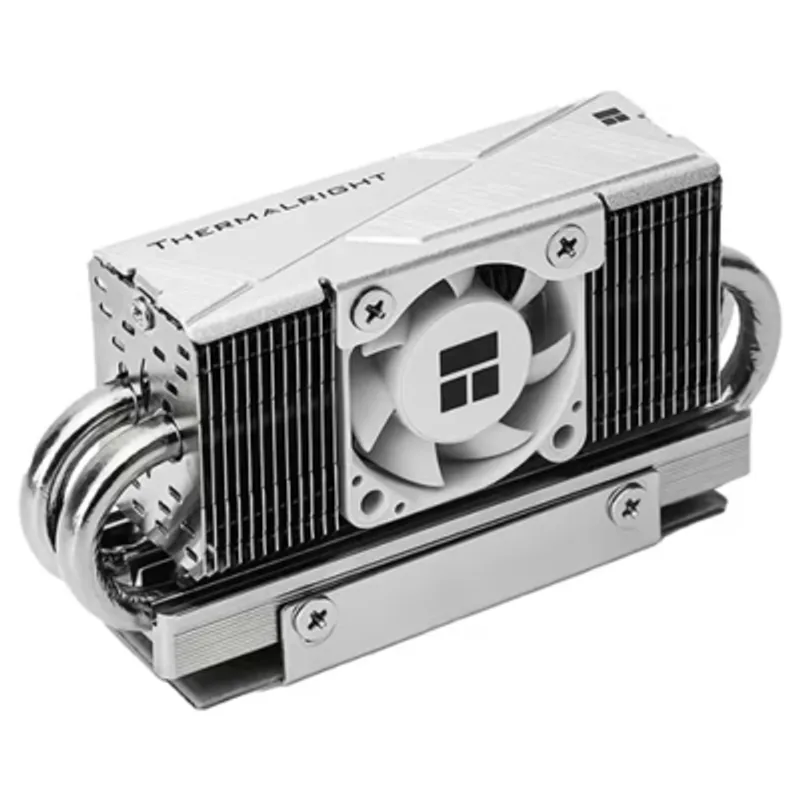
The Thermalright HR-10 2280 PRO is built for the drives that actually need aggressive cooling: PCIe 5.0 SSDs pushing sequential speeds past 10,000 MB/s, which generate more sustained heat than any previous generation of consumer NVMe drive. Four 5mm copper heat pipes using Thermalright’s AGHP technology pull heat away from the controller and NAND, and a 30mm PWM fan spinning between 3,500 and 6,500 RPM moves air directly across the fin stack rather than relying on ambient case airflow.
At $49.82 it’s the most expensive single unit in this roundup, and its 43.8mm height is tall enough to check clearance against a graphics card before buying — Thermalright’s own spec sheet notes it isn’t compatible with rear-mounted M.2 slots on ITX boards. For a Gen5 boot drive in a case with a full-size GPU, it’s worth confirming fit first; for anything running hot under sustained load, it’s the strongest thermal performer here.
2. EZDIY-FAB Shield M.2 SSD Heatsink — Best Value Active Cooling
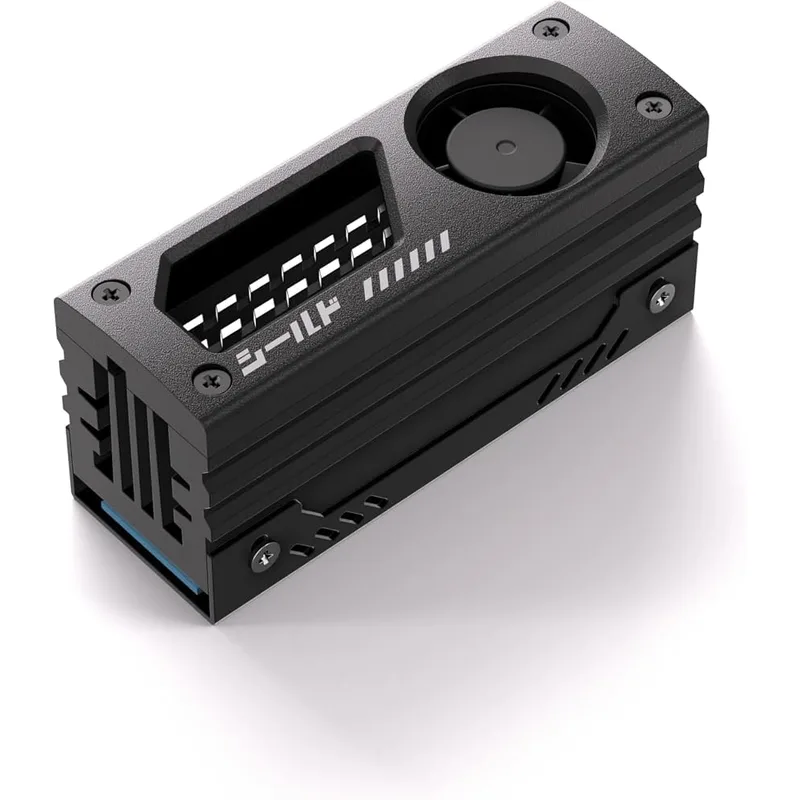
The EZDIY-FAB Shield M.2 SSD Heatsink brings active fan cooling down to $19.99, using a single 20mm PWM ball-bearing fan rated to spin up to 13,000 RPM inside a high-density aluminum alloy shell. Unlike most heatsinks in this category, it’s built to fit four different M.2 lengths — 2230, 2242, 2260, and 2280 — which matters for smaller form-factor drives that a standard 2280-only heatsink can’t accommodate.
Running the fan at its 13,000 RPM ceiling is audible in a quiet room; most builders will want to set a custom PWM fan curve in BIOS to keep it quiet at idle and only ramp up under load. Its single small fan also moves noticeably less total air than the Thermalright’s larger 30mm unit, so on a hot PCIe 5.0 drive under sustained writes, it won’t match the HR-10 2280 PRO’s ceiling — but for PCIe 4.0 drives or lighter Gen5 workloads, it’s a real step up from passive cooling at a fraction of the premium option’s price.
3. Sabrent Rocket Heatsink (SB-HTSS) — Best Passive
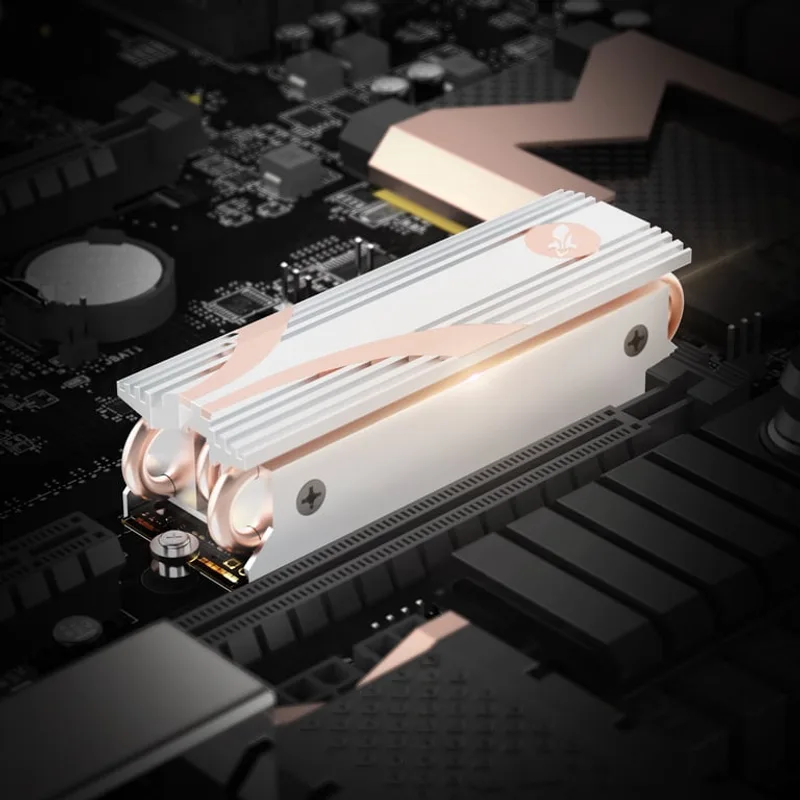
The Sabrent Rocket Heatsink pairs a copper core with grooved aluminum fins, using the copper to pull heat off the drive quickly before spreading it across the larger aluminum surface for dissipation — a step up from the aluminum-only construction most budget passive heatsinks use. It ships complete with thermal tape, screws, and a screwdriver, and Sabrent publishes an official installation guide, which helps for anyone installing their first M.2 heatsink.
With no fan, it depends on airflow crossing the M.2 slot from the case’s existing fans, giving it less thermal ceiling than either active option in this roundup under sustained load. Its fin stack also sits taller than the Akasa or GLOTRENDS passive options, worth checking against GPU backplate clearance in a compact case. For a PCIe 4.0 drive in a case with reasonable airflow, it’s a dependable middle-ground pick from an established SSD brand.
4. Akasa M.2 SSD Heatsink (2-Pack) — Best Low-Profile
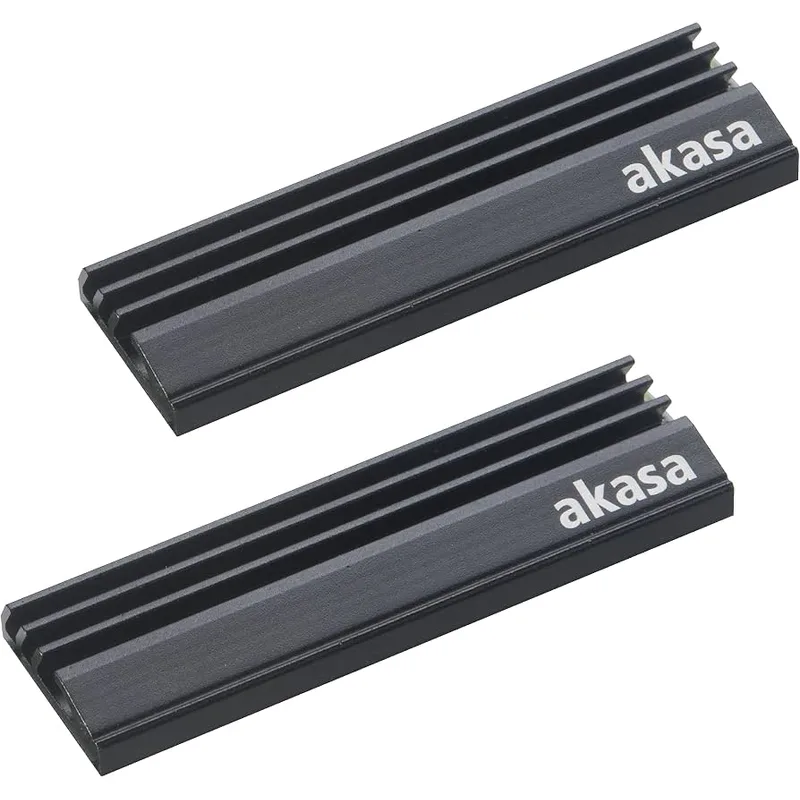
At just 6.4mm tall, the Akasa M.2 SSD Heatsink fits where the taller coolers in this roundup physically can’t — tight small-form-factor cases, boards where the M.2 slot sits directly under the GPU, or PS5 and PS5 Slim expansion slots. It mounts with pre-applied thermal adhesive tape instead of screws, so installation is press-on with no bracket to align. The 2-pack format also means two drives get covered for close to what a single Sabrent heatsink costs.
The tradeoff is capacity on two fronts: it’s rated for single-sided SSDs only, so most double-sided 2TB+ drives won’t seat flush underneath, and its wave-cut aluminum fin has the smallest total surface area of any passive option here. It’s a strong pick for a single-sided Gen4 drive in a clearance-constrained build, less so for a hot double-sided Gen5 boot drive.
5. GLOTRENDS M.2 NVMe SSD Heatsink (2-Pack) — Best Budget
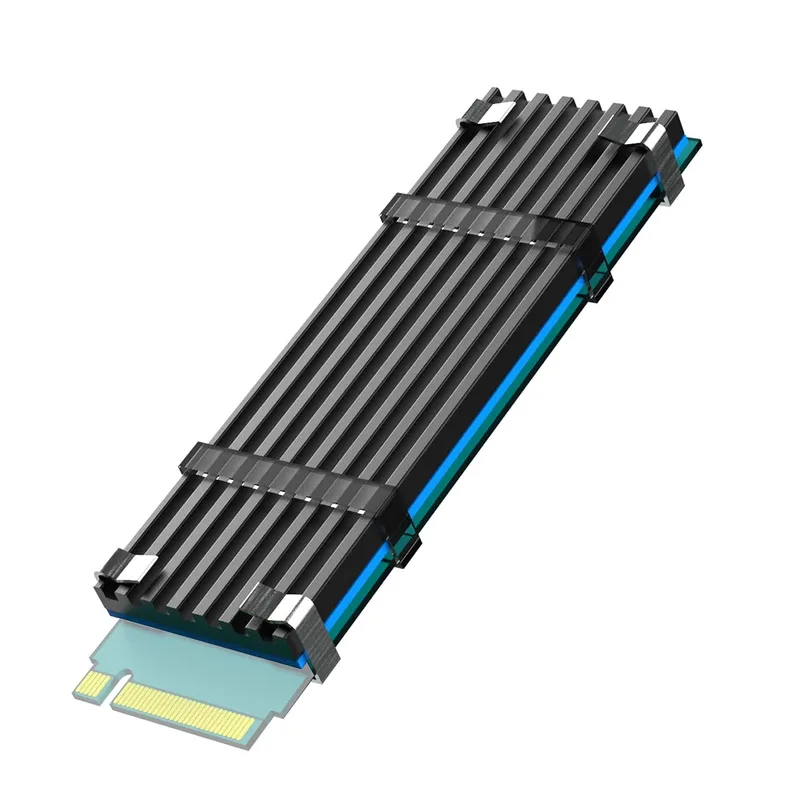
The GLOTRENDS M.2 NVMe SSD Heatsink undercuts everything else in this roundup on price at $7.99 for two units, and at 3mm thick it’s even thinner than the Akasa — thin enough to fit under nearly any GPU or in a PS5/PS5 Slim expansion slot with room to spare. It includes a thermal pad and mounts without tools.
That thinness comes at the cost of total aluminum mass, which means less thermal capacity than the Sabrent or Akasa passive picks and noticeably less than either active cooler here. It’s a sound choice for a secondary storage drive or a lightly-loaded drive where clearance is the priority over squeezing out maximum sustained thermal performance, but it’s not the pick for a primary Gen5 drive doing large sustained writes.
FAQ
Does every NVMe SSD need a heatsink?
No. PCIe 3.0 drives and lightly-loaded secondary storage drives rarely generate enough sustained heat to need one. PCIe 4.0 and especially PCIe 5.0 drives under sustained sequential writes — large file transfers, game installs, video scratch disks — benefit the most, since controller temperatures above 80°C are common enough under load to trigger thermal throttling.
My motherboard already has a built-in M.2 heatsink. Do I still need one of these?
Usually not for the primary slot, which is the one board makers most often cover. Secondary and tertiary M.2 slots frequently ship bare, which is where an aftermarket heatsink like the ones in this roundup is most useful.
Is an active-fan heatsink actually better than a passive one?
For a hot PCIe 5.0 drive under sustained load, yes — the Thermalright HR-10 2280 PRO and EZDIY-FAB Shield both move air directly across their fins instead of relying on case airflow, which gives them a real advantage over the Sabrent, Akasa, and GLOTRENDS passive options in that scenario. For a PCIe 4.0 drive in a well-ventilated case, a passive heatsink is usually enough.
Do these heatsinks work with a PS5?
The Akasa and GLOTRENDS heatsinks in this roundup are both rated for the PS5 and PS5 Slim’s M.2 expansion slot, which has a strict height limit most desktop-oriented heatsinks like the Thermalright or EZDIY-FAB exceed. Check your specific console generation’s clearance spec before buying.
Can a heatsink cause fit or compatibility problems?
Yes — the two most common issues are height clashing with a graphics card’s shroud or backplate, and single-sided-only heatsinks like the Akasa not fitting a double-sided high-capacity drive. Check your motherboard’s M.2 slot clearance and your SSD’s single/double-sided spec before ordering.
The Bottom Line
The Thermalright HR-10 2280 PRO is the strongest thermal performer here and the pick for a PCIe 5.0 boot drive doing sustained heavy writes, as long as its 43.8mm height clears your GPU. For most other builds, the EZDIY-FAB Shield M.2 SSD Heatsink delivers real active cooling for under half the price. Builders working around tight clearance or outfitting a PS5 should look at the Akasa or GLOTRENDS low-profile passive pairs instead. For more on why Gen5 drives run this hot in the first place, see our PCIe 5.0 explained guide, and for drive picks to pair with any of these heatsinks, check our best PCIe 5.0 NVMe SSDs and best NVMe SSDs roundups.