Running a language model on your own hardware has gone mainstream in 2026: Ollama has passed 174,000 GitHub stars, and guides for local LLM desktops now treat 16GB of GPU VRAM as the practical starting point. The catch this year is supply. GPU street prices have run well above launch MSRP because of the memory shortage, and several popular RTX 50-series models are out of stock on Amazon right now. This guide covers a build that works around that, with three GPU tiers and the CPU, board and PSU to match.
| Spec | ASUS Prime GeForce RTX 5060 Ti 16GB OC 8/10 | ASRock Radeon RX 7900 XTX Phantom Gaming 24GB Unavailable 8.2/10 | ASUS TUF Gaming GeForce RTX 5080 16GB OC Unavailable 8.4/10 | AMD Ryzen 9 9950X 8.6/10 | ASUS ProArt X870E-Creator WiFi 8.5/10 | Corsair RM1000x ATX 3.1 8.7/10 |
|---|---|---|---|---|---|---|
| Architecture | NVIDIA Blackwell GB206 | AMD RDNA 3 | NVIDIA Blackwell GB203 | — | — | — |
| Memory | 16GB GDDR7, 128-bit | 24GB GDDR6, 384-bit | 16GB GDDR7, 256-bit | — | — | — |
| Board_Power | 180W | 355W | 360W | — | — | — |
| Interface | PCIe 5.0 x8 | — | PCIe 5.0 x16 | — | — | — |
| Power_Connector | 1x 8-pin | — | 12V-2x6 | — | — | — |
| Rating | 8/10 | 8.2/10 | 8.4/10 | 8.6/10 | 8.5/10 | 8.7/10 |
Prices change daily — tap Check Price for the current Amazon price.
Prices change daily — tap Check Price for the current Amazon price.
Build at a Glance
| Part | Pick | Role |
|---|---|---|
| GPU (entry) | ASUS Prime RTX 5060 Ti 16GB | 7B-14B models |
| GPU (VRAM) | ASRock RX 7900 XTX 24GB | Up to roughly 30B models |
| GPU (speed) | ASUS TUF RTX 5080 16GB | Fastest CUDA option |
| CPU | AMD Ryzen 9 9950X | Offload and prep work |
| Motherboard | ASUS ProArt X870E-Creator WiFi | AM5, room for a second GPU |
| PSU | Corsair RM1000x ATX 3.1 | 1000W, native 12V-2x6 |
| RAM | 64GB DDR5 (2x32GB) | Model offload headroom |
| Storage | 2TB-4TB NVMe | Model library |
Why VRAM Decides Everything
Token generation is limited by how fast the GPU can read model weights, and weights only read quickly if they sit in VRAM. Once a model spills into system RAM, speed falls hard. Published local-LLM guides put a 70B model at about 40GB of VRAM at 4-bit quantization, which no single consumer card holds. That means the realistic single-GPU ceiling today is a 30B-class model on a 24GB card.
So the buying order is: VRAM capacity first, memory bandwidth second, software support third, raw compute last. A 16GB card runs 7B-14B models comfortably, with longer context windows eating into the remainder. A 24GB card moves you up to 30B-class models.
Choosing Your GPU Tier
The three cards here solve different problems, and no one card is best for everybody.
- Entry: the RTX 5060 Ti 16GB is the cheapest way into 16GB with full CUDA support.
- VRAM per dollar: the RX 7900 XTX is the only 24GB card in stock in this guide, at the cost of a less mature software stack.
- Speed: the RTX 5080 is faster on models that fit in 16GB, but it does not raise your model-size ceiling.
If you work with Stable Diffusion-style image tools or training libraries that assume CUDA, an NVIDIA card removes friction. If your goal is the biggest chat model that fits on one card, the 24GB Radeon wins.
Component Deep Dives
ASUS Prime GeForce RTX 5060 Ti 16GB OC
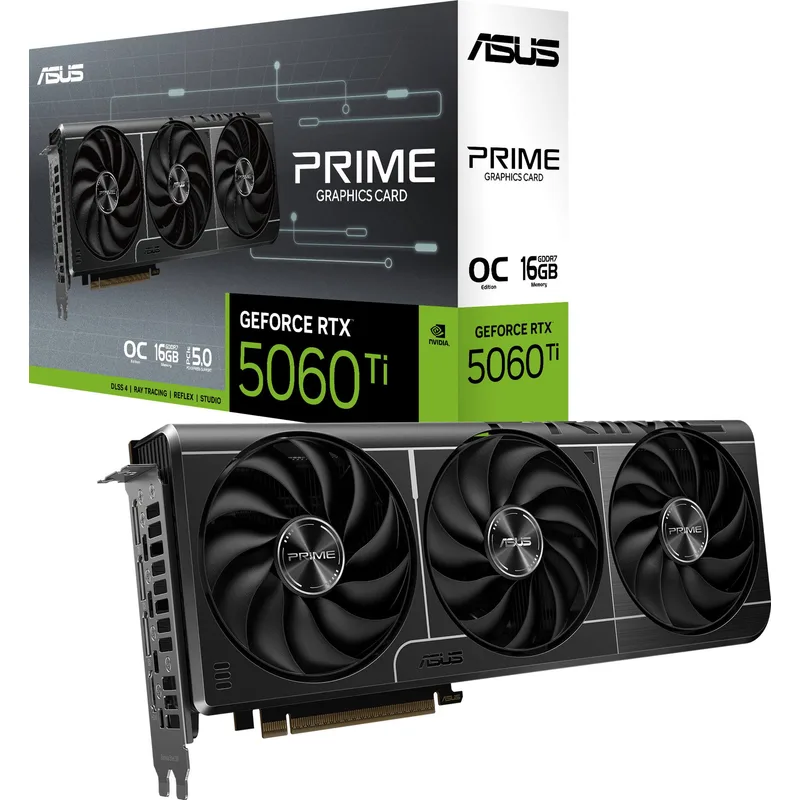
The ASUS Prime RTX 5060 Ti 16GB is the starting point. Its 16GB GDDR7 pool holds 7B-14B models at 4-bit with space for context, and its 180W board power fits almost any PSU. The 128-bit bus is the trade-off: it generates tokens more slowly than the wider cards. Note that other 5060 Ti models, including the ASUS TUF and MSI variants, were out of stock when this guide was written, so check the 16GB (not 8GB) version before buying.
ASRock Radeon RX 7900 XTX Phantom Gaming 24GB
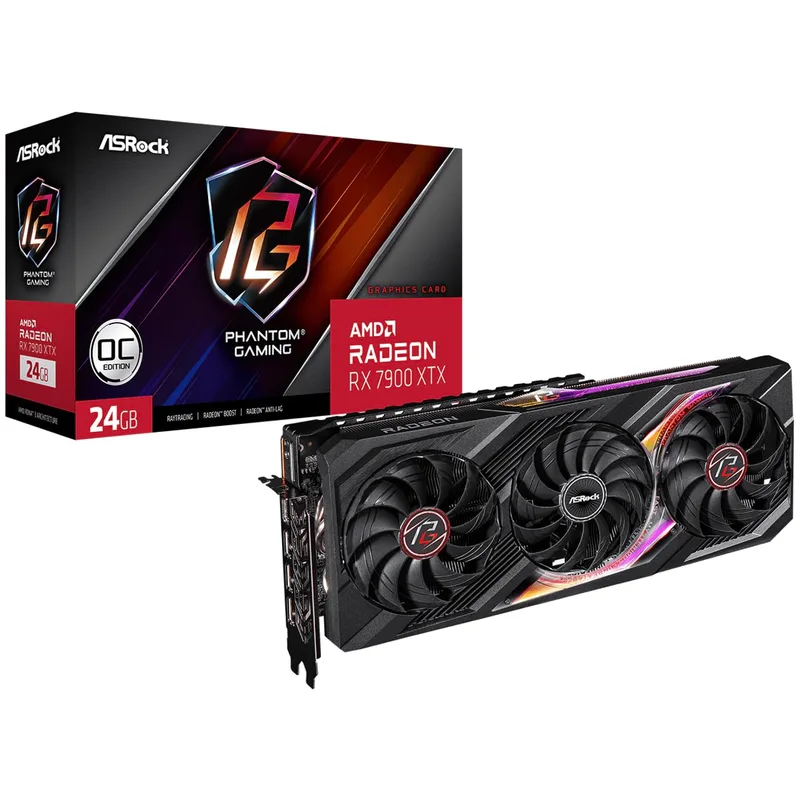
The RX 7900 XTX offers 24GB on a 384-bit bus, the most VRAM and one of the highest bandwidth figures in this guide. That fits 30B-class models at 4-bit that the 16GB cards cannot hold. Plan for the software: llama.cpp supports it through Vulkan and ROCm, but some tools are CUDA-only. Its three 8-pin connectors and 355W draw call for a full-size case with good airflow.
ASRock Radeon RX 7900 XTX Phantom Gaming 24GB
ASUS TUF Gaming GeForce RTX 5080 16GB OC
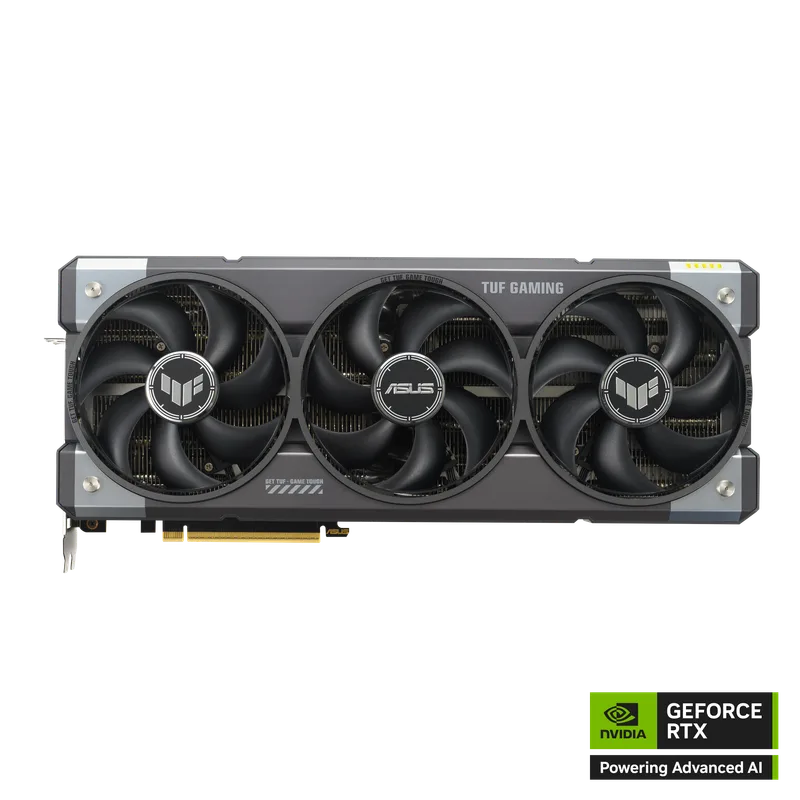
The ASUS TUF RTX 5080 is the fast option. GDDR7 on a 256-bit bus gives much higher memory bandwidth than the 5060 Ti, so any model that fits in 16GB generates tokens faster. It also covers 4K gaming. If you mainly want to run bigger models, though, 16GB is a ceiling, and the 7900 XTX is the better match.
ASUS TUF Gaming GeForce RTX 5080 16GB OC
AMD Ryzen 9 9950X
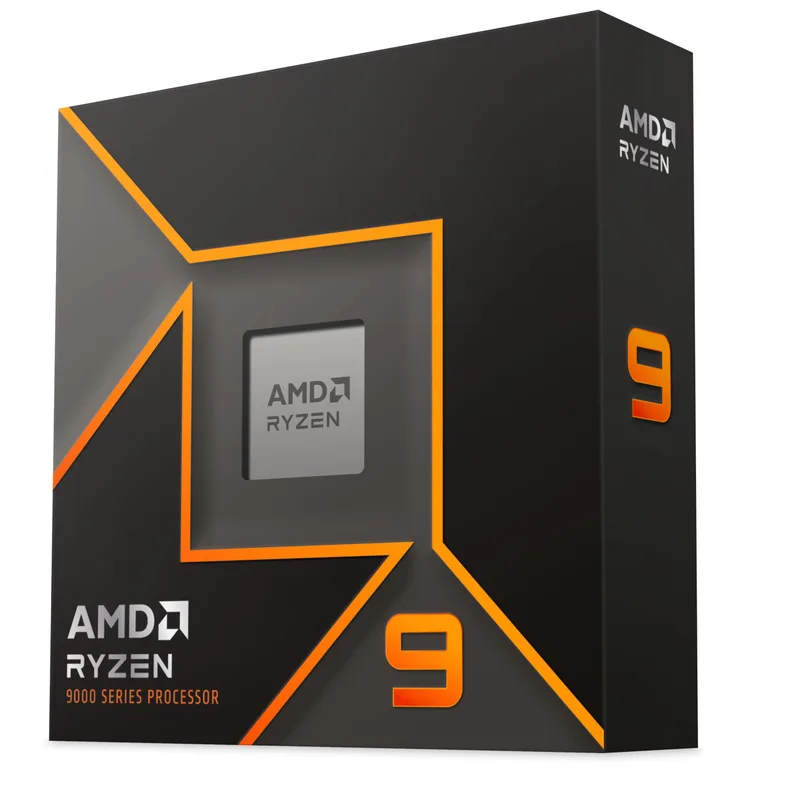
The Ryzen 9 9950X (AM5) has 16 cores and 32 threads. When a model is too large for VRAM, llama.cpp can run extra layers on the CPU, and a 16-core part keeps that from collapsing. It ships without a cooler, so budget for a 280mm or 360mm AIO. For a tighter budget, our best CPUs for machine learning roundup covers cheaper options like the 9900X.
ASUS ProArt X870E-Creator WiFi
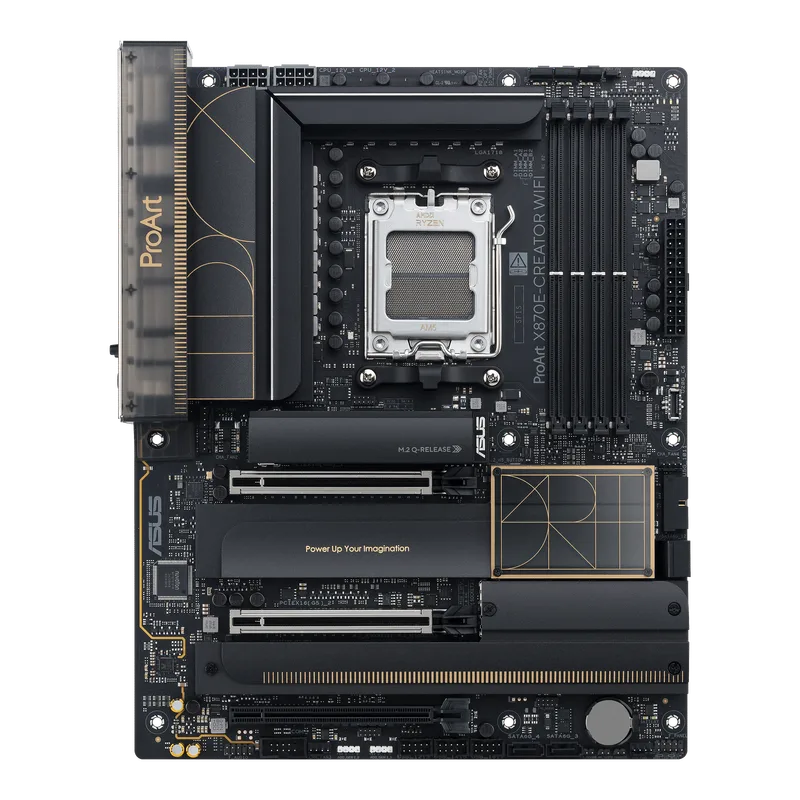
The ProArt X870E-Creator WiFi is the board to choose if you might add a second GPU. It has two PCIe 5.0 x16-length slots, USB4 and Wi-Fi 7. Running two cards splits the CPU’s lanes, but for inference that costs little, since weights are loaded once. If you will only ever run one card, a cheaper X870 board works just as well. See our chipset explainer for the differences.
Corsair RM1000x ATX 3.1
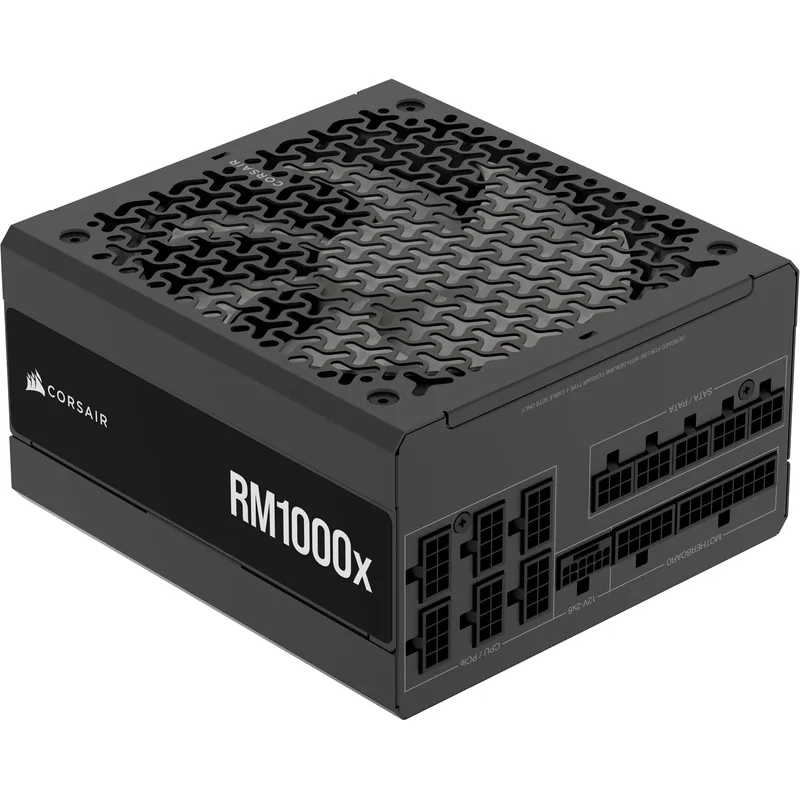
The Corsair RM1000x carries a 360W GPU and a 170W CPU with room to spare, and its native 12V-2x6 cable suits RTX 50-series cards. Read our Corsair RM1000x review for the full breakdown. On the entry build, a quality 750W supply is enough.
Memory and Storage
Buy 64GB of DDR5 (2x32GB). System RAM is where overflow layers go, and two DIMMs keep AM5 memory speeds higher than four. DRAM is expensive in 2026, with industry-wide DDR5 kit prices roughly doubling year over year, so price kits carefully. Our DDR5 explainer covers speed and timing choices.
For storage, model files are large: a single quantized 30B model is often 15-20GB. A 2TB-4TB NVMe drive holds a sizable library, and read speed matters mostly at load time. Our NVMe heatsink guide helps if you pick a Gen5 drive.
Build Tips
- Install the GPU in the top x16 slot and run the PSU cable fully seated; 12V-2x6 connectors need to click all the way in.
- Set the EXPO profile in BIOS for DDR5 stability, and update the BIOS first for Ryzen 9000.
- Use Ollama or llama.cpp with a quantized (Q4) model to start, then raise precision if VRAM allows.
- Check case clearance: the 7900 XTX Phantom Gaming and RTX 5080 are large three-slot class cards.
- Point your model folder at the NVMe drive, not a SATA or hard drive.
Performance Expectations
Published guides group workloads by VRAM tier rather than by exact frame rates. Treat these as capacity guidelines, not measured speeds.
| GPU tier | VRAM | Practical model size |
|---|---|---|
| RTX 5060 Ti | 16GB | 7B-14B at Q4 |
| RTX 5080 | 16GB | 7B-14B at Q4, faster |
| RX 7900 XTX | 24GB | Up to about 30B at Q4 |
| 70B models | ~40GB | Needs two GPUs or heavy CPU offload |
Upgrade Path
Start with one GPU and 64GB of RAM. The first upgrade is a second card: with the ProArt board and a 1000W PSU, a second 16GB or 24GB GPU pools VRAM for larger models. After that, add RAM or storage. Waiting for GPU stock to recover is also reasonable if the card you want is out of stock.
FAQ
How much VRAM do I need for a local LLM? 16GB is the practical minimum for 7B-14B models at 4-bit. 24GB reaches 30B-class models. A 70B model needs about 40GB, beyond any single consumer card.
Is AMD or NVIDIA better for local AI? NVIDIA has the broader software support through CUDA. AMD’s RX 7900 XTX gives you 24GB for 30B-class models, but some tools need extra setup.
Can I run a model without a GPU? Yes, with a 16-core CPU and 64GB of RAM, but generation is much slower than on a GPU with the model in VRAM.
Is a 1000W PSU necessary? Only for the 5080 or 7900 XTX builds, or if you plan a second GPU. The 5060 Ti build runs fine on 750W.
The Bottom Line
VRAM sets what you can run, so match the card to the model size you want. Take the ASUS Prime RTX 5060 Ti 16GB to get started, the RX 7900 XTX 24GB for the largest single-card models, or the RTX 5080 for the fastest CUDA option. Pair them with the Ryzen 9 9950X, the ProArt X870E-Creator and the RM1000x. Related reading: best GPUs for machine learning.
| Spec | ASUS Prime GeForce RTX 5060 Ti 16GB OC 8/10 | ASRock Radeon RX 7900 XTX Phantom Gaming 24GB Unavailable 8.2/10 | ASUS TUF Gaming GeForce RTX 5080 16GB OC Unavailable 8.4/10 | AMD Ryzen 9 9950X 8.6/10 | ASUS ProArt X870E-Creator WiFi 8.5/10 | Corsair RM1000x ATX 3.1 8.7/10 |
|---|---|---|---|---|---|---|
| Architecture | NVIDIA Blackwell GB206 | AMD RDNA 3 | NVIDIA Blackwell GB203 | — | — | — |
| Memory | 16GB GDDR7, 128-bit | 24GB GDDR6, 384-bit | 16GB GDDR7, 256-bit | — | — | — |
| Board_Power | 180W | 355W | 360W | — | — | — |
| Interface | PCIe 5.0 x8 | — | PCIe 5.0 x16 | — | — | — |
| Power_Connector | 1x 8-pin | — | 12V-2x6 | — | — | — |
| Rating | 8/10 | 8.2/10 | 8.4/10 | 8.6/10 | 8.5/10 | 8.7/10 |
Prices change daily — tap Check Price for the current Amazon price.
Prices change daily — tap Check Price for the current Amazon price.