Component prices are moving in opposite directions in 2026, and that breaks the old rule of thumb that a GPU gets “about a third.” Framework has warned of memory volatility and cost increases through the rest of 2026, and reports say NVIDIA has raised kit prices to board partners three times this year. Meanwhile DRAM and NAND shortages tied to AI data center demand have inflated RAM and SSD lines far past where they sat in 2025. This guide gives you a percentage framework that works at any total budget, shows where to adjust it for current prices, and pairs it with five in-stock parts that fit the split.
| Spec | AMD Ryzen 5 9600X 8.6/10 | ASUS Dual GeForce RTX 5060 Ti 16GB OC 8.4/10 | MSI MAG B650 Tomahawk WiFi 8.8/10 | Corsair RM850e (2025) 9.3/10 | Samsung 990 Pro 1TB 9.2/10 |
|---|---|---|---|---|---|
| cores | 6 cores / 12 threads | — | — | — | — |
| boost_clock | Up to 5.4 GHz | 2572 MHz | — | — | — |
| cache | 38 MB total (32 MB L3 + 6 MB L2) | — | — | — | — |
| tdp | 65W | 180W | — | — | — |
| socket | AM5 (Zen 5) | — | AM5 | — | — |
| memory | DDR5-5600 official | — | — | — | — |
| Rating | 8.6/10 | 8.4/10 | 8.8/10 | 9.3/10 | 9.2/10 |
Prices change daily — tap Check Price for the current Amazon price.
Prices change daily — tap Check Price for the current Amazon price.
Build at a Glance
Percentages scale to whatever you plan to spend. Fix the total first, then set each line from the target range. This site shows no live prices, so use the Check price buttons for today’s numbers and compare them against your budget slices.
| Component | Target share of budget | Pick in this guide | Spend or save? |
|---|---|---|---|
| GPU | 33-40% | ASUS Dual RTX 5060 Ti 16GB | Spend |
| CPU | 14-18% | AMD Ryzen 5 9600X | Balance |
| Memory (RAM) | 10-14% | 32GB DDR5 kit (not featured) | Spend carefully |
| Motherboard | 9-12% | MSI MAG B650 Tomahawk WiFi | Balance |
| Storage | 8-12% | Samsung 990 Pro 1TB | Save where possible |
| PSU | 7-9% | Corsair RM850e | Spend |
| Case | 4-7% | Any airflow mid-tower | Save |
| CPU cooler | 2-4% | Basic tower cooler | Save |
The ranges overlap on purpose. A build aimed at 1440p gaming sits at the high end of the GPU line and the low end of the CPU line. A build used for editing or compiling flips them.
Why These Parts
The GPU gets the biggest slice because it sets your frame rate. At 1440p and above, the graphics card is the limit in almost every modern game, so a larger slice there moves performance more than any other line. That is why the ASUS Dual RTX 5060 Ti 16GB leads the pick list. The 16GB buffer matters because 8GB cards run out of texture memory in recent AAA titles; our best GPUs under $600 and RTX 5060 Ti roundup cover the alternatives if this card is out of stock when you buy.
The CPU gets a middle slice, not a big one. The Ryzen 5 9600X is a 6-core, 65W chip. In GPU-limited games, stepping up to a pricier CPU buys few extra frames. Put the difference into the graphics card instead, unless you edit video or run heavy background workloads.
The motherboard is a “just enough” line. The B650 Tomahawk has Wi-Fi 6E, 2.5G LAN, two M.2 slots, and ATX space, which covers what most builders use. Paying for X870E extras (more Gen5 slots, extra USB4) only makes sense if you will use them.
The PSU is the part you should not cut. A weak power supply risks the whole build. The Corsair RM850e has a native 12V-2x6 cable and ATX 3.1 compliance, and 850W lets you move to a larger GPU later without replacing it. See the best 850W power supplies for alternatives.
Component Deep Dives
Where to Spend: GPU and PSU
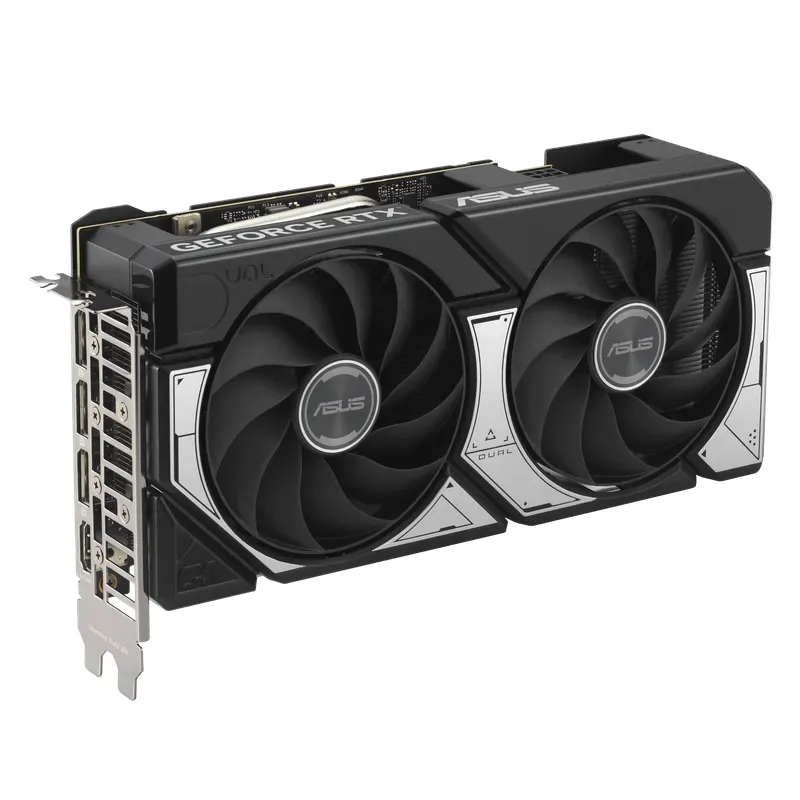
The ASUS Dual RTX 5060 Ti 16GB is the build’s anchor. It uses Blackwell’s GB206 chip with 16GB of GDDR7 and a 180W TDP, so it fits compact cases and a modest power budget. Its weakness is the 128-bit bus, which narrows its lead at 4K. If your target is 4K, move more of the budget to the GPU line and drop one tier on the CPU.
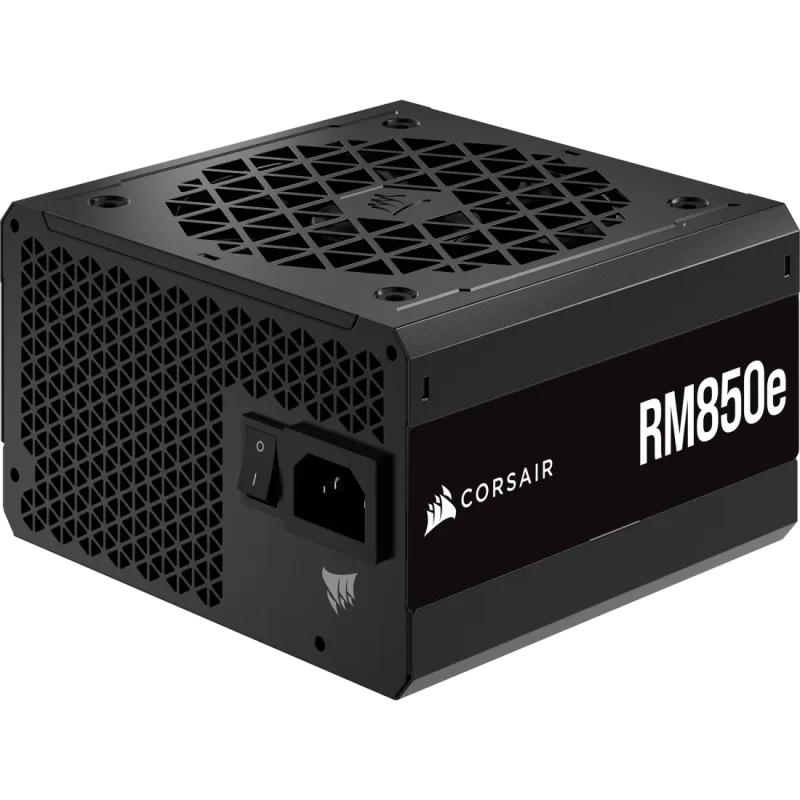
The RM850e is the one place where “overbuying” is sensible. Power supplies last through several GPU generations, and a unit with a native 12V-2x6 cable avoids adapters. If you are certain you will never upgrade the GPU, a 750W unit trims the PSU share, but the saving is small compared with the risk of buying again.
Where to Balance: CPU and Motherboard
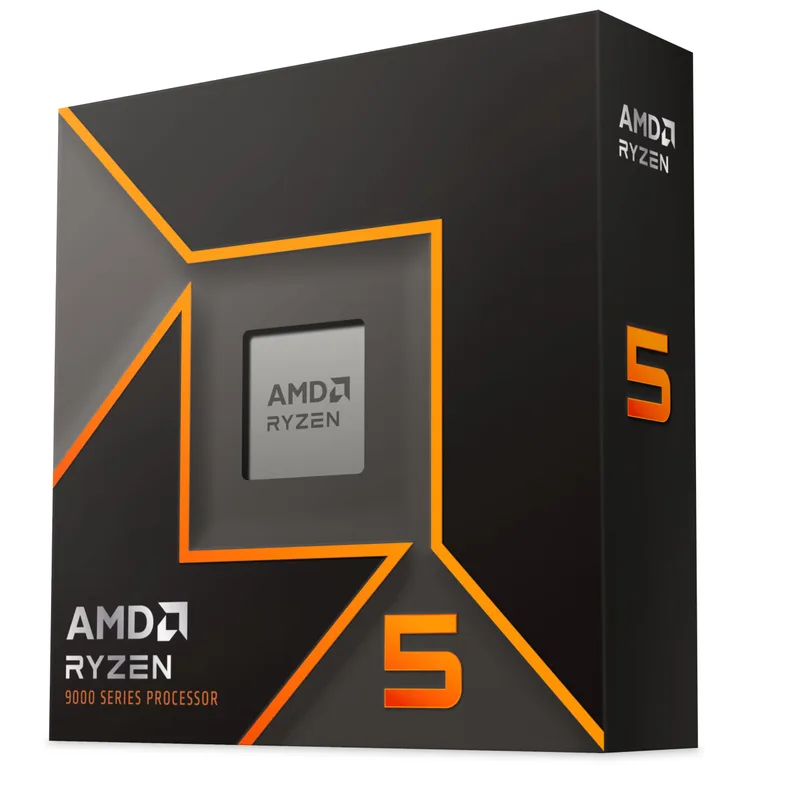
The Ryzen 5 9600X is a sensible default for a GPU-first split. AM5 matters more than the chip: you can drop in a faster Ryzen 9000 part later without touching the board. Remember that it ships without a cooler, so reserve the 2-4% cooling slice for a tower cooler such as the ones in our CPU cooler roundup.
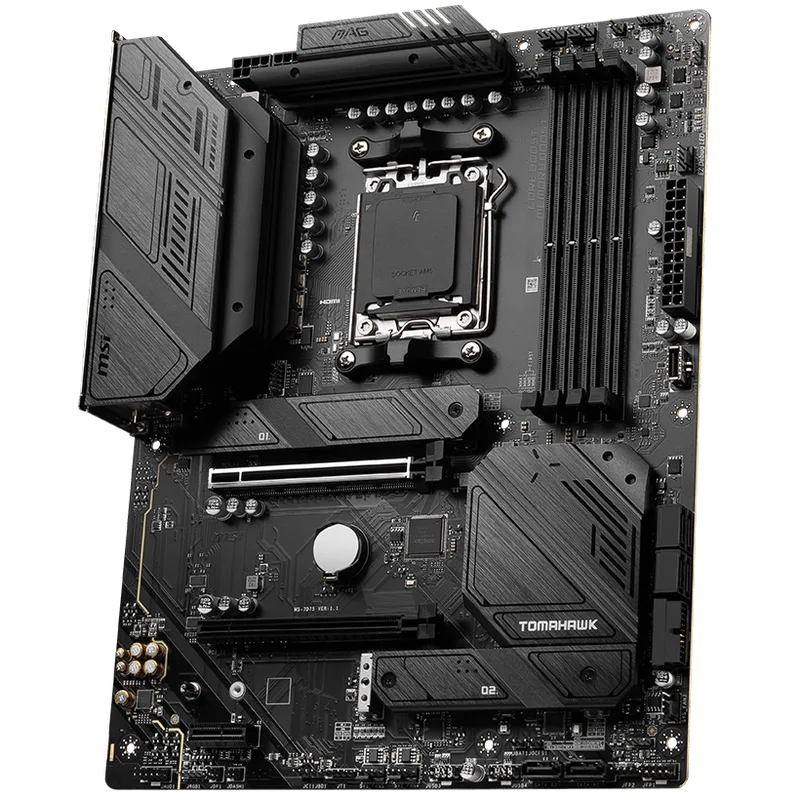
The B650 Tomahawk WiFi covers the essentials. The trade-off is a mid-grade VRM, so if you plan to move to a 16-core Ryzen 9, budget for a higher-tier board now instead of replacing this one later.
Where to Save: Storage
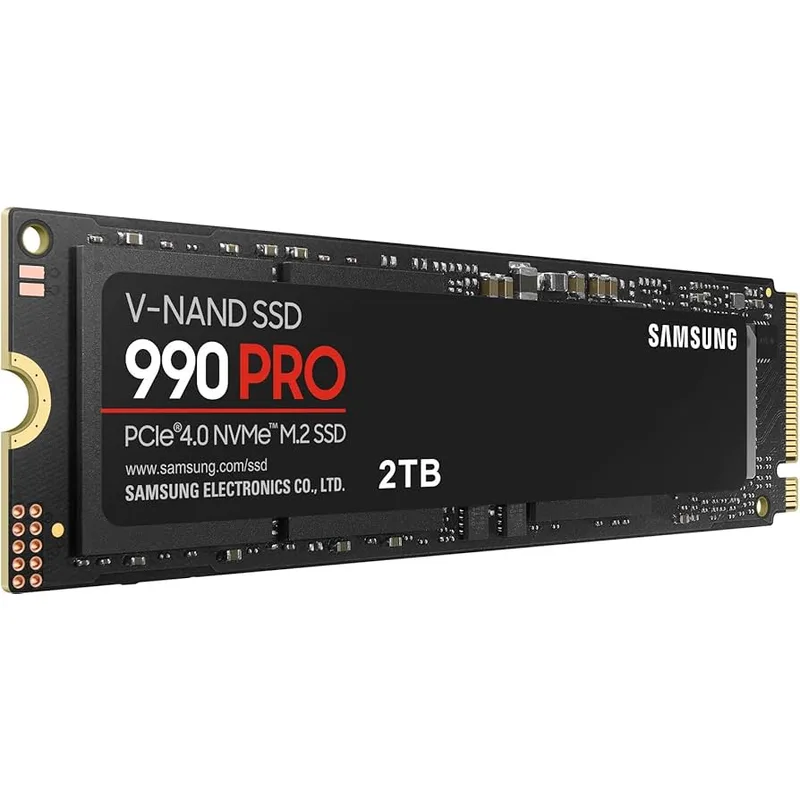
The 990 Pro is the fast, safe pick, and storage is where this framework gives you the most room to cut. NAND shortages have pushed SSD prices up sharply across the market, and a Gen4 drive from a mainstream brand loads games almost as quickly. Check our best NVMe SSDs for cheaper options and buy a bigger drive only when the price per terabyte makes sense.
Build Tips
- Set the total before you shop. Pick a hard ceiling, then price each line against its range. A GPU that lands 5% over its range is fine if the case and cooler land under theirs.
- Move money in one direction. Take it from case, cooler, and storage, and give it to the GPU. Do not take it from the PSU.
- Treat RAM as a floating line. With DDR5 prices elevated, 32GB may eat well above its 10-14% range. Cutting to 16GB saves money now but costs you later in modern games, so most builders do better trimming storage or the case first.
- Buy the case last. Airflow matters more than looks; any mid-tower with a mesh front and two intake fans will do. Our airflow guide explains what to look for.
- Re-check stock on build day. Several cards and cases have gone in and out of stock this year, so recheck each part’s Check price button before you order.
Performance Expectations
How the split translates into play depends on where the money goes.
| If you shift budget to… | You gain | You give up |
|---|---|---|
| GPU (+5 points) | Higher frame rate and settings at 1440p/4K | Case, cooler, or storage quality |
| CPU (+5 points) | Faster rendering, compiling, high-refresh esports | GPU tier, so lower frame rates in AAA games |
| RAM (16GB to 32GB) | Fewer stutters with background apps and modern games | Roughly the cost of a mid-range SSD |
| Storage (1TB to 2TB) | Room for more installs | A budget-tier GPU step |
For 1440p gaming, the picks in this guide are a sound GPU-weighted build. Treat that as a design goal, not a measured result: we have not run this exact combination ourselves, and your results will vary by game and settings.
Upgrade Path
- GPU first. Because you spent most on it, it is also the part you will replace first. The 850W PSU and AM5 board are already sized for that.
- Storage second. Add a second M.2 drive when prices ease; the Tomahawk has a free slot.
- CPU third. Drop a faster Ryzen 9000 chip into the same AM5 socket when games start to demand it.
- RAM last. Wait for DDR5 prices to settle before expanding beyond 32GB.
For ideas on what to upgrade first in an existing PC, see the PC upgrade priority guide.
FAQ
What percentage of my PC budget should go to the GPU?
For a gaming build, 33-40%. The GPU sets your frame rate in most games, so it is the line where extra money does the most. Content-creation builds usually shift 5 points toward the CPU and RAM.
Should I spend more on the CPU or the GPU?
The GPU, for gaming at 1440p or higher. A mid-range 6- or 8-core CPU like the Ryzen 5 9600X rarely limits frame rate there. Choose the pricier CPU only for rendering, compiling, or very high-refresh esports play.
Is it worth saving on the power supply?
No. Cheap units carry the highest risk of failing and taking other parts with them. Keep the PSU at 7-9% of the budget and pick a quality ATX 3.1 unit with a long warranty.
How do shortages change the framework?
RAM and SSD lines run above their usual ranges, so something else must shrink. Trim the case, cooler, and storage capacity first, keep the GPU and PSU intact, and recheck prices before you order.
Does this split work for a $500 or $2,000 build?
Yes, with adjustments. At the low end, fixed costs like the case and PSU take a larger share, so the GPU range slips toward 30%. At the high end, the GPU can climb above 40%. Our under-$800 and under-$1,000 builds show the framework at two fixed budgets.
The Bottom Line
Fix your total, give the GPU 33-40%, keep the PSU at 7-9%, and fund everything else from the case, cooler, and storage lines. The ASUS Dual RTX 5060 Ti 16GB and Corsair RM850e are where this guide spends; the Samsung 990 Pro 1TB is the first line to trim for a cheaper Gen4 drive when budgets get tight.