With DDR5-6000 32GB kits selling for $399–$469 in mid-2026 — up dramatically from 2025 lows due to the AI-driven NAND and DRAM shortage — you cannot afford to let that memory run at its JEDEC default of 4800 MT/s. XMP 3.0 and AMD EXPO are the one-click settings in your BIOS that unlock the speed you paid for. This guide covers exactly how to enable them on every major motherboard brand, what each profile standard actually does, and which DDR5-6000 kits are worth enabling it on right now.
| Spec | G.Skill Trident Z5 Neo RGB DDR5-6000 32GB CL30 (AMD EXPO & XMP 3.0) 9.3/10 | Corsair Vengeance DDR5-6000 32GB CL30 (AMD EXPO & XMP 3.0) 9/10 | Kingston FURY Beast DDR5-6000 32GB CL30 (AMD EXPO) 8.7/10 | TeamGroup T-Force Vulcan DDR5-6000 32GB CL30 (XMP 3.0 & AMD EXPO) 8.4/10 | G.Skill Ripjaws S5 DDR5-6000 32GB CL30 Unavailable 8.8/10 |
|---|---|---|---|---|---|
| speed | DDR5-6000 (6000 MT/s) | DDR5-6000 (6000 MT/s) | DDR5-6000 (6000 MT/s) | DDR5-6000 (6000 MT/s) | DDR5-6000 (6000 MT/s) |
| capacity | 32GB (2x16GB) | 32GB (2x16GB) | 32GB (2x16GB) | 32GB (2x16GB) | 32GB (2x16GB) |
| latency | CL30-38-38-96 | CL30-36-36-76 | CL30 | CL30 | CL30-40-40-96 |
| voltage | 1.35V | 1.40V | 1.35V | 1.35V | 1.35V |
| profiles | AMD EXPO + Intel XMP 3.0 | AMD EXPO + Intel XMP 3.0 | AMD EXPO | Intel XMP 3.0 + AMD EXPO | Intel XMP 3.0 |
| rgb | Yes — addressable RGB light bar | No (non-RGB Vengeance variant) | No | No | No — matte aluminum heatspreader only |
| Rating | 9.3/10 | 9/10 | 8.7/10 | 8.4/10 | 8.8/10 |
Prices change daily — tap Check Price for the current Amazon price.
Prices change daily — tap Check Price for the current Amazon price.
Quick Picks
- Best dual-platform kit: G.Skill Trident Z5 Neo RGB DDR5-6000 32GB CL30 — Works on Intel and AMD out of the box, CL30 timings, G.Skill lifetime warranty.
- Best for AMD AM5: Kingston FURY Beast DDR5-6000 32GB CL30 — AMD EXPO certified, low-profile, clears all tower coolers.
- Best budget XMP+EXPO: TeamGroup T-Force Vulcan DDR5-6000 32GB CL30 — Dual-platform at $399, flat heatspreader.
XMP 3.0 vs AMD EXPO: What They Actually Are
Both XMP (Extreme Memory Profile) and EXPO (Extended Profiles for Overclocking) are standards that store overclock settings directly on the memory module’s SPD (Serial Presence Detect) chip. When you enable the profile in BIOS, the motherboard reads those stored settings and applies the correct frequency, voltage, and primary timings in one step — no manual tuning required.
Intel XMP 3.0 (current since DDR5 launch) supports up to five stored profiles per module: two manufacturer-defined read-only profiles plus three writable user profiles where you can save custom tuning. XMP 3.0 works on all Intel DDR5 platforms: Z890, Z790, Z690, B760, and H770.
AMD EXPO is AMD’s competing standard, optimized specifically for the AM5 platform and Ryzen 7000/9000 series processors. AMD’s Infinity Fabric runs in a 1:1 ratio with memory speed when RAM hits 6000 MT/s — meaning DDR5-6000 enables a 3000 MHz FCLK that maximizes the IMC’s efficiency. Without EXPO enabled, a Ryzen system defaults to 4800 MT/s and the FCLK drops to 2400 MHz, leaving measurable gaming performance on the table.
Dual-platform kits ship with both XMP and EXPO profiles stored on the same SPD. You get one kit that works optimally on either platform. Most premium DDR5 kits in 2026 include both; budget kits sometimes ship with only one. Check the product listing before buying if you want platform flexibility.
RAM Kits at a Glance
| Kit | Speed | Latency | Profiles | Price |
|---|---|---|---|---|
| G.Skill Trident Z5 Neo RGB | DDR5-6000 | CL30-38-38-96 | EXPO + XMP 3.0 | Check price |
| Corsair Vengeance DDR5-6000 | DDR5-6000 | CL30-36-36-76 | EXPO + XMP 3.0 | Check price |
| Kingston FURY Beast DDR5-6000 | DDR5-6000 | CL30 | EXPO only | Check price |
| TeamGroup T-Force Vulcan DDR5-6000 | DDR5-6000 | CL30 | XMP 3.0 + EXPO | Check price |
| G.Skill Ripjaws S5 DDR5-6000 | DDR5-6000 | CL30-40-40-96 | XMP 3.0 | Unavailable |
Why These Kits
DDR5-6000 at CL30 is the target for 2026. On AMD AM5, 6000 MT/s is the specific speed where the FCLK:UCLK:MCLK ratio snaps to 1:1:1, delivering the best latency and bandwidth the platform allows. On Intel LGA1851 and LGA1700, DDR5-6000 CL30 outperforms higher-speed CL40+ kits in most games because latency matters more than raw bandwidth past a certain threshold.
The DRAM shortage that began in late 2025 — driven largely by AI infrastructure demand consuming HBM and DDR5 production capacity — has pushed 32GB DDR5-6000 kits to $399–$470, a multiple of their 2025 lows. Budget CL30 DDR5-6000 options under the previous price floor have largely disappeared from the market. These five kits represent the current value leaders at DDR5-6000 CL30 across the $399–$469 price band.
Kit Deep Dives
1. G.Skill Trident Z5 Neo RGB DDR5-6000 32GB CL30 — Best Overall
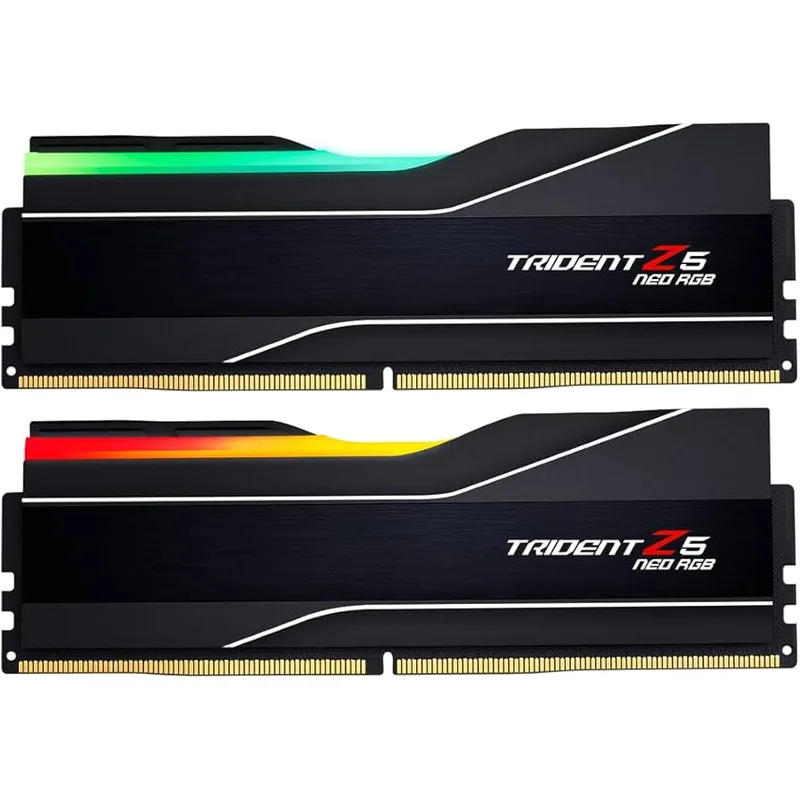
G.Skill Trident Z5 Neo RGB DDR5-6000 32GB CL30 (AMD EXPO & XMP 3.0)
The Trident Z5 Neo RGB is G.Skill’s flagship dual-platform DDR5-6000 kit, built on hand-screened SK Hynix ICs that consistently enable CL30 operation at 1.35V across both Intel and AMD platforms. The CL30-38-38-96 primary timings rank among the tightest available at this speed without requiring manual BIOS intervention beyond flipping the EXPO or XMP switch.
The dual-platform profile system is genuinely useful: the same kit covers Z890 Intel builds and X670E/B650E AMD builds without version hunting. G.Skill certifies these kits against a validated compatibility list covering virtually every current high-end motherboard from ASUS, MSI, Gigabyte, and ASRock.
The RGB light bar is the main premium justification over the Ripjaws S5. If you have a windowed case and addressable RGB headers, the translucent bar provides clean, diffused lighting. If you don’t care about RGB, the Ripjaws S5 at $420 gets you 95% of the performance at roughly 10% less cost.
2. Corsair Vengeance DDR5-6000 32GB CL30 — Best for iCUE Builds
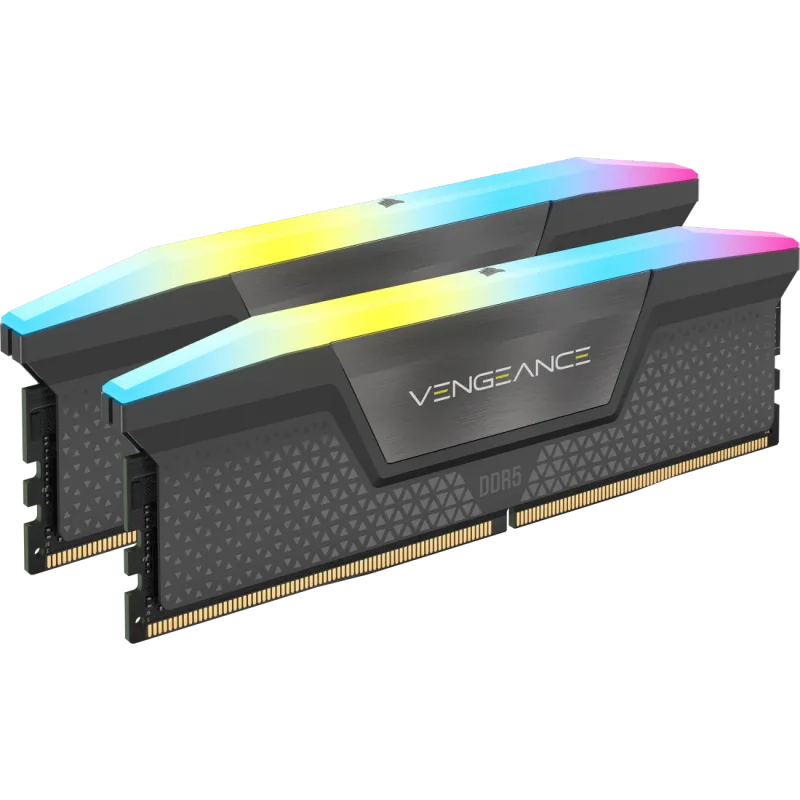
Corsair Vengeance DDR5-6000 32GB CL30 (AMD EXPO & XMP 3.0)
The Corsair Vengeance DDR5-6000 CL30 stands out for its secondary timing profile. CL30-36-36-76 secondaries are tighter than the G.Skill’s CL30-38-38-96, which makes a measurable difference in memory-bandwidth-sensitive workloads — video encoding, large game asset streaming, and some competitive titles benefit from the reduced tRCD and tRP.
iCUE integration adds a layer of real-time monitoring that enthusiasts who already run Corsair AIOs or PSUs will find valuable. Frequency, temperature, and per-channel voltage are visible in the iCUE dashboard without any third-party tools.
The 1.40V operating voltage is 50mV above the other kits on this list. In a well-ventilated mid-tower, that’s a non-issue. In a dense mATX build with poor airflow, keep in mind that DRAM voltage generates heat, and hot ICs throttle more aggressively than cool ones.
3. Kingston FURY Beast DDR5-6000 32GB CL30 — Best for AMD AM5
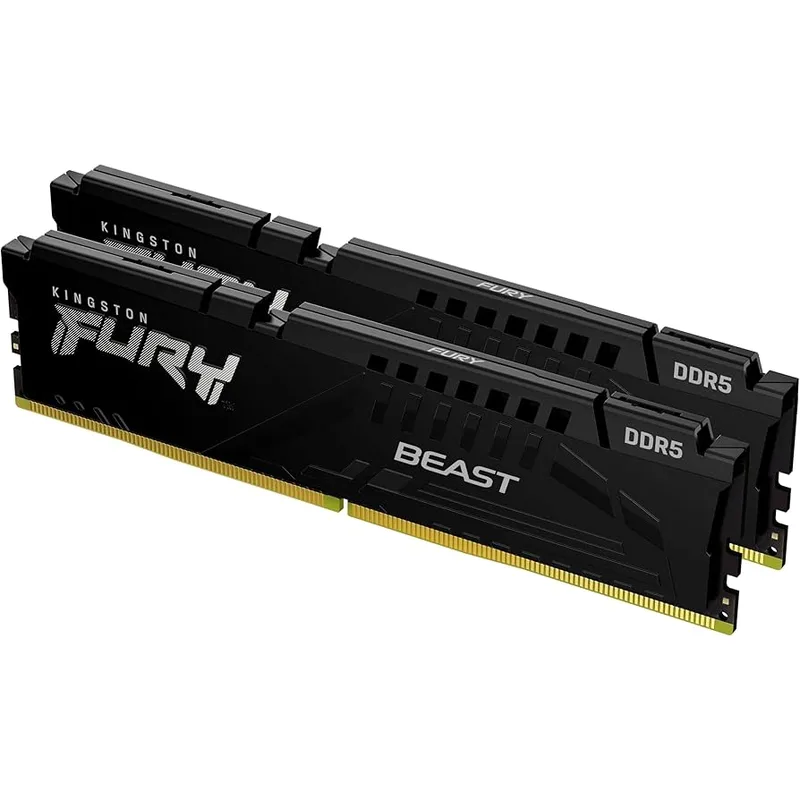
Kingston FURY Beast DDR5-6000 32GB CL30 (AMD EXPO)
Kingston designed the FURY Beast AMD EXPO kit specifically for AM5 platform optimization. It ships with an EXPO profile tuned for the Ryzen 9000 and 7000 series IMC, enabling the 3000 MHz FCLK target in a single BIOS toggle. Owner reports from X670E and B650E boards describe consistent first-boot stability without needing to adjust SOC voltage or memory training iterations.
The 33mm heatspreader height clears every large tower cooler on the market, including the Noctua NH-D15 G2 and be quiet! Dark Rock Pro 5 — critical for SFF and mATX builds where DIMM-to-cooler clearance is tight.
This kit is AMD-only. On Intel systems, it defaults to JEDEC DDR5-4800 because there’s no XMP profile. If there’s any chance you’ll migrate to an Intel platform or resell to an Intel buyer, choose the Corsair or G.Skill instead.
4. TeamGroup T-Force Vulcan DDR5-6000 32GB CL30 — Best Budget
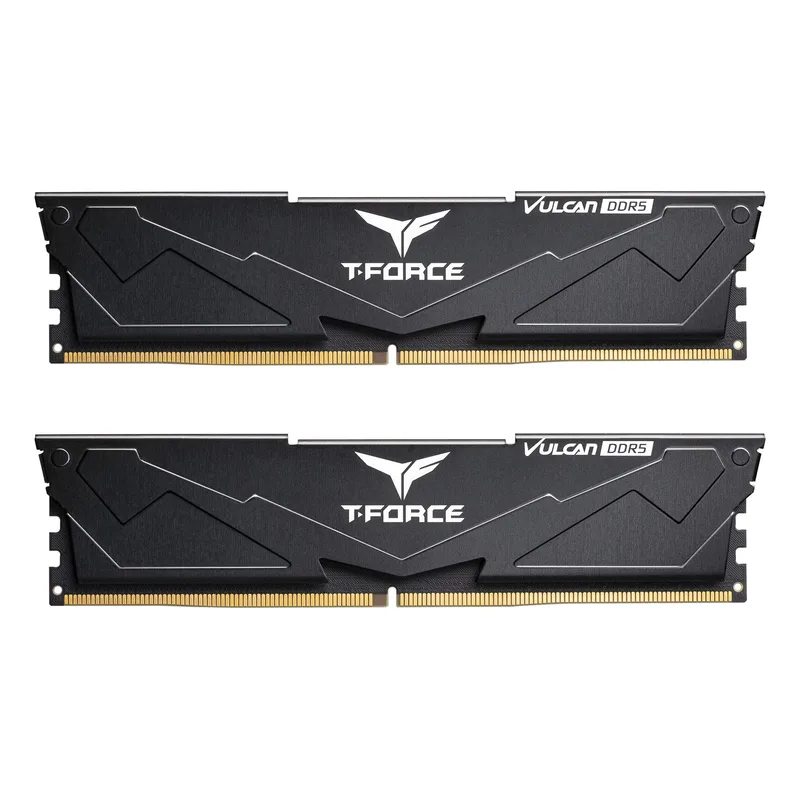
TeamGroup T-Force Vulcan DDR5-6000 32GB CL30 (XMP 3.0 & AMD EXPO)
At $399, the T-Force Vulcan DDR5-6000 CL30 is the lowest entry point for a dual-platform kit that works reliably on both Intel and AMD platforms. The flat aluminum heatspreader keeps the module at low-profile height while still providing adequate thermal mass for the ICs during sustained loads.
Based on owner feedback across major forum communities, the T-Force Vulcan enables cleanly on most current motherboards without needing SOC voltage adjustments or memory training tweaks. TeamGroup positions this kit at the budget tier, but the performance delta versus premium kits is minimal — the CL30 primary timing does the heavy lifting for gaming performance, and secondary timing differences at DDR5-6000 are in the single-digit nanosecond range.
For builders who can’t justify $450+ for RAM during the current shortage, this is the pragmatic choice.
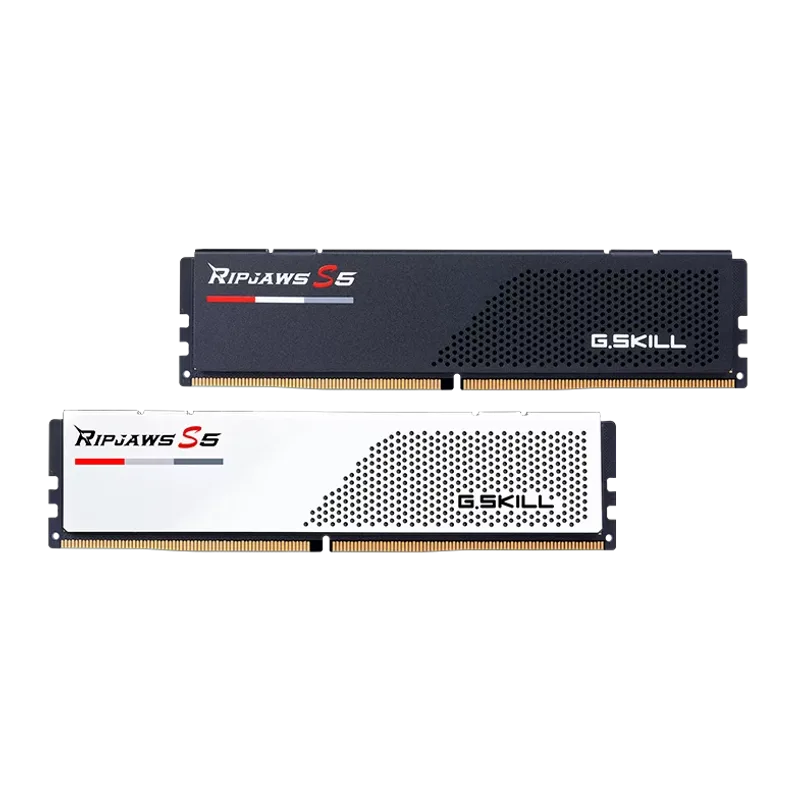
5. G.Skill Ripjaws S5 DDR5-6000 32GB CL30 — Best No-RGB
G.Skill Ripjaws S5 DDR5-6000 32GB CL30
The Ripjaws S5 is G.Skill’s no-RGB DDR5 line, and the 33mm ultra-low-profile heatspreader is its defining feature. No tower cooler in production clearance-conflicts with this kit. That matters specifically in dual-radiator AIO builds where top-mounted 360mm radiators sometimes crowd the DIMM slots, and in ITX cases where cooler manufacturers publish strict height limits.
G.Skill’s XMP 3.0 validation on this kit is thorough — owner reports describe consistently clean first-boot XMP enabling across Z890 and Z790 boards. For AMD builds, verify EXPO compatibility with your specific batch before purchasing; some Ripjaws S5 DDR5-6000 variants include an EXPO profile in addition to XMP 3.0, but the listing doesn’t universally guarantee it.
The CL30-40-40-96 secondaries are looser than the Corsair Vengeance’s CL30-36-36-76. In gaming benchmarks, the difference is typically under 2 FPS. In synthetic bandwidth tests, the gap is measurable but not meaningful for most workloads.
How to Enable XMP and EXPO in BIOS: Step-by-Step
Before You Start
- Install the RAM in the correct dual-channel slots. On most ATX and mATX boards, this means slots A2 and B2 (the second and fourth slots from the CPU), not A1 and B1. Check your motherboard manual — using the wrong slots forces single-channel operation regardless of XMP/EXPO settings.
- Power on the system and press the appropriate key to enter BIOS. Most boards use Del or F2 during POST.
ASUS BIOS (EZ Mode and AI Tweaker)
EZ Mode (fastest method):
- Enter BIOS. ASUS loads into EZ Mode by default.
- In the top-right status bar, look for the XMP or D.O.C.P. indicator.
- Click the XMP/D.O.C.P. toggle to cycle through available profiles (Profile 1, Profile 2, or disabled).
- Select your kit’s rated profile (typically Profile 1 at DDR5-6000 CL30).
- Press F10 to save and exit.
Advanced Mode (for EXPO control on AMD boards):
- Press F7 from EZ Mode to enter Advanced Mode.
- Navigate to AI Tweaker.
- Set Memory Frequency or Ai Overclocking Tuner to your EXPO profile.
- On X670E/B650E boards, ASUS labels this D.O.C.P. (AMD’s marketing term for EXPO); on Z890/Z790, it appears as XMP.
- F10 to save.
MSI BIOS (A-XMP)
- Enter BIOS (Del key).
- In Easy Mode, look for the A-XMP button in the top toolbar. Click it and select Profile 1.
- For AMD builds with EXPO kits, MSI labels EXPO as A-XMP — same button, same process.
- Alternatively, go to OC tab → DRAM Frequency → select your profile from the dropdown.
- F10 to save and exit.
Gigabyte BIOS (XMP)
- Enter BIOS (Del key) — Gigabyte defaults to Easy Mode.
- Look for the XMP button in the upper-right area of Easy Mode. Click it and select Profile 1.
- For Advanced settings: press F2 → Tweaker tab → Extreme Memory Profile (X.M.P.) → Profile 1.
- On AMD AM5 Gigabyte boards (X670E, B650E), the label reads EXPO instead of XMP; the navigation path is identical.
- F10 to save.
ASRock BIOS (XMP/EXPO)
- Enter BIOS (F2 key during POST).
- Navigate to OC Tweaker → DRAM Configuration.
- Set Load XMP Setting to XMP 3.0 (Intel) or Load EXPO Setting to EXPO (AMD).
- ASRock sometimes separates the XMP and EXPO profile dropdowns; select the one matching your kit’s labeled profile.
- F10 to save.
Performance Impact of XMP/EXPO
Based on published benchmark data from Tom’s Hardware, Gamers Nexus, and Hardware Unboxed, enabling XMP/EXPO on a DDR5-6000 CL30 kit versus leaving RAM at DDR5-4800 JEDEC delivers:
- AMD AM5 (Ryzen 9800X3D): 8–15% higher minimum FPS in CPU-bound titles (Cyberpunk 2077, CS2, Star Citizen) due to FCLK synchronization at 3000 MHz. Memory latency drops from ~70–75 ns at JEDEC to ~58–62 ns at DDR5-6000 with EXPO.
- Intel LGA1851 (Core Ultra 9 285K): 4–8% improvement in memory-bandwidth-sensitive workloads. Gaming gains are smaller than AMD because Intel’s Ring Bus architecture is less sensitive to FCLK ratios.
- Content creation / rendering: Marginal to zero improvement for fully GPU-bound workloads (GPU rendering, video encoding with hardware acceleration). More meaningful for CPU-bound renderers like Blender Cycles on CPU.
The bottom line: on AMD, always enable EXPO. On Intel, XMP is still worth enabling — just don’t expect double-digit gains.
Troubleshooting: When XMP/EXPO Won’t Stick
System won’t POST after enabling XMP/EXPO: Hold the power button for 10 seconds to force shutdown, then power on again. Most motherboards auto-revert to JEDEC defaults after a failed POST and re-enter BIOS at 4800 MT/s. From there, try a lower XMP profile speed (e.g., DDR5-5600 instead of 6000) or increase DRAM voltage by 0.05V.
XMP/EXPO enabled but CPU-Z shows 4800 MT/s: The BIOS saved the setting but RAM training failed silently. Check that the sticks are seated in the correct dual-channel slots (typically A2+B2). Re-seat the modules — DDR5 modules sometimes need firm pressure to fully click into the socket.
System posts once then reverts on every subsequent boot: Your motherboard’s memory training algorithm is failing after the initial success. Update to the latest BIOS version; motherboard vendors push memory training improvements regularly for DDR5 kits. ASRock and ASUS both released AM5 BIOS updates in Q2 2026 that improved EXPO stability for kits above DDR5-5800.
EXPO stable but crashes in games: Run MemTest86 (free, bootable) for one full pass. If errors appear, increase SOC voltage by 0.05V (AMD AM5) or System Agent voltage (Intel) — 0.05V increments only — until stable.
FAQ
Does enabling XMP/EXPO void my RAM warranty? No. XMP and EXPO profiles are manufacturer-certified settings stored on the module itself. G.Skill, Corsair, Kingston, and TeamGroup all cover their kits under warranty when running at the rated XMP/EXPO speed. Manually overclocking beyond the rated XMP/EXPO speed is a different matter.
Will XMP work if I only have one RAM stick installed? Yes, XMP and EXPO work with a single module. You lose dual-channel bandwidth, which is measurable in memory-intensive workloads, but the profile itself enables cleanly on a single stick.
What’s the difference between XMP 2.0 and XMP 3.0? XMP 2.0 applied to DDR4 and supported two read-only profiles. XMP 3.0 is DDR5-exclusive and adds three writable user profiles. If your board or kit label says “XMP 3.0,” it’s specifically optimized for DDR5. All current DDR5 kits use XMP 3.0.
My AMD board lists “D.O.C.P.” instead of “EXPO” — what’s the difference? Nothing functional. D.O.C.P. (Direct Overclock Profile) is ASUS’s legacy marketing term for certified DDR5 overclock profiles on AMD boards. It reads the EXPO data from your module and applies it identically. MSI uses “A-XMP” for the same concept. Enable whichever label your board presents.
Can I enable XMP on a B-series board (B760, B650)? Yes. Intel B760 boards support XMP 3.0 fully. AMD B650 and B650E boards support EXPO. Neither requires a Z-series board for standard profile enablement. Manual sub-timing adjustments and memory overclocking above the rated XMP/EXPO speed do require Z-series (Intel) or X670/X870 (AMD).
The Bottom Line
Enabling XMP or EXPO is the single highest-return BIOS setting change you can make after building a PC. At current DDR5-6000 prices — $399–$469 for a quality 32GB kit — running at JEDEC 4800 MT/s means you’re paying premium prices for mid-range performance. The BIOS process takes under two minutes regardless of motherboard brand.
For most builders, the G.Skill Trident Z5 Neo RGB handles both Intel and AMD without version-matching. AMD-only builds get the best value from the Kingston FURY Beast DDR5-6000 and its EXPO-optimized profile. Tight on budget? The TeamGroup T-Force Vulcan at $399 gets you dual-platform CL30 without overpaying during the shortage.