The prebuilt vs. DIY debate has a new answer in 2026, and it’s not what most builders expect. An AI-driven RAM shortage has pushed 32GB DDR5 kits from $100–$130 in early 2025 to $300+ today, with TrendForce projecting contract memory prices rising up to 95% in Q1 2026 alone. That changes the math on every DIY build. For the first time in years, prebuilt systems — assembled from bulk-purchased components before the spike — undercut equivalent DIY builds by $150 to $300 depending on the tier.
That said, prebuilts still come with real trade-offs: proprietary motherboards, PSUs that run close to their rated limits, and chassis designs that weren’t built for enthusiast upgrades. This guide breaks down exactly when a prebuilt makes sense, when to build your own, and which prebuilt systems are actually worth buying right now.
| Spec | Skytech Archangel Gaming PC (Ryzen 5 7600, RTX 5060) Unavailable 7.5/10 | iBUYPOWER Slate MESH (i7-14700F, RTX 5070) Unavailable 8.2/10 | CyberPowerPC Gamer Supreme (Ryzen 7 9800X3D, RTX 5070) Unavailable 9/10 | iBUYPOWER Element Pro (Ryzen 7 9850X3D, RTX 5070) Unavailable 8.8/10 | CyberPowerPC Gamer Supreme (Ryzen 9 9900X, RTX 5070 Ti) Unavailable 8.5/10 |
|---|---|---|---|---|---|
| cpu | AMD Ryzen 5 7600 (5.1GHz Turbo) | Intel Core i7-14700F (28-thread) | AMD Ryzen 7 9800X3D (4.7GHz, 3D V-Cache) | AMD Ryzen 7 9850X3D (3D V-Cache) | AMD Ryzen 9 9900X (4.4GHz, 12-core) |
| gpu | NVIDIA GeForce RTX 5060 8GB | NVIDIA GeForce RTX 5070 12GB | NVIDIA GeForce RTX 5070 12GB | NVIDIA GeForce RTX 5070 12GB | NVIDIA GeForce RTX 5070 Ti 16GB |
| ram | 32GB DDR5 5200MHz | 32GB DDR5 5200MHz | 32GB DDR5 | 32GB DDR5 5200MHz | 32GB DDR5 |
| storage | 1TB NVMe SSD | 1TB NVMe SSD | 1TB PCIe 4.0 SSD | 2TB NVMe SSD | 2TB PCIe 4.0 SSD |
| psu | 650W Gold | 600W (system-rated) | — | — | — |
| os | Windows 11 Home | Windows 11 Home | Windows 11 Home | Windows 11 Home | Windows 11 Home |
| Rating | 7.5/10 | 8.2/10 | 9/10 | 8.8/10 | 8.5/10 |
Prices change daily — tap Check Price for the current Amazon price.
Prices change daily — tap Check Price for the current Amazon price.
Quick Picks
- Budget 1080p gaming: Skytech Archangel (Ryzen 5 7600, RTX 5060) — beats DIY on total cost with 32GB DDR5 included
- Best overall value: CyberPowerPC Gamer Supreme (9800X3D, RTX 5070) — fastest gaming CPU available in a system that undercuts comparable DIY by $200+
- 1440p performance ceiling: iBUYPOWER Element Pro (9850X3D, RTX 5070) — 2TB SSD and 360mm AIO in one box
The 2026 Cost Reality: Why the Math Has Shifted
Building a mid-range gaming PC in 2025 cost around $900–$1,000 excluding the OS. The same build today runs $1,200–$1,400 before Windows 11 Home ($140 retail). Major component manufacturers — CyberPowerPC, iBUYPOWER, Skytech — bought DDR5 inventory in bulk before the AI demand surge hit, so they’re absorbing less of the price increase than individual buyers are.
What a DIY Ryzen 7 9800X3D + RTX 5070 build costs right now:
| Component | Current Price |
|---|---|
| AMD Ryzen 7 9800X3D | Check current price |
| NVIDIA RTX 5070 (FE or AIB) | Check current price |
| 32GB DDR5 5200MHz kit | Check current price |
| B650 motherboard (decent quality) | Check current price |
| 1TB NVMe SSD | Check current price |
| Case + 650W Gold PSU | Check current price |
| Windows 11 Home | Check current price |
| Total | Check current price |
The CyberPowerPC Gamer Supreme with these specs costs $1,599. That’s a $300–$500 savings versus building it yourself today. Six months ago, that gap was reversed.
Where DIY still wins:
- You want a specific case aesthetic that no prebuilt offers
- You’re reusing existing components (CPU, RAM, storage) from a previous build
- You need a high-wattage PSU for future GPU upgrades (most prebuilts use 600–650W)
- You want a full-size ATX board with multiple M.2 slots and PCIe 5.0 support
What to Check Before Buying Any Prebuilt
PSU wattage: This is the most common prebuilt failure point. RTX 5070 has a 220W TDP; the full system under load hits 400–450W. A 600W PSU leaves 150W of headroom. Most mid-range prebuilts use exactly 600W. If you add a 2.5-inch HDD, RGB fans, or plan to overclock RAM, upgrade the PSU to 750W+ before adding components.
Motherboard upgrade path: Prebuilts from iBUYPOWER and CyberPowerPC use standard micro-ATX or ATX motherboards, not proprietary boards like major OEMs (Dell, HP, Lenovo). This means you can swap the motherboard if needed. Skytech often uses similar standard parts. Verify by searching your exact model number before assuming upgradability.
DDR5 speed: Many prebuilts ship with DDR5 at JEDEC standard speeds (4800–5200MHz). On AM5 systems with the 9800X3D or 9850X3D, enabling EXPO/XMP profile in BIOS to 6000MHz typically adds 5–8% game FPS. It’s a free upgrade that takes 3 minutes.
Warranty terms: CyberPowerPC and iBUYPOWER both include 1-year parts and labor warranties with free lifetime phone support. Skytech offers a similar package. Keep your serial number and purchase receipt.
Detailed Reviews
Skytech Archangel — Ryzen 5 7600 + RTX 5060
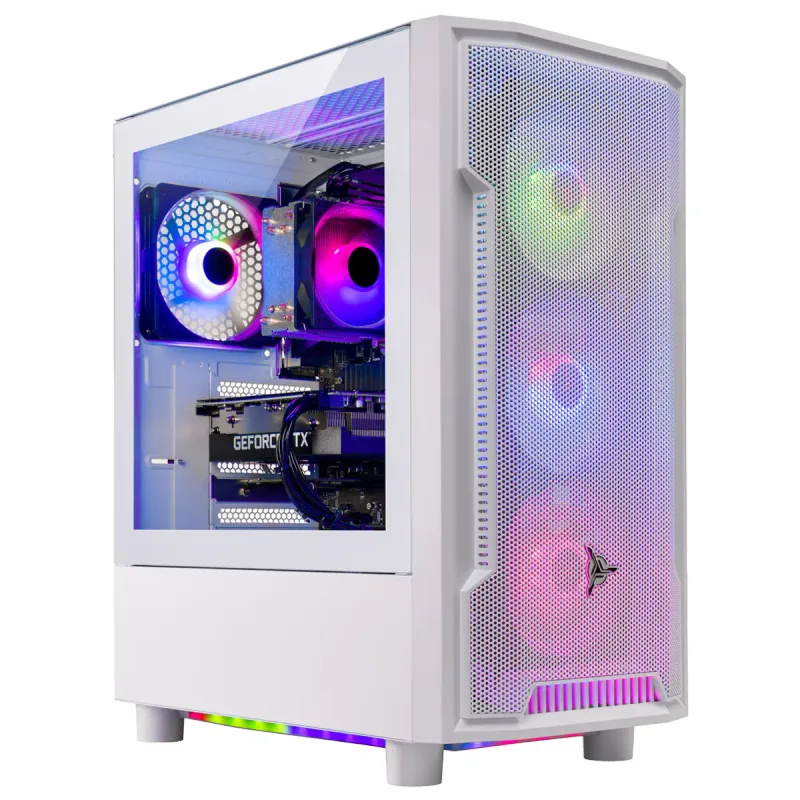
Skytech Archangel Gaming PC (Ryzen 5 7600, RTX 5060)
The Skytech Archangel targets 1080p gaming on a budget, and right now it’s genuinely hard to build anything cheaper. The RTX 5060 8GB handles 1080p at high settings in every current title — you’ll see 100+ FPS in Fortnite, Apex Legends, and Valorant, and 60+ FPS in demanding games like Cyberpunk 2077 with DLSS Quality enabled. At 1440p, expect to drop settings to medium or use DLSS Balanced.
The Ryzen 5 7600 is the biggest compromise. It’s a solid six-core processor but it’s two generations behind the 9600X (which supports AMD’s RDNA 4-era optimizations and runs cooler). That said, for pure gaming it’s not a bottleneck at 1080p — the RTX 5060 will be the limiting factor first.
The 32GB DDR5 inclusion is the real value story. At current retail pricing, that kit costs $300 alone. DIY builders who cheap out on RAM to hit a budget target end up with 16GB DDR4 systems that struggle in games like Starfield or Microsoft Flight Simulator. This prebuilt ships with the right amount.
Who should buy this: First-time PC buyers, console migrants coming from a PS5 or Xbox, or anyone who wants 1080p/144Hz gaming without the RAM sourcing headache of 2026. If you’d prefer to build your own, our beginner’s guide to building your first PC walks through the process.
iBUYPOWER Slate MESH — i7-14700F + RTX 5070
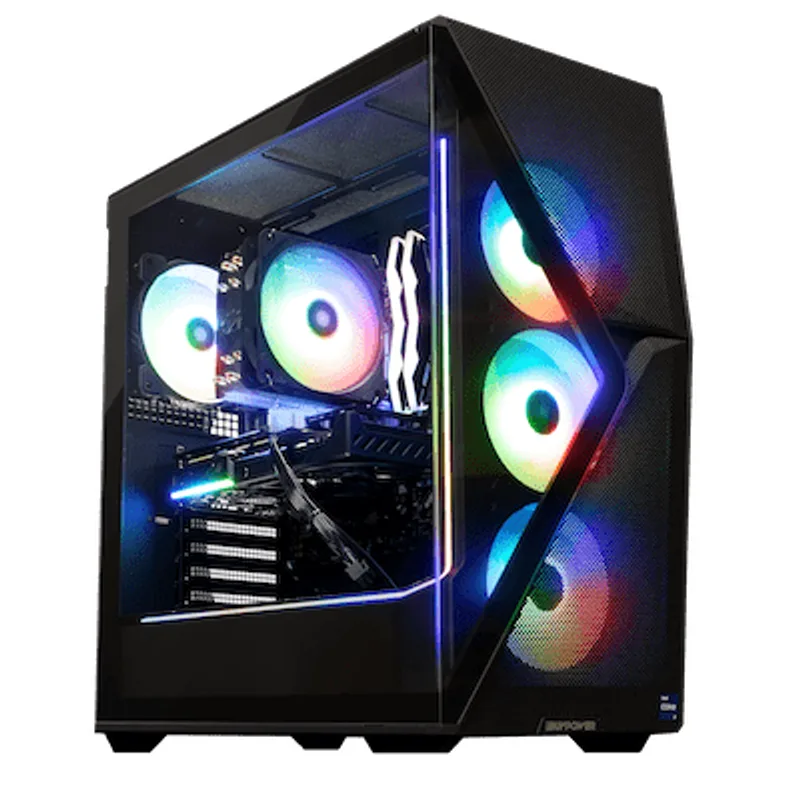
iBUYPOWER Slate MESH (i7-14700F, RTX 5070)
The iBUYPOWER Slate MESH SMI7N5701 is a strong mid-range system that gets the GPU right. The RTX 5070 12GB handles 1440p at ultra settings with headroom to spare — expect 80–100+ FPS in demanding titles like Cyberpunk 2077 (ray tracing off), Alan Wake 2, and Black Myth: Wukong at 2560×1440. Enable DLSS Quality and those numbers jump to 120–140 FPS in most titles.
The Intel Core i7-14700F is a 28-thread processor (8 P-cores + 12 E-cores). It’s older than the AMD AM5 lineup but still excellent for streaming, video editing, and multitasking alongside gaming. If gaming FPS is your only metric, the CyberPowerPC below beats it — but if you run OBS, Premiere, or compile code, the i7-14700F’s thread count is worth having.
The MESH front panel helps with airflow compared to typical prebuilt plastic shrouds, but the stock cooler is the weak point. Under extended gaming sessions, the i7-14700F can run hot — you won’t be able to push Power Limit Unlock without a better cooler.
At $1,529–$1,599, the value case versus the CyberPowerPC Gamer Supreme below is narrower — that system adds the faster Ryzen 7 9800X3D for the same street price. The Slate MESH’s edge is the i7-14700F’s thread count advantage for streaming and content creation.
Storage caveat: 1TB fills up fast. Modern AAA titles average 80–120GB each; Call of Duty alone is 250GB+. Add a 2TB NVMe drive in the spare M.2 slot as soon as you set this up.
CyberPowerPC Gamer Supreme — Ryzen 7 9800X3D + RTX 5070
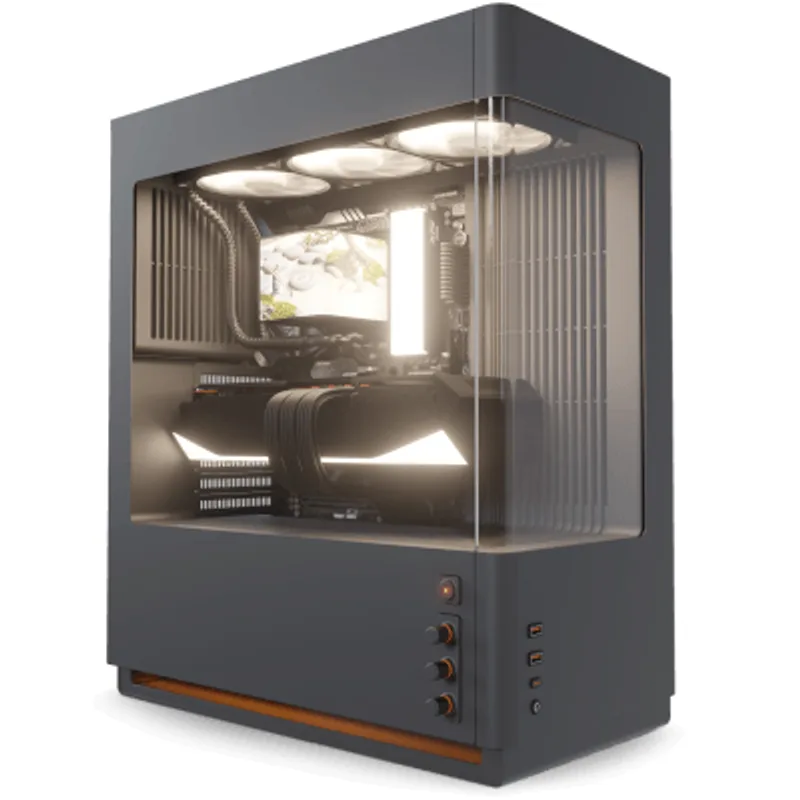
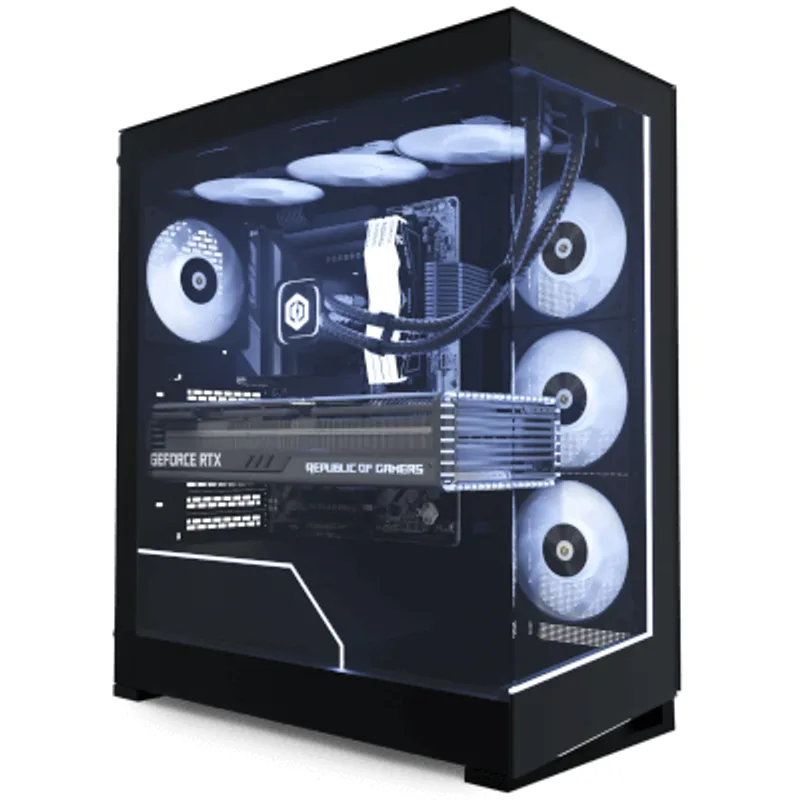
CyberPowerPC Gamer Supreme (Ryzen 7 9800X3D, RTX 5070)
This is the best prebuilt gaming system at its price point right now. The Ryzen 7 9800X3D leads every competing CPU in game FPS by 15–25% — its 3D V-Cache architecture gives it an advantage in cache-sensitive games (Starfield, Baldur’s Gate 3, Total War, any strategy title) that no Intel CPU can match. Paired with an RTX 5070 12GB, you have a 1440p system that won’t be GPU-bottlenecked for at least three GPU generations.
Performance benchmarks from multiple outlets show the 9800X3D + RTX 5070 combo hitting:
- Cyberpunk 2077 (1440p, Ultra, DLSS Quality): 115–130 FPS
- Black Myth: Wukong (1440p, High): 95–110 FPS
- Counter-Strike 2 (1080p, High): 300+ FPS
- Microsoft Flight Simulator 2026 (1440p, Ultra): 75–90 FPS
At $1,599, this costs $300–$500 less than a DIY equivalent right now. CyberPowerPC uses standard ATX or mATX motherboards with AM5 sockets, meaning you can upgrade to a Ryzen 9000-series CPU or future AM5 chips without a board replacement.
The one genuine gripe: 1TB PCIe 4.0 SSD. With 9800X3D-class performance, you’ll want to run multiple large games simultaneously. Budget $80–$100 for a 2TB expansion drive.
iBUYPOWER Element Pro — Ryzen 7 9850X3D + RTX 5070
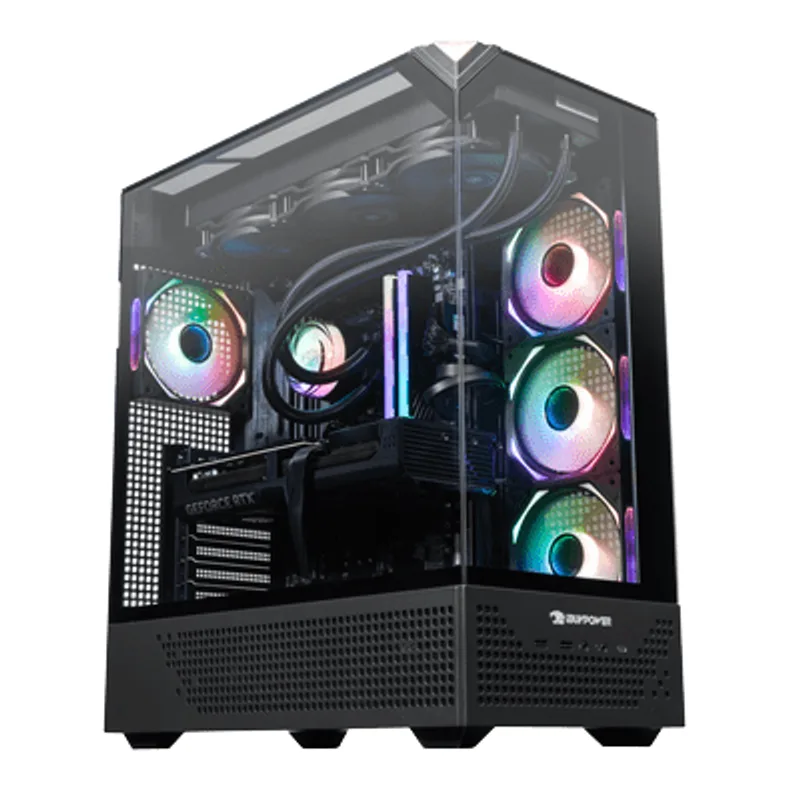
iBUYPOWER Element Pro (Ryzen 7 9850X3D, RTX 5070)
The iBUYPOWER Element Pro differentiates itself with a 360mm AIO liquid cooler and 2TB NVMe SSD — the two areas where most mid-range prebuilts cut corners. The 9850X3D is marginally faster than the 9800X3D (single-digit percentage differences in most games), but the real premium you’re paying is for better thermals and double the storage.
Under sustained load — 4K encoding, long gaming sessions, streaming — the 360mm AIO keeps the 9850X3D at full boost clocks without thermal throttling. With a stock cooler (as in cheaper prebuilts), AM5 X3D CPUs can throttle on warm days with case airflow issues.
The 2TB NVMe is the more practical upgrade. You can install your full Steam library on day one without immediately needing to add storage.
The trade-off question: At $300 more than the CyberPowerPC Gamer Supreme above, is the 360mm AIO + 2TB worth it? For most gamers, no — the 9800X3D performs within 5% of the 9850X3D in real games. But if you’re buying a system to use for 5+ years without touching the internals, the better cooler and extra storage matter.
CyberPowerPC Gamer Supreme — Ryzen 9 9900X + RTX 5070 Ti
CyberPowerPC Gamer Supreme (Ryzen 9 9900X, RTX 5070 Ti)
The RTX 5070 Ti 16GB is where this system earns its spot. Against the RTX 5070 12GB, the 5070 Ti averages 18–22% faster in rasterization and gains a meaningful advantage at 4K. For 4K gaming at 60+ FPS without upscaling, or 1440p at 165+ FPS, the 5070 Ti is the right GPU.
The Ryzen 9 9900X is a 12-core processor without 3D V-Cache. In gaming, it’s actually slower than the Ryzen 7 9800X3D below it — 3D V-Cache matters more than core count in most game engines. The 9900X is excellent for content creation, 3D rendering, or simulation workloads that use all 12 cores, but pure gamers should note the 9800X3D in the $1,599 system beats it in game FPS.
When this makes sense over the 9800X3D system: If you’re running 4K with ray tracing enabled, if you’re creating content alongside gaming, or if you specifically need the RTX 5070 Ti’s extra 4GB VRAM for high-res texture mods and AI-assisted workloads.
At $2,099, DIY starts to become competitive again — a 9900X + RTX 5070 Ti + 32GB DDR5 + 2TB SSD DIY build costs roughly $2,300–$2,400 after Windows, so the savings gap narrows. The warranty and convenience still favor the prebuilt at this tier, but patient DIY builders can close the gap.
Should You Build Your Own PC in 2026?
Build your own if:
- You already own a CPU, GPU, or storage from a previous system — reuse value immediately flips the math back in DIY’s favor
- You need a specific PSU (750W+, 80+ Platinum) for a multi-GPU or power-hungry workload setup
- You want full control over motherboard selection — more M.2 slots, PCIe 5.0 support, or a specific VRM configuration for overclocking
- You’re buying at the ultra-high end ($2,500+) where DIY configurations become more price-competitive
- RAM prices stabilize — analyst forecasts suggest DDR5 pricing may moderate in late 2026 if HBM supply catches up
If you’re reusing existing parts and want to know what’s worth upgrading, see our guide to upgrading your PC instead of building new.
Buy a prebuilt if:
- You’re starting fresh with no existing components to carry over
- You want to avoid the 2026 RAM pricing lottery
- A 1-year warranty and tech support have practical value for you
- The system you want is $1,000–$1,800, where prebuilt savings are currently largest
- You want the system running the same day you order
Build Tips for the Prebuilts Listed
Immediate upgrades to consider at purchase:
- 2TB NVMe SSD for Skytech and Slate MESH systems ($70–$90 for a good Samsung 990 Evo or Crucial P3 Plus)
- RAM EXPO/XMP — boot into BIOS, enable XMP/EXPO profile, apply. Free 5–8% FPS gain on AMD systems
- 650W → 750W PSU swap if you plan to add components over time (the CyberPowerPC Gamer Supreme ships with a 650W PSU rated to spec, but headroom helps)
What not to touch immediately:
- The GPU — RTX 5070/5070 Ti are current-generation parts that won’t need replacing for years
- The RAM capacity — 32GB DDR5 is sufficient for everything in 2026; don’t pay for 64GB unless you run virtual machines
Performance Expectations
| Game | RTX 5060 (1080p) | RTX 5070 (1440p) | RTX 5070 Ti (4K) |
|---|---|---|---|
| Cyberpunk 2077 (Ultra, DLSS Quality) | ~90 FPS | ~120 FPS | ~65 FPS |
| Black Myth: Wukong (High) | ~85 FPS | ~105 FPS | ~60 FPS |
| Counter-Strike 2 (High) | ~200 FPS | ~280 FPS | ~130 FPS |
| Baldur’s Gate 3 (Ultra) | ~80 FPS | ~100 FPS | ~70 FPS |
| Microsoft Flight Sim 2026 (Ultra) | ~55 FPS | ~78 FPS | ~48 FPS |
| Fortnite (High, DX12) | ~140 FPS | ~180 FPS | ~120 FPS |
FPS figures assume Ryzen 7 9800X3D or i7-14700F-class CPU. RTX 5060 figures use Ryzen 5 7600.
Upgrade Path
For Skytech Archangel (1–2 years out):
- First upgrade: Add 2TB NVMe SSD
- Second upgrade: RTX 5060 Ti or RX 9060 XT drop-in when prices fall
- CPU upgrade: Ryzen 7 7700X or 7800X3D if gaming demands increase (same AM4 socket… wait, verify — Skytech 7600 is AM5, so AM5 upgrade path is valid)
For 9800X3D + RTX 5070 systems (2–3 years out):
- The 9800X3D will remain competitive for 3–4 years in most titles
- First meaningful upgrade: GPU when RTX 6070 or equivalent releases
- Storage expansion: Add 4TB NVMe as games grow
For RTX 5070 Ti systems (3–4 years out):
- No immediate upgrade path needed — this configuration maxes current titles at 4K
- Long-term: Next GPU generation upgrade when 4K 120 FPS at max settings becomes the baseline
FAQ
Is it really cheaper to buy a prebuilt in 2026 than to build your own?
At the $1,000–$1,800 price range, yes — prebuilts currently undercut equivalent DIY builds by $150–$500, primarily due to RAM pricing inflation from AI data center demand. IDC forecasts this memory shortage persisting into 2027, so the advantage won’t reverse quickly. Above $2,000, the gap narrows and DIY becomes competitive again if you’re patient.
Do prebuilt PCs have worse components than custom builds?
Not categorically. The CPUs and GPUs in systems from CyberPowerPC, iBUYPOWER, and Skytech are the same retail parts used in DIY builds. The common compromises are: smaller PSUs (600–650W vs the 750W many DIYers prefer), one-slot M.2 or SATA configurations, and stock CPU coolers. These are real limitations, but they don’t affect gaming performance in typical use.
Can I upgrade the GPU in a prebuilt system?
Yes, in most cases. iBUYPOWER and CyberPowerPC use standard ATX power connectors and PCIe x16 slots. Confirm PSU wattage before upgrading — most prebuilt 650W PSUs can handle an RTX 5070 replacement but will struggle with an RTX 5070 Ti without a PSU swap.
What happens if a component fails during warranty?
CyberPowerPC and iBUYPOWER both offer 1-year parts and labor warranties with free lifetime tech support. Skytech has comparable coverage. Keep your serial number. Shipping costs for warranty claims vary — some brands cover shipping, others require you to cover inbound shipping.
Should I wait for RAM prices to drop before buying or building?
Analysts at IDC and TrendForce suggest DDR5 pricing will remain elevated through most of 2026 as HBM production for AI chips eats into conventional DRAM supply. Waiting is a viable strategy only if you’re not urgently upgrading. If you need a system now, prebuilt pricing reflects the current market better than sourcing RAM individually.
The Bottom Line
The 2026 component pricing environment has temporarily inverted the traditional DIY value proposition. The CyberPowerPC Gamer Supreme with Ryzen 7 9800X3D and RTX 5070 at $1,599 is the standout value — it’s $200–$500 cheaper than building the same system yourself right now, includes Windows 11 Home, keyboard and mouse, and comes with a 1-year warranty. For budget buyers, the Skytech Archangel at $1,050 is the right call if you’re targeting 1080p gaming and don’t want to navigate the DDR5 retail market. Build your own only if you have existing parts to reuse, need specific motherboard features, or are targeting the $2,500+ tier where DIY configurations become price-competitive again. If you do want to go DIY in the $1,500 range, see our high-end gaming PC build guide under $1,500. For higher-end DIY builds around $2,000, see our $2,000 dream gaming PC build guide.