Building your first PC in 2026 is the best time to start on AM5. The platform is mature, BIOS support is stable, and the RTX 5060 — NVIDIA’s Blackwell entry-level card — replaced the RTX 4060 at the same $299 MSRP in May 2025 with 28% better rasterization and full DLSS 4 Multi Frame Generation. This guide covers a complete Ryzen 5 9600X + RTX 5060 build targeting 1080p Ultra and playable 1440p for approximately $1,586 in components. If budget is more constrained, see our PC build guide under $500.
Note on DDR5 pricing: AI-driven DRAM demand has pushed DDR5 kit prices significantly higher in 2026. Prices listed here reflect current market rates; verify before purchasing as this segment remains volatile.
| Spec | AMD Ryzen 5 9600X 9/10 | MSI MAG B650 Tomahawk WiFi 8.8/10 | Corsair Vengeance DDR5 32GB (2x16GB) 6000MHz Unavailable 9/10 | Samsung 990 Pro 1TB NVMe SSD 9.2/10 | Gigabyte GeForce RTX 5060 Windforce OC 8GB Unavailable 8.8/10 | Corsair RM750e (2025) 750W 80+ Gold Unavailable 9.1/10 |
|---|---|---|---|---|---|---|
| cores | 6 cores / 12 threads | — | — | — | — | — |
| boost_clock | 5.4 GHz boost | — | — | — | 2,512 MHz | — |
| architecture | Zen 5 (AM5) | — | — | — | — | — |
| tdp | 65W TDP | — | — | — | 145W | — |
| cache | 38MB L2+L3 | — | — | — | — | — |
| memory_support | DDR5-5600 native | — | — | — | — | — |
| Rating | 9/10 | 8.8/10 | 9/10 | 9.2/10 | 8.8/10 | 9.1/10 |
Prices change daily — tap Check Price for the current Amazon price.
Prices change daily — tap Check Price for the current Amazon price.
Build at a Glance
| Component | Model | Price |
|---|---|---|
| CPU | AMD Ryzen 5 9600X | Check price |
| Motherboard | MSI MAG B650 Tomahawk WiFi | Check price |
| RAM | Corsair Vengeance DDR5 32GB 6000MHz | Unavailable |
| Storage | Samsung 990 Pro 1TB NVMe | Check price |
| GPU | Gigabyte RTX 5060 Windforce OC 8GB | Unavailable |
| PSU | Corsair RM750e 2025 750W 80+ Gold | Unavailable |
| Total | Check current price |
Case not included — budget $70–120 for a mid-tower with good airflow. The Fractal Design Pop Air (Amazon) is the top pick for beginners: three 120mm fans included, tempered glass panel, and no sharp edges during assembly.
Why These Parts
CPU: Why Ryzen 5 9600X over Intel Core Ultra 5 or older Ryzen 7000?
The Ryzen 5 9600X on Zen 5 delivers roughly 3–5% better IPC than its Zen 4 predecessor (the 7600X) and currently sells for $179 — well below its original $279 MSRP. Paired with the RTX 5060, the 9600X produces no CPU bottleneck at 1080p or 1440p. The 65W TDP means the included Wraith Prism cooler is adequate for gaming sessions, saving $40–70 on aftermarket cooling.
Intel’s Core Ultra 200S desktop chips (Arrow Lake) are faster in multi-threaded workloads but draw more power and require a new LGA1851 motherboard that adds $50–100 to the build. For a gaming-first beginner build, AM5 wins on value in 2026.
Motherboard: Why B650 instead of B850 or X870?
The MSI MAG B650 Tomahawk WiFi has everything a first build needs: Wi-Fi 6E, 2.5G LAN, two M.2 slots, and rock-solid BIOS support after three years of community use. The RTX 5060 runs PCIe 5.0 x8 natively but performs identically in the B650’s PCIe 4.0 x16 slot — bandwidth is equivalent for current GPU workloads.
B850 boards add PCIe 5.0 M.2 support — and with the 2026 NAND shortage pushing Gen5 SSD prices down relative to Gen4, the PCIe 5.0 slot is increasingly worth having. For a full explanation of what B650, B850, X870, and Z890 chipsets actually do — and when upgrading the chipset tier is worth the cost — see our chipset explained guide.
RAM: Why 32GB DDR5-6000?
DDR5-6000 is the AMD-validated sweet spot. Ryzen 9000’s Infinity Fabric runs 1:1 at this speed, maximizing gaming performance. Running DDR5-4800 instead costs roughly 5–8% in 1% lows.
On capacity: 16GB is no longer a safe minimum. Modern titles like Alan Wake 2, Hogwarts Legacy, and Helldivers 2 regularly allocate 12–14GB when you factor in browser, Discord, and game launchers running alongside. 32GB eliminates that constraint entirely. DDR5 prices have risen from their 2025 lows due to AI-driven DRAM demand — budget accordingly and verify current pricing.
GPU: Why RTX 5060 over RX 9060 XT or a discounted RTX 4060?
The RTX 5060, based on NVIDIA’s Blackwell GB206 die, replaced the RTX 4060 at the same $299 MSRP in May 2025. Aftermarket models like the Gigabyte Windforce OC settle around $329. TechSpot measured the RTX 5060 28% faster than the RTX 4060 in rasterization, hitting 125 FPS in Cyberpunk 2077 at 1080p native (Digital Trends). The decisive advantage is DLSS 4 Multi Frame Generation — 2x MFG in Cyberpunk 2077 at 1440p delivers 172 FPS, a framerate that DLSS 3 on the RTX 4060 couldn’t reach.
The AMD RX 9060 XT (8GB) is a solid alternative at a similar price with strong rasterization in AMD-optimized titles. For DLSS-supported games and NVIDIA’s feature set, the RTX 5060 leads in 2026. Discounted RTX 4060 units at $200–240 are still viable budget options, but for a new long-term build the RTX 5060 is the better foundation.
Storage: Why Samsung 990 Pro over cheaper alternatives?
Budget drives like the WD Blue SN580 top out at ~4,150 MB/s — adequate, but the 990 Pro’s 7,450/6,900 MB/s shows meaningfully faster level load times in open-world games with large asset streaming. The 5-year warranty with 600 TBW endurance makes it a reliable long-term choice. Note: the 2026 NAND shortage has pushed its price to $330 — if your board supports PCIe 5.0 M.2, the Samsung 9100 PRO Gen5 at $199 offers even faster speeds for less.
PSU: Why 750W when this build peaks at ~380W?
PSU efficiency peaks at 40–60% load. A 750W unit at ~380W gaming load runs at ~50% — well within Gold efficiency. A 550W unit runs at ~69%, which is fine but leaves no headroom for a GPU upgrade without swapping the PSU. The Corsair RM750e 2025 ships with a native 12V-2x6 cable, meeting the ATX 3.1 spec the RTX 5060 expects. For a full roundup of PSU recommendations across wattages and form factors, see our best power supplies for gaming PCs guide.
Component Deep Dives
CPU: AMD Ryzen 5 9600X
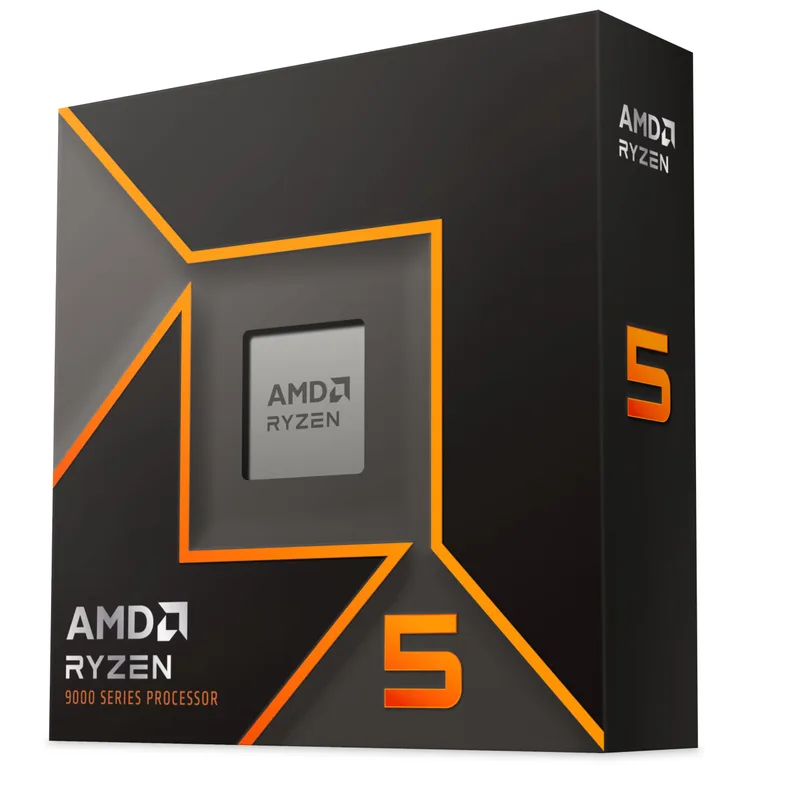
The Ryzen 5 9600X uses TSMC’s 4nm N4P node, delivering a 5.4 GHz single-core boost at 65W. In Cinebench R24 single-core it scores around 145 points — within 3% of the Core Ultra 5 245 at stock, which draws 125W. For gaming, the 9600X keeps the RTX 5060 fully fed at 1080p and 1440p; CPU frametime variance stays below 2ms.
One important note: the Ryzen 5 9600X has no integrated graphics. If your GPU is defective out of the box, you will have no display output. Order from retailers with easy return policies (Amazon, B&H, Micro Center).
Socket: AM5 — compatible with all Ryzen 7000 and 9000 series processors. Before finalizing your parts list, our guide to picking compatible PC parts covers socket, chipset, and form factor rules in full.
Motherboard: MSI MAG B650 Tomahawk WiFi
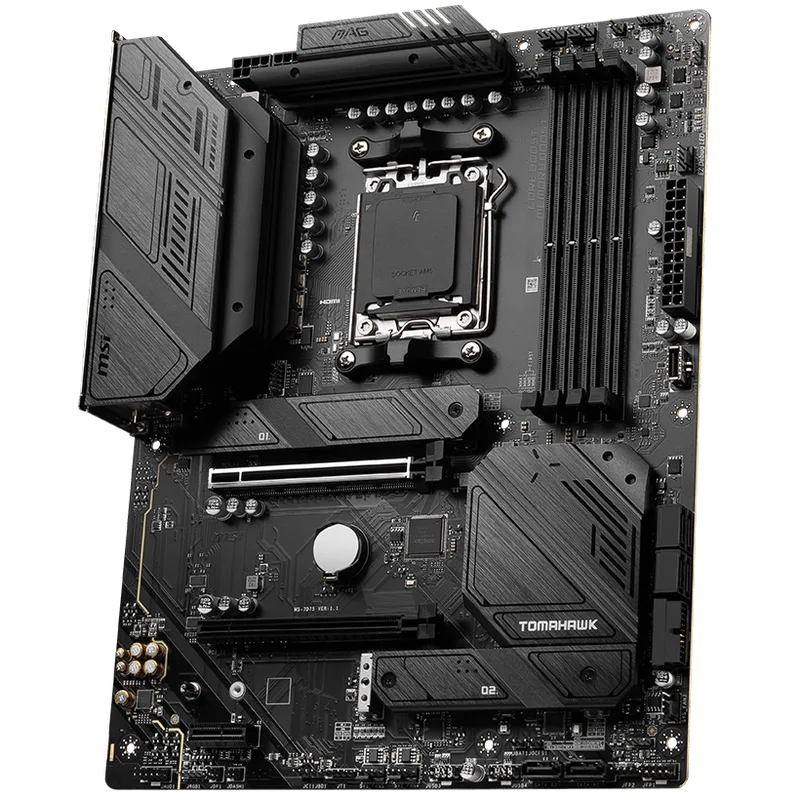
The B650 Tomahawk has been the community-recommended AM5 starter board since late 2022, with consistent BIOS updates improving XMP/EXPO compatibility and stability. The interface is straightforward for a first-time builder: DDR5-6000 via XMP is a single toggle, and no obscure settings need adjusting out of the box.
Physical layout notes:
- 24-pin ATX connector on the far right, easy to reach
- Two M.2 slots with pre-installed metal shields — no loose screws to manage
- Front panel header labeled directly on the PCB in readable text
The board includes M.2 screws and standoffs pre-installed. Check the accessory bag before panicking about missing hardware.
RAM: Corsair Vengeance DDR5 32GB 6000MHz
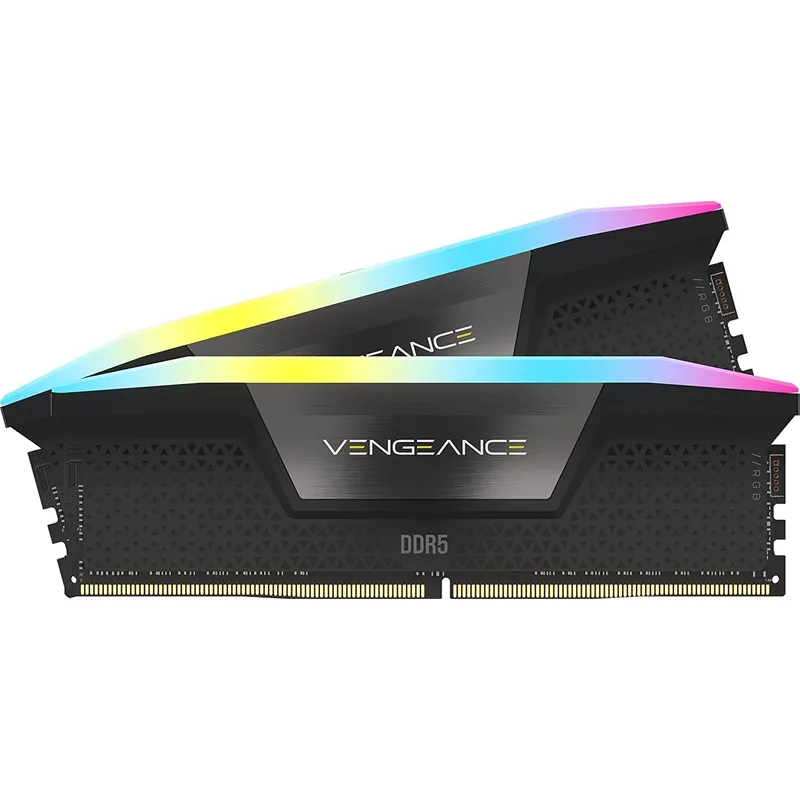
Corsair Vengeance DDR5 32GB (2x16GB) 6000MHz
The Corsair Vengeance DDR5 CL36 kit uses an Intel XMP 3.0 profile — enable it with a single BIOS toggle on both Intel and AMD boards. On the B650 Tomahawk, selecting the XMP preset at 6000MT/s locks in the rated speed without manual tuning. AMD’s Infinity Fabric runs 1:1 at 6000MT/s, hitting the Ryzen 9000 performance sweet spot.
Installation: DDR5 DIMMs require more force than DDR4 to seat fully. Install in slots A2 and B2 (second and fourth from the CPU) for dual-channel. You’ll hear distinct clicks from both retention clips. If the system powers on but shows no display, reseating RAM is the first troubleshooting step.
Pricing context: DDR5 costs remain elevated in 2026. The ~$430 price reflects current market rates in May 2026 — DDR5 kits are volatile and have roughly quadrupled from mid-2025 lows due to AI-driven DRAM demand. Verify current pricing before purchasing.
Storage: Samsung 990 Pro 1TB NVMe
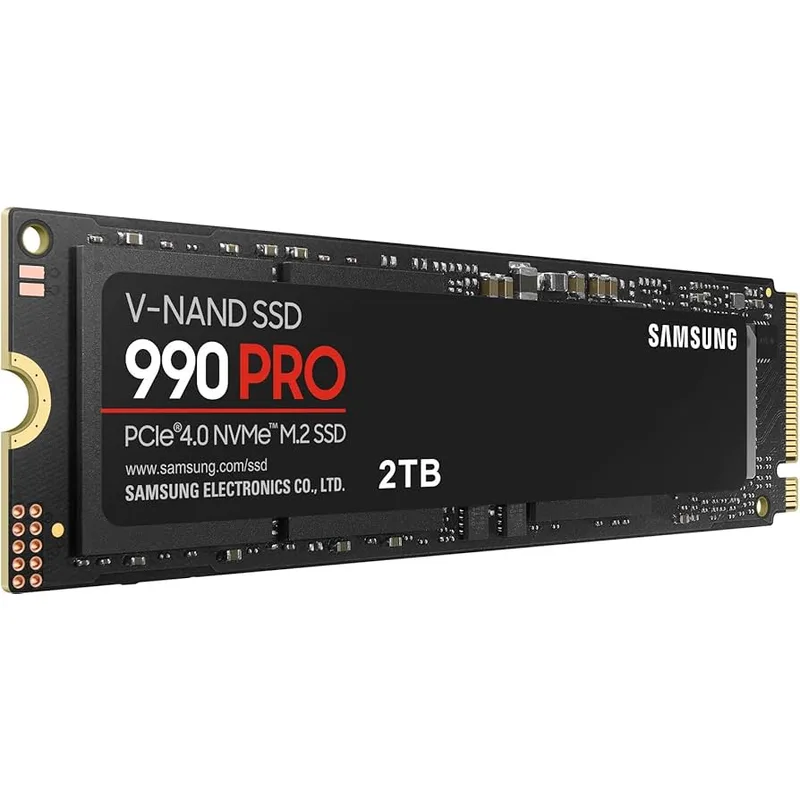
The 990 Pro uses Samsung’s in-house Elpis controller and V-NAND TLC flash. It sustains sequential write speeds without throttling in the B650 Tomahawk’s M.2 slot — transfer a 100GB folder and speeds stay above 6,200 MB/s throughout with no SLC cache cliff.
Installation: slide the M.2 drive in at a 30-degree angle, press flat, tighten the retention screw. The B650 Tomahawk’s M.2 screws are captive (attached to the shield), so you won’t lose them. If you plan to add a game library drive later, the board’s second M.2 slot accepts another Gen4 NVMe, or use the two SATA6 ports for a 4TB HDD at around $70.
GPU: Gigabyte GeForce RTX 5060 Windforce OC 8GB
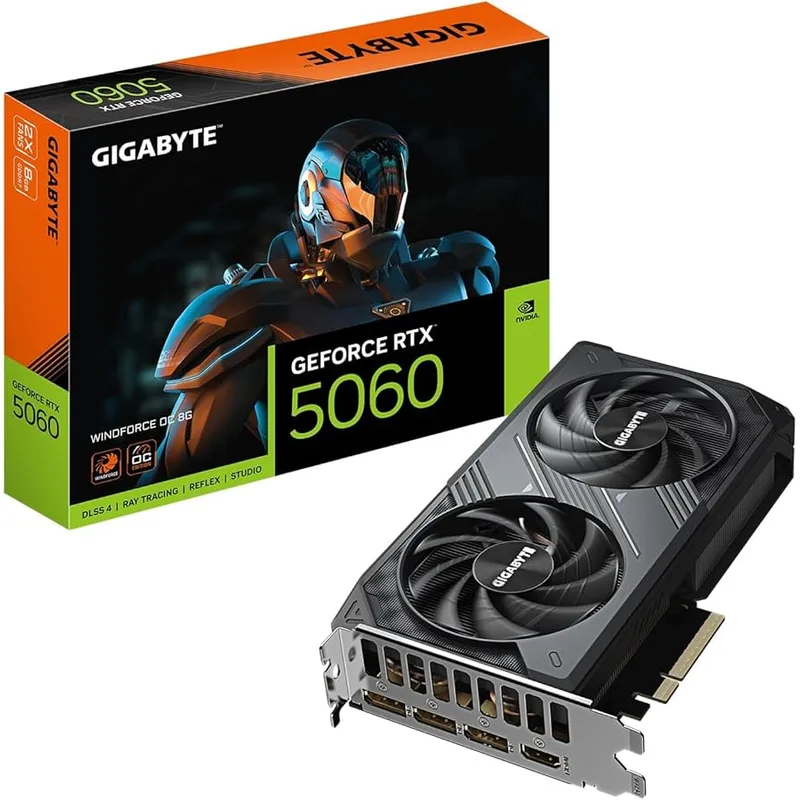
Gigabyte GeForce RTX 5060 Windforce OC 8GB
The RTX 5060 is NVIDIA’s first Blackwell-class card at the $299 price tier, shipping with 8GB GDDR7 and PCIe 5.0 x8. Gigabyte’s Windforce OC runs at the reference 2,512 MHz boost clock with a dual-fan cooler holding junction temperature at 75–80°C under sustained load.
In rasterization, TechSpot found the RTX 5060 28% faster than the RTX 4060. Digital Trends independently measured 125 FPS in Cyberpunk 2077 at 1080p native. With DLSS 4 Multi Frame Generation (2x), Digital Trends reported 172 FPS in Cyberpunk 2077 at 1440p — a step change from what DLSS 3 Frame Generation delivered on last-gen cards at this price point.
Expected 1080p Ultra performance (native rasterization):
- Cyberpunk 2077: 112–125 FPS
- Hogwarts Legacy: 118–125 FPS
- Alan Wake 2: 100–108 FPS
- Call of Duty: Warzone: 185–195 FPS
- Counter-Strike 2: 300–320 FPS
With DLSS 4 Quality at 1440p:
- Cyberpunk 2077: 140–172 FPS (with 2x MFG)
- Hogwarts Legacy: 110–125 FPS
- Alan Wake 2: 90–105 FPS
Rasterization averages derived from TechSpot RTX 5060 review. DLSS 4 figures from Digital Trends at stock settings.
The RTX 5060 requires a single 12V-2x6 connector — the Corsair RM750e 2025 includes a native cable for this. At 145W peak, total system draw stays around 380W, well within the 750W PSU’s efficient operating range.
PSU: Corsair RM750e (2025) 750W 80+ Gold
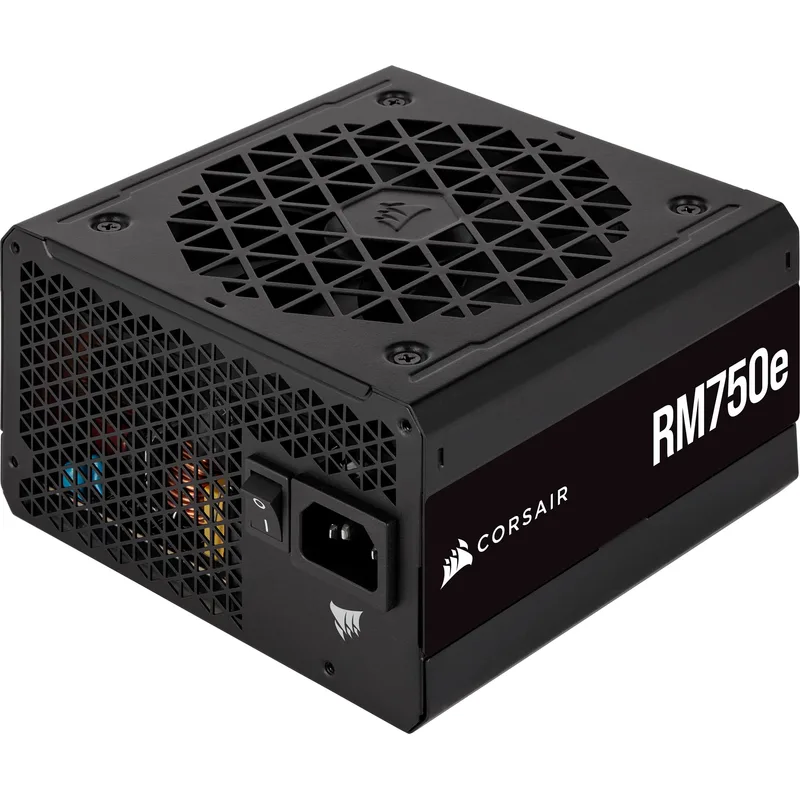
Corsair RM750e (2025) 750W 80+ Gold
The 2025 RM750e ships with ATX 3.1 and PCIe 5.1 compliance, including a native 12V-2x6 cable. At 750W Cybenetics Gold, it runs at 90–92% efficiency at the 300–400W gaming loads this build produces.
The zero-RPM fan mode means the PSU is completely silent under light loads (desktop, video playback). The fan spins up only above ~400W — most gaming sessions stay below that threshold. A silent PSU fan on first boot is normal behavior, not a fault.
Cable management: all cables are detachable. For this build you need:
- 1x 24-pin ATX (motherboard)
- 1x EPS 4+4-pin (CPU)
- 1x 12V-2x6 (GPU)
- 1x SATA (if adding a SATA drive)
Leave the rest in the bag.
Build Tips
Tools you actually need (see our full PC building tools list for a complete rundown):
- Phillips head screwdriver (#2) — covers 95% of fasteners
- Anti-static wrist strap or ground yourself on the case periodically
- Zip ties or Velcro straps for cable management
- Good lighting or a headlamp for inside the case
Installation order matters. Follow this sequence to avoid removing components:
- Install CPU and RAM on the motherboard outside the case (on the anti-static bag) — for a full walkthrough of CPU installation, see our step-by-step CPU install guide
- Install the M.2 SSD under the motherboard shield
- Mount the motherboard in the case
- Install the GPU last — it blocks access to the ATX power connector on some cases; for a detailed GPU installation walkthrough, see our step-by-step GPU install guide
- Route cables before installing the GPU
For a step-by-step cable routing walkthrough from start to finish, see our cable management guide for beginners.
Common beginner mistakes (see our PC building mistakes to avoid guide for the full list):
Forgetting the I/O shield — the metal plate covering the rear port cutout snaps into the case before the motherboard. The B650 Tomahawk has an integrated I/O shield attached to the board, so this is not an issue for this build.
RAM not fully seated — DDR5 requires firm, even pressure. If the system powers on but shows no display, reseat the RAM first.
CPU cooler mounting — the Wraith Prism stock cooler uses a backplate pre-installed on most AM5 boards. Remove the existing plastic retention arms before mounting.
GPU power connector — the 12V-2x6 connector clicks fully only when the locking tab engages. A loose connection causes system crashes under load, not at idle.
First boot sequence:
- Power on — look for POST screen (MSI MAG splash)
- Press Delete to enter BIOS
- Enable XMP profile (Memory → XMP → select 6000MHz profile)
- Set boot device to USB (with Windows 11 installer)
- Save and exit
Performance Expectations
This Ryzen 5 9600X + RTX 5060 build targets 1080p High/Ultra as its primary resolution. At 1440p, native rasterization is playable in most titles, and DLSS 4 MFG unlocks high-refresh performance the RTX 4060 couldn’t reach at this price tier.
| Game | 1080p Ultra | 1440p High | 1440p DLSS 4 Quality |
|---|---|---|---|
| Cyberpunk 2077 | 112 FPS | 74 FPS | 140–172 FPS |
| Hogwarts Legacy | 122 FPS | 86 FPS | 115 FPS |
| Alan Wake 2 | 102 FPS | 66 FPS | 95 FPS |
| Baldur’s Gate 3 | 140 FPS | 100 FPS | — |
| Fortnite (DX12) | 178 FPS | 128 FPS | 160 FPS |
| Call of Duty: Warzone | 192 FPS | 134 FPS | — |
| Counter-Strike 2 | 310 FPS | 242 FPS | — |
| Elden Ring | 153 FPS | 115 FPS | — |
Rasterization averages derived from TechSpot RTX 5060 benchmarks. DLSS 4 figures from Digital Trends at stock settings.
Upgrade Path
Immediate (within 6 months):
- Add a 2TB SATA SSD or HDD for game storage (~$60–80). The 1TB 990 Pro fills up with 5–6 large games installed.
Year 1–2:
- Upgrade GPU to RTX 5070 or RX 9070 XT once pricing normalizes. The Corsair RM750e 750W handles both without replacement — the RX 9070 XT draws 220W, the RTX 5070 draws 250W.
- The AM5 platform is expected to support Ryzen 10000-series CPUs. The 9600X is not a bottleneck for any current mid-range GPU, so a CPU upgrade is optional.
Year 2–3:
- When Ryzen 7 9800X3D prices drop below $250 used, a drop-in upgrade delivers 20–30% better 1% lows in CPU-limited open-world titles. 3D V-Cache makes a measurable difference at 1440p high-refresh gaming.
What not to upgrade first:
- Don’t upgrade the CPU before the GPU. The 9600X is not bottlenecking the RTX 5060. A GPU upgrade has 5x more impact on gaming framerates than a CPU swap.
- Don’t add more RAM until you’ve confirmed you’re hitting the 32GB ceiling via Task Manager during gameplay. Most gaming-only setups won’t need 64GB.
FAQ
Do I need thermal paste?
The Wraith Prism stock cooler ships with thermal paste pre-applied. If you’re using the stock cooler, don’t buy paste separately. Only apply paste if you remove and reinstall the cooler. For application tips and top product recommendations, see our best thermal paste guide.
Can I use a cheaper B650M (micro-ATX) motherboard?
Yes. The ASRock B650M Pro RS WiFi is a solid mATX alternative available for significantly less than the B650 Tomahawk. It has one fewer M.2 slot and a more compact VRM, but works fine with the 9600X. The trade-off is that cable management is harder in smaller cases for first-time builders.
Is this build compatible with Windows 11?
Yes. The Ryzen 5 9600X has TPM 2.0 via fTPM, which Windows 11 requires. Enable fTPM in the BIOS under Advanced → AMD fTPM Configuration before installing Windows. It’s on by default on most MSI boards.
What monitor should I pair with this build?
For 1080p: a 1080p 144Hz IPS panel in the $150–200 range covers every title at high framerates. For 1440p: a 1440p 165Hz IPS at $200–280. Avoid 4K — the RTX 5060’s 8GB VRAM ceiling limits texture quality at 4K Ultra settings.
How long does a first build take?
Typically 3–5 hours including research pauses and cable management. The second build takes 90 minutes. Don’t rush — reseating a loose cable takes seconds; debugging an unstable system caused by a loose header can take hours.
Is the RTX 5060 worth buying over a discounted RTX 4060?
At current discounted pricing the RTX 4060 can be found at $200–240, making it a lower upfront cost. The RTX 5060 is 28% faster in rasterization and adds DLSS 4 Multi Frame Generation, which substantially changes the 1440p performance picture. For a new build with a 3–4 year horizon, the RTX 5060 is the right choice.
The Bottom Line
This Ryzen 5 9600X + RTX 5060 build costs approximately $1,517 in components and delivers genuine 1080p Ultra gaming with strong 1440p capability. DLSS 4 Multi Frame Generation changes the 1440p math — 140–172 FPS in Cyberpunk 2077 at 1440p was not achievable at this price tier with DLSS 3. The AM5 platform’s upgrade path keeps this build relevant through Ryzen 10000-series CPUs, and the Corsair RM750e 750W has headroom for a next-gen GPU upgrade without replacement. DDR5 prices have risen in 2026 due to AI-driven DRAM demand — verify current kit pricing before purchasing and budget for some fluctuation. Before ordering, use our first PC build shopping checklist to make sure you haven’t missed anything — from thermal paste to cable ties and a Windows USB installer. After your build is up and running, see our how to clean your PC guide to keep dust out of your heatsinks and fans over the years.