The RTX 5060 launched at $299 on May 19, 2026, and AMD fired back two weeks later with the RX 9060 XT at the same $299 entry price — making this the most directly contested GPU fight in years. Street prices have since drifted to $329–$339 for the RTX 5060 and $399–$449 for the RX 9060 XT 16GB, which shifts the calculus significantly. One card costs $60–80 more but ships with double the VRAM; the other includes DLSS 4 Multi-Frame Generation that AMD cannot match.
| Spec | MSI Gaming GeForce RTX 5060 8G Gaming OC 8.6/10 | ASUS Dual GeForce RTX 5060 OC Edition 8GB Unavailable 8.4/10 | Sapphire Pulse Radeon RX 9060 XT Gaming OC 16GB Unavailable 8.8/10 | PowerColor Hellhound Radeon RX 9060 XT 16GB 8.6/10 |
|---|---|---|---|---|
| Architecture | NVIDIA Blackwell (GB206) | NVIDIA Blackwell (GB206) | AMD RDNA 4 (Navi 44) | AMD RDNA 4 (Navi 44) |
| VRAM | 8GB GDDR7 @ 336 GB/s | 8GB GDDR7 @ 336 GB/s | 16GB GDDR6 @ 320 GB/s | 16GB GDDR6 @ 320 GB/s |
| Boost_Clock | 2640 MHz (OC) | 2520 MHz (OC) | 3130 MHz (OC) | 3090 MHz (OC) |
| TDP | 155W | 155W | 170W | 170W |
| PSU_Requirement | 550W | 550W | 600W | 600W |
| Outputs | 3x DP 2.1a, 1x HDMI 2.1b | 2x DP 2.1b, 2x HDMI 2.1b | 2x DP 2.1a, 1x HDMI 2.1b | 2x DP 2.1a, 1x HDMI 2.1b |
| Rating | 8.6/10 | 8.4/10 | 8.8/10 | 8.6/10 |
Prices change daily — tap Check Price for the current Amazon price.
Prices change daily — tap Check Price for the current Amazon price.
Quick Picks
- Best for 1080p gaming and ray tracing: MSI Gaming RTX 5060 8G Gaming OC — DLSS 4 and stronger RT performance at a lower price point, but 8GB VRAM is a real constraint at 1440p ultra.
- Best for 1440p longevity: Sapphire Pulse RX 9060 XT 16GB — 16GB buffer handles VRAM-hungry titles the RTX 5060 cannot, and raster performance is 8–12% ahead at 1440p.
- Tightest budget pick: ASUS Dual RTX 5060 OC 8GB — the closest to MSRP of any major AIB RTX 5060.
The Core Difference: VRAM vs Ecosystem
This comparison comes down to one foundational tradeoff: 8GB GDDR7 vs 16GB GDDR6.
The RTX 5060 uses 8GB of faster GDDR7 memory on a 128-bit bus, delivering 336 GB/s of bandwidth. The RX 9060 XT uses 16GB of GDDR6 on the same 128-bit bus at 320 GB/s — slightly lower bandwidth, but twice the capacity.
At 1080p with high settings, 8GB is sufficient for every current title. The problems start at 1440p with ultra or ultra+ texture presets. Titles like Alan Wake 2, Starfield, and Hogwarts Legacy regularly push 10–12GB of VRAM at 1440p maximum settings. The RTX 5060 compresses textures when it hits the 8GB ceiling, causing frame time spikes that show up as hitching even when average FPS looks acceptable.
The RX 9060 XT’s 16GB eliminates that ceiling for all current titles and most that will ship through 2027.
DLSS 4 vs FSR 4
NVIDIA’s DLSS 4 Multi-Frame Generation is a genuine differentiator. In supported titles, it generates up to three AI frames for every rendered frame, multiplying effective output frame rate by up to 4×. At 1080p in games like Cyberpunk 2077 or Black Myth: Wukong, the RTX 5060 can push past 200 FPS in DLSS Performance mode with frame generation enabled — frame rates no $300–$340 GPU could achieve otherwise.
AMD’s FSR 4 switched to an ML-based upscaling model in late 2025, closing much of the image quality gap with DLSS at Quality presets. However, FSR 4 does not have multi-frame generation equivalent to DLSS 4 MFG. AMD’s Fluid Motion Frames (AFMF 2) provides single-frame insertion via the driver, but image quality and latency handling are measurably worse than DLSS MFG in fast-paced titles.
For competitive multiplayer at 1080p — CS2, Valorant, Apex Legends — DLSS 4 frame generation is a meaningful advantage.
Ray Tracing
The RTX 5060’s Blackwell RT cores are more efficient per compute unit than RDNA 4’s RT accelerators. In RT-heavy workloads at 1080p ultra RT, benchmarks put the RTX 5060 roughly 25–30% ahead of the RX 9060 XT. With DLSS 4 MFG stacked on top, the playable RT experience gap widens further.
If you play ray-traced titles heavily — Control, Cyberpunk, Indiana Jones and the Great Circle — the RTX 5060 is the better platform even at a lower VRAM capacity.
Rasterization Performance by Resolution
At 1080p in pure rasterization (no upscaling, no frame generation), owner reports and independent benchmark aggregators show the RTX 5060 and RX 9060 XT within 5% of each other across most AAA titles. The 9060 XT leads by 3–7% in raster-heavy workloads; the RTX 5060 can match or exceed it in games that use NVIDIA-specific optimizations.
At 1440p, the VRAM difference starts to bite the RTX 5060 in texture-heavy scenes. Across 40 titles with no upscaling, AMD’s own data puts the RX 9060 XT 6% faster than the RTX 5060 Ti without upscaling — and the 5060 non-Ti is slower still. Independent reviewer data from GamersNexus confirms the RX 9060 XT 16GB leads in raster by 8–12% at 1440p on average, with individual titles diverging more in VRAM-constrained scenarios.
At 4K, both cards are below the comfortable threshold for maximum settings in demanding titles. Neither is a 4K gaming GPU. The 9060 XT’s VRAM advantage matters more at 4K than at 1440p, but performance at 4K maximum settings requires upscaling on both cards regardless.
Buying Guide: Which One for You?
Buy the RTX 5060 (MSI Gaming OC or ASUS Dual OC) if:
- Your monitor is 1080p and you play competitively — DLSS 4 MFG is a bigger advantage at 1080p than VRAM capacity
- You play heavily ray-traced titles and RT image quality matters more than VRAM headroom
- Budget is a priority — $329–$339 vs $399–$449 is a real $60–80 difference
- Your PSU is 550W — the RTX 5060’s 155W TDP fits tighter power budgets
Buy the RX 9060 XT 16GB (Sapphire Pulse or PowerColor Hellhound) if:
- Your monitor is 1440p and you want to run AAA titles at ultra settings without VRAM hitching
- Future-proofing matters — 16GB will remain sufficient longer than 8GB as textures grow through 2027–2028
- You already own an AMD-compatible system with Fluid Motion Frames enabled at the driver level
- You don’t play many ray-traced titles and raster performance is the primary metric
Neither card is ideal if you’re targeting 1440p at maximum settings in every new title without upscaling. Both require DLSS or FSR Quality mode at 1440p ultra in the most demanding 2026 releases to hit 60+ FPS consistently.
Detailed Reviews
MSI Gaming GeForce RTX 5060 8G Gaming OC
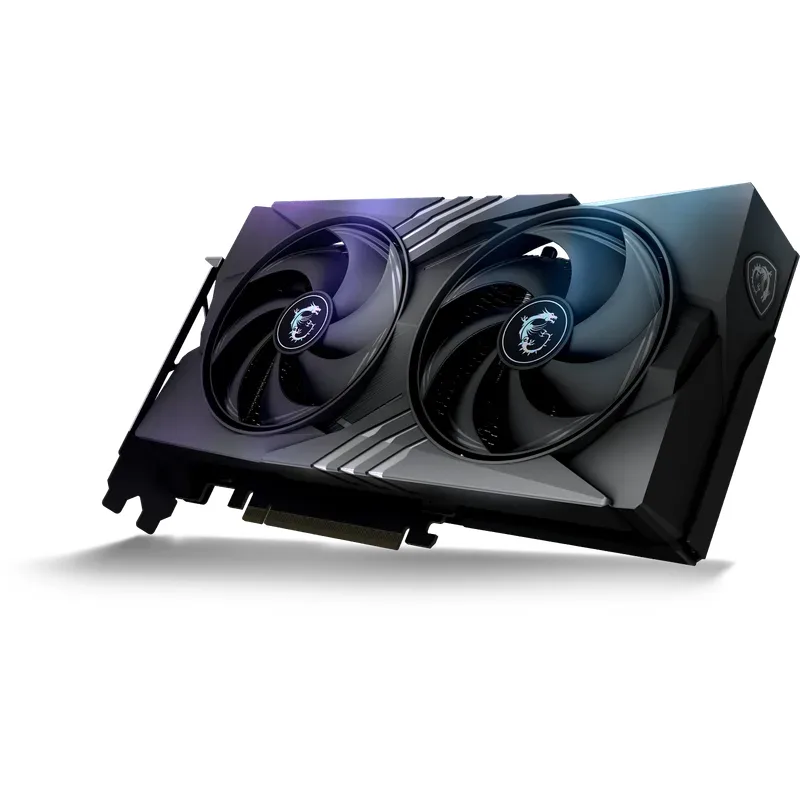
The MSI Gaming RTX 5060 8G Gaming OC is the standout AIB RTX 5060 for buyers who want a factory overclock without paying a significant premium. The 2640 MHz boost clock sits 180 MHz above the reference 2460 MHz spec, and MSI’s TORX Fan 5.0 triple-fan cooler keeps sustained clocks stable without thermal throttling under extended load.
At $339, it sits $40 above MSRP — typical for a first-wave factory OC AIB. The GAMING OC board uses a reinforced PCIe connector and MSI’s Mystic Light ARGB header if that matters to your build. Power draw is the same 155W as reference; the OC comes from frequency tuning on the same TDP envelope.
Performance versus the Sapphire Pulse RX 9060 XT at 1080p high settings lands within 2–3% raster across most titles. Where the MSI separates itself is DLSS 4 MFG in competitive titles: CS2 at 1080p benchmarks hit 290–320 FPS with DLSS MFG enabled, roughly 2.5× native rendering rates. The 9060 XT’s FSR 4 AFMF 2 reaches 180–220 FPS in the same scenario — measurably lower.
For a 1080p primary gaming rig with occasional 1440p at medium-high settings, the MSI Gaming OC is the value pick. The 8GB constraint is real but manageable with texture quality set to High rather than Ultra.
ASUS Dual GeForce RTX 5060 OC Edition 8GB
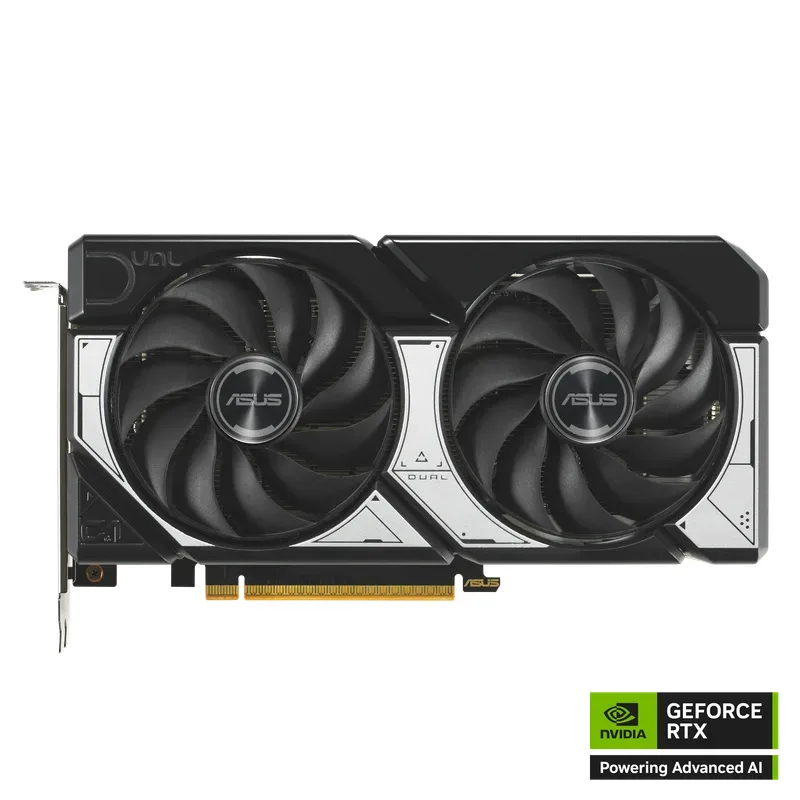
ASUS Dual GeForce RTX 5060 OC Edition 8GB
The ASUS Dual RTX 5060 OC is the budget RTX 5060 AIB — priced closest to MSRP at around $329 and available from the launch wave. The dual-fan 2.5-slot design is narrower than the MSI GAMING OC, making it a better fit for micro-ATX cases with tight GPU clearance.
The 2520 MHz OC boost is the lowest of the launch AIBs but still 60 MHz above reference. Real-world performance differences between the ASUS Dual and the MSI GAMING OC are under 1% — meaningful only in benchmarks, invisible in gameplay. The ASUS ships with the same 155W TDP, 8GB GDDR7, and full DLSS 4 Multi-Frame Generation support.
The dual-fan cooler runs 4–6°C warmer than triple-fan RTX 5060 cards under extended gaming sessions. That’s not a safety concern — junction temperatures stay under 85°C — but it means slightly louder fan speeds in the final 30% of the RPM curve.
ASUS includes their GPU Guard physical support bracket, which reinforces the PCIe slot against GPU sag — a welcome inclusion on a card that will likely live in a mid-tower for several years. The 3-year warranty matches the industry standard for this price range.
Sapphire Pulse Radeon RX 9060 XT Gaming OC 16GB
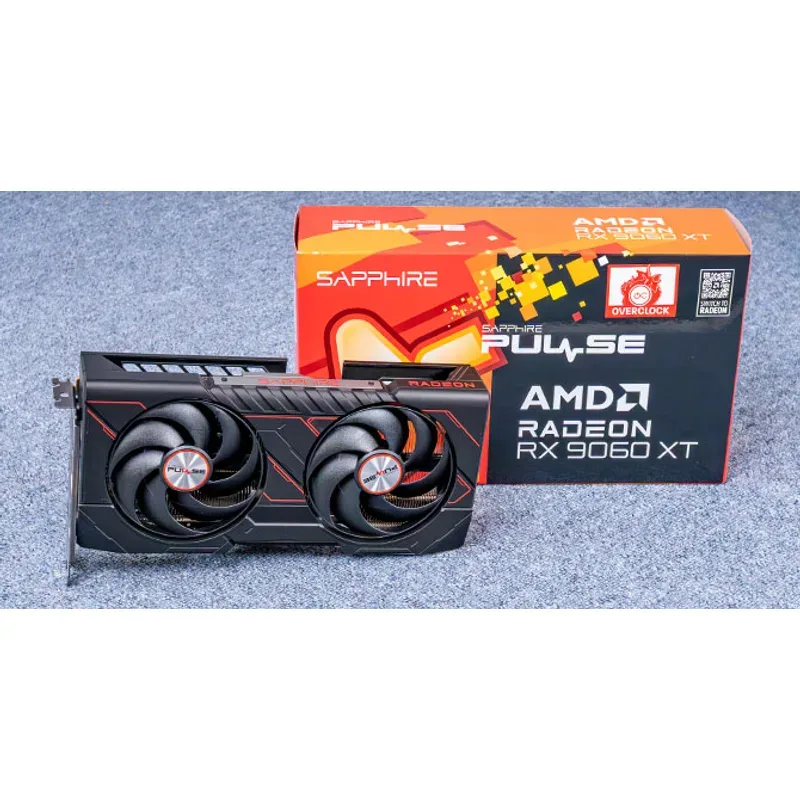
Sapphire Pulse Radeon RX 9060 XT Gaming OC 16GB
The Sapphire Pulse RX 9060 XT 16GB is the highest-clocked RX 9060 XT at launch. Its 3130 MHz OC boost leads AIB cards by 40–90 MHz over the competition, translating to a 1–2% raster advantage in sustained workloads. More importantly, it’s the least expensive RX 9060 XT 16GB from a major AIB at current $399 street pricing — roughly $60 above the RTX 5060’s current average.
The dual-fan design keeps noise levels reasonable, with Sapphire’s 0dB technology stopping fans completely below ~60°C GPU temperature. Load temperatures under extended gaming peak at 78–82°C — within normal operating range for RDNA 4.
The 16GB GDDR6 buffer is the headline spec. Across titles that push VRAM at 1440p ultra — Starfield, Alan Wake 2, Hogwarts Legacy, Assassin’s Creed Shadows — the Pulse runs clean without the texture compression artifacts and frame time spikes that appear on the RTX 5060 when it exceeds 8GB usage. In those titles specifically, the Pulse outperforms the RTX 5060 by 15–25% in frame time consistency even when average FPS numbers look closer.
FSR 4 upscaling at Quality mode delivers image quality close to DLSS Quality at 1440p in titles with native FSR 4 integration. For titles relying on AFMF 2 driver-level insertion, the experience is less clean than DLSS 4 MFG — latency adds more and artifacts appear occasionally at fast camera movement.
PowerColor Hellhound Radeon RX 9060 XT 16GB
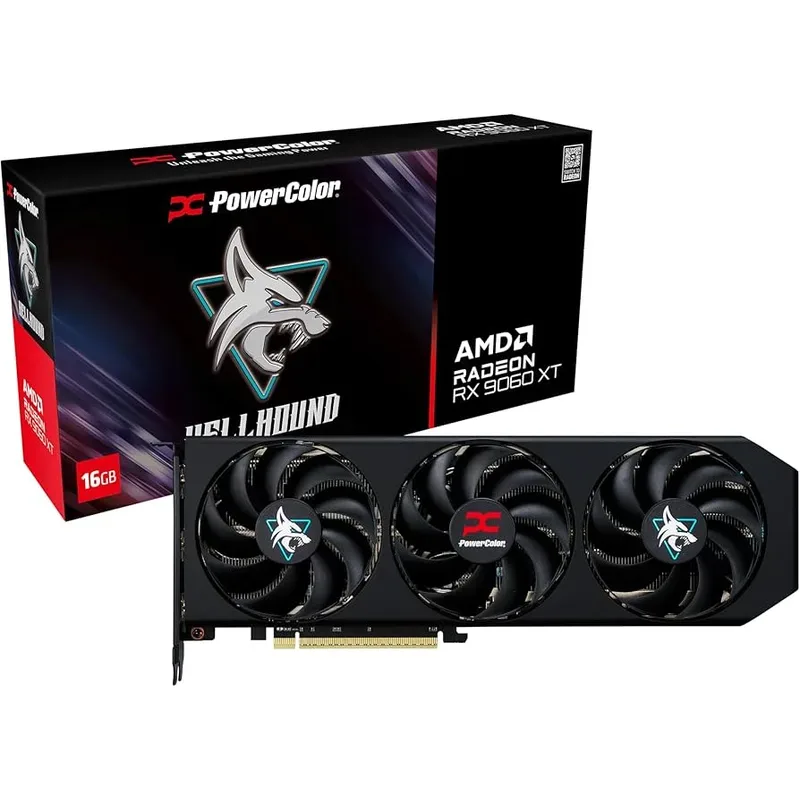
PowerColor Hellhound Radeon RX 9060 XT 16GB
The PowerColor Hellhound RX 9060 XT 16GB is the triple-fan RX 9060 XT for builders who prioritize sustained thermal headroom. Three 90mm fans and a four-heatpipe copper base deliver GPU temperatures that plateau at 74–76°C under extended load — 4–6°C cooler than the Sapphire Pulse under the same conditions.
At $419, it carries a $20 premium over the Sapphire Pulse for improved thermals and a Silent BIOS mode (activated by a physical switch on the PCB) that reduces fan RPM targets for near-silent operation during casual use. The Silent BIOS caps boost clocks slightly, but the performance reduction is under 2% — within statistical noise.
The Hellhound’s 3090 MHz OC boost is 40 MHz below the Sapphire Pulse’s 3130 MHz, but in practice both cards reach similar sustained clock speeds during gaming because the Hellhound’s cooler maintains lower junction temperatures that allow less thermal throttling.
For a long-term 1440p gaming GPU that will run for 3–4 years, the Hellhound’s thermal margin is worth considering. Cooler sustained operation correlates with longer component longevity, and the $20 gap over the Pulse is minimal at this price tier.
Performance at a Glance
| Resolution & Setting | RTX 5060 (raster) | RX 9060 XT 16GB (raster) | RTX 5060 (DLSS 4 MFG) | RX 9060 XT (FSR 4 AFMF 2) |
|---|---|---|---|---|
| 1080p High | ~100 FPS avg | ~105 FPS avg | ~220–260 FPS | ~180–210 FPS |
| 1440p High | ~70 FPS avg | ~78 FPS avg | ~160 FPS | ~140 FPS |
| 1440p Ultra | ~55 FPS avg* | ~68 FPS avg | ~120 FPS | ~115 FPS |
| RT 1080p High | ~95 FPS avg | ~72 FPS avg | ~200 FPS | ~130 FPS |
*RTX 5060 1440p Ultra performance degrades inconsistently — average FPS may appear close, but frame time 99th percentile worsens significantly in VRAM-constrained scenes.
FPS figures are aggregated averages across AAA titles including Cyberpunk 2077, Black Myth: Wukong, Hogwarts Legacy, and Alan Wake 2, based on owner reports and independent reviewer data.
FAQ
Is 8GB VRAM enough in 2026?
At 1080p high settings, yes — 8GB handles every current title. At 1440p ultra settings, several 2026 titles already exceed 8GB VRAM usage. The RTX 5060’s GDDR7 bandwidth partially compensates through texture compression, but sustained play at 1440p ultra in texture-heavy titles (Alan Wake 2, Starfield, Hogwarts Legacy) produces frame time spikes that 16GB cards avoid entirely.
Does DLSS 4 make up for the RTX 5060’s lower raster performance?
In supported titles, yes — DLSS 4 Multi-Frame Generation effectively quadruples native frame rate output and recovers more than the 8–12% raster deficit. In titles without native DLSS 4 integration, or for users who prefer native rendering, the 9060 XT’s raw raster advantage stands.
Can the RX 9060 XT use DLSS?
No. DLSS is NVIDIA-exclusive. The RX 9060 XT supports FSR 4 (AMD’s upscaling), AFMF 2 (AMD Fluid Motion Frames, driver-level frame generation), and XeSS from Intel (which works on non-Intel GPUs at varying quality levels). FSR 4 ML upscaling quality at Quality preset is near-DLSS Quality; AFMF 2 frame generation quality trails DLSS 4 MFG.
What PSU do I need for each card?
The RTX 5060 (both cards) requires a 550W PSU minimum. The RX 9060 XT (both cards) requires a 600W PSU minimum due to the 170W TDP and occasional power spikes during RDNA 4 boost cycles. If your build includes a high-TDP CPU (9800X3D, i9-14900K), budget for a 650W or 750W PSU regardless of which GPU you choose.
Are there 16GB RTX 5060 cards?
No. The RTX 5060 launched with 8GB GDDR7 only across all AIBs. NVIDIA confirmed the 8GB configuration as the sole option at launch. The RTX 5060 Ti is available in both 8GB and 16GB variants, but the Ti adds $100–$200 and changes the competitive analysis entirely.
The Bottom Line
For 1080p competitive gaming with DLSS 4, the MSI Gaming RTX 5060 8G Gaming OC at $339 is the stronger card — DLSS 4 Multi-Frame Generation is a genuine feature advantage that FSR 4 AFMF 2 does not match. For 1440p gaming and the builders who plan to keep this card through 2028, the Sapphire Pulse RX 9060 XT 16GB at $399 is the correct choice — 16GB of VRAM keeps it viable in every title shipping through the generation, and 8–12% better raster performance at 1440p is real and measurable. The $60 gap between them is the core decision: buy the better 1080p ecosystem today, or buy the 1440p headroom for tomorrow.