Affiliate disclosure: PCBuildRanked earns a commission on qualifying Amazon purchases at no extra cost to you.
Every motherboard has a chipset. Most PC builders never think about it — they buy a board, plug in the CPU and RAM, and move on. But the chipset controls which features you get, whether you can overclock your CPU, how many M.2 drives you can run at full speed, and how future-proof your build is. In 2026, AMD’s B850 has become the new mainstream AM5 standard while Intel’s Z890 and B860 split LGA1851 into a clear two-tier system. This guide explains what chipsets do, how the current AMD and Intel tiers compare, and which one belongs in your build.
| Spec | MSI PRO B650-P WiFi 7.5/10 | ASUS TUF Gaming B850-PLUS WiFi 8.5/10 | ASUS TUF Gaming X870-PLUS WiFi 8.8/10 | ASUS Prime B860-PLUS WiFi 7.8/10 | ASUS TUF Gaming Z890-Plus WiFi 8.4/10 |
|---|---|---|---|---|---|
| Chipset | AMD B650 | AMD B850 | AMD X870 | Intel B860 | Intel Z890 |
| Socket | AM5 | AM5 | AM5 | LGA1851 | LGA1851 |
| Form Factor | ATX | ATX | ATX | ATX | ATX |
| VRM | 12+2 phases, 75A SPS | 14+2+1 phases, 80A SPS | 16+2+1 phases, 80A SPS | 8+1+1+1 phases, 80A SPS | 16+1+2+1 phases, 80A SPS |
| M.2 Slots | 2x PCIe 4.0 | 3 (1× PCIe 5.0, 2× PCIe 4.0) | 4 (all PCIe 5.0 capable) | 2x M.2 (PCIe 5.0) | 4 (2× PCIe 5.0, 2× PCIe 4.0) |
| WiFi | Wi-Fi 6E | Wi-Fi 7 | Wi-Fi 7 | Wi-Fi 6E | Wi-Fi 7 |
| LAN | 2.5GbE | 2.5GbE | 2.5GbE | 2.5GbE | 2.5GbE |
| Rating | 7.5/10 | 8.5/10 | 8.8/10 | 7.8/10 | 8.4/10 |
Prices change daily — tap Check Price for the current Amazon price.
Prices change daily — tap Check Price for the current Amazon price.
Quick Picks
- Best AMD Mainstream (2026): ASUS TUF Gaming B850-PLUS WiFi ($195) — B850 is AMD’s new standard; PCIe 5.0 M.2, Wi-Fi 7, and BIOS Flashback under $200.
- Best Budget AM5: MSI PRO B650-P WiFi ($175) — B650 still works for gaming builds where GPU and RAM budget matters more than board features.
- Best Intel Mainstream: ASUS Prime B860-PLUS WiFi ($174) — two PCIe 5.0 M.2 slots and memory OC support without paying for Z890’s overclocking premium.
- Best for Overclocking: ASUS TUF Gaming Z890-Plus WiFi ($250) — Z890 is the only Intel chipset tier that unlocks CPU multiplier adjustments.
What Is a Chipset?
The chipset is a silicon controller chip soldered onto the motherboard. It acts as a traffic director between the CPU and everything else on the board: USB ports, SATA connectors, additional M.2 slots, PCIe lanes for expansion cards, and onboard features like audio and Ethernet.
Modern CPUs connect directly to certain devices — the primary PCIe x16 GPU slot and the fastest M.2 slot route directly through the CPU’s own PCIe lanes at full bandwidth. The chipset handles everything else. The connection between the CPU and chipset is called the DMI (Direct Media Interface) link, and its width determines how much total bandwidth is available for all the chipset-attached devices combined.
The three things a chipset actually controls:
- Which features are present — USB4, Wi-Fi standard, number of M.2 slots, SATA ports, PCIe expansion slots
- What’s mandatory vs. optional — premium chipsets require certain features (like USB4 on AMD X870); budget chipsets make them optional or absent
- Overclocking permissions — AMD B850 and B650 allow CPU Precision Boost Overdrive (PBO); Intel B860 allows memory overclocking only; Intel Z890 unlocks full CPU multiplier control
The chipset does not meaningfully affect in-game FPS. A B650 board and an X870 board running the same Ryzen 9 9900X produce identical frame rates in games. Where chipset tier matters: sustained multi-SSD workloads, Thunderbolt connectivity, future-proofing M.2 slots for Gen5 NVMe drives, and CPU tuning capabilities.
AMD AM5 Chipset Hierarchy (2026)
AMD’s AM5 platform uses two generations of chipsets. The 600-series (X670E, X670, B650E, B650) launched in 2022 alongside Ryzen 7000. The 800-series (X870E, X870, B850, B840, A620) arrived with Ryzen 9000 in 2026–2025. All AM5 chipsets share the same socket — your Ryzen 9000 CPU fits in any AM5 board, though 600-series boards may need a BIOS update first.
Chipset tier breakdown:
| Chipset | CPU OC | PCIe 5.0 GPU | PCIe 5.0 M.2 | USB4 | Wi-Fi | Target |
|---|---|---|---|---|---|---|
| X870E | Yes (PBO) | Guaranteed | Guaranteed (2x) | Required | Wi-Fi 7 | Flagship |
| X870 | Yes (PBO) | Guaranteed | Guaranteed (1x) | Required | Wi-Fi 7 | Enthusiast |
| B850 | Yes (PBO) | Yes | Optional (usually 1x) | Optional (most boards include) | Usually Wi-Fi 7 | Mainstream 2026 |
| B650 | Yes (PBO) | Optional (B650E required for guarantee) | Optional | Rarely included | Wi-Fi 6E | Budget |
| A620 | No | No | No | No | Varies | OEM/Budget |
The B850 shift: In 2025, B650 was AMD’s mainstream pick. In 2026, board pricing has shifted so that B850 boards start at roughly the same $175–$195 price that B650 occupied. B850 adds USB4 (on most boards), Wi-Fi 7, and usually a PCIe 5.0 M.2 slot. There is no compelling reason to buy a new B650 board in 2026 unless you are specifically reusing an old AM5 case/cooler setup and saving every dollar possible.
Dual-chipset design on X870/X870E: These premium boards wire two chipset chips together to double the available downstream PCIe lanes and USB ports. The result is more M.2 slots, more PCIe x1 expansion slots, and more USB ports than a single-chip B850 board. The tradeoff is higher board power consumption and a higher price floor — expect $200+ for X870 entry boards.
PBO on all chipsets: Unlike Intel, AMD allows Precision Boost Overdrive (the official AMD frequency/power tuning tool) on every chipset tier except A620. A Ryzen 9 9950X3D on a $175 B650 board can run PBO Extended with Curve Optimizer adjustments. X870E doesn’t unlock anything here that B650 doesn’t — the per-core voltage tuning is a CPU feature, not a chipset restriction.
Intel LGA1851 Chipset Hierarchy (2026)
Intel’s current platform uses the LGA1851 socket (Core Ultra 200S, codenamed Arrow Lake). The chipset lineup is a tighter three-tier system: Z890, B860, and H810.
Chipset tier breakdown:
| Chipset | CPU OC | BCLK OC | Memory OC | DMI Link | PCIe Lanes | Target |
|---|---|---|---|---|---|---|
| Z890 | Yes (full) | Yes | Yes | 8×PCIe 4.0 | Up to 24 | Enthusiast/OC |
| B860 | No | No | Yes (XMP) | 4×PCIe 4.0 | Fewer | Mainstream |
| H810 | No | No | No | 4×PCIe 4.0 | Minimal | Budget/OEM |
Overclocking is Z890-only: Intel restricts CPU multiplier adjustments exclusively to Z890 boards. If you buy a Core Ultra 9 285K and want to push it past its boost clocks, you need Z890. On B860, you get the CPU’s stock Turbo Boost behavior and XMP/EXPO memory profiles — nothing more. This is the fundamental reason to pay the Z890 premium.
DMI bandwidth gap: Z890 connects to the CPU via a full 8-lane PCIe 4.0 DMI link. B860 uses only 4 lanes — half the bandwidth. In practice, this gap is invisible in gaming or typical desktop workloads. It becomes measurable when running multiple NVMe SSDs simultaneously at sequential read/write speeds, or under heavy USB 3.2 + M.2 concurrent transfers. For a gaming PC, it is a non-issue.
B860 for most Intel builds: If you are buying a Core Ultra 5 245K or Core Ultra 7 265K and have no plans to manually overclock the CPU, B860 is the correct chipset. Memory overclocking (DDR5-7200 XMP kits) is fully supported. PCIe 5.0 on the GPU slot is supported. The only things you lose are CPU OC and some high-bandwidth edge cases from the narrower DMI link.
Component Deep Dives
1. MSI PRO B650-P WiFi — Best Budget AMD (B650)
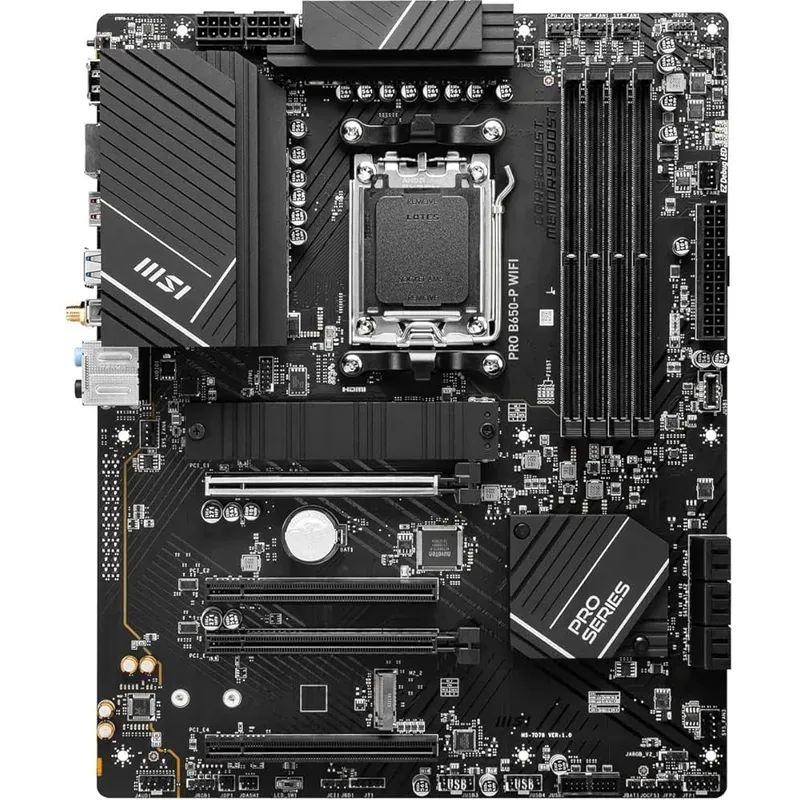
The MSI PRO B650-P WiFi is the practical choice when you want a working AM5 board and plan to spend the saved $20 on more GPU or RAM. The 12+2 phase 75A VRM handles Ryzen 7 9700X and Ryzen 9 9900X at stock without throttling. Six SATA ports make this a rare exception in the B650 lineup — most 800-series boards cut SATA to four. B650 BIOS is mature after three platform generations; owner reports across forums indicate far fewer BIOS-related boot issues than early X870 boards saw in late 2024.
The limitations are real: no PCIe 5.0 M.2 means the WD Black SN8100 and Samsung 9100 Pro Gen5 SSDs run at Gen4 speeds on this board. Wi-Fi 6E tops out at lower theoretical rates on Wi-Fi 7 routers. If you own a Wi-Fi 7 router or plan to buy a Gen5 SSD in the next two years, step up to B850.
2. ASUS TUF Gaming B850-PLUS WiFi — Best AMD Mainstream 2026 (B850)
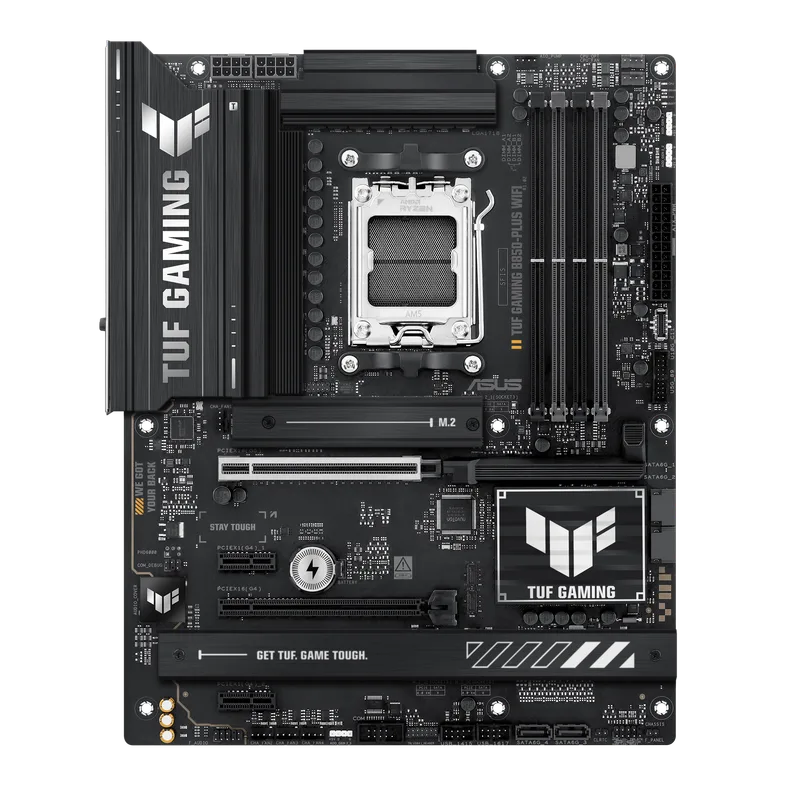
The ASUS TUF Gaming B850-PLUS WiFi represents the new 2026 AMD sweet spot. For $20 more than the B650-P, you get Wi-Fi 7, one PCIe 5.0 M.2 slot, and 80A power stages. VRM temperatures measured at 57°C under sustained Cinebench R24 multi-core loads — well within headroom for any Ryzen 9000 processor at stock clocks, including the 9950X3D.
BIOS Flashback (the ability to update firmware without a CPU installed) is a meaningful feature for future-proofing: if AMD releases a Ryzen 10000 series on AM5, you can update the BIOS before the new CPU arrives. The single PCIe 5.0 M.2 slot is the main limitation — if you plan to run two Gen5 SSDs simultaneously, step up to the MSI MAG B850 Tomahawk MAX or an X870 board.
3. ASUS TUF Gaming X870-PLUS WiFi — Best AMD Enthusiast Value (X870)
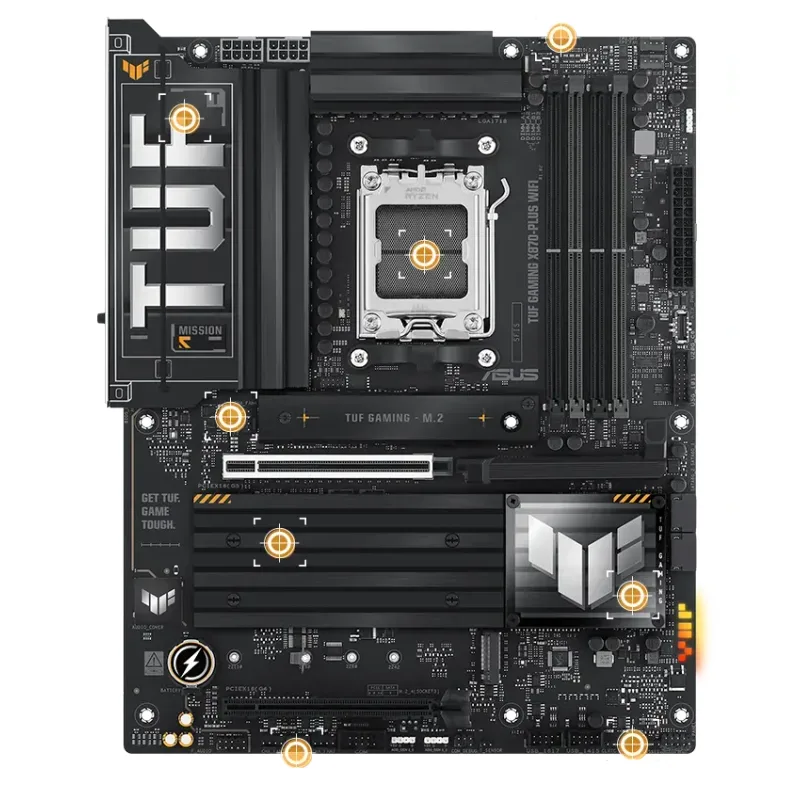
The ASUS TUF Gaming X870-PLUS WiFi lands at $210 — only $15 more than the TUF B850-PLUS — and delivers mandatory PCIe 5.0 on both the GPU slot and primary M.2, four PCIe 5.0-capable M.2 slots total, and a USB4 40Gbps rear port. The USB4 port is the practical differentiator: it connects Thunderbolt 4 docks, external GPU enclosures, and high-speed NVMe enclosures at full bandwidth.
The X870 dual-chipset design adds lane density compared to B850’s single chip. Most gaming builds will not need those extra lanes, but content creators running multiple fast SSDs and capture cards simultaneously will notice the additional headroom. PBO and Curve Optimizer tuning work identically to B850 — the X870 chipset does not add overclocking capability beyond what B850 already provides.
4. ASUS Prime B860-PLUS WiFi — Best Budget Intel (B860)
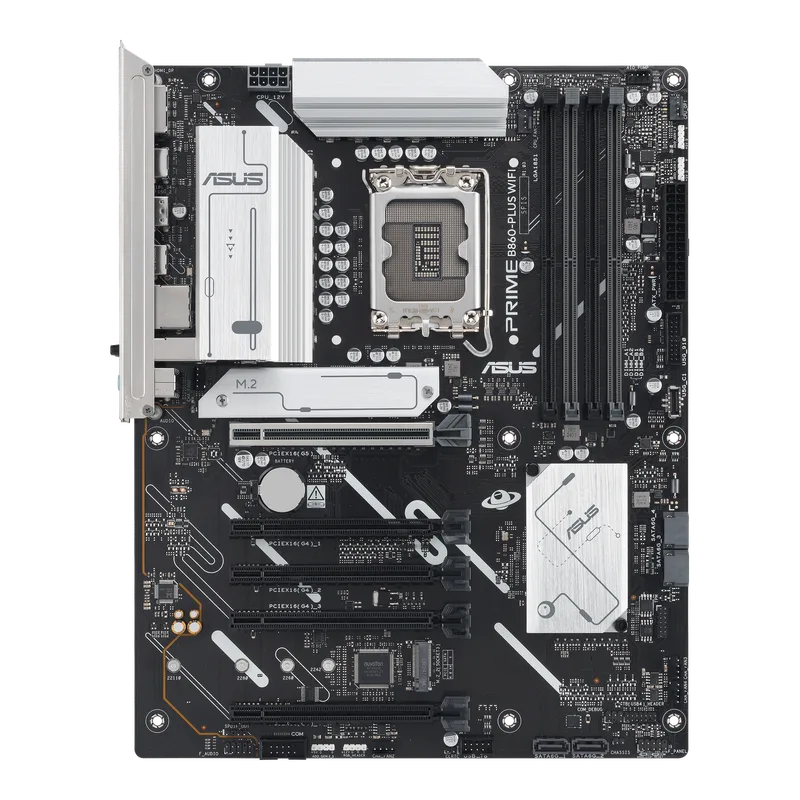
The ASUS Prime B860-PLUS WiFi offers two PCIe 5.0 M.2 slots at $174 — a specification that costs more on B650 AMD boards, making this a strong value proposition for Intel builders who don’t need CPU overclocking. Both M.2 slots run Gen5 SSDs at full speed: a pair of Kingston Fury Renegade G5 or Samsung 9100 Pro drives perform at their rated sequential speeds.
Memory overclocking via XMP 3.0 is fully supported — DDR5-7200 kits run at their rated speeds. The 8+1+1+1 phase VRM is sufficient for Core Ultra 5 245K and Core Ultra 7 265K under gaming and productivity loads, though sustained Core Ultra 9 285K all-core workloads push VRM temperatures higher than the 12–16 phase designs on Z890 boards. Owner reports indicate the board runs stable at stock with DDR5-6000 XMP in typical gaming configurations.
5. ASUS TUF Gaming Z890-Plus WiFi — Best Intel Enthusiast (Z890)
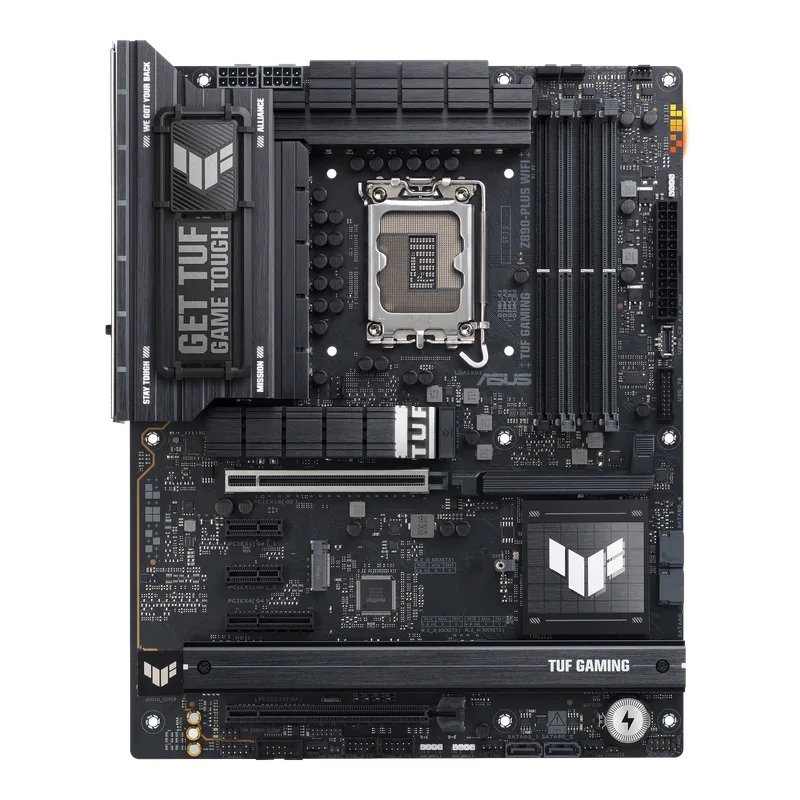
The ASUS TUF Gaming Z890-Plus WiFi is the entry point for Intel CPU overclocking at $250. Z890 is the only Arrow Lake chipset where the CPU multiplier can be adjusted — the 16+1+2+1 phase 80A VRM handles Core Ultra 7 265K at elevated frequencies without hitting thermal limits per owner reports and independent measurements. For 285K builds where all-core tuning is the goal, stepping up to a heavier 20-phase VRM design is advisable; the TUF Z890-Plus is best matched with 265K or lower.
Four M.2 slots (two PCIe 5.0, two PCIe 4.0) support full multi-SSD workstation builds. Wi-Fi 7 is standard. The ASUS EZ Mode BIOS with one-click XMP profile selection is reliable — owner feedback across Reddit and hardware forums consistently cites fewer BIOS-related issues than early Z890 boards from other vendors saw at launch.
Which Chipset Do You Need?
You are gaming at 1080p–1440p on a $400–$700 budget: Pick AMD B850 or Intel B860. Neither chipset will cost you frame rates. Spend the money you save on a better GPU.
You want to overclock your AMD CPU: Any AMD chipset above A620 (B650, B850, X870, X870E) supports PBO and Curve Optimizer. Chipset tier does not restrict AMD CPU tuning.
You want to overclock your Intel CPU: You must buy Z890. B860 and H810 do not allow CPU multiplier changes. A Core Ultra 9 285K on a B860 board runs at stock Intel Turbo Boost frequencies only.
You are buying a Gen5 NVMe SSD (WD Black SN8100, Samsung 9100 Pro, Kingston Fury Renegade G5): Make sure your board has at least one PCIe 5.0 M.2 slot. B850 boards typically include one. B650 boards vary — check the spec sheet before buying. All B860 and Z890 boards include at least one PCIe 5.0 M.2 slot.
You use Thunderbolt 4 accessories (docks, external NVMe, fast monitors): Look for USB4 40Gbps, which is mandatory on AMD X870/X870E and optional (but usually present) on B850. Intel Z890 boards frequently include Thunderbolt 4 — B860 boards do not typically include it.
You are upgrading to Ryzen 10000 (next-generation, if AM5 support continues): All AM5 chipsets should support future AM5 CPUs. X870 and B850 boards from major vendors include BIOS Flashback for offline updates — particularly valuable for installing a new CPU that predates the current firmware.
Platform longevity: AMD’s AM5 socket has a longer stated lifecycle than Intel’s LGA1851. AMD has committed to AM5 through at least 2027. Intel has not publicly committed to LGA1851 beyond the current generation. If long-term upgrade path matters, AMD has the clearer roadmap in 2026.
FAQ
Does the chipset affect gaming performance? No, not in any measurable way for gaming. Two boards with different chipsets running the same CPU and GPU produce identical frame rates. The chipset affects connectivity features, overclocking access, and future expandability — not gaming FPS.
Can I run a Ryzen 9000 CPU on a B650 board? Yes. AMD’s AM5 socket is shared across all chipsets and CPU generations. A B650 board may need a BIOS update before it accepts a Ryzen 9000 CPU — particularly older boards that shipped before Ryzen 9000 existed. Newer B650 board stock typically ships with firmware already updated. Check the manufacturer’s CPU support list before buying.
Does AMD B850 allow CPU overclocking? Yes. AMD Precision Boost Overdrive (PBO) and per-core Curve Optimizer adjustments work on B850 and B650. Only AMD’s A620 chipset disables these tuning features. “Overclocking” in the Intel sense — manually setting a multiplier above rated speeds — is not the same as PBO tuning, which operates within AMD’s power limits.
Is Intel B860 good enough for a Core Ultra 9 285K? Technically the CPU runs on B860, but you lose the ability to overclock it, which is the main reason to buy the 285K over the 265K. A 285K on B860 performs identically to its stock spec — the same as a board that costs $75 less could achieve. If you are buying the 285K, buy Z890.
What does “PCIe 5.0 on the GPU slot” mean? PCIe 5.0 x16 doubles the bandwidth of PCIe 4.0 x16. Current RTX 50-series and RX 9000-series GPUs do not saturate PCIe 4.0 x16 bandwidth in games, so PCIe 5.0 on the GPU slot provides zero gaming performance benefit today. It matters for future GPU generations and for professional GPU compute workloads that are bandwidth-limited.
The Bottom Line
The chipset tier you need in 2026 is almost always AMD B850 for AMD builds or Intel B860 for Intel builds. Both offer PCIe 5.0 storage, modern connectivity, and support for current-gen CPUs at prices that have come down to the old B650 entry point. Move up to AMD X870 if USB4 or guaranteed PCIe 5.0 on all M.2 slots is required. Move up to Intel Z890 only if CPU overclocking is on your agenda — it is the sole reason the premium exists. Avoid A620 and H810 unless the build is a strict OEM-tier budget where those $20 savings genuinely determine whether the build happens.