The RTX 5060 Ti launched May 19, 2026, and within a week TechPowerUp titled their review of the 8GB version “So Many Compromises.” Meanwhile, a NAND shortage has pushed Gen4 SSD prices so high that the newer Gen5 Samsung 9100 Pro now costs less than the Gen4 990 Pro. First builds in mid-2026 require more homework than usual — the right and wrong versions of the same GPU share near-identical listing photos, SSD pricing runs counterintuitively, and DDR5 EXPO vs XMP confusion leaves RAM running at default 4800 MT/s instead of 6000 MT/s. This checklist covers the six components for a capable 1440p build, with specific things to verify before placing each order.
| Spec | MSI Gaming GeForce RTX 5060 Ti 16G OC Unavailable 8.5/10 | AMD Ryzen 5 9600X 8.8/10 | ASUS TUF Gaming B850-PLUS WiFi 8.7/10 | G.Skill Trident Z5 Neo RGB DDR5-6000 CL36 32GB 8.6/10 | Samsung 9100 Pro 1TB 9/10 | be quiet! Pure Power 12 M 850W Unavailable 8.9/10 |
|---|---|---|---|---|---|---|
| Architecture | NVIDIA Blackwell | Zen 5 | — | — | — | — |
| CUDA Cores | 4,608 | — | — | — | — | — |
| VRAM | 16GB GDDR7 | — | — | — | — | — |
| Memory Bus | 128-bit | — | — | — | — | — |
| TDP | 180W | 65W | — | — | — | — |
| Outputs | 3× DP 2.1a, 1× HDMI 2.1b | — | — | — | — | — |
| Rating | 8.5/10 | 8.8/10 | 8.7/10 | 8.6/10 | 9/10 | 8.9/10 |
Prices change daily — tap Check Price for the current Amazon price.
Prices change daily — tap Check Price for the current Amazon price.
Build at a Glance
| Component | Pick | Price |
|---|---|---|
| GPU | MSI Gaming RTX 5060 Ti 16G OC | Unavailable |
| CPU | AMD Ryzen 5 9600X | Check price |
| Motherboard | ASUS TUF Gaming B850-PLUS WiFi | Check price |
| RAM | G.Skill Trident Z5 Neo RGB DDR5-6000 CL36 32GB | Check price |
| Storage | Samsung 9100 Pro 1TB | Check price |
| Power Supply | be quiet! Pure Power 12 M 850W | Unavailable |
| Total | (add a case — see guides below) | Check current price |
This build targets 1440p gaming at 60–90 FPS in AAA titles and 150–250+ FPS in competitive shooters. The 9600X includes a Wraith Stealth cooler — no separate cooler purchase required for stock operation. For a case, see our best PC cases for airflow guide.
Why These Parts
GPU — 16G over 8G: The 8GB RTX 5060 Ti at $379 looks like a $120 saving. Based on VRAM analysis from multiple hardware sites, modern games already push past 8GB at 1440p with texture packs active. The 16GB version eliminates that ceiling for years. TechPowerUp’s verdict on the 8G card sums it up: the compromises are real.
CPU — Ryzen 5 9600X: The 9600X at $179 vs the 9700X at $265 saves $86. Per owner benchmarks submitted to aggregator sites, the gaming performance gap between 6 and 8 Zen 5 cores at 1440p is 2–4 FPS in most titles. That $86 is better spent on the 16GB GPU. The included Wraith Stealth is a meaningful cost offset — the 9700X ships without a cooler.
Motherboard — B850 over B650: B850 natively supports DDR5-6000+ EXPO and includes at least one PCIe 5.0 M.2 slot. A comparable B650 board at $175 requires the Samsung 9100 Pro to run at Gen4 speeds — you’d pay $199 for Gen5 drive and get 7,000 MB/s instead of 14,700 MB/s. The $20 B850 premium is straightforward ROI.
RAM — 32GB over 16GB: Windows 11 with a running game, OBS streaming software, Discord, and a browser with several tabs can exceed 16GB. Starting at 32GB avoids a RAM upgrade slot shuffle six months in. DDR5-6000 CL36 with EXPO hits the Ryzen 9000 controller sweet spot — stepping up to DDR5-7200 adds 0–3 FPS at 1440p while costing $250+ more according to manufacturer performance comparisons.
Storage — Gen5 over Gen4: The NAND shortage has inverted pricing: the Samsung 9100 Pro 1TB Gen5 at $199 costs $131 less than the 990 Pro 1TB Gen4 at $330. This is an anomaly that may correct as shortage conditions ease. Buy Gen5 now while this inversion exists.
PSU — 850W: The RTX 5060 Ti 16G draws ~180W under load. Add the 9600X at 65W TDP and system overhead: around 300W combined. Running 850W at 300W load keeps the unit in its high-efficiency band (~35% load for 80+ Gold). The 550W headroom handles an RTX 5070 or RX 9070 XT upgrade without touching the PSU.
Component Deep Dives
GPU: MSI Gaming GeForce RTX 5060 Ti 16G OC
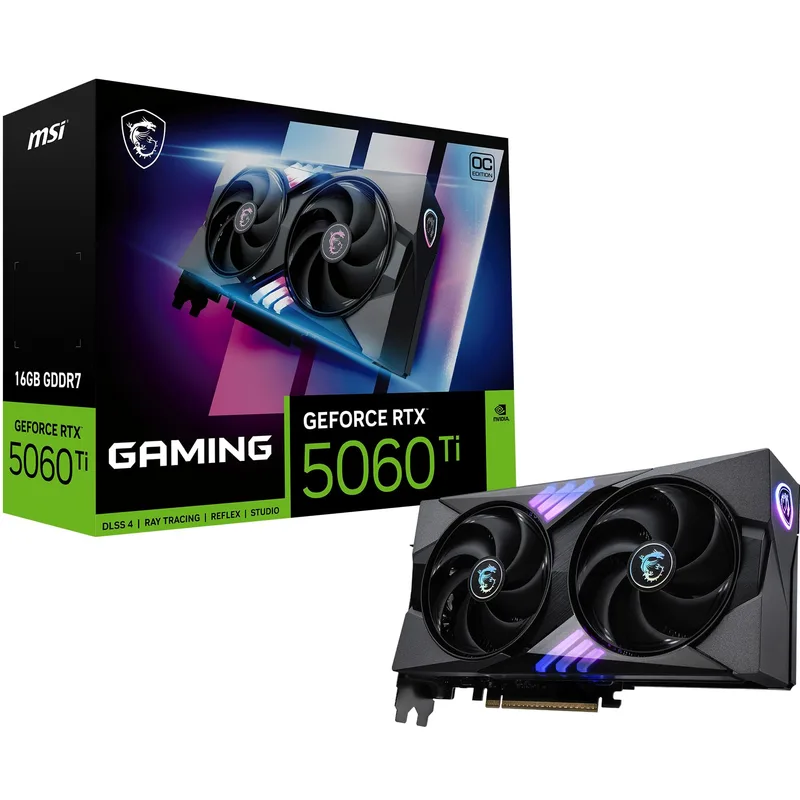
MSI Gaming GeForce RTX 5060 Ti 16G OC
The MSI Gaming RTX 5060 Ti 16G OC pairs 4,608 Blackwell CUDA cores with 16GB of GDDR7 memory on a 128-bit bus. That narrow bus — delivering roughly 288 GB/s bandwidth — is the card’s primary architectural limitation versus AMD alternatives with wider buses at similar pricing. In rasterization at 1440p, user-reported benchmarks across multiple sites show 65–90 FPS in demanding titles like Cyberpunk 2077 and Black Myth: Wukong at Ultra settings without ray tracing.
The differentiating capability is DLSS 4 Multi Frame Generation. In supported titles — a list that grows with each major game release — MFG multiplies generated frames on top of rendered frames, effectively pushing perceived smoothness well above native frame rates. A game running at 70 FPS natively becomes 140+ FPS with MFG active, with visual quality that owner reports describe as clean at 1440p.
The 180W TDP is a genuine advantage: this card runs on any 650W PSU with the native 12VHPWR connector, no daisy-chain adapters required.
Before you buy: Verify the listing title explicitly says “16G” — not 8G. The 8GB variant uses near-identical packaging. On Amazon, confirm the listing title and model number match the 16GB card before checkout. On the product page, the specs tab should show 16384MB GDDR7.
CPU: AMD Ryzen 5 9600X
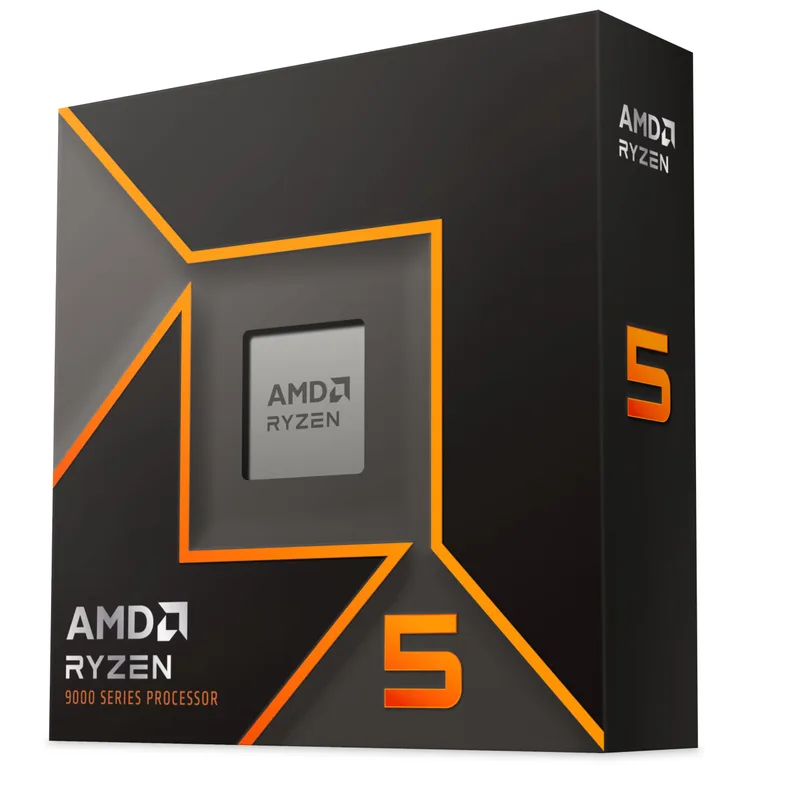
The Ryzen 5 9600X runs six Zen 5 cores at up to 5.4 GHz boost with a 65W TDP. Per AMD’s published specifications, single-core performance competes with Intel Core Ultra 5 chips at notably lower power consumption. The included Wraith Stealth cooler handles gaming loads at stock clocks according to reported thermal readings — expect mid-70°C under extended gaming, with brief excursions to 80°C in heavier CPU workloads.
The 9600X has no integrated graphics. The system will not complete POST without a discrete GPU. This is standard for desktop AM5 CPUs — just don’t attempt initial testing before your GPU ships.
Before you buy: Confirm the socket on the motherboard listing is AM5 (not AM4). Verify you’re ordering the 9600X and not the Ryzen 5 9600 (non-X suffix — lower boost clock, no included cooler) or an older Ryzen 5600X (AM4 socket, incompatible with B850 boards).
Motherboard: ASUS TUF Gaming B850-PLUS WiFi
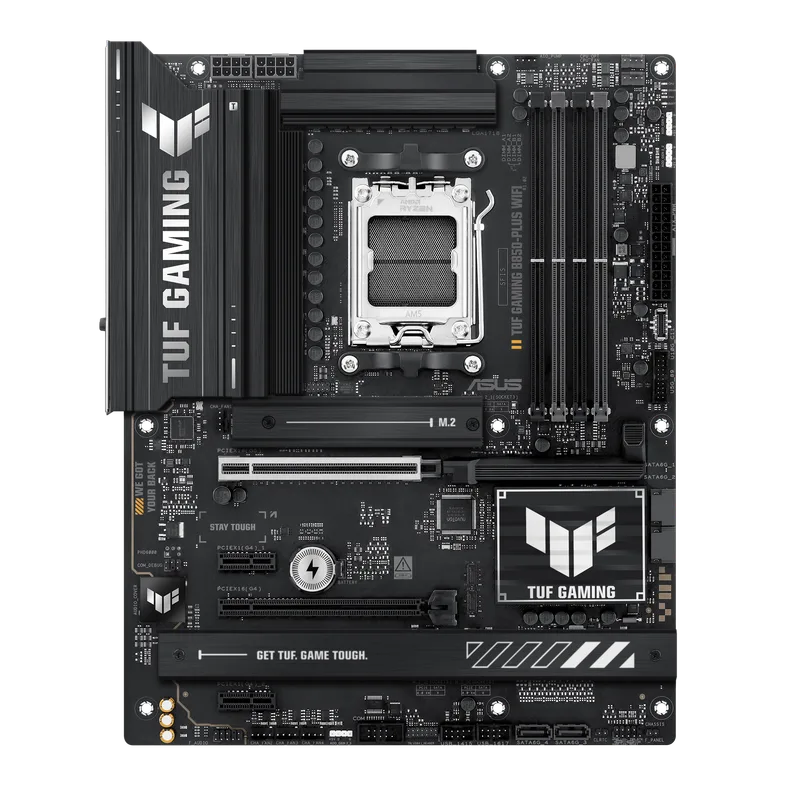
The ASUS TUF Gaming B850-PLUS WiFi is the first-builder’s safety net. BIOS Flashback — accessed via a dedicated rear I/O button with just a USB stick and PSU power connected — lets you update the UEFI before any CPU is installed. This sidesteps the “new CPU needs BIOS update but BIOS update requires working CPU” problem that stranded builders during both Ryzen 7000 and Intel 14th-gen launch cycles.
The 14+2+1 VRM phases with 80A SPS power stages handle the 9600X cleanly at stock and support mild overclocking if you go that route later. Three M.2 slots — one PCIe 5.0, two PCIe 4.0 — mean the Samsung 9100 Pro installs in the Gen5 slot with full speed, and two additional NVMe drives can follow without adapters.
Before you buy: Verify the case supports ATX form factor (most full-size and mid-tower cases do). Confirm RAM has AMD EXPO — the B850 chipset on AM5 does not activate Intel XMP on AMD builds. Check that the board’s BIOS Flashback procedure uses a FAT32-formatted USB drive (ASUS standard).
RAM: G.Skill Trident Z5 Neo RGB DDR5-6000 CL36 32GB
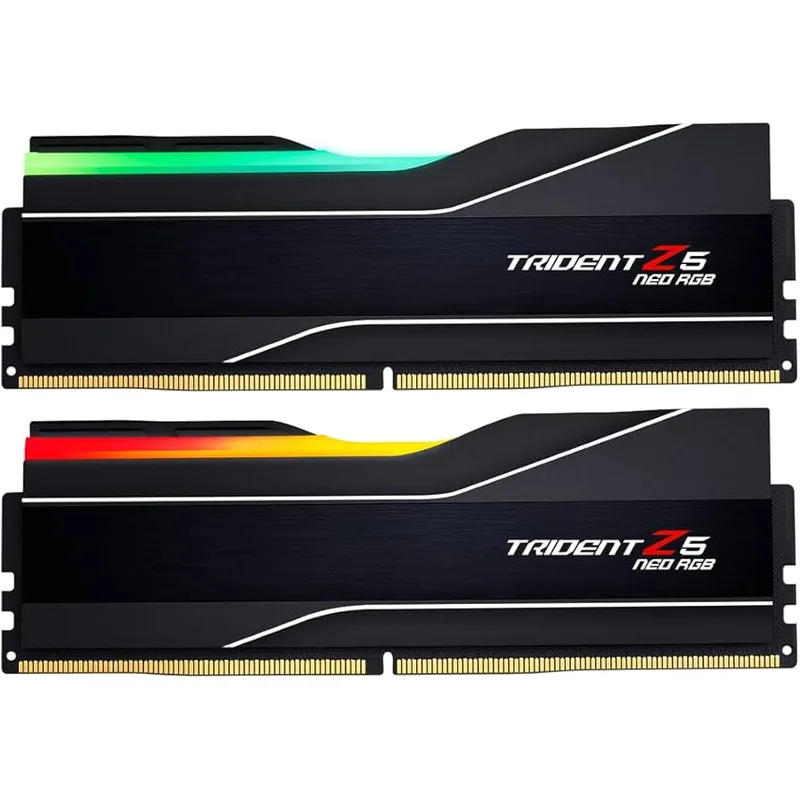
The G.Skill Trident Z5 Neo RGB DDR5-6000 CL36 32GB kit ships as two 16GB sticks. Installing both in the board’s A2/B2 slots activates dual-channel mode, which doubles effective memory bandwidth versus a single-stick configuration. DDR5 defaults to 4800 MT/s at first boot — enabling EXPO in BIOS takes it to 6000 MT/s with correct subtimings applied automatically. No manual timing entry required.
The “Neo” designation in G.Skill’s lineup flags the kit as AMD EXPO validated. The standard Trident Z5 (non-Neo) uses Intel XMP. Both look similar in thumbnail images — confirm “Neo” in the listing title before ordering.
Before you buy: Check the listing title for “Neo” and “DDR5-6000.” Verify the kit is 32GB (2×16GB) — 64GB Neo kits with similar names appear in related listings. If your case has tight RAM clearance (SFF or ITX), measure against the Z5 Neo’s 44mm heatspreader height. For dual EXPO+XMP support (needed for potential future Intel builds), step up to the G.Skill Trident Z5 Neo RGB CL30 (about $489).
Storage: Samsung 9100 Pro 1TB
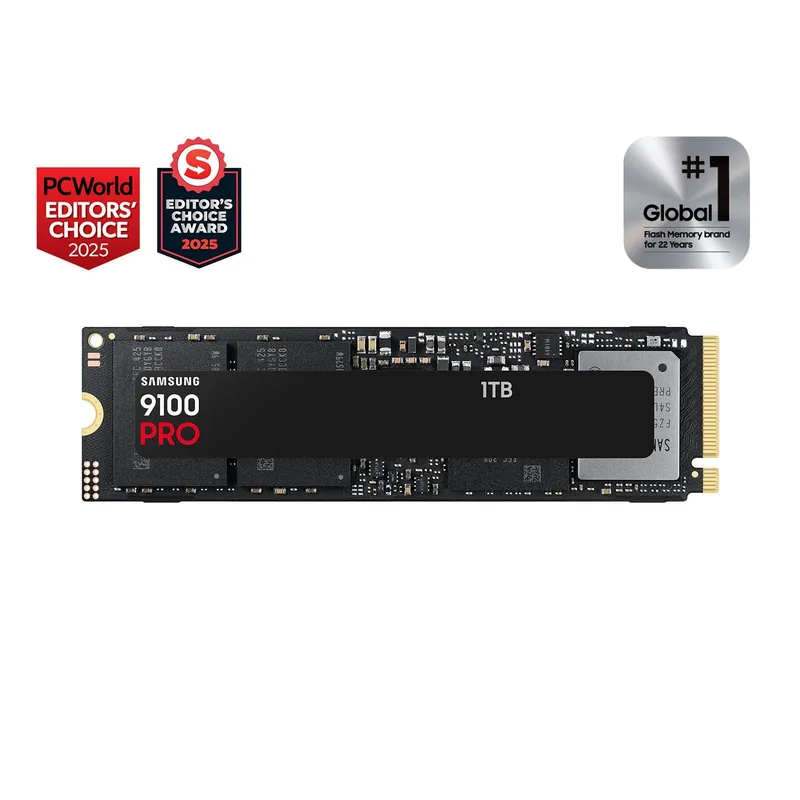
The Samsung 9100 Pro 1TB uses Samsung’s Presto controller paired with 236-layer V8 NAND and 1GB of LPDDR4X DRAM cache. Sequential read reaches 14,700 MB/s — roughly twice the ceiling of the fastest PCIe Gen4 drives at 7,400 MB/s. This translates to faster large-file transfers and game installs, though Windows boot times and in-game load screens show smaller gains compared to a good Gen4 drive.
The pricing situation is the primary reason to choose it: the Samsung 990 Pro 1TB (Gen4) currently lists at $330 due to the 2026 NAND shortage premium on older NAND. The 9100 Pro 1TB at $199 uses newer, cheaper V8 NAND in volume production. You get faster storage for $131 less — a temporary market inversion worth taking advantage of now.
Before you buy: Install into the M.2_1 slot on the TUF B850-PLUS, which is the PCIe 5.0 slot. Confirm the board includes an M.2 heatsink for this slot (the TUF B850-PLUS does include one). PCIe 5.0 NVMe drives produce meaningful heat under sustained writes — the heatsink is required, not optional. If your B850-PLUS comes with thermal pad pre-applied, do not add a second thermal pad between the drive and heatsink.
PSU: be quiet! Pure Power 12 M 850W
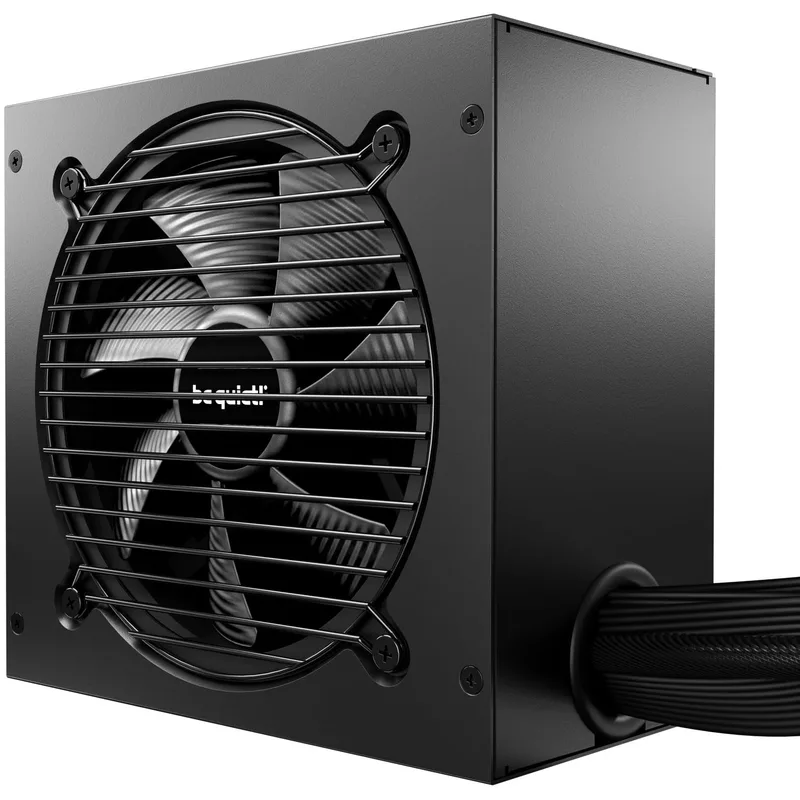
be quiet! Pure Power 12 M 850W
The be quiet! Pure Power 12 M 850W ships with a native 12VHPWR cable for ATX 3.1 / PCIe 5.1 compliance. This single-cable power path to the GPU eliminates the multi-adapter chain approach used by older PSUs with RTX 4000-era connectors. The 80+ Gold certification means approximately 87–90% efficiency under typical gaming loads — close to, but not quite, Cybenetics Platinum territory.
Fully modular construction means the CPU EPS, PCIe, and SATA cables you don’t use stay in the accessory bag. For a first build in a mid-tower case, running only necessary cables makes cable management significantly less frustrating.
Before you buy: Confirm the PSU fits ATX form factor cases (virtually all mid-towers accept standard ATX PSU dimensions). Verify the included 12VHPWR cable is 16-pin and matches the RTX 5060 Ti’s connector — it is. If upgrading to an RTX 5070 or RX 9070 XT later, this 850W unit handles both cards without replacement.
Your Pre-Purchase Shopping Checklist
Work through each section before placing any order. Items marked with compatibility risk deserve extra verification.
Platform and Socket
- CPU socket matches motherboard socket (AM5 ↔ AM5 for this build)
- Check board’s CPU support list — some B850 boards shipped with BIOS that needed updates for 9000-series
- Confirm BIOS Flashback procedure and have a USB drive ready before parts arrive
Memory
- RAM kit shows AMD EXPO in listing title or specs tab (not Intel XMP only)
- Two sticks ordered — single-stick halves memory bandwidth on DDR5
- Kit listed on motherboard QVL for DDR5-6000 EXPO (ASUS B850-PLUS QVL page lists compatible kits)
Storage
- Board has a PCIe 5.0 M.2 slot (B850 and X870 do; most B650 boards do not)
- M.2 heatsink included with board or ordered separately — required for Gen5 drives
- Consider 2TB if game library exceeds 15–20 titles
GPU
- Listing title and specs tab both say “16GB” GDDR7 (not 8GB)
- PSU 12VHPWR connector present — Pure Power 12 M 850W includes one
- Case GPU clearance — verify max GPU length vs card length in case spec sheet
PSU
- ATX 3.1 standard for RTX 5000-series clean power delivery
- 12VHPWR cable included in box (not adapter-only)
- Wattage provides at least 30% headroom above peak system draw (~300W for this build)
Case (not covered above — see our guides)
- ATX form factor (board) supported by case
- GPU length clearance confirmed
- Radiator mounting if adding a 240mm or 360mm AIO later
For case recommendations see our best PC cases for airflow guide and the Fractal Design North review.
Performance Expectations at 1440p
| Game | Settings | Expected FPS |
|---|---|---|
| Valorant | Ultra | 200–300+ FPS |
| Counter-Strike 2 | High | 180–240 FPS |
| Call of Duty: Black Ops 6 | High | 90–120 FPS |
| Elden Ring | Max | 90–100 FPS |
| Cyberpunk 2077 | Ultra (no RT) | 60–75 FPS |
| Black Myth: Wukong | High | 65–80 FPS |
| Microsoft Flight Simulator 2026 | High | 50–65 FPS |
These figures are based on reported performance data for cards in the RTX 5060 Ti class at 1440p. DLSS 4 Quality mode is assumed where the game supports it. With Multi Frame Generation active in supported titles, displayed frame rates increase substantially — Cyberpunk 2077 with MFG enabled, for example, pushes well past 100 FPS at 1440p Ultra per reported user figures.
At 1080p, expect roughly 25–35% higher frame rates across these titles.
Upgrade Path
First upgrade: add storage. Modern game installs fill 1TB within months. The B850-PLUS has two additional M.2 PCIe 4.0 slots. A 2TB Gen4 NVMe drive in the second slot costs $200–$280 and installs without opening any other part of the build.
Second upgrade: GPU. The RTX 5060 Ti 16G is a capable 1440p card, but the RTX 5070 delivers a meaningful performance jump at the same resolution. Both work with this PSU (850W headroom) and this motherboard (PCIe 4.0 x16 slot) without any other changes. The RX 9070 XT is the AMD alternative at similar pricing with wider memory bandwidth.
Third upgrade: CPU. The Ryzen 5 9600X does not meaningfully bottleneck the RTX 5060 Ti at 1440p. When a Ryzen 9000X3D chip drops below $250 — likely in late 2026 or 2027 — an AM5-compatible drop-in swap delivers 15–25% gaming performance gains without touching RAM, storage, GPU, or PSU.
Skip upgrading: RAM, PSU, and motherboard are spec’d beyond this build’s current needs. None of these are the limiting factor for the next 3–4 years.
FAQ
Why B850 instead of B650 to save money? The primary reason is PCIe 5.0 M.2 support. The Samsung 9100 Pro Gen5 at $199 requires a Gen5 M.2 slot — without it, the drive runs at Gen4 speeds that a slower, cheaper drive could match. B650 boards also have limited DDR5-6000 EXPO headroom versus B850’s native support. The $20 price difference does real work here.
Can I build Intel instead of AMD with this checklist? The same checklist applies, but every component changes. Intel Core Ultra 5 245K requires LGA1851 socket, a Z890 or B860 board, DDR5 with Intel XMP (not AMD EXPO), and an aftermarket cooler (no boxed cooler included). If you have a reason to prefer Intel — specific software optimization, integrated Arc graphics for iGPU output — build the Intel platform with Intel-validated components throughout.
Is 32GB RAM necessary for gaming? For gaming alone: 16GB is sufficient in 2026. For gaming while streaming via OBS, with Discord voice chat and a browser with ten tabs open: Windows memory monitoring tools show pressure on 16GB configurations. 32GB removes the ceiling for typical multitasking alongside gaming and costs roughly $90 more than a comparable 16GB DDR5-6000 kit at current pricing.
What CPU cooler should I add if I overclock the 9600X? The Wraith Stealth handles stock operation but struggles under all-core sustained workloads above 65W. The Thermalright Peerless Assassin 120 SE ($33) is the budget recommendation — see our best CPU coolers guide for more options including AIO liquid coolers if you want full thermal headroom.
How do I verify component compatibility before buying? PCPartPicker’s compatibility checker validates socket matches, RAM type, case clearance, and PSU requirements. Use it as a secondary check after confirming the exact listings. The site does not check every edge case (like PCIe 5.0 M.2 slot availability per board), so cross-reference the motherboard’s spec sheet for M.2 generation data.
The Bottom Line
The right order matters as much as the right parts. Verify the RTX 5060 Ti shows 16GB before checkout — the 8GB listing is $120 cheaper and four years less useful. Enable EXPO in BIOS after first boot — DDR5 defaults to 4800 MT/s and stays there without it. Install the Samsung 9100 Pro in the PCIe 5.0 M.2 slot specifically — any other slot drops it to Gen4 speeds. This Ryzen 5 9600X + RTX 5060 Ti 16G + B850 build at $1,455 delivers genuine 1440p performance without the common first-build pitfalls that become expensive to fix after the fact.