The 240Hz 1440p segment exploded in 2026 as QD-OLED panel costs dropped enough to push sub-$500 OLED monitors into the mainstream. Where a 240Hz OLED cost $800+ through 2024, you can now get full QD-OLED performance at 1440p for $499 — and the budget IPS options keep getting sharper. Whether you’re running an RTX 5070 Ti at 1440p or just upgrading from a 60Hz panel, this is the sweet spot of the monitor market in 2026.
| Spec | ASUS ROG Strix OLED XG27AQDMG 9.3/10 | Alienware AW2725DF 9.1/10 | MSI MAG 272QP QD-OLED X24 8.8/10 | ASUS ROG Swift OLED PG27AQDM Unavailable 9/10 | GIGABYTE M27Q X Unavailable 8/10 |
|---|---|---|---|---|---|
| Panel | 27" QD-OLED (Glossy) | 26.7" QD-OLED | 27" QD-OLED | 27" QD-OLED (Matte Anti-Glare) | 27" SS IPS |
| Resolution | 2560x1440 (QHD) | 2560x1440 (QHD) | 2560x1440 (QHD) | 2560x1440 (QHD) | 2560x1440 (QHD) |
| Refresh Rate | 240Hz | 360Hz | 240Hz | 240Hz | 240Hz |
| Response Time | 0.03ms (GTG) | 0.03ms (GTG) | 0.03ms (GTG) | 0.03ms (GTG) | 1ms (MPRT) |
| HDR | DisplayHDR True Black 400 | DisplayHDR True Black 400 | DisplayHDR True Black 400 | DisplayHDR True Black 400 | DisplayHDR 400 |
| Color Gamut | 99% DCI-P3 | 99.3% DCI-P3 | 99% DCI-P3 | 99% DCI-P3 | 92% DCI-P3 |
| Connectivity | DP 1.4, HDMI 2.1 | 2x DP 1.4, HDMI 2.1, USB 3.2 | DP 1.4a, HDMI 2.1, Speaker | DP 1.4, HDMI 2.1 | DP 1.4, 2x HDMI 2.0, USB-C KVM |
| Rating | 9.3/10 | 9.1/10 | 8.8/10 | 9/10 | 8/10 |
Prices change daily — tap Check Price for the current Amazon price.
Prices change daily — tap Check Price for the current Amazon price.
Quick Picks
- Best overall: ASUS ROG Strix XG27AQDMG — glossy QD-OLED with custom burn-in protection at $599. Competitive performance without the $799 ROG Swift price tag.
- Best for esports/competitive: Alienware AW2725DF — 360Hz QD-OLED for players who need every frame advantage in fast-paced games.
- Best value OLED: MSI MAG 272QP QD-OLED X24 — the cheapest way into 240Hz QD-OLED in 2026 at $499, with built-in speakers and Adaptive-Sync support.
- Best budget: GIGABYTE M27Q X — 240Hz IPS at $279 for builders who want the refresh rate without the OLED price.
What to Know Before Buying
Panel Type: QD-OLED vs IPS
Every monitor on this list is either QD-OLED or IPS — and the difference is stark.
QD-OLED panels (all four ASUS/Alienware/MSI picks) deliver per-pixel lighting, so black areas produce zero backlight glow. Contrast ratios are effectively infinite versus an IPS panel’s 1,000–1,500:1. In dark game scenes — caves, night maps, space environments — OLED is immediately noticeable.
IPS panels (the GIGABYTE M27Q X) can’t match OLED contrast, but they’re still excellent for fast-paced gaming. The M27Q X’s 240Hz with 1ms MPRT eliminates motion blur effectively, and the 92% DCI-P3 coverage means colors are far better than budget TN alternatives.
For most gamers spending $500+, QD-OLED is the clear answer. Below $350, IPS is the realistic choice.
Refresh Rate: Do You Need More Than 240Hz?
The Alienware AW2725DF goes to 360Hz. The LG UltraGear 27GX790A-B (not on this list) goes to 480Hz. How much of that refresh rate are you actually using?
At 1440p, sustaining 360+ FPS requires a top-end GPU. An RTX 5080 can push 300–400 FPS in CS2 or Valorant at 1440p Low settings. For those games specifically, the AW2725DF’s 360Hz is genuinely useful. In GPU-limited games like Cyberpunk 2077 or Alan Wake 2, you’ll rarely see above 120–160 FPS even on high-end hardware — where 240Hz and 360Hz look identical.
The practical answer: buy 360Hz if you play CS2, Valorant, Apex, or Overwatch competitively. Buy 240Hz for everything else.
Response Time: GTG vs MPRT
The OLED monitors list 0.03ms GTG (gray-to-gray) — the actual pixel transition time. The GIGABYTE M27Q X lists 1ms MPRT, which is a backlight strobe measurement, not a pixel transition time. Real GTG response on the M27Q X is closer to 3–4ms. Both are fast enough for 240Hz gaming, but the marketing numbers aren’t directly comparable.
Burn-in Risk on OLED
OLED burn-in is a real but manageable risk. All four OLED monitors here include:
- Pixel shift (subtle display movement to prevent static image retention)
- Screen savers and auto-off timers
- Custom heatsinks on ASUS models (active cooling of the OLED panel)
For gaming use (varied content, motion-heavy scenes), owner reports across Reddit and monitor forums suggest burn-in is not a practical concern within a 3–5 year timeframe. Static HUD elements in games with long play sessions are the highest-risk scenario. Avoid leaving a static image paused for hours.
GPU Requirements
To actually use 240Hz at 1440p, your GPU needs to push consistent high framerates:
| GPU | Typical 1440p FPS (AAA at High) | Esports FPS (1440p Low) |
|---|---|---|
| RTX 5070 | 90–140 FPS | 250–350 FPS |
| RTX 5070 Ti | 120–180 FPS | 300–400 FPS |
| RX 9070 XT | 110–160 FPS | 280–380 FPS |
| RTX 5080 | 150–200 FPS | 350–450 FPS |
An RTX 5070 or RX 9070 XT will feed 240Hz comfortably in esports titles and hit 120–160 FPS in demanding games. For 360Hz to be consistently useful, you want an RTX 5080 or better for non-esports games.
Detailed Reviews
1. ASUS ROG Strix OLED XG27AQDMG — Best Overall
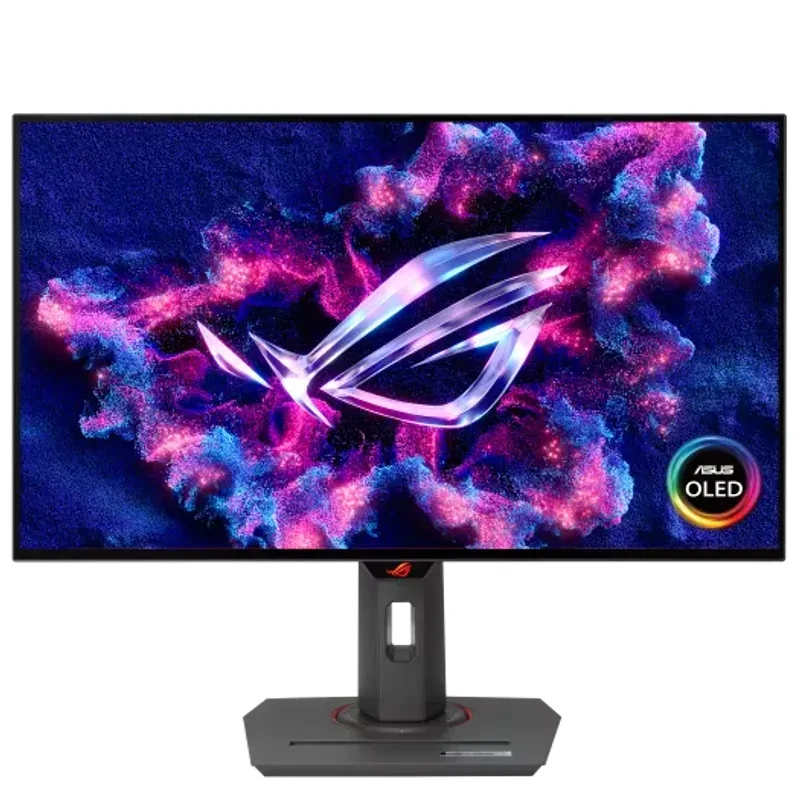
The XG27AQDMG hits the sweet spot of the 240Hz OLED market at $599. The glossy panel produces objectively richer blacks and more saturated colors than the matte coating on the PG27AQDM — the trade-off is reflections. In a dedicated gaming setup with controlled ambient lighting, the glossy finish is superior. In a bright office with windows, you’ll want the matte PG27AQDM.
The custom heatsink is the standout engineering feature. Most OLED monitors rely purely on firmware brightness limiting to manage heat. ASUS designed a physical heatsink bonded to the OLED panel backplane that actively dissipates heat during high-brightness gaming. Combined with ASUS OLED Care (automatic pixel refresh cycles, proximity sensor that dims when you step away), this is among the most thoughtfully protected consumer OLED panels available.
G-SYNC Compatible and FreeSync Premium Pro certification means variable refresh rate works cleanly with both NVIDIA and AMD cards. Owner reports consistently cite zero VRR flickering in daily use.
Bottom line: If you’re spending $599, this is the monitor to buy. The glossy OLED image quality, burn-in protection, and ergonomics compete with monitors costing $200 more.
2. Alienware AW2725DF — Best for Competitive Gaming
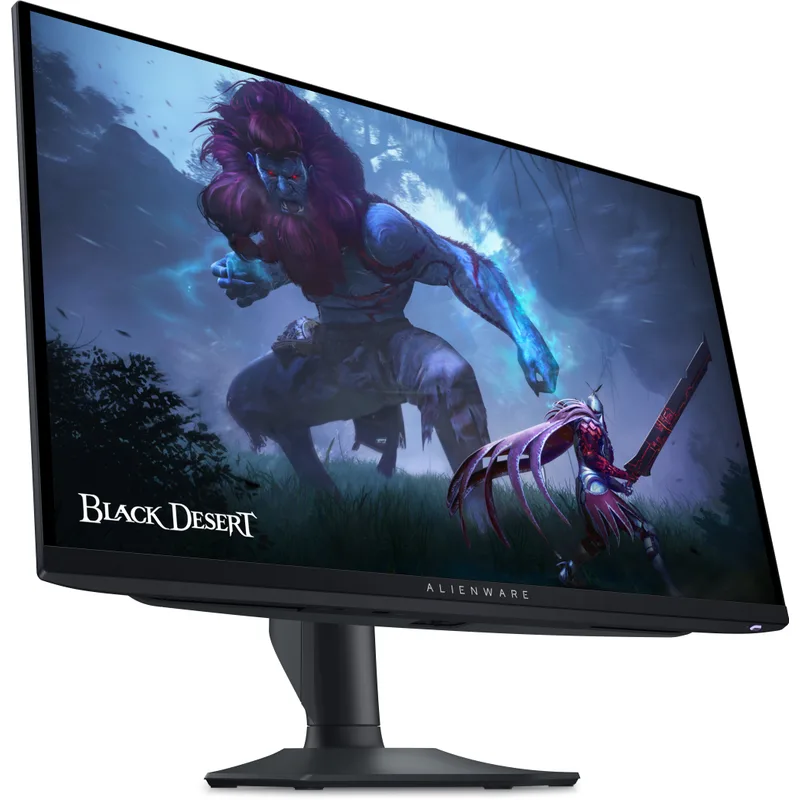
The AW2725DF is the 360Hz QD-OLED benchmark for competitive 1440p gaming. Reviewers at Tom’s Hardware and PCWorld rate it near perfectly across color accuracy, contrast, and motion clarity — and the 360Hz advantage over 240Hz monitors is genuinely visible in high-FPS esports titles.
At 360Hz, the display updates every 2.78ms. At 240Hz, it’s every 4.17ms. In a 200-FPS game of CS2, that 1.4ms gap means the crosshair lands more accurately on a moving target — a real competitive edge, not a marketing claim.
The extensive USB hub is a practical differentiator: two USB-C downstream and two USB-A downstream ports let you plug in a keyboard, mouse, headset, and phone charger directly to the monitor. Combined with the DP 1.4 + HDMI 2.1 inputs, it handles a PC and console simultaneously without cable swapping.
One honest consideration: the AW2725DF is $50 more than the XG27AQDMG for 120 additional Hz. For casual and AAA gaming, that difference is invisible. For competitive esports players, it’s a meaningful upgrade.
Bottom line: The best 1440p monitor for competitive gaming in 2026. Buy it if you play fast-paced games where high framerates are your primary concern.
3. MSI MAG 272QP QD-OLED X24 — Best Value OLED
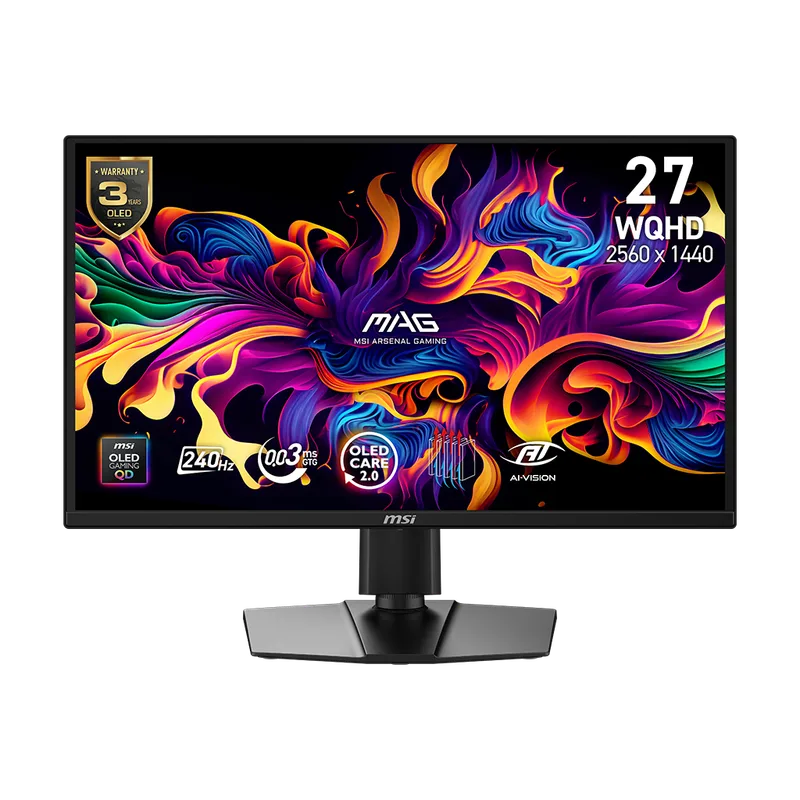
The MAG 272QP X24 is the most accessible 240Hz QD-OLED in 2026 at $499. The panel is the same QD-OLED technology delivering 0.03ms GTG response, near-infinite contrast, and 99% DCI-P3 color — just at a lower price point achieved through a simpler stand and no USB hub.
The built-in speakers are a genuine value add. They’re not audiophile-grade, but they handle Discord calls and casual gaming audio without a separate speaker purchase. For a monitor you’re using at a desk without a full audio setup, this matters.
Adaptive-Sync covers both NVIDIA G-SYNC Compatible and AMD FreeSync Premium Pro, so pairing it with any modern GPU delivers tear-free gaming across the 60–240Hz VRR range.
The stand is the clear compromise: tilt and height adjustable, but no swivel or pivot. If you want to rotate to portrait mode or angle the screen toward a second person, you’ll need to add a VESA arm.
Bottom line: The strongest argument for 240Hz OLED under $500. The image quality matches monitors costing $150 more, and the built-in speakers save additional budget.
4. ASUS ROG Swift OLED PG27AQDM — Premium Pick
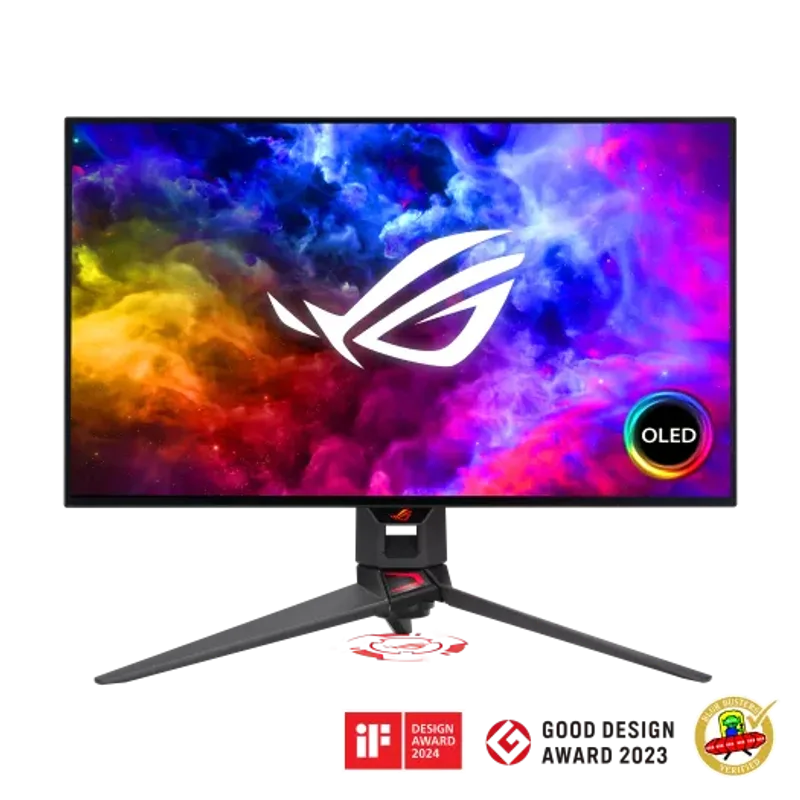
ASUS ROG Swift OLED PG27AQDM
The PG27AQDM is ASUS’s reference-grade 240Hz OLED — the panel that set the standard when it launched and still competes at the top of the market. The micro-texture matte coating is the headline feature: it diffuses ambient light without the halo artifacts that cheaper matte OLED treatments create around bright objects on dark backgrounds.
If you work near a window or in a bright room, this coating makes a real difference. The XG27AQDMG’s glossy finish reflects ceiling lights and windows directly, while the PG27AQDM’s micro-texture matte scatters them uniformly. The glossy panel has better peak visual quality in a dark room; the matte panel is more versatile.
True 10-bit color (not 8-bit + FRC dithering) means the panel renders 1.07 billion colors accurately — relevant for anyone using the monitor for photo editing or video work alongside gaming.
The price premium over the XG27AQDMG ($799 vs $599) is substantial for what amounts to a coating difference and the ROG Swift designation. Objectively, the XG27AQDMG is better value. But the PG27AQDM’s anti-glare solution is genuinely superior for mixed-use environments.
Bottom line: The right choice for a bright room or dual gaming/creative use. If your setup is light-controlled, save $200 with the XG27AQDMG instead.
5. GIGABYTE M27Q X — Best Budget Pick
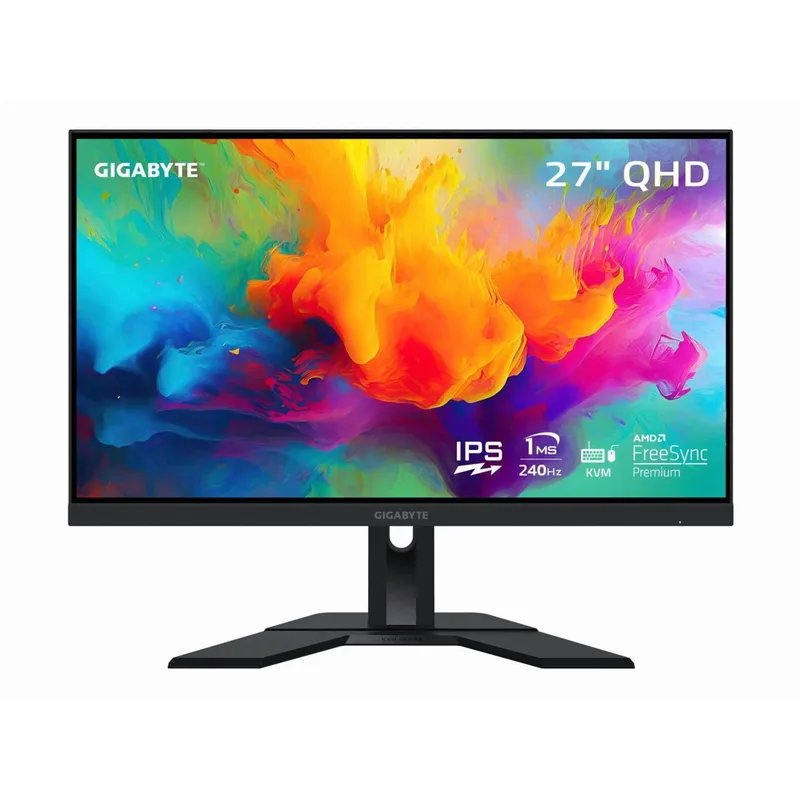
GIGABYTE M27Q X
The M27Q X is the answer to a simple question: how do you get 240Hz at 1440p for under $300? GIGABYTE’s SS-IPS panel delivers 240Hz, 1ms MPRT, and 92% DCI-P3 coverage — numbers that match the refresh rate spec of every OLED on this list at less than half the price.
The KVM switch is genuinely useful for dual-computer setups. Connect both a gaming PC and a work laptop via DisplayPort and USB-C, and the monitor becomes a one-cable switch between them. Keyboard, mouse, and audio stay plugged into the monitor; you switch sources with a button.
IPS contrast (roughly 1,200:1) makes this the obvious weak point against OLED panels. In dark game scenes, the black levels look noticeably gray compared to the XG27AQDMG or MSI 272QP. In well-lit game scenes, the gap closes considerably. If you play predominantly in bright environments or daytime settings, the M27Q X holds up much better.
DisplayHDR 400 certification means the monitor meets the minimum bar for HDR content, but without local dimming zones, the actual HDR performance is limited. Treat it as an SDR monitor with HDR signal compatibility rather than a true HDR display.
Bottom line: The best 240Hz 1440p monitor under $300 by a clear margin. The KVM, 92% DCI-P3 IPS, and 240Hz refresh rate are strong specs for the price. Accept the IPS contrast limitations going in.
FAQ
Do I need a special cable for 240Hz at 1440p? DisplayPort 1.4 handles 1440p at 240Hz with bandwidth to spare. HDMI 2.1 also supports it. If you’re using an older HDMI 2.0 cable, you’re limited to 144Hz at 1440p. Use the supplied DisplayPort cable or a certified HDMI 2.1 cable to unlock the full 240Hz.
Will 240Hz make a difference if I’m coming from 144Hz? Yes, especially in fast-paced games. The jump from 144Hz to 240Hz reduces perceived motion blur by roughly 40%, and the smoother cursor movement is immediately noticeable in Windows as well as in-game. The 60Hz to 144Hz upgrade is larger in absolute terms, but 144Hz to 240Hz is still a clear step up.
Is OLED burn-in a real concern for gaming monitors? According to long-term owner reports on Reddit’s r/Monitors and display hardware forums, gaming-specific burn-in is rare within 3–4 years of normal use. The risk is static UI elements held on-screen for hundreds of hours — think a chat overlay that never moves. All OLEDs on this list include pixel shift, auto-dim, and panel care utilities to mitigate this. Follow the manufacturer’s recommended care settings and burn-in is not a practical concern.
Can an RTX 5060 Ti drive 240Hz at 1440p? In esports titles (Valorant, CS2, Apex) at competitive settings, yes — an RTX 5060 Ti 16GB delivers 200–300+ FPS at 1440p Low. In demanding AAA games at High settings, framerates fall to 80–130 FPS — enough to benefit from the 240Hz panel’s smoothness, but not enough to saturate it. The monitor is still worth it for the esports use case alone.
What’s the difference between the ASUS XG27AQDMG and PG27AQDM? Both are 240Hz QD-OLED panels with 0.03ms GTG, 99% DCI-P3, and ASUS OLED Care. The XG27AQDMG has a glossy panel coating; the PG27AQDM has a micro-texture matte anti-glare coating. The matte version costs $200 more. Choose glossy for dark rooms, matte for rooms with ambient light you can’t control.
The Bottom Line
For most gamers, the ASUS ROG Strix XG27AQDMG at $599 is the best 240Hz 1440p monitor available — QD-OLED quality, custom burn-in protection, and full ergonomic stand without the premium of the ROG Swift designation. Competitive esports players should seriously consider the Alienware AW2725DF at $649 for 360Hz, where the extra refresh rate translates directly to motion clarity in high-FPS titles. Budget builders who want 240Hz without the OLED cost should grab the GIGABYTE M27Q X at $279 — it delivers the refresh rate that matters most without breaking the build budget.