The $400 gaming monitor bracket has quietly absorbed features that used to require a $500+ budget. Acer’s Nitro XV275U F3 brings mini-LED local-dimming HDR to a 320Hz panel for $349, KTC’s H27P6 packs a genuine 4K/1080p Dual Mode switch into a $329 display, and LG’s 34G630A-B puts a 240Hz curved ultrawide under $350. None of this existed at this price a year ago. Whether you want HDR contrast, native 4K sharpness, panoramic screen real estate, or the highest refresh rate your GPU can drive, this bracket now covers all four without crossing $400.
| Spec | Acer Nitro XV275U F3 Unavailable 9/10 | KTC H27P6 8.8/10 | LG 34G630A-B UltraGear Unavailable 8.7/10 | MSI MAG 274QRF-QD E2 Unavailable 8.6/10 | Dell Alienware AW2523HF Unavailable 8.5/10 |
|---|---|---|---|---|---|
| panel | Mini-LED IPS | Fast IPS (Dual Mode) | Curved VA | Rapid IPS Quantum Dot | Fast IPS |
| resolution | 2560x1440 (QHD) | 3840x2160 (4K) / 1920x1080 dual mode | 3440x1440 (UWQHD) | 2560x1440 (QHD) | 1920x1080 (Full HD) |
| refreshRate | 320Hz | 160Hz (4K) / 320Hz (1080p) | 240Hz | 180Hz | 360Hz |
| responseTime | 0.5ms | 1ms GtG | 1ms GtG | 1ms GtG | 1ms GtG |
| hdr | HDR1000 (local-dimming mini-LED) | HDR400 | DisplayHDR 400 | HDR Ready | No HDR |
| connectivity | 2x HDMI 2.1, 2x DisplayPort | HDMI 2.1, DP 1.4, 90W USB-C w/ KVM | HDMI, DisplayPort, USB-C, built-in speakers | HDMI, DisplayPort, VGA | HDMI, DisplayPort, USB hub |
| Rating | 9/10 | 8.8/10 | 8.7/10 | 8.6/10 | 8.5/10 |
Prices change daily — tap Check Price for the current Amazon price.
Prices change daily — tap Check Price for the current Amazon price.
Quick Picks
- Best HDR: Acer Nitro XV275U F3 — mini-LED HDR1000 at 320Hz for $349
- Best 4K Value: KTC H27P6 — switches between native 4K and 1080p/320Hz for $329
- Best Value: MSI MAG 274QRF-QD E2 — quantum dot 1440p at 180Hz for $289
Buying Guide: What Actually Matters Under $400
Mini-LED vs. Dual Mode vs. Standard IPS
The Acer Nitro XV275U F3’s mini-LED backlight is the closest thing to OLED-style contrast this budget buys, using local dimming zones to darken shadow areas while keeping highlights bright, without the burn-in risk static desktop content poses to OLED panels. The KTC H27P6 takes a different approach entirely: instead of chasing contrast, it lets you toggle the panel between native 4K at 160Hz and 1080p at 320Hz, effectively packing two different monitors’ use cases into one display. The MSI and Dell rely on standard Fast IPS panels without local dimming — simpler, cheaper, and still perfectly capable for competitive and value-focused builds. Pick mini-LED if HDR contrast matters most, Dual Mode if you switch between single-player and competitive genres often, and standard IPS if you’d rather put the savings toward a better GPU.
Resolution Trade-offs at This Price
Under $400, resolution and refresh rate still pull against each other. The KTC H27P6 is the only true 4K panel in this roundup, and even at $329, sustaining 160fps at native 4K in demanding AAA titles needs an RTX 4070 Ti or better — drop to its 1080p/320Hz mode for competitive titles instead. The Acer and MSI hold at 1440p, a resolution a mid-range GPU like an RTX 4060 Ti or RTX 4070 can drive at high refresh rates without heavy compromise. The LG trades vertical resolution for width, and its 3440x1440 ultrawide canvas needs roughly 20% more GPU throughput than a standard 16:9 1440p panel to hit the same frame rate. The Dell drops to 1080p specifically to guarantee its 360Hz ceiling is achievable on nearly any GPU in esports titles.
HDR Reality Check
Real HDR performance at this price comes down to backlight design, not the certification badge alone. The Acer’s mini-LED local dimming is a genuine step up, producing sustained HDR1000 brightness with contained blooming. The KTC and LG carry DisplayHDR 400 and HDR400 respectively — both are edge-lit certifications with no local dimming, delivering a modest brightness boost over SDR rather than true HDR contrast. The MSI’s “HDR Ready” designation isn’t a certified tier at all; treat it as marketing language for a panel that accepts an HDR signal without meaningfully rendering it. The Dell skips HDR entirely, reflecting its focus on refresh rate over color and contrast.
Refresh Rate and Panel Type
Panel type still determines how a high refresh rate actually feels. The Acer, KTC, MSI, and Dell all use IPS-family panels, which hold up well at high refresh with minimal smearing. The LG’s VA panel delivers deeper native contrast at rest, but VA’s slower dark-to-dark pixel transitions cause faint smearing in shadow-heavy scenes even at 240Hz — a trade-off worth knowing before choosing an ultrawide for fast-paced competitive play. For pure esports use where every frame counts, the Dell’s 360Hz IPS panel and low 1080p rendering load is the safest bet for consistently hitting its full refresh rate.
Detailed Reviews
Acer Nitro XV275U F3 — Best HDR
Acer Nitro XV275U F3
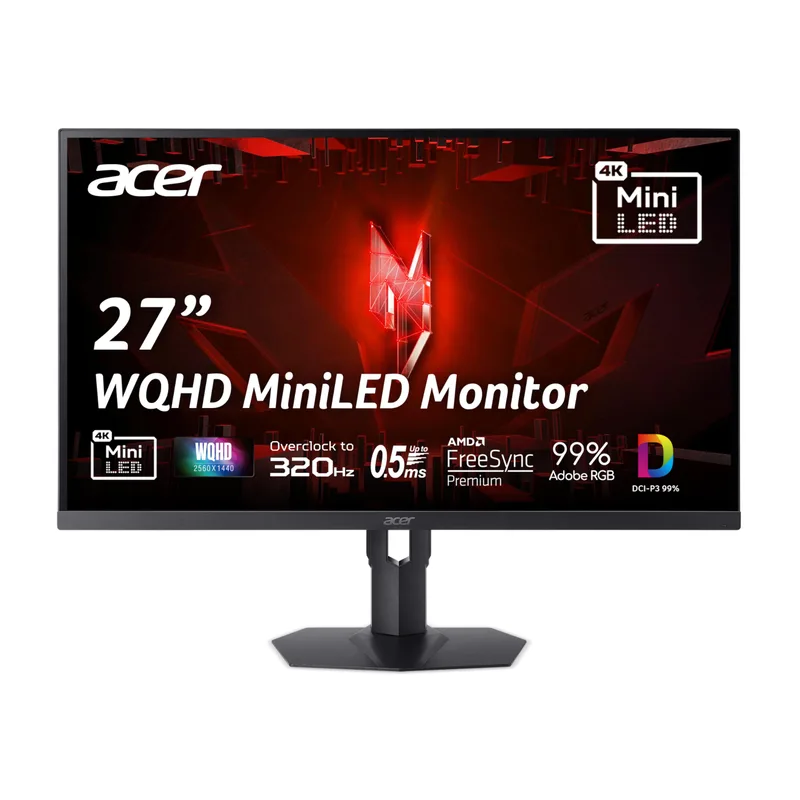
The Acer Nitro XV275U F3 is the first mini-LED panel to land under $350, and it shows in how HDR content renders compared to every edge-lit competitor in this roundup. Local dimming zones let the backlight darken shadow regions independently of bright highlights in the same frame, producing sustained HDR1000 output with noticeably less haloing than older, lower-zone-count mini-LED panels. At 320Hz, it also carries the highest refresh rate ceiling here, giving competitive players more headroom than a 240Hz panel once frame rates climb. 99% DCI-P3 and 99% Adobe RGB coverage add genuine value for anyone doing photo or video work alongside gaming.
The trade-offs are minor rather than severe: mini-LED blooming hasn’t fully disappeared, so bright UI elements against near-black backgrounds still show faint halos, and 320Hz is only useful with a GPU capable of actually reaching triple-digit-plus frame rates in the games being played. For buyers who want the closest thing to OLED-tier HDR without OLED’s burn-in considerations, this is the strongest pick under $400.
KTC H27P6 — Best 4K Value
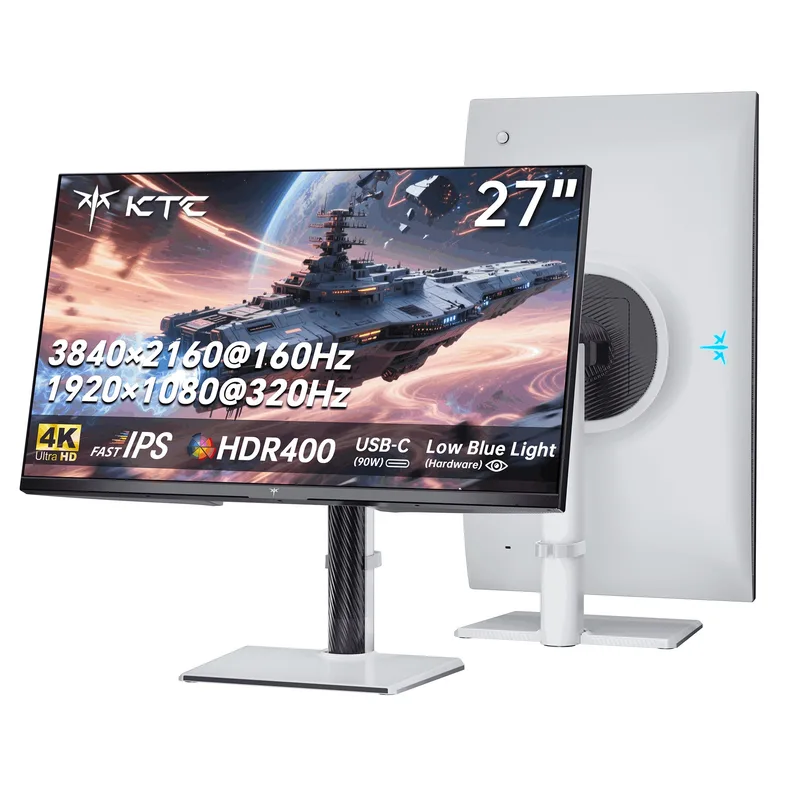
The KTC H27P6 solves a problem no other monitor in this bracket addresses: choosing between resolution and refresh rate. Its Dual Mode toggle switches the panel between native 4K at 160Hz for single-player and open-world games, and 1080p at 320Hz for competitive shooters where frame rate matters more than pixel count. At $329, it’s also the only genuine 4K display in this roundup, a spec that carried a $500+ premium as recently as last year. The 90W USB-C port with DisplayPort Alt Mode and KVM switching adds real utility for anyone running a laptop alongside a desktop.
Switching between Dual Mode resolutions requires a menu toggle and a brief signal drop rather than an instant hardware switch, so it’s not something you’ll want to do mid-match. HDR400 is also an entry-level, edge-lit certification that falls well short of the Acer’s mini-LED contrast. For buyers who genuinely use both a 4K desktop workflow and a fast-paced competitive mode, though, no other panel under $400 covers both bases this well.
LG 34G630A-B UltraGear — Best Ultrawide
LG 34G630A-B UltraGear
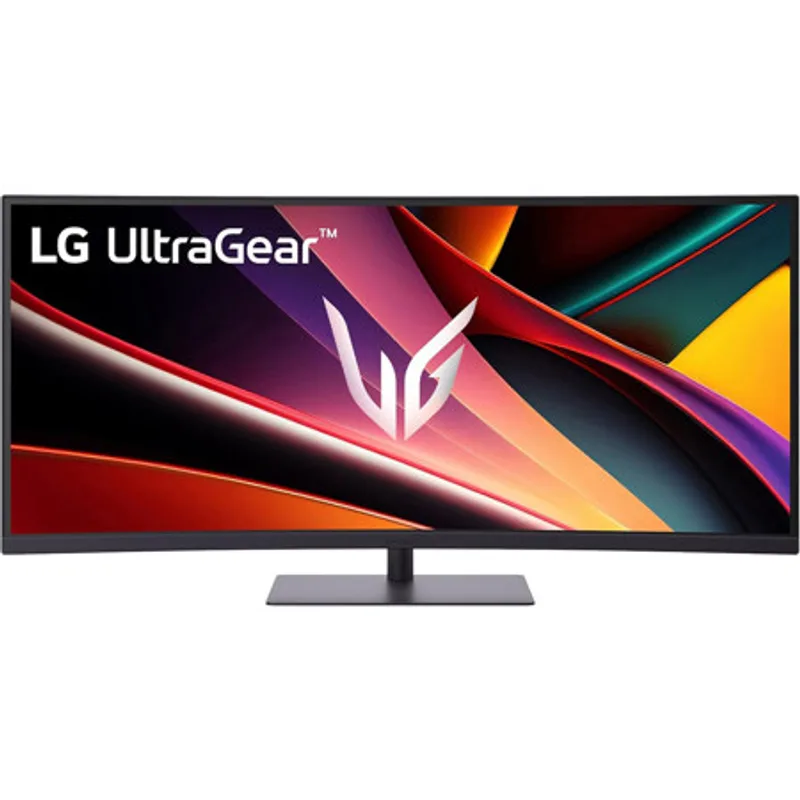
The LG 34G630A-B brings a 34-inch curved 21:9 ultrawide with a 240Hz refresh rate under $350, a combination that would have cost significantly more just a couple of years ago. The extra horizontal field of view is a genuine advantage in racing and flight sims, and general productivity work benefits from the extra screen real estate without a bezel gap splitting the view. A USB-C input and built-in speakers round it out as a complete single-cable desk setup.
The VA panel’s contrast at rest is strong, but its slower dark-to-dark pixel transitions mean faint smearing shows up in shadow-heavy scenes even at 240Hz, more so than on the IPS panels elsewhere in this roundup. The 3440x1440 resolution also demands roughly 20% more GPU throughput than a standard 16:9 1440p panel to hit the same frame rate, so budget GPU pairings should expect somewhat lower sustained frame rates than the number on the box suggests. For anyone prioritizing immersion and screen real estate over the flattest possible motion clarity, it’s the clear pick here.
MSI MAG 274QRF-QD E2 — Best Value
MSI MAG 274QRF-QD E2
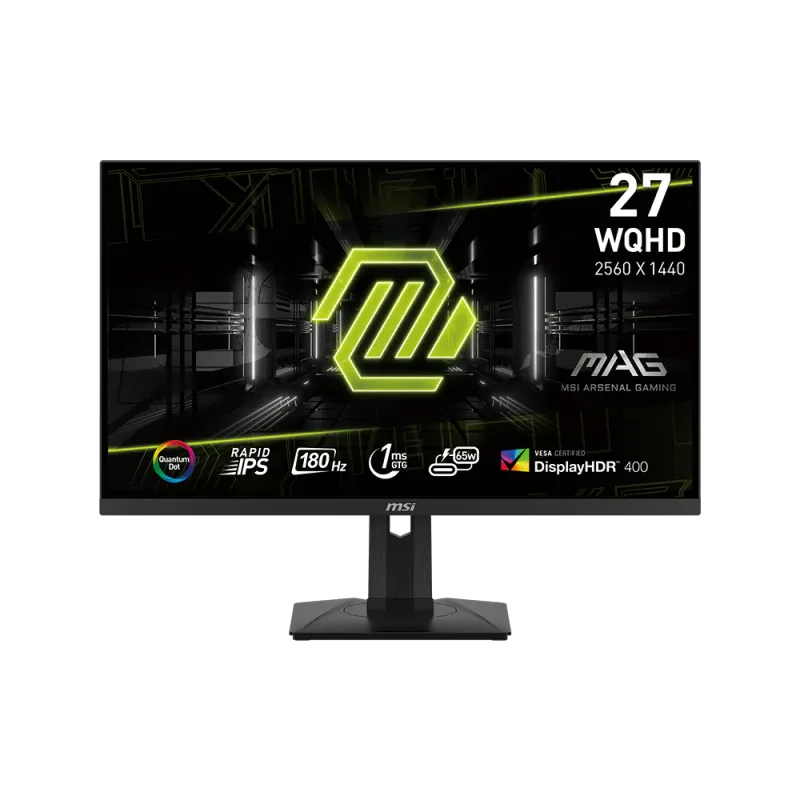
The MSI MAG 274QRF-QD E2 is the cheapest monitor in this roundup at $289 and still delivers a legitimate 1440p 180Hz Rapid IPS panel with a quantum dot film that visibly widens the color gamut over a standard IPS competitor at the same price. 180Hz at 1440p is squarely within reach of a mid-range GPU like an RTX 4060 Ti, so buyers don’t need to overspend on a graphics card to actually use the refresh rate this panel offers.
“HDR Ready” here isn’t a certified HDR tier, so this should be treated as a strong SDR panel rather than a real HDR display — buyers who want genuine HDR contrast should look to the Acer instead. There’s also no USB-C or KVM functionality, a gap both the KTC and LG fill at a higher price. For anyone building a budget-focused gaming PC who’d rather put savings toward a better GPU than a monitor upgrade, this is the strongest dollar-for-dollar pick in the bracket.
Dell Alienware AW2523HF — Best for Esports
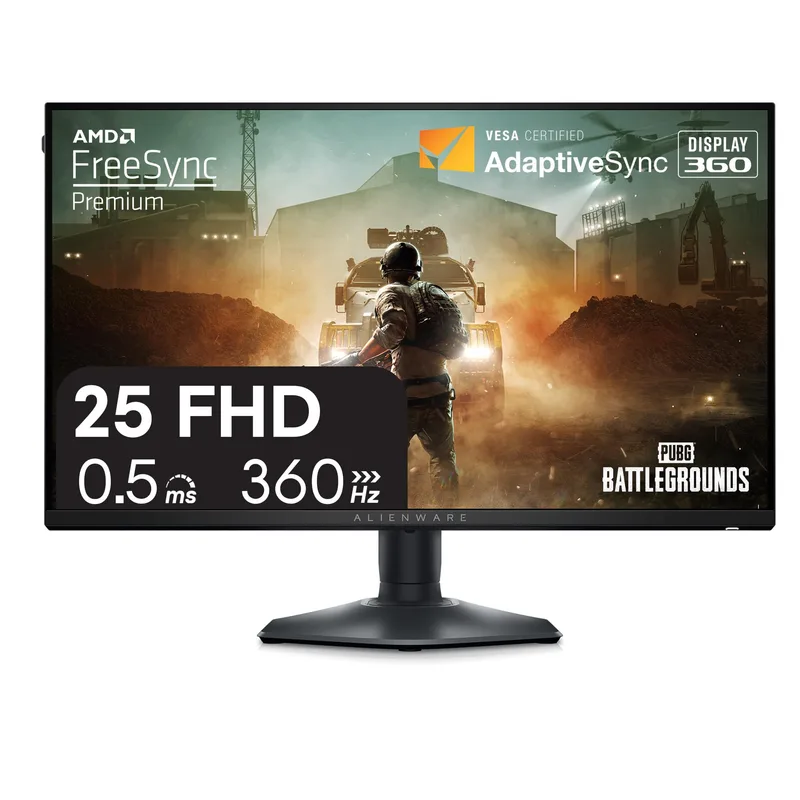
Dell Alienware AW2523HF
The Dell Alienware AW2523HF is built around one number: 360Hz. Its 24.5-inch 1080p Fast IPS panel keeps rendering demand low enough that even a mid-range GPU can sustain the full refresh rate in esports titles like CS2, Valorant, and Overwatch 2, where every additional frame reduces input-to-photon latency. The stand’s full height, tilt, swivel, and pivot adjustability also outranks the more basic stands on the other panels in this list, useful for dialing in a competitive seating position.
The obvious trade-off is resolution: 1080p looks noticeably softer for desktop work and single-player games than any other panel in this roundup, and there’s no HDR or USB-C support at all. This isn’t a do-everything display — it’s a purpose-built esports panel, and for players who split time between competitive shooters and other genres, one of the 1440p options above will serve better as an all-rounder.
FAQ
Is a mini-LED panel worth the extra cost over standard IPS at this price? If HDR content and shadow-detail contrast matter to you, yes — the Acer Nitro XV275U F3’s local-dimming backlight is a genuine step up from the edge-lit HDR400/HDR Ready certifications on the KTC, LG, and MSI panels. If you play mostly SDR content or prioritize refresh rate and value over contrast, the MSI MAG 274QRF-QD E2 delivers most of the gaming experience for $60 less.
How does the KTC H27P6’s Dual Mode actually work? The panel’s firmware switches between two fixed configurations — native 4K UHD at 160Hz, or 1920x1080 at 320Hz — through the on-screen menu or a dedicated hotkey. Switching modes takes a few seconds and briefly drops the video signal, similar to changing resolution in Windows display settings, so it’s meant to be set once per session rather than toggled mid-game.
Can a mid-range GPU drive the LG 34G630A-B’s ultrawide resolution at 240Hz? Not consistently in demanding AAA titles. 3440x1440 needs roughly 20% more GPU throughput than standard 1440p to hit the same frame rate, so an RTX 4070 or better is recommended to approach 240fps in modern titles. In esports games with lower rendering overhead, a mid-range GPU can get much closer to the panel’s full refresh rate.
Why does the Dell Alienware AW2523HF have no HDR support? Its entire design budget goes toward the 360Hz refresh rate and a low-latency Fast IPS panel rather than a backlight capable of certified HDR brightness. This is a deliberate trade-off aimed at competitive players who value frame rate and response time over color and contrast — buyers who want both should look at the Acer Nitro XV275U F3 instead.
Which of these monitors pairs best with a budget-to-mid-range GPU build? The MSI MAG 274QRF-QD E2 and Dell Alienware AW2523HF both keep rendering demand low enough for a card like an RTX 4060 or RTX 4060 Ti to sustain their full refresh rates. The KTC H27P6 and LG 34G630A-B benefit from a stronger GPU (RTX 4070-class or better) to make full use of their 4K and ultrawide-240Hz capabilities.
The Bottom Line
Under $400 in 2026, the Acer Nitro XV275U F3 delivers the biggest technology jump for the money — mini-LED HDR1000 contrast at 320Hz that didn’t exist in this price bracket a year ago. Buyers who want native 4K sharpness alongside a competitive 1080p mode should get the KTC H27P6 instead, while anyone building around a tighter GPU budget should look at the MSI MAG 274QRF-QD E2, which delivers 180Hz 1440p with quantum dot color for $289.