The 32-inch 4K 240Hz QD-OLED and W-OLED panels that arrived through 2025 have fully matured by mid-2026, with prices dropping 20–35% from their launch points as supply caught up with demand. Every monitor on this list delivers perfect blacks, a 0.03ms response time, and 240Hz at native 4K — the question is what else you get for the premium above the entry price.
| Spec | MSI MAG 321UPX QD-OLED 8.8/10 | Samsung Odyssey OLED G8 (G80SD) 8.9/10 | MSI MPG 321URX QD-OLED 9.1/10 | ASUS ROG Swift PG32UCDP 9/10 | LG UltraGear 32GS95UV-B Unavailable 9.2/10 |
|---|---|---|---|---|---|
| Panel | 32" QD-OLED | 32" QD-OLED | 32" QD-OLED | 32" W-OLED | 32" OLED |
| Resolution | 3840 × 2160 (4K UHD) | 3840 × 2160 (4K UHD) | 3840 × 2160 (4K UHD) | 3840 × 2160 (4K UHD) / 1920 × 1080 (FHD) | 3840 × 2160 (4K UHD) |
| Refresh Rate | 240Hz | 240Hz | 240Hz | 240Hz (4K) / 480Hz (FHD) | 240Hz |
| Response Time | 0.03ms (GTG) | 0.03ms (GTG) | 0.03ms (GTG) | 0.03ms (GTG) | 0.03ms (GTG) |
| HDR | DisplayHDR True Black 400 | DisplayHDR True Black 400 | DisplayHDR True Black 400 | DisplayHDR True Black 400 | DisplayHDR True Black 400 |
| Connectivity | HDMI 2.1, DP 1.4, USB-C 15W | HDMI 2.1, DP 1.4, Smart Hub | HDMI 2.1, DP 1.4a, USB-C 90W, KVM | HDMI 2.1, DP 1.4, USB-C 90W | HDMI 2.1 ×2, DP 1.4, USB-C |
| Rating | 8.8/10 | 8.9/10 | 9.1/10 | 9/10 | 9.2/10 |
Prices change daily — tap Check Price for the current Amazon price.
Prices change daily — tap Check Price for the current Amazon price.
Quick Picks
- Best value: MSI MAG 321UPX QD-OLED — entry-level 32-inch 4K 240Hz QD-OLED around $799, same core panel technology as monitors costing $150+ more
- Best overall: MSI MPG 321URX QD-OLED — 90W USB-C, built-in KVM, 99% DCI-P3 at a street price that has settled around $799
- Best dual-mode: ASUS ROG PG32UCDP — the only 32” 4K OLED that switches to 1080p 480Hz, useful for competitive shooters
Buying Guide: What to Know Before Choosing a 4K OLED Gaming Monitor
QD-OLED vs W-OLED
Both panel types use organic light-emitting diodes with no backlight, giving you identical infinite contrast and true blacks. The difference is in how they create color:
QD-OLED (Samsung Display, used by MSI, Samsung, and others) adds a quantum dot conversion layer over blue OLED emitters. This produces wider color gamut — typically 99–100% DCI-P3 — and more saturated reds and greens. It’s the dominant technology in 4K gaming monitors in 2026.
W-OLED (LG Display) uses white OLED subpixels with color filters. Peak brightness can be slightly higher in SDR, and the panel structure makes it more resilient against burn-in over long usage periods. The ASUS PG32UCDP uses W-OLED for its dual-mode capability.
DisplayPort 2.1 — Do You Need It?
None of the monitors on this list use DisplayPort 2.1 at the full 80Gbps UHBR20 bandwidth. All use DP 1.4 with DSC (Display Stream Compression) to deliver 4K at 240Hz without visible quality loss. DSC is mathematically lossless at 3:1 compression ratios, which is what these panels require. You won’t see a difference with the naked eye.
GPU-side: every current RDNA 4 and Blackwell card (RX 9070 XT, RTX 5070, and up) outputs DP 2.1 or DP 1.4 with DSC at 4K 240Hz. You don’t need to buy a special cable or adapter.
Panel Burn-In in 2026
Burn-in on OLED monitors is a legitimate concern for static content — task bars, HUD elements, and desktop icons displayed for thousands of hours. All manufacturers now include pixel shift, logo brightness limiter, and screensaver timers by default. For mixed gaming and desktop use, real-world reports from owners running these panels 8+ hours daily show no burn-in at the 12–18 month mark. Exclusive dedicated-purpose use (always-on productivity, non-rotating content) carries more risk.
32 Inches at 4K — Pixel Density
At 32 inches, 4K works out to 138 PPI — comfortable for desktop use at 1:1 scaling from 24–30 inches away. At 27 inches, 4K hits 163 PPI and typically requires 125% Windows scaling. If you sit closer than 24 inches from the screen, consider 27 inch options. The monitors on this list are all 32-inch panels.
GPU Requirements
Running 4K at 240Hz in demanding games requires one of the following:
- RTX 5080 or RTX 5090 for maxed settings in modern AAA titles
- RX 9070 XT or RTX 5070 Ti for high settings at 4K 144–180Hz with DLSS/FSR enabled
- RX 9070 XT or RTX 5070 for 4K gaming at medium-high settings or with heavy upscaling
At $999 for the premium pick on this list, pairing a 4K OLED monitor with an underpowered GPU is a common mistake. Budget roughly equal to or more than the monitor cost for the GPU.
Detailed Reviews
MSI MAG 321UPX QD-OLED — Best Value
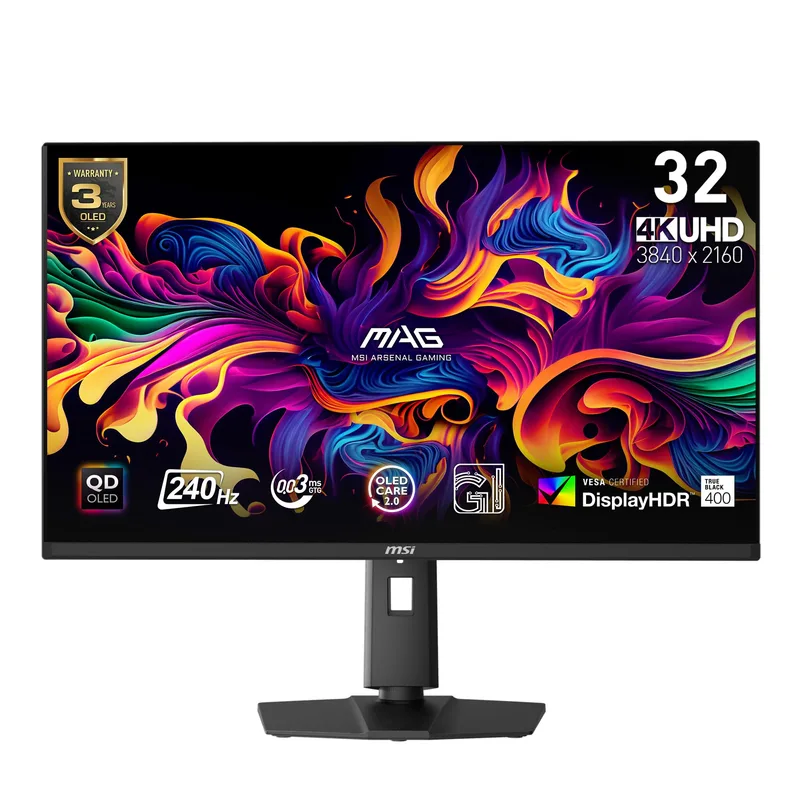
The MSI MAG 321UPX QD-OLED is the lowest-cost path to 32-inch 4K 240Hz QD-OLED, and it holds up against monitors costing significantly more. The QD-OLED panel — sourced from Samsung Display — is the same class of technology used in the MPG 321URX above it. Motion clarity at 240Hz with 0.03ms GTG is identical: ghosting is effectively invisible in fast-paced games.
Where MSI trimmed costs: the USB-C port only delivers 15W charging (compared to 90W on the MPG 321URX), and the display uses DP 1.4 rather than DP 1.4a, though both use DSC to achieve 4K 240Hz over the cable. The stand is functional but less adjustable than the MPG model. There’s no KVM switch.
For pure gaming at a desk, none of those compromises matter. HDMI 2.1 at full bandwidth handles 4K 120Hz from consoles. FreeSync Premium Pro and G-Sync compatibility cover both GPU camps. DisplayHDR True Black 400 certification means real HDR brightness on a panel that can hit 0 nits black simultaneously.
Street price has ranged from $664 to $799 in 2026, currently settling around $749–$799 on Amazon. Compare current pricing against the MPG 321URX — when the gap is $50 or less, the MPG’s 90W USB-C and KVM justify the extra cost; when the gap is $100 or more, the MAG 321UPX delivers equivalent image quality for less.
Samsung Odyssey OLED G8 G80SD — Best Glare-Free
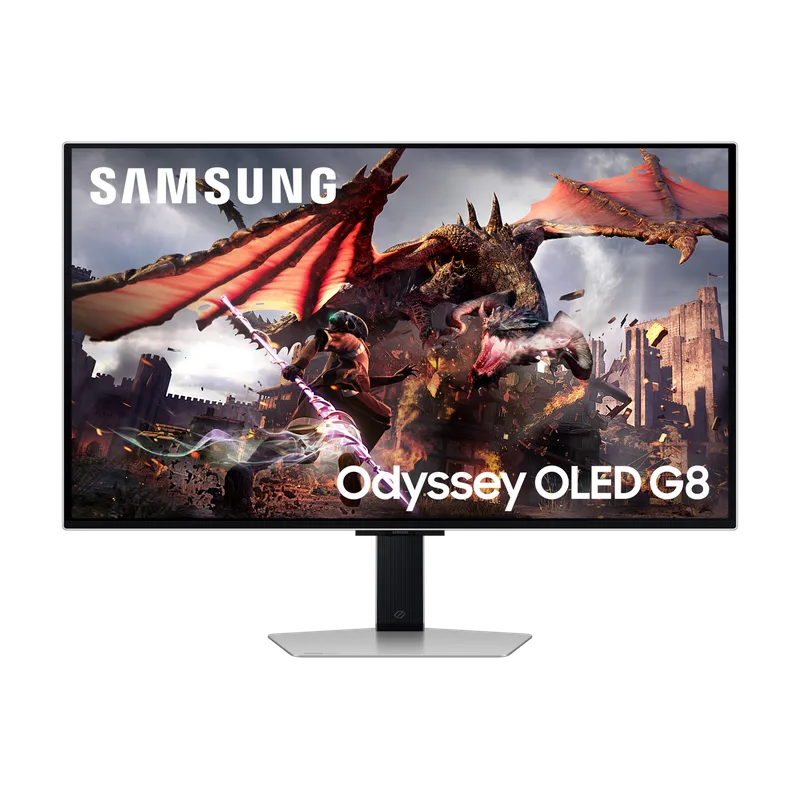
The Samsung Odyssey OLED G8 G80SD is the only monitor on this list with a meaningful anti-glare coating that doesn’t wash out the blacks. Samsung’s glare-free technology is different from the standard matte coating on non-OLED monitors: it preserves OLED contrast while cutting reflectivity, making it viable in rooms with windows or overhead lighting where a glossy OLED panel would be a distraction.
The Gaming Hub smart platform is genuinely useful for console-replacement setups. Xbox Game Pass Ultimate streams at 4K directly to the monitor without any PC or console attached. The same works for GeForce Now cloud gaming. If you want a bedroom gaming setup without a full PC, this monitor covers it.
Image quality matches the MAG 321UPX at the panel level — both use Samsung Display QD-OLED technology, with the same 240Hz, 0.03ms, and True Black HDR 400 specs. The difference is build quality (brushed metal chassis), the smart OS, and the glare-free coating.
The G80SD’s main weakness is that the Samsung Smart Hub OS runs continuously in the background even in pure PC monitor mode, which some users find introduces micro-lag on rare occasions at the menu level. For gaming itself, there’s no measurable latency difference.
MSI MPG 321URX QD-OLED — Best Overall
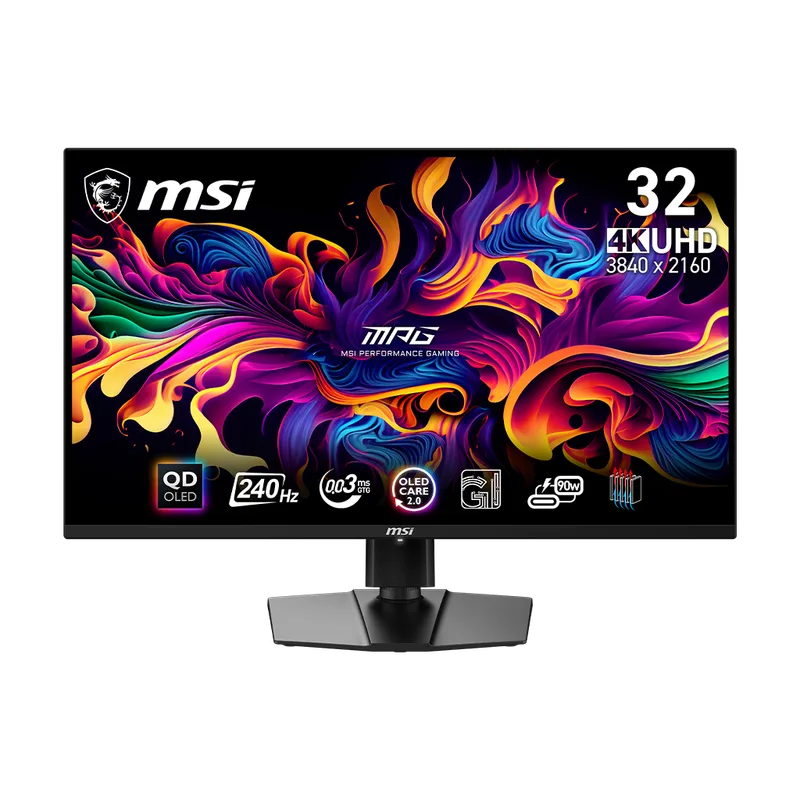
The MSI MPG 321URX QD-OLED is the most practical all-rounder on this list. The step up from the MAG 321UPX buys you 90W USB-C power delivery, a hardware KVM switch, 99% DCI-P3 color coverage, and a slightly premium build. At a street price that has dropped to $762–$799 in recent months (from a $1,049 list), it frequently lands within $30–80 of the MAG 321UPX — always check current pricing before deciding.
The 90W USB-C is the headline feature for laptop users. A single USB-C cable carries 4K video signal, audio, and enough power to charge most laptops simultaneously. That eliminates the separate power brick and HDMI cable from your desk. For desktop-only users this is a non-issue, but it’s a quality-of-life upgrade that shows up every single day.
The KVM lets you share a keyboard and mouse between two connected computers — useful for streamers running a dual-PC setup, or for anyone who switches between a desktop and a work laptop throughout the day.
Color accuracy at 99% DCI-P3 with ΔE≤2 out of box means it doesn’t need calibration for HDR photo editing or video color grading alongside gaming. At this price it competes against dedicated content creation monitors.
The RGB lighting strip on the rear is one of the few MSI MPG decisions that adds cost without function. It can be switched off in the OSD permanently without affecting anything else.
ASUS ROG Swift PG32UCDP — Best Dual-Mode
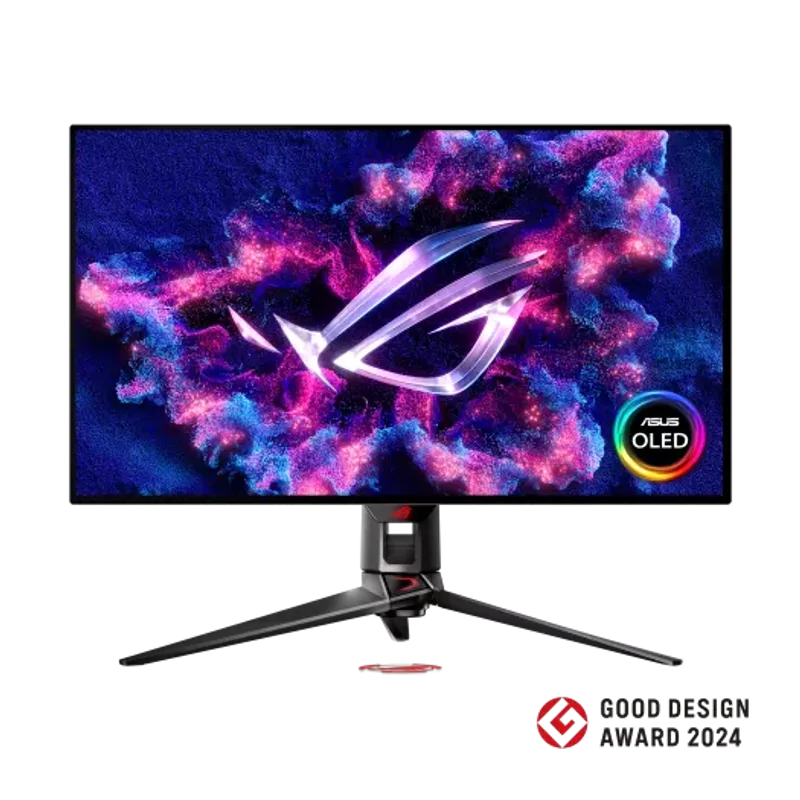
The ASUS ROG Swift PG32UCDP is the only 32-inch 4K OLED currently shipping with a genuine dual-mode panel: 4K at 240Hz, or 1080p at 480Hz, switchable at any time from the monitor’s settings or ASUS’s DisplayWidget software. No other 4K OLED on this list reaches 480Hz.
The 480Hz 1080p mode is primarily useful for competitive shooters like CS2, Valorant, and Apex Legends, where 480Hz reduces motion blur to a level that QD-OLED at 240Hz can’t match. At 1080p on a 32-inch screen the pixel density (69 PPI) is visibly lower than 4K, so this mode makes the most sense in games where player character edges are the focal point, not environmental detail.
The W-OLED panel (LG Display rather than Samsung Display) performs very close to QD-OLED in normal use. HDR performance is equivalent — True Black 400 certification, 0.03ms response, G-Sync Compatible. Color accuracy is rated at 99% DCI-P3. The main measurable difference is that QD-OLED tends to measure a fraction more saturated in the red channel; in practice this is not something you’ll notice without a colorimeter.
ASUS includes their custom heatsink on the OLED panel — a proprietary thermal layer that conducts heat away from the display to extend panel life. The AI Gaming features (frame prediction, auto-stabilization) require ASUS’s DisplayWidget Center app running in the background.
At $999 street price, it sits at the same tier as the LG 32GS95UV-B. Choose the ASUS if the 480Hz mode is relevant to you. Choose the LG if you want two HDMI 2.1 ports or prefer LG’s OLED panel engineering.
LG UltraGear 32GS95UV-B — Best Premium
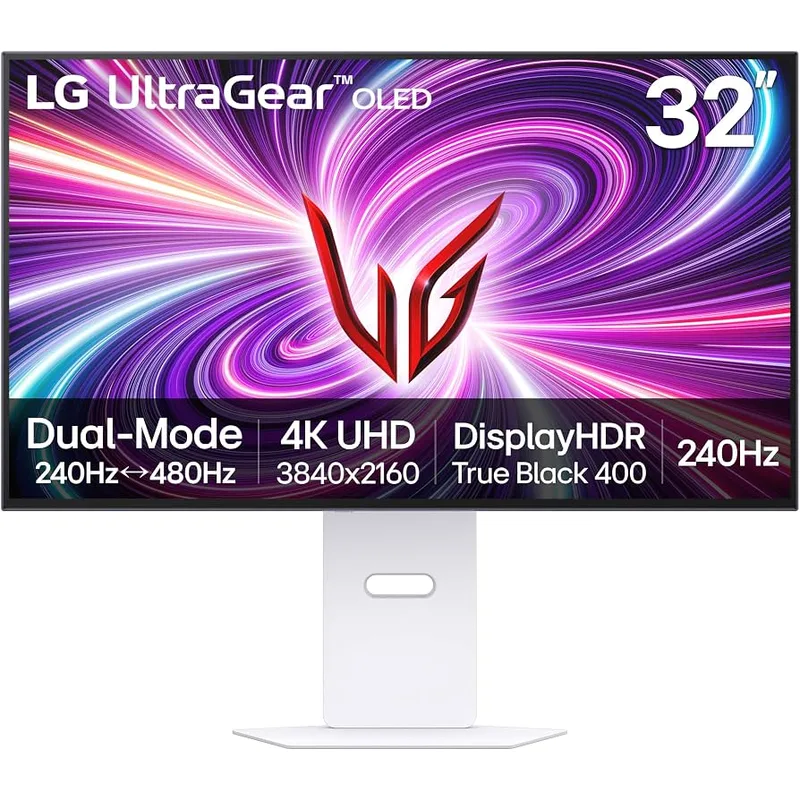
LG UltraGear 32GS95UV-B
The LG UltraGear 32GS95UV-B is the most flexible console-plus-PC gaming monitor on this list. Two full-bandwidth HDMI 2.1 ports means you can leave a PS5 and Xbox Series X permanently connected alongside a PC on DisplayPort, switching inputs without unplugging anything. At 32 inches on a desk, having all three gaming platforms physically attached is a real workflow improvement.
LG measures 98.5% DCI-P3 coverage from the factory, which is within measurement error of the QD-OLED panels on this list. The panel engineers to a slightly different brightness profile — LG’s OLED technology has historically produced more consistent uniformity across the screen at peak brightness, though the gap is small enough that both technologies are effectively identical for gaming.
The 32GS95UV-B carries DisplayHDR True Black 400 certification alongside AMD FreeSync Premium Pro and NVIDIA G-Sync compatibility. At 0.03ms response time it matches every other monitor here — the spec doesn’t meaningfully differentiate any 4K OLED at 240Hz in 2026.
The $999 price is the highest on this list. The practical advantages over the MSI MPG 321URX ($799) are the two HDMI 2.1 ports and LG’s panel reputation. For PC-only users, the MPG 321URX or Samsung G8 G80SD save $200–250 with nearly equivalent image quality.
FAQ
Is 4K OLED worth it over 1440p OLED in 2026?
At 32 inches, yes — 4K adds noticeable pixel density improvement over 1440p (138 PPI vs 92 PPI). Text is sharper, fine details in games render crisply, and HDR content like films looks demonstrably better. The GPU requirement is significantly higher than 1440p, which is the real barrier. If your GPU is an RTX 5070 or RX 9070 XT, 4K gaming is practical with DLSS 4 or FSR 4 upscaling.
Can you get 4K 240Hz over HDMI 2.1?
No — HDMI 2.1’s 48Gbps bandwidth supports 4K 120Hz, not 240Hz. For 4K 240Hz, you need DisplayPort, which all monitors on this list support via DP 1.4 with DSC compression. Console users get 4K 120Hz over HDMI 2.1, which is the console maximum anyway.
How bad is OLED burn-in on gaming monitors in 2026?
For mixed gaming and desktop use, burn-in is not a meaningful concern at the 1–2 year mark based on owner reports from users who adopted QD-OLED panels in 2023–2024. Static elements (static HUDs, desktop taskbars) carry more cumulative risk than full-screen gaming. All monitors on this list include pixel refresh cycles, automatic brightness limiters for static content, and pixel shift to reduce retention. Running the panel above 50% brightness continuously accelerates wear.
Do these monitors work with PS5 and Xbox Series X?
All five monitors have HDMI 2.1 — they support 4K 120Hz with VRR from both consoles without adapters or settings changes. None reach 4K 240Hz from consoles because the consoles max out at 120Hz over HDMI 2.1.
Which GPU do you need to actually use 4K 240Hz?
Sustained 4K 240Hz in competitive multiplayer games (Valorant, CS2) is achievable with an RTX 5070 Ti or RX 9070 XT. In demanding AAA titles at max settings, RTX 5090 is required for consistent 240 fps. For most users, DLSS 4 Quality or FSR 4 Quality mode from an RTX 5070 or RX 9070 XT will hit 200+ fps at 4K in modern titles, which fully activates the 240Hz panel.
The Bottom Line
The MSI MPG 321URX QD-OLED is the best all-around 4K OLED gaming monitor at its current $799 street price — 90W USB-C, KVM, 99% DCI-P3, and the same QD-OLED panel class as everything above it in this roundup. The MSI MAG 321UPX is also currently around $799; check live prices before buying, as when it dips below the MPG 321URX it becomes the stronger value pick.
For dual-platform console setups, the LG UltraGear 32GS95UV-B justifies its $999 price with two HDMI 2.1 ports. For competitive players who want 480Hz at 1080p available on demand, the ASUS ROG PG32UCDP is the only 32-inch 4K OLED that offers it.