B760 is Intel’s budget-friendly chipset for LGA 1700 — the same socket used by 12th, 13th, and 14th Gen Core processors. You give up CPU overclocking and some PCIe lanes versus Z790, but you keep DDR5, PCIe 5.0 on the primary GPU slot, and all the modern connectivity. In 2026, with 12th/13th/14th Gen chips widely available at significant discounts from launch, B760 boards are the default choice for anyone building a mid-range Intel rig without needing overclocking headroom.
| Spec | MSI MAG B760 Tomahawk WiFi DDR5 9/10 | ASUS TUF Gaming B760-PLUS WiFi Unavailable 8.7/10 | GIGABYTE B760 AORUS Elite AX 8.5/10 | ASRock B760M Steel Legend WiFi Unavailable 8.3/10 | GIGABYTE B760 Gaming X AX 7.8/10 |
|---|---|---|---|---|---|
| Form Factor | ATX | ATX | ATX | Micro-ATX | ATX |
| Socket | LGA 1700 | LGA 1700 | LGA 1700 | LGA 1700 | LGA 1700 |
| Memory | DDR5, 4x DIMM, up to 192GB | DDR5, 4x DIMM, up to 192GB, 7200+ MHz OC | DDR5, 4x DIMM, up to 192GB | DDR5, 4x DIMM, up to 192GB | DDR5, 4x DIMM, up to 128GB |
| Power Phases | 12+1+1 | 12+1 DrMOS | 12+1+1 | 10+1+1 | 8+1+1 Hybrid |
| PCIe | PCIe 5.0 x16 (CPU), 3x M.2 PCIe 4.0 | PCIe 5.0 x16 (CPU), 3x M.2 PCIe 4.0 | PCIe 5.0 x16 (CPU), 3x M.2 PCIe 4.0 | PCIe 5.0 x16 (CPU), 3x M.2 (2x PCIe 4.0 + 1x PCIe 3.0) | PCIe 4.0 x16 (CPU), 3x M.2 PCIe 4.0 |
| Connectivity | WiFi 6E, 2.5GbE LAN, USB 3.2 Gen2 | WiFi 6, 2.5GbE, Thunderbolt 4 header (USB4) | WiFi 6E, 2.5GbE LAN, USB-C rear | WiFi 6E, 2.5GbE LAN, USB 3.2 Gen2 | WiFi 6E (AMD module), 2.5GbE LAN, USB 3.2 Gen2x2 Type-C |
| Rating | 9/10 | 8.7/10 | 8.5/10 | 8.3/10 | 7.8/10 |
Prices change daily — tap Check Price for the current Amazon price.
Prices change daily — tap Check Price for the current Amazon price.
Quick Picks
- Best overall: MSI MAG B760 Tomahawk WiFi DDR5 — 12+1+1 phases, PCIe 5.0, WiFi 6E, three M.2 slots at $139.99. The consistent community recommendation across Tom’s Hardware, PCPartPicker builds, and tech forums.
- Best value (USB4 bonus): ASUS TUF Gaming B760-PLUS WiFi — Thunderbolt 4 header at $139.99 makes this the pick if you run USB4 storage or eGPU setups.
- Best mATX: ASRock B760M Steel Legend WiFi — compact footprint, three M.2 slots, WiFi 6E, $139.99.
Buying Guide: What to Know Before Choosing a B760 Board
B760 vs Z790 — when does the upgrade matter?
B760 locks CPU multiplier overclocking. If you’re pairing this board with a non-K Intel CPU — anything from a Core i5-12400 to a Core i9-13900 (non-K) — you cannot overclock the processor regardless of which chipset you use, so you lose nothing by choosing B760. If you buy a K-series CPU like the i7-13700K or i9-14900K, you can still push DDR5 speeds (XMP/EXPO) and use all the CPU lanes — you just can’t raise the base/boost multiplier. For most gaming builds, that distinction is marginal.
Z790 becomes worth the $80-$150 premium only if you specifically want CPU overclocking, multiple PCIe 5.0 M.2 slots, or additional USB 3.2 Gen 2x2 ports on a high-end workstation build.
DDR4 vs DDR5 on B760
Many B760 boards ship in DDR4 and DDR5 variants. If you’re starting fresh, buy DDR5. DDR5-6000 CL30 32GB kits are the sweet spot for gaming performance, and DDR5 prices remain elevated due to the ongoing DRAM shortage — but they won’t come down if you wait, and DDR4 is a dead-end platform investment. All five boards in this roundup are DDR5-only or have DDR5 variants.
VRM sizing: what’s enough for your CPU?
- 65W TDP CPUs (i5-12400, i5-13600, i7-12700): Any board here works. Even the 8+1+1 phases on the GIGABYTE Gaming X AX are fine.
- 125W TDP CPUs (i7-13700K, i9-13900K at stock): 10+1+1 phases minimum. The ASRock B760M Steel Legend is adequate; the Tomahawk and TUF are more comfortable.
- 253W TDP / PL2 boost CPUs (i9-13900KS, i9-14900K): Choose the MSI Tomahawk, ASUS TUF, or GIGABYTE AORUS Elite. Avoid the Gaming X AX for sustained all-core loads.
Form factor: ATX vs mATX
ATX boards (305×244mm) give you more expansion slots and better cooling clearance. mATX (244×244mm) fits smaller cases and typically costs less — but the ASRock B760M Steel Legend WiFi at $139.99 is priced identically to the ASUS TUF, so the choice is purely about case compatibility here.
Mini-ITX B760 boards exist (GIGABYTE B760I AORUS Pro DDR5 is well-regarded) but weren’t included in this roundup — they carry a size premium and typically have one M.2 slot.
Detailed Reviews
1. MSI MAG B760 Tomahawk WiFi DDR5
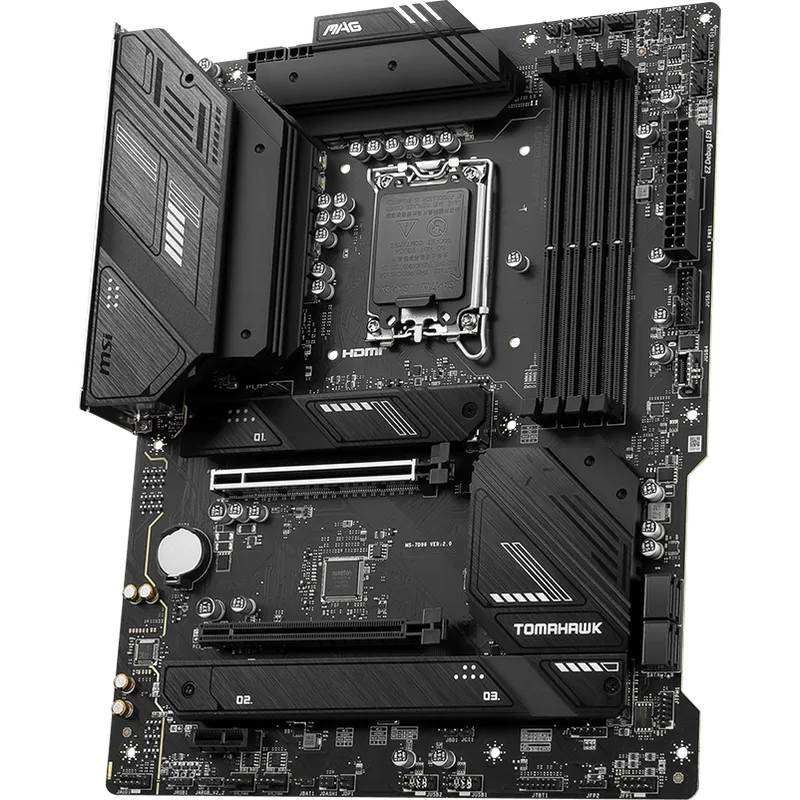
The MSI MAG B760 Tomahawk WiFi DDR5 has been the default B760 recommendation since launch. The 12+1+1 power phase design uses 60A Smart Power Stages, giving it genuine headroom for Core i9-13900K at sustained all-core workloads — not just gaming bursts. According to the MSI spec sheet, the board supports DDR5 up to 7000 MHz via OC profiles, which covers the G.Skill Trident Z5 Neo DDR5-6000 and Corsair Vengeance DDR5-6000 kits most builders pair with it.
Three M.2 slots with heatsinks handle a boot NVMe plus two secondary drives without SATA cables cluttering the build. The PCIe 5.0 primary x16 slot keeps RTX 5060 Ti, RX 9070, and upcoming GPUs running at full bandwidth. WiFi 6E adds the 6 GHz band for low-latency wireless where the router supports it.
The one gap versus the ASUS TUF B760-PLUS: no Thunderbolt/USB4 header. If you don’t need that — and most gaming builds don’t — the Tomahawk is the straightforward pick at $139.99.
Pairs well with: G.Skill Trident Z5 Neo DDR5-6000, WD Black SN850X 1TB
2. ASUS TUF Gaming B760-PLUS WiFi
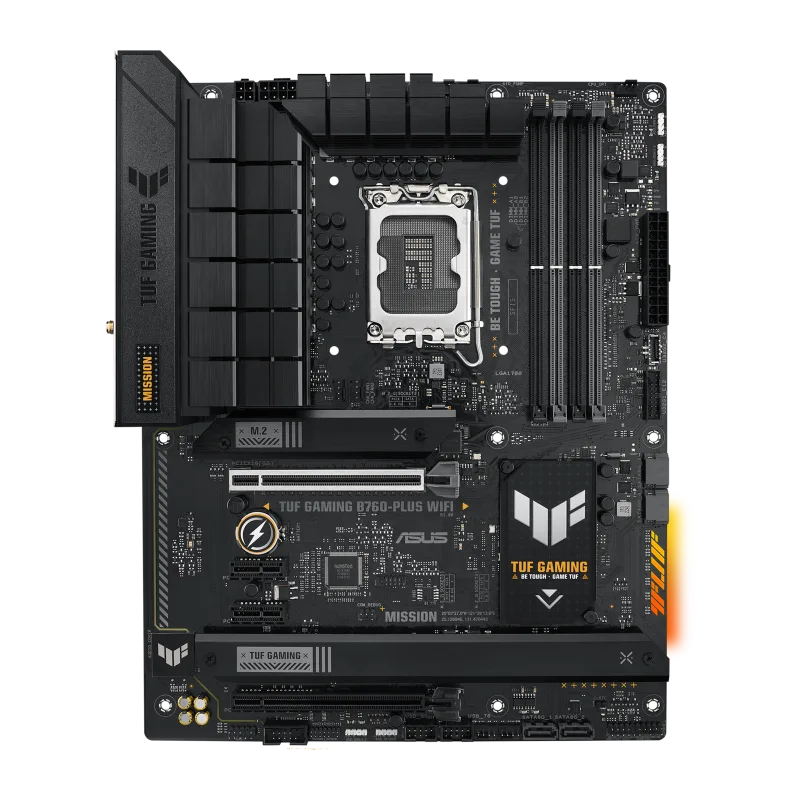
ASUS TUF Gaming B760-PLUS WiFi
The ASUS TUF Gaming B760-PLUS WiFi undercuts the Tomahawk by $20 and adds one feature you won’t find on any other B760 board at this price: a Thunderbolt 4 (USB4) header. That header supports USB4 Gen 3×2 at 40 Gbps — usable for external NVMe enclosures, USB4 docks, and eGPU setups. On Z790 boards, Thunderbolt connectivity typically pushes the price above $250. Getting it at $139.99 on B760 is worth noting.
The 12+1 DrMOS stages rated at 50A handle Core i7-13700K at stock settings comfortably. The rear I/O includes a USB 3.2 Gen 2x2 Type-C at 20 Gbps — twice the bandwidth of a standard Gen 2 port. The compromise is WiFi 6 instead of 6E (no 6 GHz band) and slightly lower power delivery than the Tomahawk.
For gaming builds pairing with an i5-13600KF or i7-13700KF where you don’t need maximum VRM headroom, the TUF B760-PLUS WiFi offers better per-dollar value than any other ATX B760 board in this roundup.
Pairs well with: Kingston FURY Beast DDR5-6000, Samsung 990 Pro 1TB
3. GIGABYTE B760 AORUS Elite AX
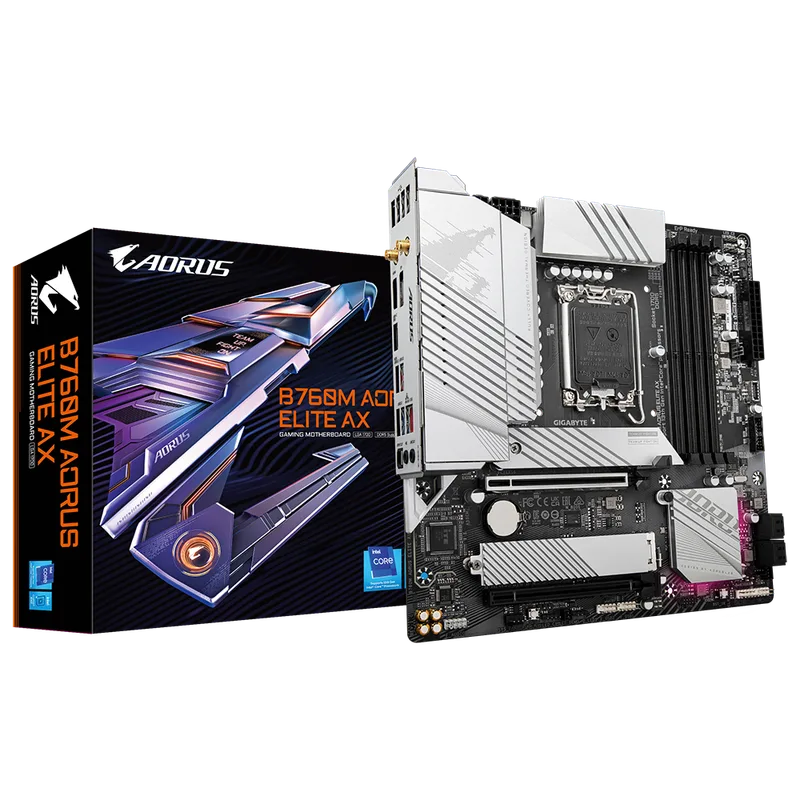
GIGABYTE B760 AORUS Elite AX
The GIGABYTE B760 AORUS Elite AX sits at $179.99 — the most expensive board in this roundup. The main justifications: Q-Flash Plus (BIOS update without a CPU, essential if you’re installing a 14th Gen chip and the board shipped with older firmware), PCIe EZ-Latch (GPU removal without tools), and GIGABYTE’s AORUS build quality with all three M.2 slots covered by heatsinks from the factory.
The 12+1+1 power phase design matches the Tomahawk on paper, and the AORUS aesthetic with the silver/black styling fits builds where appearance matters. The board handles DDR5-6000 XMP without issues per owner reports on PCPartPicker and the TweakTown review.
The honest question: is Q-Flash Plus and EZ-Latch worth $20 more than the Tomahawk? For a first-time builder who wants the smoothest possible assembly experience, maybe. For an experienced builder, the Tomahawk and ASUS TUF both offer comparable performance at lower cost.
Pairs well with: Corsair Vengeance DDR5-6000, Crucial P3 Plus 1TB NVMe
4. ASRock B760M Steel Legend WiFi
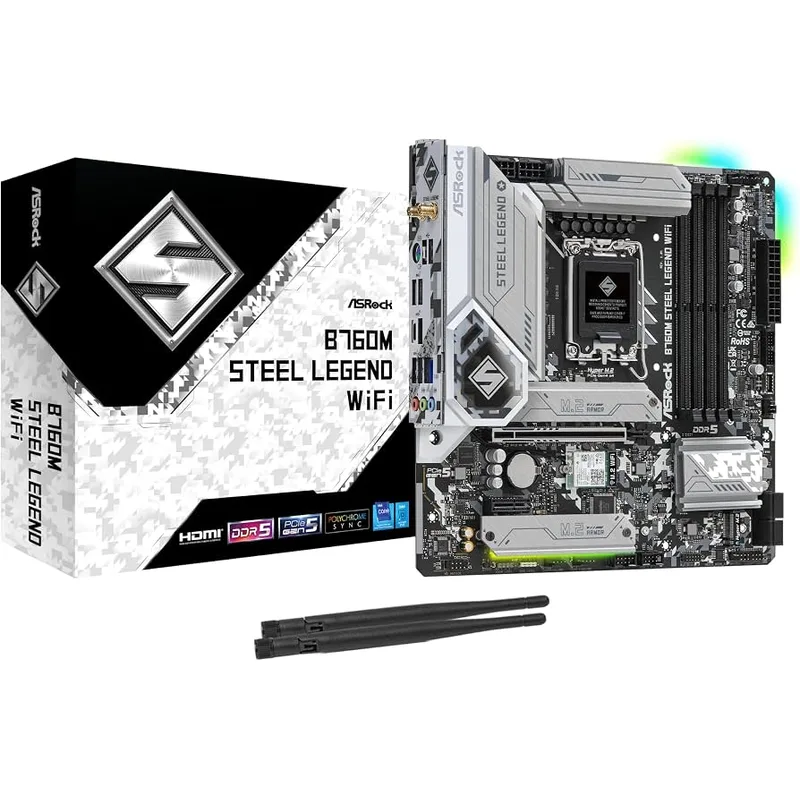
ASRock B760M Steel Legend WiFi
The ASRock B760M Steel Legend WiFi is the only mATX board in this roundup that manages to match full-size ATX boards on M.2 slot count: three slots total. That’s unusual — most mATX B760 boards drop to two M.2 to save PCB real estate. The trade-off is one slot runs PCIe 3.0 x4 instead of 4.0, which is fine for secondary storage (games, media) but not ideal for a boot NVMe.
The 10+1+1 VRM phases are adequate for stock 65W CPUs (i5-12400, i5-13400, i5-13600K at stock), but owners on the TechPowerUp review thread reported thermal throttling under sustained Core i9 all-core loads. Pair this board with a Core i5 or moderate i7, and you’ll be fine indefinitely.
The Steel Legend aesthetic with silver PCB, ARGB heatsinks, and four ARGB headers makes it one of the better-looking mATX options for windowed builds. WiFi 6E at $139.99 matches what ATX boards charge. The eDP connector for custom displays is a niche feature but useful for HTPC or embedded projects.
Pairs well with: Noctua NH-D15 G2, TeamGroup T-Force Vulcan DDR5-6000
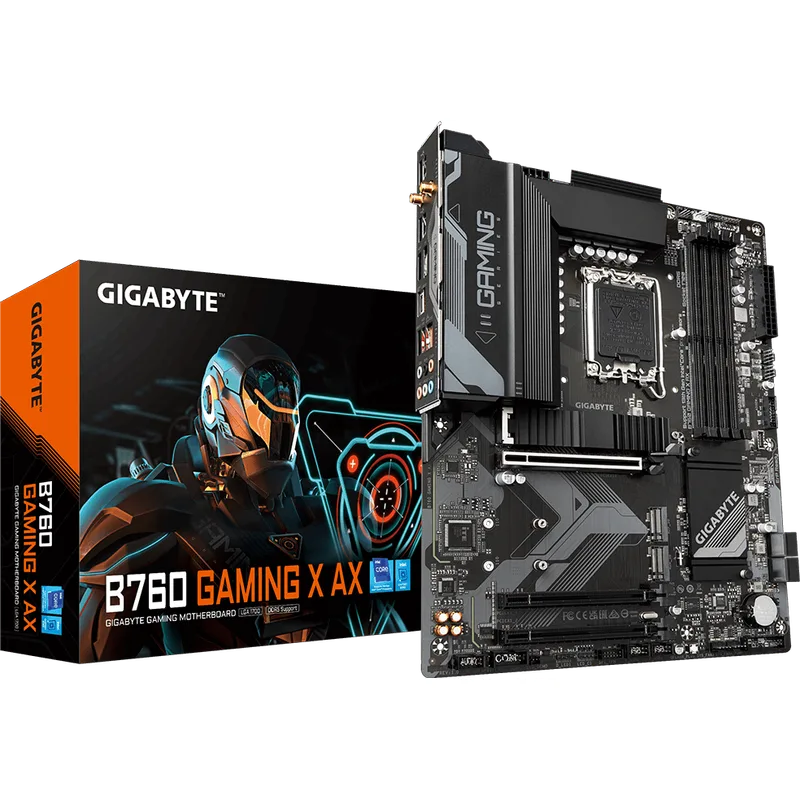
5. GIGABYTE B760 Gaming X AX
The GIGABYTE B760 Gaming X AX is the entry point for B760 DDR5 ATX with WiFi 6E. At $129.99, it’s the least expensive board in this roundup that still gives you three M.2 slots, 2.5GbE networking, and front-panel USB 3.2 Gen 2x2 Type-C.
The limitations are real: 8+1+1 hybrid VRM phases aren’t rated for sustained Core i9 all-core workloads, and the primary x16 slot is PCIe 4.0 rather than PCIe 5.0. Neither matters if you’re building with a Core i5 or i7 and an RTX 5060 Ti or RX 9070 — those GPUs are PCIe 4.0 in practice and the slot bandwidth difference is zero at current GPU generation.
The AMD WiFi 6E module (rather than Intel’s) is a minor flag — AMD’s MediaTek-based WiFi chips have had occasional driver stability issues on Intel platforms per user reports, though most builders don’t notice a problem.
For a gaming rig built around an i5-13600KF at $120 and an RX 9060 XT at $449, spending $30 less on the motherboard versus the Tomahawk makes sense. For a higher-end build, step up.
Pairs well with: Corsair Vengeance DDR5-5600, WD Blue SN580 1TB
FAQ
Can you overclock with a B760 motherboard? No. B760 locks CPU multiplier overclocking — you cannot run a Core i7-13700K above its stock boost clocks using the motherboard’s OC tools. You can still enable XMP/EXPO profiles for faster DDR5 speeds, and some B760 boards allow BCLK overclocking in small increments, but that’s limited and unstable. For CPU overclocking, you need a Z790 board.
Do B760 boards support 14th Gen Intel CPUs? Yes, after a BIOS update. Most B760 boards shipped before 14th Gen launched and require a firmware update. Boards with Q-Flash Plus (like the GIGABYTE AORUS Elite AX) let you flash the BIOS without installing the CPU first. The MSI Tomahawk and ASUS TUF boards also support 14th Gen after their respective BIOS updates, which have been available since late 2023.
Is B760 DDR4 or DDR5 better for gaming? DDR5 at 6000 MHz CL30 beats DDR4-3600 in memory-sensitive titles by 5-15% in frame time (1% lows) based on third-party benchmark comparisons from Hardware Unboxed and Gamers Nexus. For pure average FPS, the gap is smaller. If you already own DDR4 sticks, reusing them with a B760 DDR4 board is reasonable. If starting fresh, DDR5 is the forward-looking choice.
What’s the difference between B760 and H770? H770 adds more PCIe lanes from the chipset and more SATA ports compared to B760, but both lock CPU overclocking. H770 boards cost more without offering meaningful advantages for gaming. Most builders skip H770 entirely and choose between B760 and Z790.
Does a B760 board bottleneck an RTX 5080 or RX 9070 XT? No. The primary x16 slot runs at full PCIe bandwidth regardless of chipset — PCIe 5.0 x16 on boards that support it (MSI Tomahawk, ASUS TUF, ASRock Steel Legend, AORUS Elite AX), or PCIe 4.0 x16 on the budget Gaming X AX. Current GPUs including the RTX 5080 do not saturate PCIe 4.0 x16 in gaming workloads per GamersNexus slot bandwidth testing.
The Bottom Line
The MSI MAG B760 Tomahawk WiFi DDR5 is the B760 board to buy for most Intel builds — 12+1+1 phases, PCIe 5.0, WiFi 6E, and three M.2 slots at $139.99 make it the consistent top pick across the enthusiast community. If Thunderbolt 4 / USB4 connectivity matters to you, the ASUS TUF Gaming B760-PLUS WiFi undercuts it by $20 and adds that feature. For compact builds, the ASRock B760M Steel Legend WiFi is the mATX option that doesn’t compromise on M.2 slot count.