Motherboard vendors have started shipping Thunderbolt 5 add-in cards, including ASUS ThunderboltEX 5 and a first Thunderbolt 5 card from GIGABYTE. That makes it a good moment to look at the whole category of PCIe USB-C cards. Most desktop owners do not need Thunderbolt, though. A plain 10Gbps or 20Gbps USB-C card from a PCIe slot is often the cheaper fix when your board has no fast USB-C port.
This list covers five cards in stock on Amazon today, ranked by how many desktops they suit.
| Spec | Sonnet Allegro Max USB-C 20Gbps PCIe Card 8.8/10 | StarTech 2-Port USB 10Gbps PCIe Card (PEXUSB312C3) 8.4/10 | Vantec UGT-PCE340C Dual Port USB 3.2 Gen2x2 PCIe Card 8/10 | ASUS ThunderboltEX 4 8.3/10 | ASUS ThunderboltEX 5 8.6/10 |
|---|---|---|---|---|---|
| Ports | 1x USB-C | 2x USB-C | 2x USB-C | 2x USB-C (Thunderbolt 4) | 2x Thunderbolt 5 USB-C, 3x Mini DisplayPort in |
| Speed | 20Gbps (USB 3.2 Gen 2x2) | 10Gbps per port (USB 3.2 Gen 2) | 20Gbps per port (2x20Gbps) | Up to 40Gbps bi-directional | Up to 120Gbps |
| Controller | ASMedia ASM3242 | — | — | Intel JHL8540 | Intel JHL9580 |
| Interface | PCIe 3.0 x4 class | PCIe 3.0 x4 | PCIe 2.0 x8 | — | PCIe 4.0 |
| OS support | Windows, Linux, macOS | Windows, macOS, Linux | Windows | — | Windows 11 x64 |
| Rating | 8.8/10 | 8.4/10 | 8/10 | 8.3/10 | 8.6/10 |
Prices change daily — tap Check Price for the current Amazon price.
Prices change daily — tap Check Price for the current Amazon price.
Quick Picks
- Most desktops: the Sonnet Allegro Max adds one 20Gbps USB-C port using an ASMedia ASM3242 controller.
- Two fast ports on a budget: the StarTech PEXUSB312C3 adds two 10Gbps USB-C ports at 15W each.
- Docks and displays: the ASUS ThunderboltEX 4 is the card to get if you need Thunderbolt 4, provided your board has the header.
Buying Guide: What to Check Before You Buy
Plain USB-C card or Thunderbolt card
A plain USB card uses a PCIe slot and works on nearly any board. A Thunderbolt card such as the ThunderboltEX line connects to a dedicated header on a compatible motherboard, and ASUS says the ThunderboltEX 5 works on selected desktops only. Look in your board’s manual for a Thunderbolt header before ordering.
Speed and lanes
The single-port 20Gbps cards use PCIe 3.0 x4, per the StarTech datasheet for the same ASM3242 design. Fitting one in an x1 slot throttles it. On many boards the x4 slots share lanes with M.2 sockets, so adding a card can disable a drive. Check the lane-sharing table in your manual. Our motherboard buyer’s guide explains how that sharing works.
Ports and power
The StarTech and Vantec cards each list 15W per port, which is enough for bus-powered SSDs. The ThunderboltEX 4 listing mentions up to 100W of charging. Cards that need extra SATA power for higher output are worth avoiding in a small case with limited cable length.
Video support
The ThunderboltEX cards pass DisplayPort video through, with the ThunderboltEX 5 taking three Mini DisplayPort inputs. The USB cards here are data and power only, so they will not drive a USB-C monitor.
Match the card to your drives
A 10Gbps card tops out around 1,000 MB/s in practice. If you own a 20Gbps drive like those in our external SSD roundup or portable SSD guide, a 20Gbps card is the better match.
Detailed Reviews
1. Sonnet Allegro Max USB-C 20Gbps — Best Overall
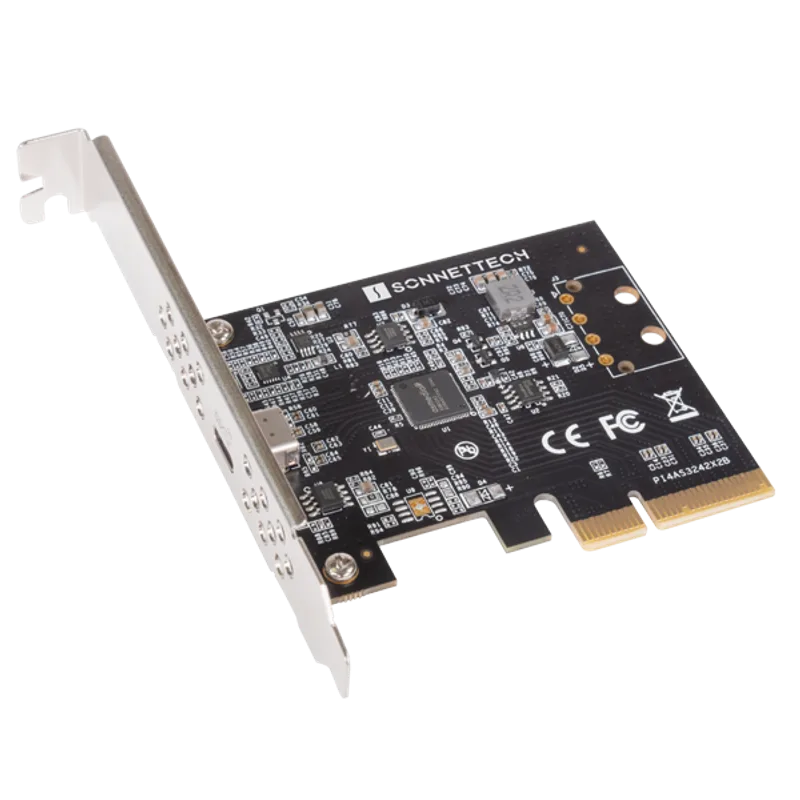
This is the simplest way to add a fast USB-C port. The ASMedia ASM3242 controller is the same one StarTech uses on its single-port 20Gbps card, and Sonnet lists support for Windows, Linux and Mac. It suits owners of 20Gbps portable SSDs on boards that only have 5Gbps or 10Gbps ports.
The limit is one port. If you plan to connect two fast drives at once, the StarTech or Vantec cards fit better.
2. StarTech PEXUSB312C3 — Best Two-Port Value
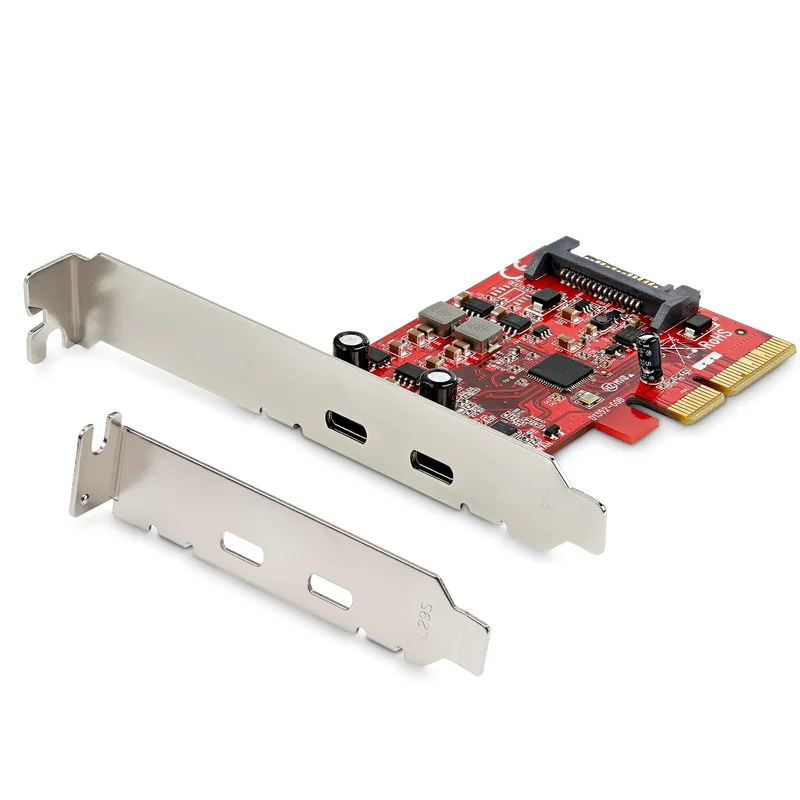
StarTech 2-Port USB 10Gbps PCIe Card (PEXUSB312C3)
Two 10Gbps USB-C ports on a PCIe 3.0 x4 card, each with up to 15W. StarTech makes it with full-height and low-profile brackets, and rates it for Windows, macOS and Linux. Amazon owner ratings average 4.5 stars.
It is data only. If you want video through USB-C, move up to a Thunderbolt card.
3. Vantec UGT-PCE340C — Most Bandwidth
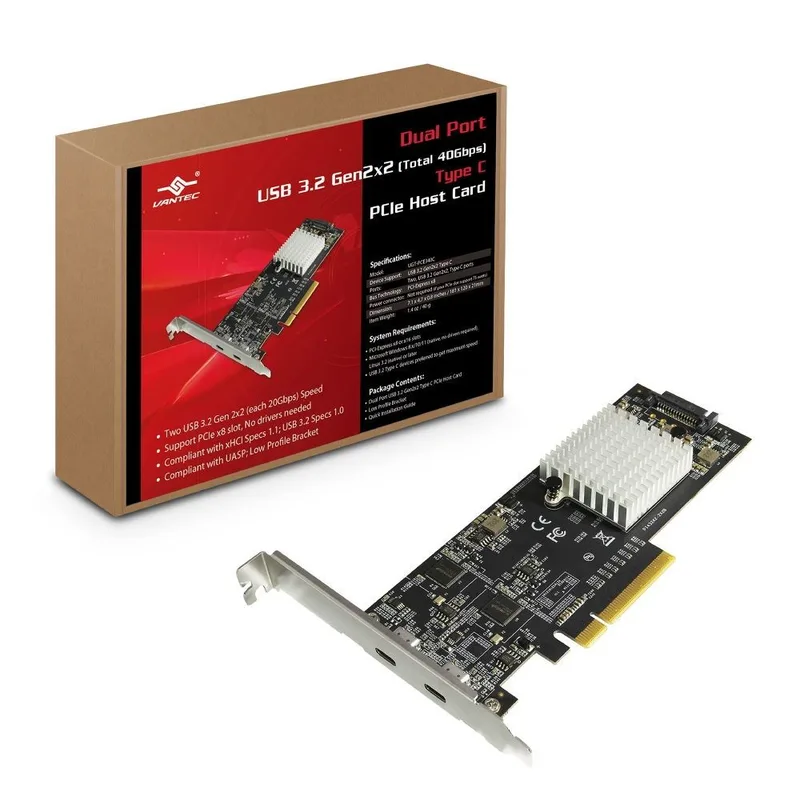
Vantec UGT-PCE340C Dual Port USB 3.2 Gen2x2 PCIe Card
Vantec gives each of the two USB-C ports 20Gbps, so two fast drives can run together. The card uses a PCIe 2.0 x8 interface, which means it needs an x8 slot and few mid-range boards have a spare one. It costs far more than the single-port 20Gbps cards, so buy it only if you will use both ports at full speed.
4. ASUS ThunderboltEX 4 — Best Thunderbolt 4 Card
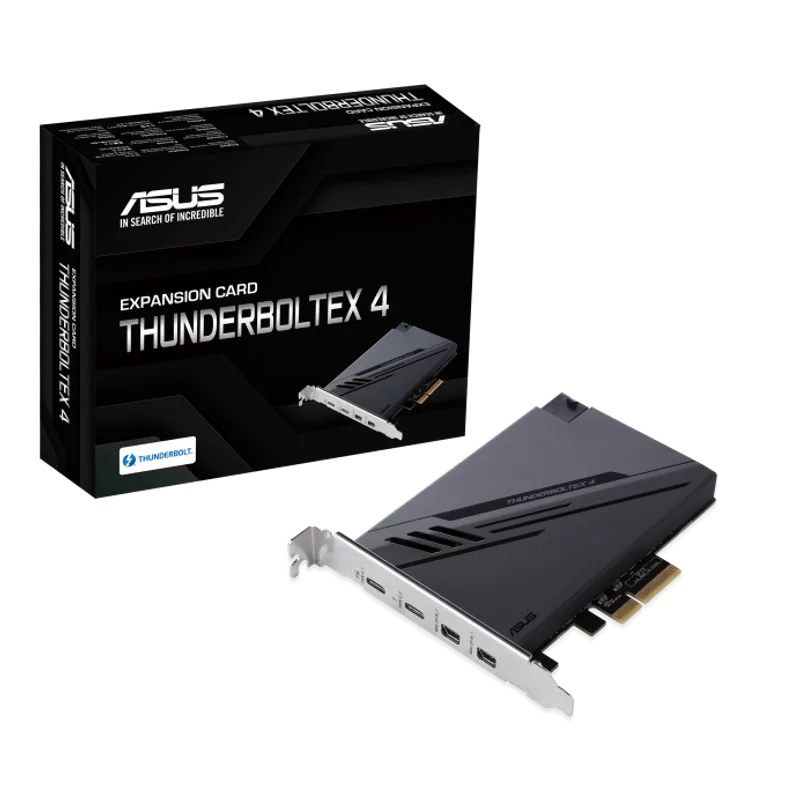
The ThunderboltEX 4 uses Intel’s JHL8540 controller for two Thunderbolt 4 ports at up to 40Gbps each way. It supports DisplayPort 1.4 and up to 100W charging per the listing. That matters for Thunderbolt docks, high-end enclosures and monitors.
The catch is compatibility: it needs a motherboard with a matching Thunderbolt header, so read your board’s manual first. See our content creation motherboard picks for boards in that tier.
5. ASUS ThunderboltEX 5 — Fastest
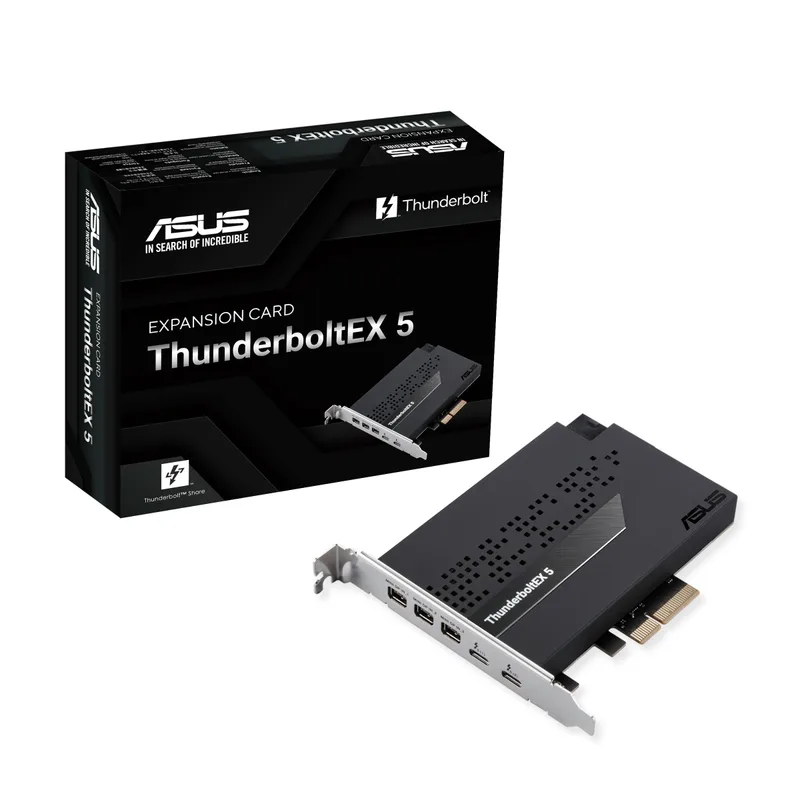
This card pairs a PCIe 4.0 interface with Intel’s JHL9580 controller for two Thunderbolt 5 ports at up to 120Gbps. Three Mini DisplayPort inputs route GPU output to Thunderbolt displays. ASUS lists Windows 11 x64 support.
It is the most future-proof card here and the least useful today for most owners, because Thunderbolt 5 devices are still limited. Buy it only if your board is supported and you plan to use a Thunderbolt 5 dock or storage. If you record from consoles, a capture card is a separate purchase.
FAQ
Will a PCIe USB-C card work on any motherboard?
Plain USB cards from StarTech, Sonnet and Vantec work in any slot with enough lanes, from x4 for the single-port cards to x8 for the Vantec. Thunderbolt cards need a board that supports them through a Thunderbolt header.
Does a USB-C card reduce my GPU performance?
Not if it sits in a chipset-fed slot. A card in a slot that shares lanes with the GPU slot can drop the GPU to x8, so use the chipset-connected slot in your manual.
Is a 20Gbps card worth it over 10Gbps?
Only if you own a 20Gbps drive. The Sonnet Allegro Max costs less than the StarTech two-port card, so the gap is small if you need only one port.
Do I need Thunderbolt for a fast external SSD?
No. A 20Gbps USB 3.2 Gen 2x2 port handles most portable SSDs. Thunderbolt matters for docks, daisy-chaining and display output.
The Bottom Line
Most desktops should buy the Sonnet Allegro Max for one fast port, or the StarTech PEXUSB312C3 for two ports at 10Gbps. Choose the ASUS ThunderboltEX 4 or ThunderboltEX 5 only after confirming your board has a Thunderbolt header and you have devices that use it.