Realtek’s RTL8127 controller is why 10GbE is a live option for ordinary desktops in 2026: ServeTheHome reported in January that the chip is cheap enough and runs on a single PCIe Gen4 lane, which lets vendors build low-cost 10GBASE-T adapters. The cards in stock on Amazon today are still mostly the older Aquantia and Intel designs, plus inexpensive 2.5GbE cards. These five cover both ends: two 2.5GbE cards for a board that only has gigabit, and three 10GbE RJ45 cards for a NAS, workstation or home-lab link.
| Spec | ASUS XG-C100C 10G Network Adapter 9/10 | TP-Link TX401 10 Gigabit PCIe Network Card 8.7/10 | 10Gtek 10Gb PCIe RJ45 NIC (Intel X550-T1 Compatible) 8.4/10 | TP-Link TX201 2.5 Gigabit PCIe Network Card 8.6/10 | VunLink 2.5Gb PCIe Network Card 8/10 |
|---|---|---|---|---|---|
| speeds | 10G / 5G / 2.5G / 1G / 100M | 10G / 5G / 2.5G / 1G / 100M | 10G / 5G / 2.5G / 1G / 100M | 2.5G / 1G / 100M | 2.5G / 1G / 100M |
| controller | Aquantia AQC107 | Aquantia AQC107 | Intel X550 | Realtek 2.5GbE | Realtek |
| interface | PCIe 3.0 x4 | PCIe 3.0 x4 | PCIe 3.0 x4 | PCIe x1 | PCIe x1 |
| port | 1x RJ45 (10GBASE-T) | 1x RJ45 (10GBASE-T) | 1x RJ45 (10GBASE-T) | 1x RJ45 | 1x RJ45 |
| extras | Built-in QoS | — | — | — | — |
| Rating | 9/10 | 8.7/10 | 8.4/10 | 8.6/10 | 8/10 |
Prices change daily — tap Check Price for the current Amazon price.
Prices change daily — tap Check Price for the current Amazon price.
Quick Picks
- Best 10GbE overall: ASUS XG-C100C, an Aquantia AQC107 card that negotiates 10G, 5G, 2.5G, 1G and 100M on one port.
- Best value 10GbE: TP-Link TX401, the same AQC107 controller with a CAT6A cable in the box.
- Best 2.5GbE: TP-Link TX201, a PCIe x1 card that fits the slot most builds leave empty.
Buying Guide: Picking a Network Card
Match the card to your switch and cabling first. A 10GbE card only helps if the other end is also multi-gig: a 10GbE switch, a NAS with a 10GbE port, or a direct cable between two PCs. If your router and switch are gigabit, a 2.5GbE card still gains nothing until one of them is upgraded. Every card here uses RJ45 and 10GBASE-T, and NBASE-T support means they drop to 5G or 2.5G on Cat5e or Cat6 runs that cannot hold 10G.
Check your PCIe slots before the controller. The 2.5GbE cards use a PCIe x1 link. The three 10GbE cards here are PCIe 3.0 x4 designs, so they need an x4 slot or wider. On many AM5 and LGA1851 boards the second x16-size slot only runs at x4 or x2 and shares lanes with M.2 drives, so read your motherboard manual. If you have a high-end board, our X870E motherboard picks and Z890 picks often already include 5GbE or 10GbE onboard, which makes a card unnecessary.
Controller decides driver pain. Intel controllers have the most mature drivers on Windows, Linux and VMware, which matters for a hypervisor or NAS install. Aquantia AQC107 cards have inbox or widely available drivers on mainstream operating systems. Realtek 2.5GbE cards frequently need a driver install on Windows before the NIC appears, so keep a copy on a USB stick or use another connection to fetch it.
Heat and power. Aquantia-based 10GBASE-T cards run hot, which is why their enclosures are large heatsinks. Intel lists 8.4W at 10G for the X550-T1, while Realtek’s 2.5GbE chips draw under a watt. Leave airflow across a 10GbE card, and do not wedge it directly under a GPU exhaust.
Detailed Reviews
1. ASUS XG-C100C — Best 10GbE Overall
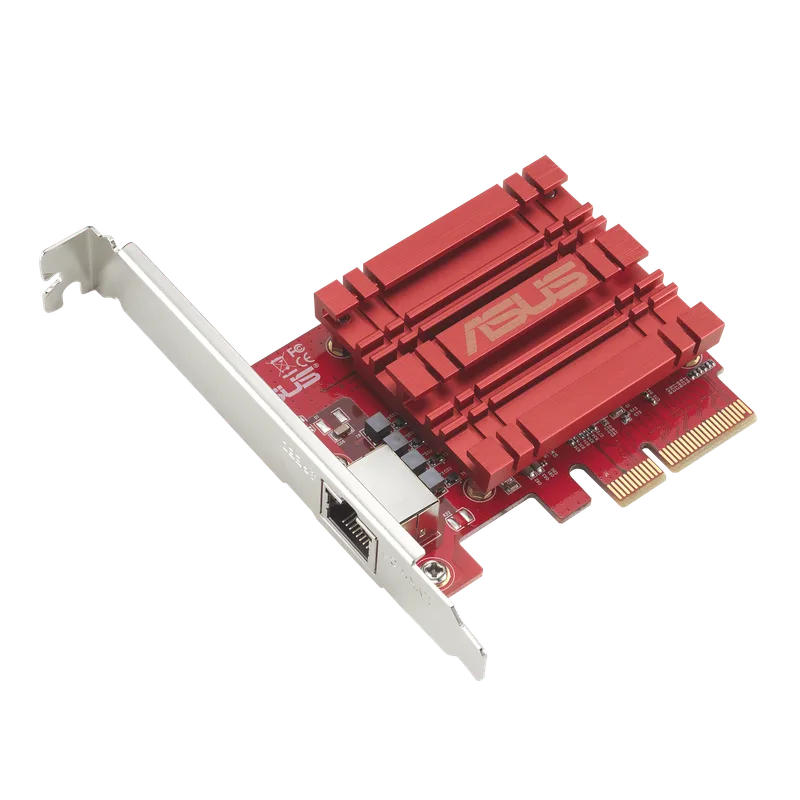
The ASUS XG-C100C is the card to buy when you want 10GbE with the fewest surprises. It uses the Aquantia AQC107 and a PCIe 3.0 x4 interface, and ASUS lists 10G, 5G, 2.5G, 1G and 100M support on its single RJ45 port. That range matters if you are moving in stages: plug it into a 2.5GbE switch today and it links at 2.5G, then reaches 10G when you swap the switch. It also includes built-in QoS, per the ASUS product page.
The trade-offs are slot width and heat. A PCIe 3.0 x4 card in a board that only offers an x1 slot will not reach full 10G speed, and AQC107 cards run hot enough to want some airflow. For a workstation moving large video projects to a NAS, it is the safest default. Pair it with the drives in our NAS drive roundup.
2. TP-Link TX401 — Best Value 10GbE
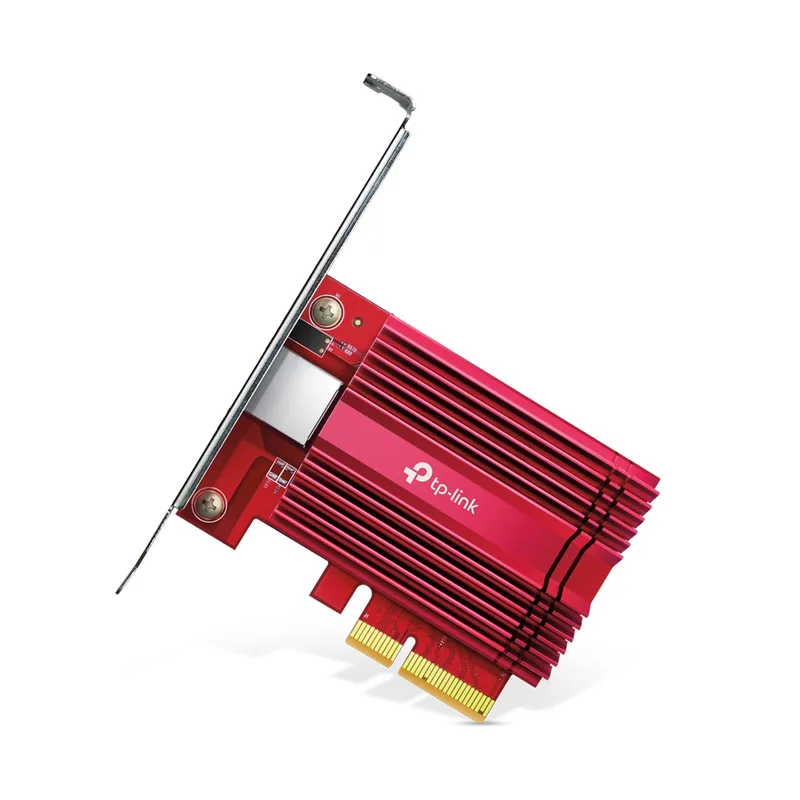
The TP-Link TX401 is built on the same Aquantia AQC107 controller and PCIe 3.0 x4 interface as the ASUS card, so the speed range and driver situation are the same. TP-Link includes a 1.5m CAT6A cable, a two-year warranty and 24/7 technical support. The cable is only useful for short runs, but it is enough to link a PC to a switch on the same desk.
It is the better buy if you do not need ASUS’s QoS features or a second brand name on the box. Owners of either card report the same heat behavior, so the same airflow advice applies.
3. 10Gtek 10Gb PCIe RJ45 NIC (Intel X550-T1 Compatible) — Best for Linux and Servers
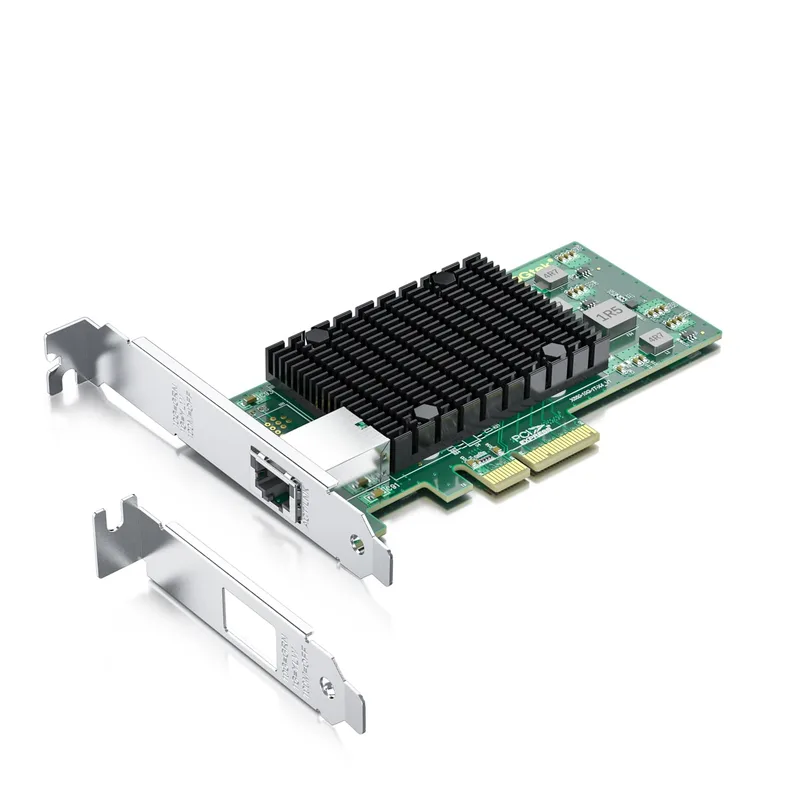
10Gtek 10Gb PCIe RJ45 NIC (Intel X550-T1 Compatible)
The 10Gtek card uses an Intel X550 controller on a PCIe 3.0 x4 interface and supports NBASE-T speeds down to 5G, 2.5G, 1G and 100M. Its reason to exist is driver coverage. Intel’s stack is the one Linux distributions, Proxmox and ESXi installs tend to handle without extra work, so it suits the box in our home server and NAS CPU guide.
The cost is power. Intel lists 8.4W at 10G for the X550-T1, roughly double what 2.5GbE cards need under load, and this is a third-party card rather than a boxed Intel adapter. For a desktop that just needs fast file transfers, the ASUS or TP-Link card is simpler.
4. TP-Link TX201 — Best 2.5GbE
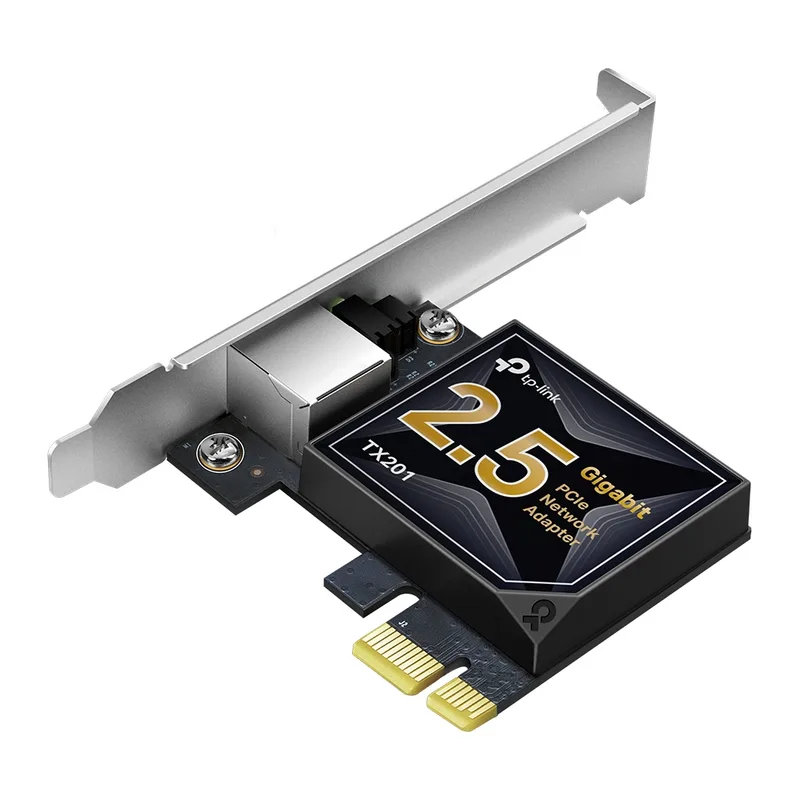
The TP-Link TX201 is the cheap fix for a board with a single gigabit port. It uses a PCIe x1 link, so it fits the bottom slot of almost any board, and it ships with full-height and low-profile brackets. A 2.5GbE link carries about 2.5 times the throughput of gigabit, enough to saturate a SATA SSD over the network.
It is a Realtek-based card, so on Windows plan on installing the vendor driver if the OS does not pick it up. It tops out at 2.5G, which is fine for the 2.5GbE ports now common on mid-range routers and switches.
5. VunLink 2.5Gb PCIe Network Card — Budget 2.5GbE
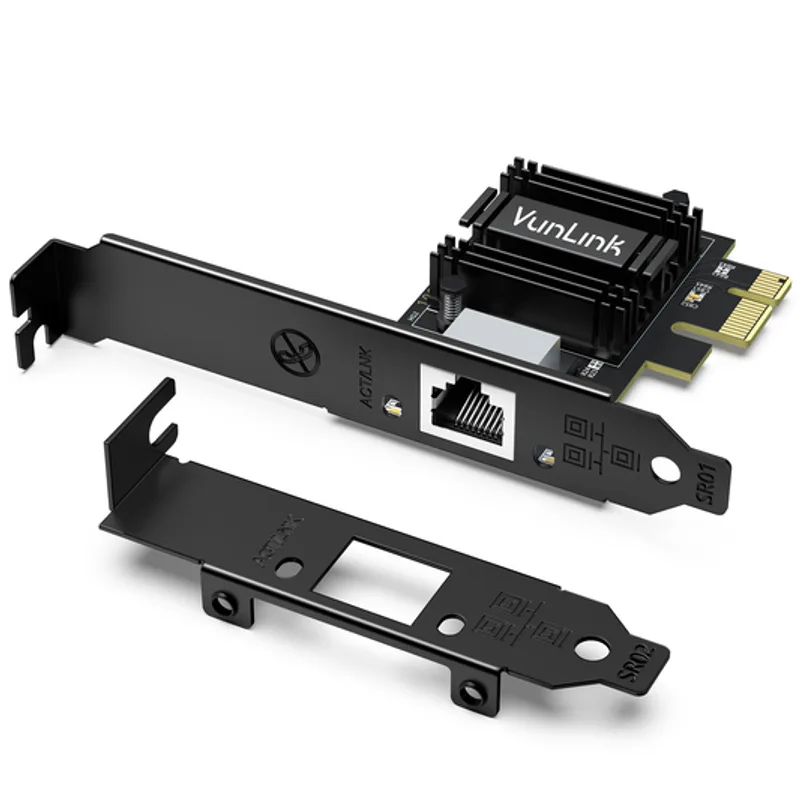
The VunLink 2.5G card is a Realtek-based PCIe x1 adapter in the same budget class as the TX201. It makes sense as a second NIC for a router or NAS build, or as a spare when the TP-Link card is out of stock.
The brand has a shorter track record than TP-Link or ASUS, and it shares the Realtek driver caveat. If you want the safer name, buy the TX201.
FAQ
Do I need a 10GbE card for gaming?
No. Online games use far less than 100Mbps, so a gigabit port is plenty. A faster card helps with large downloads from a local NAS, game library copies between PCs, and video editing off network storage, as covered in our content creation motherboard picks.
Will a 10GbE card work in an x1 slot?
It will physically fit only in an open-ended slot, and it will run at reduced speed. The cards here are PCIe 3.0 x4 designs, so use an x4 or wider slot to reach 10G.
Can I use Cat5e cable?
Cat5e can carry 2.5G reliably and 5G over shorter runs, and the NBASE-T cards here drop to the highest speed the cable supports. For 10G, use Cat6A. TP-Link includes a CAT6A cable with the TX401.
2.5GbE or 10GbE?
Pick 2.5GbE if your router, switch or NAS has 2.5G ports. Pick 10GbE if you are building a 10G path to a NAS or second PC and have the PCIe lanes and airflow for it.
The Bottom Line
For most 10GbE builds, buy the ASUS XG-C100C, or the TP-Link TX401 if you want the same controller with a cable included. Choose the 10Gtek Intel X550 card for a Linux or hypervisor server, and the TP-Link TX201 if a 2.5GbE upgrade is all your network supports.