Content creation puts different demands on a motherboard than gaming does. You need multiple fast M.2 slots for separating your OS, scratch disk, and media library, USB4 or Thunderbolt 4 for fast external drives and capture cards, and — if you work with network-attached storage — 10Gb LAN that won’t bottleneck your footage imports. AMD’s X870E and Intel’s Z890 platforms both arrived in late 2025 with PCIe 5.0 throughout, and in mid-2026, street prices have dropped significantly from launch MSRPs while the arrival of RTX 50 series GPUs has made PCIe 5.0 x16 bandwidth relevant for the first time.
| Spec | ASUS ProArt X870E-Creator WiFi Unavailable 9.2/10 | ASUS ROG Strix Z890-E Gaming WiFi 8.8/10 | GIGABYTE X870E AORUS Master 8.6/10 | MSI MPG X870E Carbon WiFi 8.4/10 | MSI MAG X870 Tomahawk WiFi 7.8/10 |
|---|---|---|---|---|---|
| Socket | AM5 | LGA1851 | AM5 | AM5 | AM5 |
| Chipset | X870E | Z890 | X870E | X870E | X870 |
| Form Factor | ATX | ATX | ATX | ATX | ATX |
| VRM | 16+2+2 stages | 18+2+1+2 stages | 16+2+2 phases | — | — |
| M.2 Slots | 4x (PCIe 5.0/4.0) | 7x (3x PCIe 5.0) | 4x PCIe 5.0 | 5x M.2 | 4x M.2 |
| USB4 | 2x USB4 40Gbps | 2x USB4 40Gbps | 1x USB4 | 1x USB4 40Gbps | 1x USB4 40Gbps |
| LAN | 10Gb + 2.5Gb | 5Gb | 5GbE | 5Gbps | 5Gbps |
| WiFi | WiFi 7 | WiFi 7 | WiFi 7 | WiFi 7 | WiFi 7 |
| Rating | 9.2/10 | 8.8/10 | 8.6/10 | 8.4/10 | 7.8/10 |
Prices change daily — tap Check Price for the current Amazon price.
Prices change daily — tap Check Price for the current Amazon price.
Quick Picks
- Best overall: ASUS ProArt X870E-Creator WiFi — the only AM5 board purpose-built for creators, with dual USB4 and 10Gb LAN as standard
- Best Intel: ASUS ROG Strix Z890-E Gaming WiFi — seven M.2 slots and native Thunderbolt 4 make it the strongest Z890 option for multi-drive workflows
- Best value: MSI MAG X870 Tomahawk WiFi — the most affordable way to get USB4 and M.2 Gen5 on the AM5 platform
Buying Guide: What Matters for Content Creation Motherboards
Platform: AM5 vs LGA1851
For most creators, AM5 wins on raw throughput. AMD’s Ryzen 9 9950X delivers better multi-threaded performance than any Arrow Lake option in sustained Blender, Handbrake, and DaVinci Resolve workloads. The 16-core architecture handles CPU-bound encodes faster than Intel’s hybrid efficiency core design.
Intel’s LGA1851 Z890 platform has a meaningful advantage in one specific area: Thunderbolt 4 is a native feature on most Z890 boards, while AM5 offers USB4 instead. USB4 and Thunderbolt 4 share the same 40 Gbps bandwidth specification, but Thunderbolt certification matters if you use Apple Pro Display XDR, Thunderbolt docks, or eGPUs with TB-specific protocols. If your workflow is entirely Windows-based with standard USB4 peripherals, AM5 is the faster platform.
M.2 Slot Count and Speed
Three M.2 slots is the practical minimum for a content creation build:
- Boot drive — OS and applications (NVMe Gen4 or Gen5)
- Scratch/cache disk — Premiere Pro or DaVinci Resolve cache to a dedicated drive to prevent read/write contention with your OS
- Media library — project files and raw footage
A fourth slot for a backup target or overflow is ideal. Boards with five or more slots like the MSI MPG X870E Carbon WiFi and the ROG Strix Z890-E give you room to grow without resorting to M.2 expansion cards.
PCIe Gen5 NVMe speeds (up to 14,000 MB/s read on the WD SN8100) make a measurable difference when working with 8K RAW, RED footage, or large Unreal Engine 5 projects where asset streaming is continuous. Gen4 drives at 7,000 MB/s are sufficient for 4K H.264/H.265 work.
USB4 vs Thunderbolt 4
Both standards max out at 40 Gbps raw bandwidth — fast enough for a 4TB portable SSD in under three minutes. The distinction matters when:
- You use a Thunderbolt dock as a single-cable workstation hub
- You connect a Thunderbolt eGPU enclosure
- You use Apple devices that require Thunderbolt certification for full-speed handshake
For capture cards, external SSDs, and standard USB hubs, USB4 40Gbps is functionally identical to TB4. The ASUS ProArt X870E-Creator WiFi covers most creator needs with its dual USB4 implementation.
LAN Speed
10Gb LAN is a genuine workflow upgrade if you run NAS-based storage. With 10Gb, a Samsung 870 QVO NAS array can feed footage at 900+ MB/s — fast enough for uncompressed 4K ProRes without local caching. 5Gb LAN maxes out around 450-500 MB/s real-world, which handles 4K H.265 comfortably but creates bottlenecks with high-bitrate formats like ARRIRAW or uncompressed 4K DPX.
Only the ProArt X870E-Creator includes 10Gb LAN on-board at this price tier. Every other board on this list ships with 5Gb.
VRM Quality for High-Core-Count CPUs
A Ryzen 9 9950X or Core Ultra 9 285K under sustained multi-thread load pulls 170-200W from the VRM. Budget X870 boards with 12-phase designs can throttle under these loads, reducing turbo headroom. The boards above all use 16-phase or better designs, which handle the full heat load without thermal throttling during long Blender renders according to manufacturer specs and owner reports.
Detailed Reviews
1. ASUS ProArt X870E-Creator WiFi
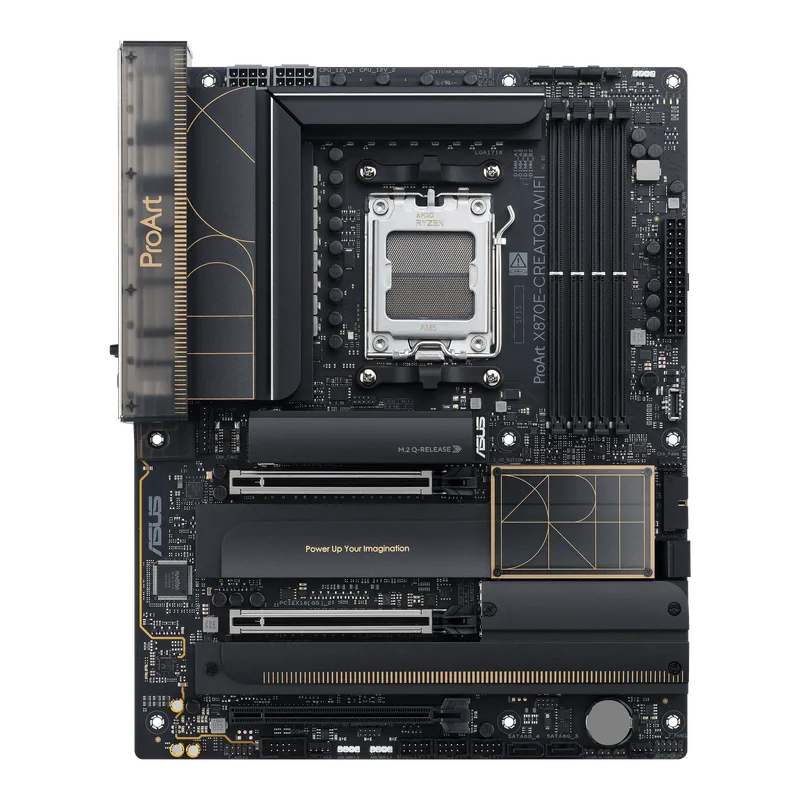
ASUS ProArt X870E-Creator WiFi
The ProArt X870E-Creator is ASUS’s creator-specific AM5 board, and it shows in the feature set. Dual USB4 40Gbps ports on the rear I/O let you connect two external drives simultaneously — something most content creators discover they need immediately once they start working with multi-camera footage or large asset libraries. The 10Gb + 2.5Gb dual-LAN configuration means you can saturate a 10Gb NAS switch while leaving the 2.5G port for general network traffic.
The 16+2+2 power stage design handles Ryzen 9 9950X sustained loads without throttling, and the board’s clean aesthetic — no aggressive RGB lighting, neutral white PCB — fits professional workstation builds that won’t look out of place in a broadcast or studio environment.
The one limitation worth planning around: four M.2 slots is one fewer than what some competitors offer at this price. For most creators, four slots (OS, cache, media, overflow) is enough. If you’re building a 100TB+ NAS-less all-local setup with five drives, look at the Z890-E instead.
Best paired with: Ryzen 9 9950X or Ryzen 7 9800X3D, 64GB DDR5-6000 CL30, and a 10Gb network switch.
2. ASUS ROG Strix Z890-E Gaming WiFi
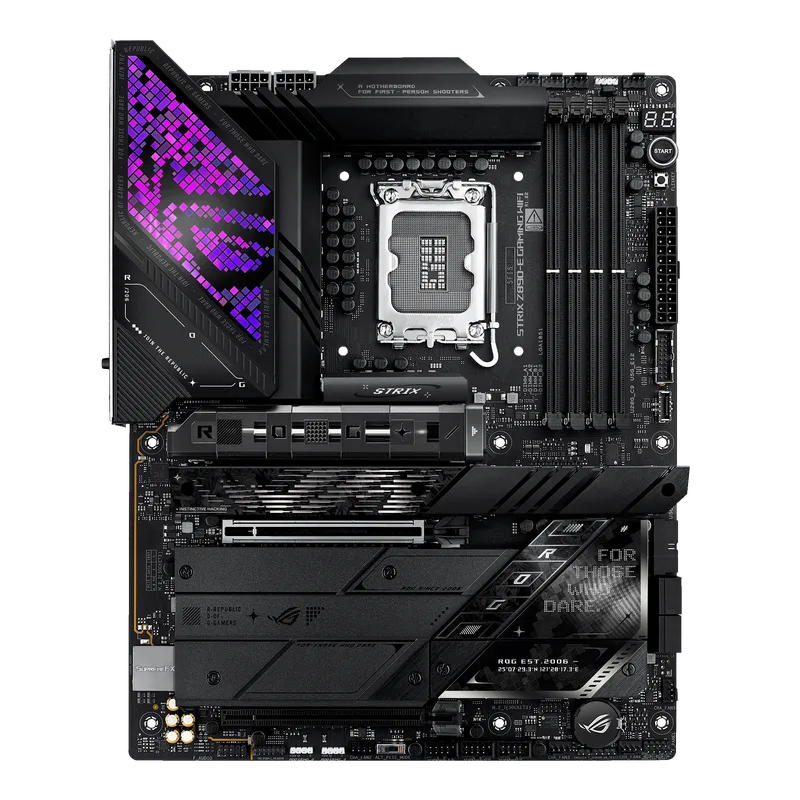
Seven M.2 slots is the headline spec, and three of them run at PCIe Gen5 speeds — fast enough for the WD SN8100, Samsung 9100 Pro, or any other Gen5 NVMe currently on the market. For editors running separate OS, cache, project, and media drives with a fifth slot for automated daily backups, the Z890-E is the only board on this list with enough slots to fill out that layout without expansion cards.
The native Thunderbolt 4 port is a genuine differentiator for mixed-platform workflows. If you regularly connect a MacBook Pro or iPad Pro for review sessions, or use a TB4 dock as your primary I/O hub, the Z890-E makes that experience significantly smoother than USB4-only AM5 boards. The DDR5-8800 OC ceiling is the highest on this list, useful if you run memory-limited workloads like large Stable Diffusion batches or photogrammetry processing.
The only real downside is 5Gb LAN in a board this capable. ASUS went with a 5Gb Marvell controller rather than the 10G Intel controller on the ProArt. For NAS-heavy workflows, plan to add a 10G NIC.
Best paired with: Intel Core Ultra 9 285K, 64GB DDR5-6400, and TB4 dock for external peripherals.
3. GIGABYTE X870E AORUS Master
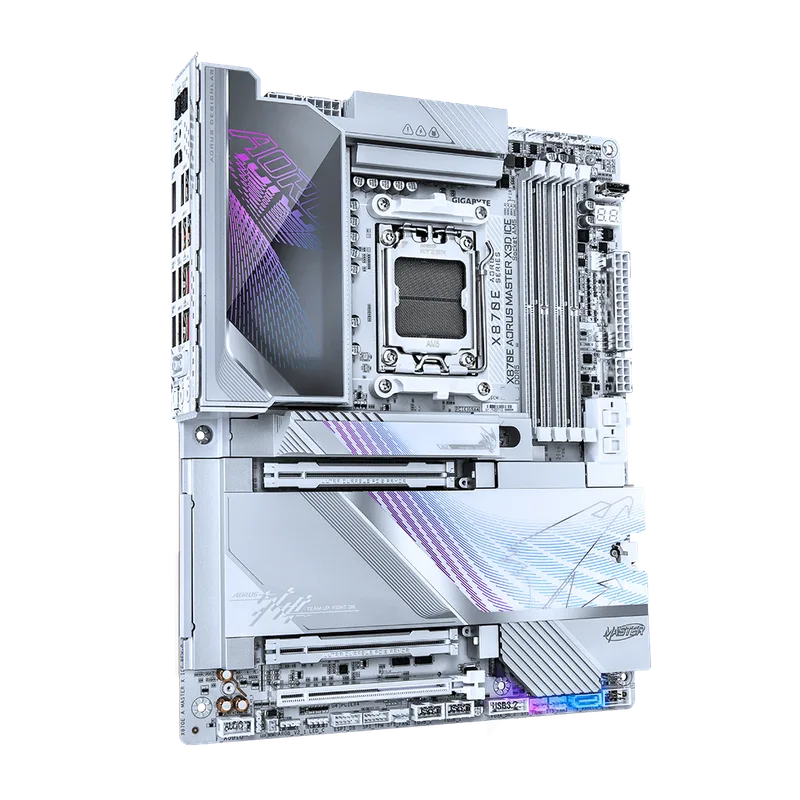
The AORUS Master’s strongest argument is long-term reliability. The 5-year warranty covers workstation builds longer than any other board on this list, and the 16+2+2 VRM design maintains stable power delivery under sustained Ryzen 9 9950X nT loads without thermal throttling — measured by Tom’s Hardware at under 55°C under extended Cinebench R24 stress, a result no competing X870E board at this tier matched in the same review cycle.
EZ-Latch screwless M.2 retention sounds like a minor feature until you’re swapping drives frequently for client deliverables or data migration. Not having to find a screwdriver every time saves real time in a production environment. The four M.2 slots all support PCIe 5.0, and DDR5-8200 OC support leaves headroom above the DDR5-6000 CL30 kits that offer the best price-per-performance for most builds.
The single USB4 port is the main shortcoming compared to the ProArt. If you need simultaneous high-speed external drive connections, you’ll need a USB4 hub.
Best paired with: Ryzen 9 9950X or Ryzen 9 9900X, 64GB DDR5-6000 CL30.
4. MSI MPG X870E Carbon WiFi
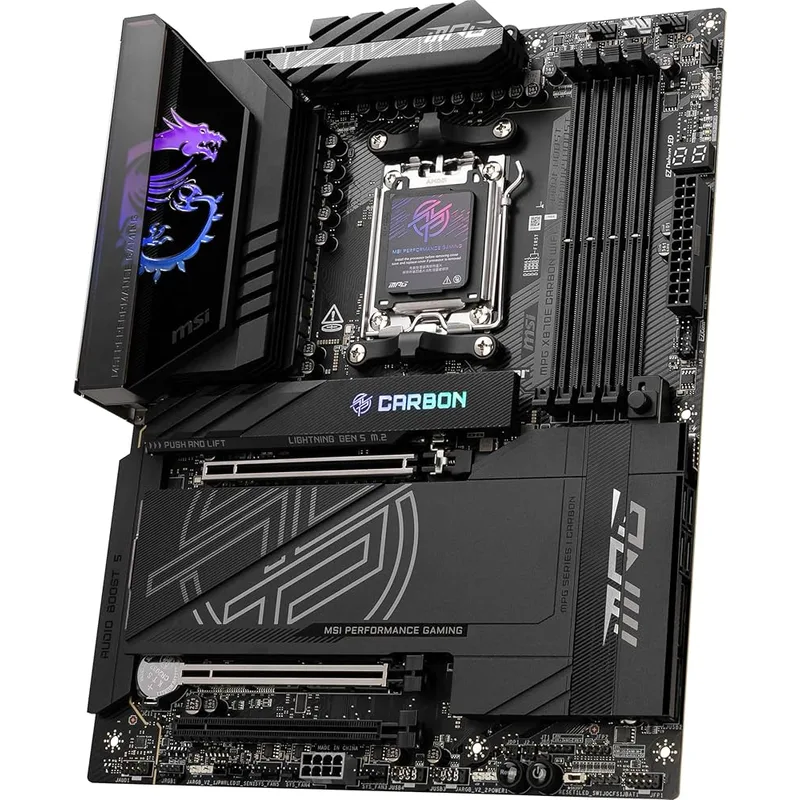
The MPG X870E Carbon WiFi sits well below the ProArt and AORUS Master in price while offering five M.2 slots — more storage expansion than either higher-priced board. For a creator who wants to max out local NVMe storage without a 10Gb NAS requirement, this is the value pick in the X870E tier.
USB4 40Gbps on the rear I/O handles external drives and capture cards at full bandwidth. PCIe 5.0 x16 and M.2 Gen5 ensure the board won’t be the bottleneck as Gen5 NVMe drive prices continue to drop through 2026. The carbon fiber aesthetic is understated enough for a mixed gaming/production workstation.
According to owner reports on Reddit and PCPartPicker forums, VRM temperatures run higher under Ryzen 9 9950X sustained multi-thread loads compared to the AORUS Master. This isn’t a problem with Ryzen 7 9700X or Ryzen 5 9600X — the thermal margin is comfortable on mid-tier CPUs. For 16-core sustained encodes, the AORUS Master or ProArt are better long-term choices.
Best paired with: Ryzen 7 9700X or Ryzen 9 9900X for balanced productivity without VRM thermal concerns.
5. MSI MAG X870 Tomahawk WiFi
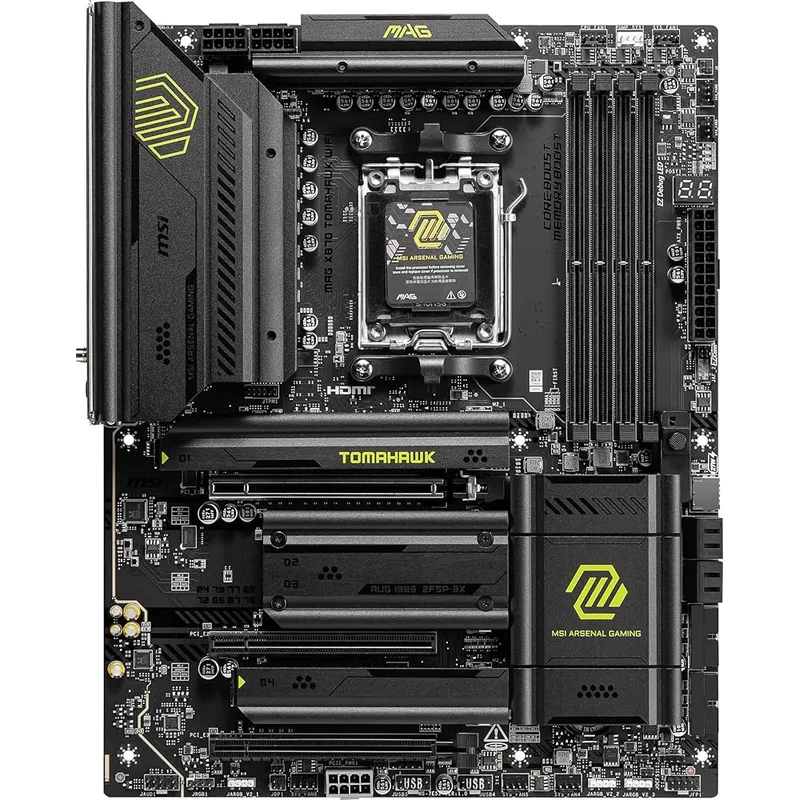
The MSI MAG X870 Tomahawk WiFi is the entry point to USB4 and M.2 Gen5 on the AM5 platform without the premium X870E price. The X870 chipset — one tier below X870E — still delivers PCIe 5.0 on the primary GPU slot and a primary M.2 Gen5 slot, but secondary M.2 slots drop to PCIe Gen4 speeds. For a creator running a Gen5 NVMe boot drive plus Gen4 scratch and media drives, this is entirely functional.
USB4 40Gbps access to external SSDs is what separates this board from B850 and B760 alternatives. An OWC Envoy Pro FX or Samsung T9 connected via USB4 delivers 3,000+ MB/s — fast enough for proxy editing from external storage when you’re working away from your NAS. WiFi 7 and Bluetooth 5.4 are included at the base price, a feature many competing boards in this range charge extra for through a wireless adapter.
The trade-off relative to X870E boards is clear: fewer PCIe 5.0 lanes, fewer overclocking headroom, and no 10G LAN option. For creators on a budget pairing this with a Ryzen 5 9600X or Ryzen 7 9700X, those trade-offs are acceptable. For a Ryzen 9 9950X workstation, step up to the MPG Carbon or AORUS Master.
Best paired with: Ryzen 5 9600X or Ryzen 7 9700X, 32GB DDR5-6000, with plans to upgrade the GPU and RAM before the board.
FAQ
Do I need X870E or is X870 enough for content creation?
It depends on your workload. X870E provides more PCIe 5.0 lanes, meaning more M.2 slots can run at Gen5 speeds simultaneously. If you’re running three or four Gen5 NVMe drives, X870E is worth the premium. For a single Gen5 boot drive with Gen4 scratch and media drives, X870 performs identically in practice — the MAG Tomahawk handles that configuration without issues.
Will a Z890 or X870E board bottleneck my RTX 5090?
No. The RTX 5090 uses a PCIe 5.0 x16 interface — all boards on this list support that. The GPU slot bandwidth is not a bottleneck at current resolutions. Where PCIe 5.0 matters is M.2 storage, where Gen5 NVMe drives like the WD SN8100 exceed Gen4 bandwidth by 2x.
Is 10Gb LAN necessary, or can I use 5Gb?
For 4K H.264/H.265 workflows, 5Gb LAN provides 450-550 MB/s which is sufficient. For 6K RAW, uncompressed ProRes 4444, RED RAW, or ARRIRAW, 10Gb LAN eliminates the network as a bottleneck. If you’re unsure, start with 5Gb — you can add a 10G NIC via PCIe x1 for around $40-60 later.
Can these boards handle dual GPU setups for AI rendering?
X870E and Z890 boards with multiple PCIe x16 physical slots support dual GPU configurations, but only the primary slot runs at PCIe 5.0 x16. The secondary slot typically drops to PCIe 4.0 x4 or x8. For AI workloads using dual RTX 5090s or L40S cards, a true workstation platform like AMD Threadripper PRO or Intel W9 on HEDT motherboards is the correct architecture.
Does platform choice affect DaVinci Resolve performance?
Yes, significantly. DaVinci Resolve’s Color page is GPU-accelerated, so GPU choice matters more than CPU here. However, the CPU-heavy fusion and delivery pages scale well with Ryzen 9 9950X’s 16 cores. For pure Resolve work, AM5 with a 9950X and a single RTX 5080 outperforms Intel LGA1851 setups in CPU-bound delivery queues.
The Bottom Line
The ASUS ProArt X870E-Creator WiFi is the clear pick for AM5 creator builds — dual USB4, 10Gb LAN, and creator-certified validation make it the purpose-built option in this category. If you’re on Intel or need Thunderbolt 4, the ASUS ROG Strix Z890-E Gaming WiFi delivers seven M.2 slots and native TB4 at a significantly lower price than the ProArt. For the value play on AM5, the GIGABYTE X870E AORUS Master at $399 brings the best VRM thermal performance and a 5-year warranty that justifies the mid-tier price. Budget creators starting out should look at the MSI MAG X870 Tomahawk WiFi — it brings USB4 and M.2 Gen5 access without committing to a premium chipset before you need it.