AMD’s B850 chipset became the mainstream AM5 option for 2026 builds, and the shift matters if you’re pairing a board with the Ryzen 7 9700X. B850 mandates PCIe 5.0 M.2 and Wi-Fi 7 as baseline requirements, which means every board at the $195 price point now ships with features that were $250-and-up optional upgrades on B650 at launch. AMD also confirmed that EXPO 1.2 — adding support for mixed-capacity DIMMs and CUDIMM — is rolling out to older B650 and X670 boards via BIOS updates, narrowing the memory tuning gap between generations. For the 9700X’s 65W TDP and 88W peak PPT, any of the five boards below handle power delivery comfortably; the real decision is connectivity scope.
| Spec | MSI MAG B850 Tomahawk MAX WiFi 9/10 | ASUS TUF Gaming B850-PLUS WiFi 8.5/10 | ASUS TUF Gaming X870-PLUS WiFi 8.8/10 | ASUS ROG Strix X870E-E Gaming WiFi 9.2/10 | MSI PRO B650-P WiFi 7/10 |
|---|---|---|---|---|---|
| Chipset | AMD B850 | AMD B850 | AMD X870 | AMD X870E | AMD B650 |
| Form Factor | ATX | ATX | ATX | ATX | ATX |
| VRM | 14+2+1 phases, 80A SPS | 14+2+1 phases, 80A SPS | 16+2+1 phases, 80A SPS | 18+2+2 phases, 80A SPS | 12+2 phases, 75A SPS |
| M.2 Slots | 4 (2× PCIe 5.0, 2× PCIe 4.0) | 3 (1× PCIe 5.0, 2× PCIe 4.0) | 4 (all PCIe 5.0 capable) | 5 (3× PCIe 5.0, 2× PCIe 4.0) | 2 (PCIe 4.0) |
| LAN | 5GbE | 2.5GbE | 2.5GbE | 5GbE | 2.5GbE |
| WiFi | Wi-Fi 7 | Wi-Fi 7 | Wi-Fi 7 | Wi-Fi 7 | Wi-Fi 6E |
| Rating | 9/10 | 8.5/10 | 8.8/10 | 9.2/10 | 7/10 |
Prices change daily — tap Check Price for the current Amazon price.
Prices change daily — tap Check Price for the current Amazon price.
Quick Picks
- Best Overall: MSI MAG B850 Tomahawk MAX WiFi ($229) — only sub-$250 AM5 board with 5GbE, dual PCIe 5.0 M.2, and Wi-Fi 7.
- Best Value: ASUS TUF Gaming B850-PLUS WiFi ($195) — 80A power stages, PCIe 5.0 M.2, Wi-Fi 7 for under $200.
- Best Budget: MSI PRO B650-P WiFi ($175) — fine for gaming builds where GPU and SSD budget matter more than board features.
Chipset Guide: What Each AM5 Tier Gives You
The 9700X runs on any AM5 board from B650 onward. Here’s what changes across the tiers:
B650 ($130–$180): PCIe 4.0 M.2, PCIe 4.0 x16 GPU slot, Wi-Fi 6E. Fully functional for current gaming builds. The ceiling appears when you install a Gen5 SSD — it runs at PCIe 4.0 speeds — or if your next GPU saturates a PCIe 5.0 slot. Six SATA ports are common at this tier.
B850 ($180–$250): PCIe 5.0 M.2 mandatory, PCIe 5.0 GPU slot, Wi-Fi 7 mandatory. B850 is the minimum worth buying in 2026 for any build intended to last through two GPU generations. At the current $195–$229 price range, B850 boards cost only marginally more than budget B650 boards did at launch.
X870 ($200–$280): Adds mandatory USB4 40Gbps and guaranteed PCIe 5.0 on both GPU and M.2 slots. The TUF X870-PLUS at $210 undercuts several B850 boards while gaining USB4 — if Thunderbolt 4 devices are in your workflow, it’s the obvious pick.
X870E ($300–$600+): Adds multiple PCIe 5.0 M.2 slots, dual USB4, and wider overclocking control over CPU core voltages. For the 9700X’s 65W TDP, X870E is overkill unless you’re building a workstation with multiple NVMe drives or need dual Thunderbolt.
PBO and EXPO on B850: All boards listed here support Precision Boost Overdrive (PBO) and AMD EXPO DDR5 memory profiles. PBO raises power limits to let the 9700X boost more aggressively — owner reports show 5–8% Cinebench improvements with PBO enabled. EXPO lets you run DDR5-6000 CL30 at rated speed with one BIOS toggle.
Detailed Reviews
1. MSI MAG B850 Tomahawk MAX WiFi — Best Overall
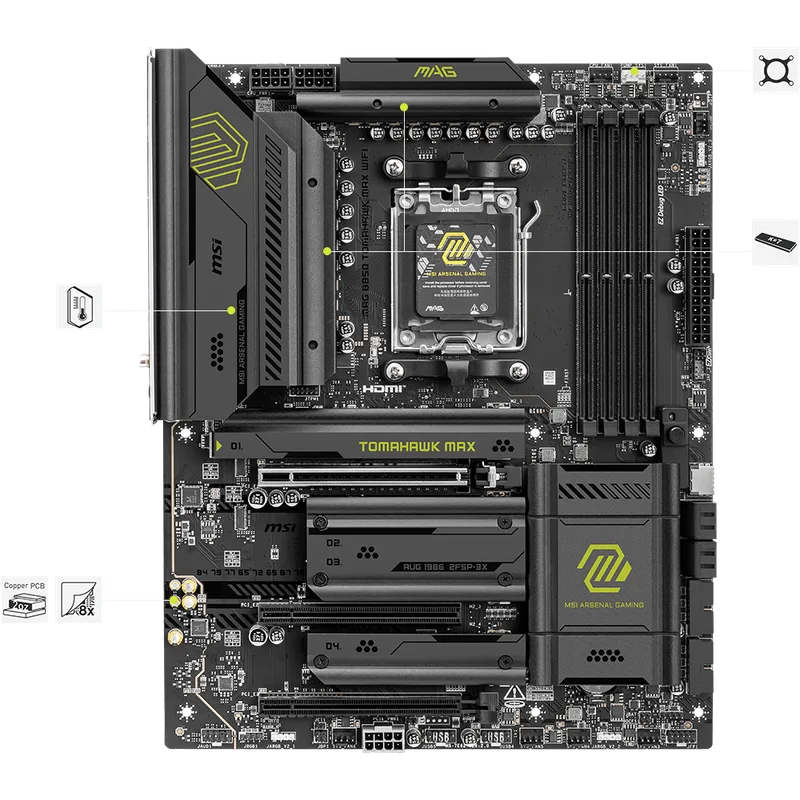
The MAG B850 Tomahawk MAX WiFi earns the top spot because of one spec that every competitor at this price omits: 5GbE LAN. No other B850 board under $250 ships with it. On a network with a 5GbE switch or NAS, the 9700X can saturate a local file transfer at 500+ MB/s without touching PCIe lanes or adding a PCIe adapter card (which would run $30–$50 and consume a slot).
The VRM is 14+2+1 phases of 80A SPS — 14 stages for CPU VCore, totaling 1,120A. According to reviewer data from multiple publications, the board peaks at 59°C during a sustained 30-minute Cinebench 2026 run. That’s within safe operating range even with PBO2 curves applied. The same power delivery handles any Ryzen 9000 chip AMD currently sells, including the 9800X3D and 9950X, so a future CPU drop-in doesn’t require a board swap.
For storage, dual PCIe 5.0 M.2 slots handle the fastest drives available — the Kingston Fury Renegade G5 and Samsung 9100 Pro both run at rated speed. Two additional PCIe 4.0 slots handle secondary drives. Wi-Fi 7 and a USB 20Gbps front-panel header close out a feature set that undercuts X870 boards by $20–$80.
The tradeoff: no USB4. If you own Thunderbolt 4 accessories or a high-speed external enclosure, the TUF X870-PLUS adds USB4 at nearly the same price.
2. ASUS TUF Gaming B850-PLUS WiFi — Best Value
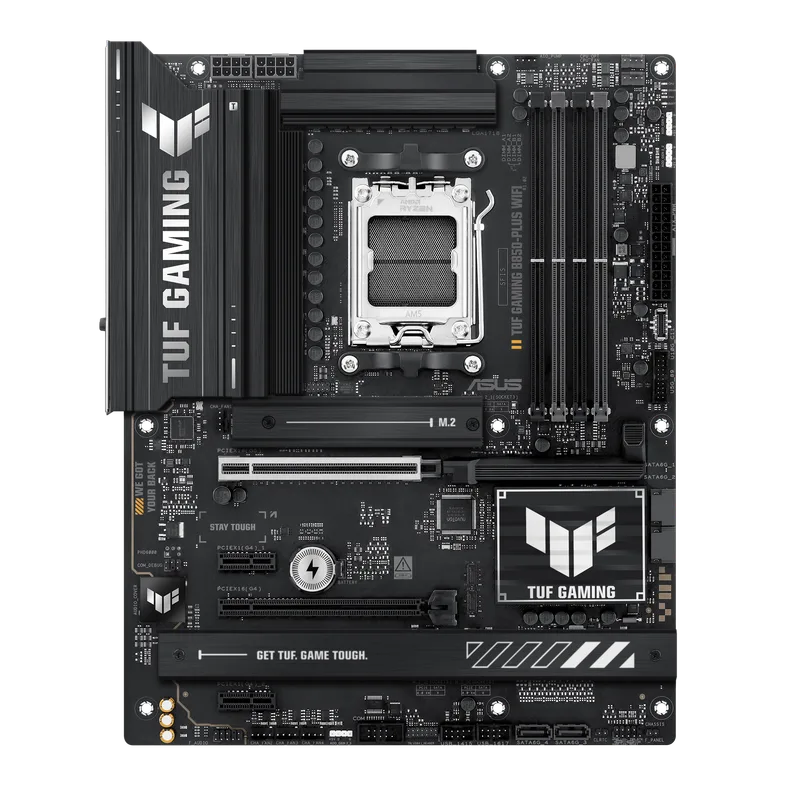
At $195, the TUF B850-PLUS WiFi is where most 9700X builds should land. Fourteen 80A power stages handle the 9700X’s 88W PPT without thermal stress — review data puts VRM temperatures at 57°C peak under sustained Cinebench load, which is among the lowest figures recorded for B850 boards in this price range.
The PCIe 5.0 primary M.2 slot handles a Kingston Fury Renegade G5 or Samsung 9100 Pro at full rated speed; the two secondary slots run PCIe 4.0. Wi-Fi 7 and HDMI 2.1 output from the integrated graphics (useful for POST diagnostics) are both present. ASUS’s BIOS Flashback feature lets you flash firmware before installing any CPU — a practical advantage when a new AGESA version ships.
Compared to the Tomahawk MAX: 2.5GbE instead of 5GbE, one PCIe 5.0 M.2 slot instead of two, and the board costs $34 less. For a gaming-only build with a single fast SSD and standard gigabit networking, none of those gaps show up in frame times. They matter for content creators with fast NAS equipment or builders who plan to install two Gen5 drives simultaneously.
3. ASUS TUF Gaming X870-PLUS WiFi — Best X870 Value
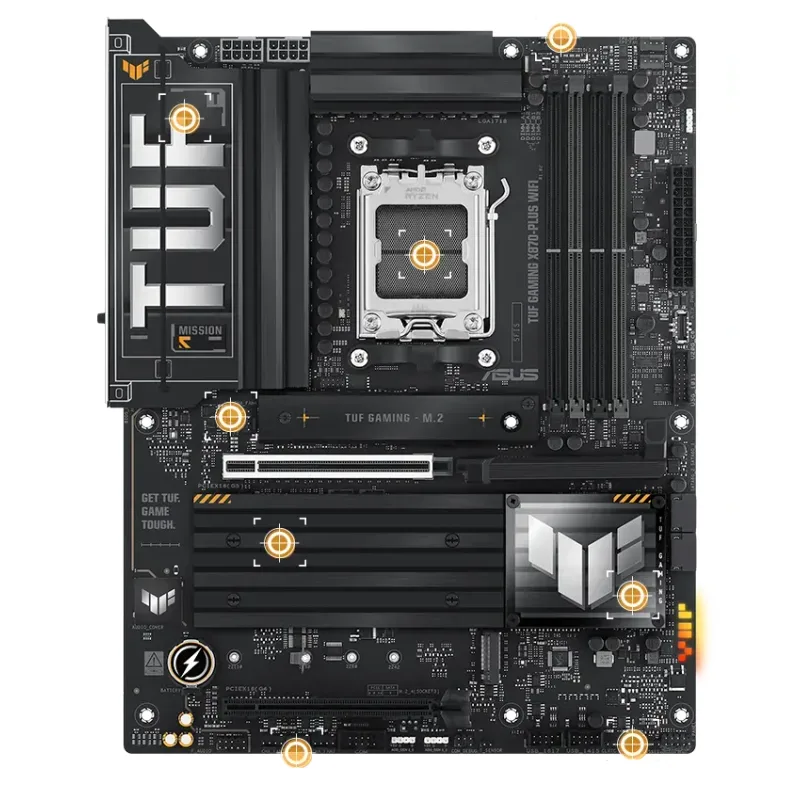
The TUF X870-PLUS WiFi costs only $15 more than the TUF B850-PLUS and $19 less than the Tomahawk MAX, yet it brings something neither can offer: USB4 40Gbps. That rear port connects Thunderbolt 4 docks at full bandwidth, supports external NVMe enclosures at up to 40 Gbps, and handles dual 4K DisplayPort displays through a single cable. If any of those use cases apply, the $15 premium over the B850-PLUS is straightforward.
Beyond USB4, the X870 certification mandates PCIe 5.0 on both the GPU slot and primary M.2 — no board-specific variance. Four M.2 slots all support PCIe 5.0 (compared to three on the B850-PLUS with only one PCIe 5.0). The 16+2+1 VRM layout uses 80A stages across 16 CPU VCore phases for 1,280A headroom — slightly more than the Tomahawk MAX’s 14-phase configuration, though both are thermal overkill for the 9700X at stock or with PBO.
The weak point vs the Tomahawk MAX: 2.5GbE instead of 5GbE. If 5GbE networking is on your list, the Tomahawk MAX at $229 is better value. If USB4 matters more than LAN speed, this board wins. It has shown up for $170 during seasonal sales — at that price, it beats every B850 board on this list.
4. ASUS ROG Strix X870E-E Gaming WiFi — Best Premium
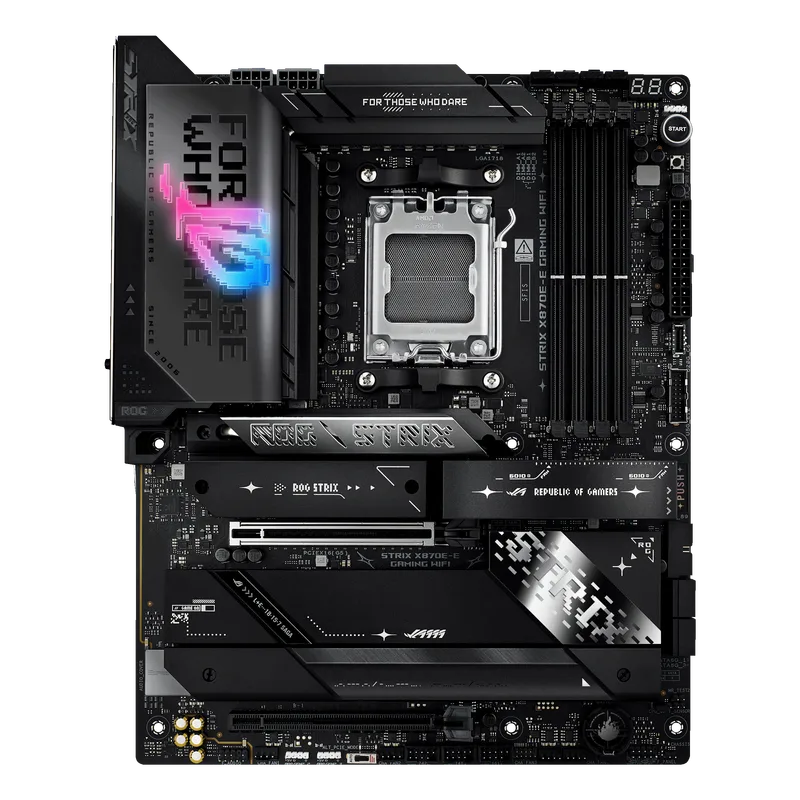
The ROG Strix X870E-E Gaming WiFi is over-specced for a 65W chip on paper, but it earns its $399 asking price if your workload extends beyond gaming. Two USB4 40Gbps ports on the rear panel — not one — let you connect a Thunderbolt 4 dock and a high-speed external drive simultaneously. Five M.2 slots, three running PCIe 5.0, means you can fill three Gen5 drives before touching PCIe 4.0 bandwidth.
The 18+2+2 VRM uses 80A stages throughout, with dual heatpipe cooling that keeps thermals in check without active fans. ASUS’s AI Overclocking reads CPU sensor data and applies PBO curves automatically; AI Networking prioritizes game traffic on the 5GbE port; AI Cooling adjusts fan curves based on observed thermal trends. These features exist in the BIOS firmware itself, not third-party software.
Where the value case breaks down: this board costs $134 more than the Tomahawk MAX for features that a dedicated gaming build won’t use. The math changes for a content-creation or multi-drive NAS build — dual USB4 saves $80+ in Thunderbolt adapter costs, and five NVMe slots would otherwise require an add-in card. For pure gaming paired with a single SSD, the Tomahawk MAX is the more rational choice.
5. MSI PRO B650-P WiFi — Best Budget
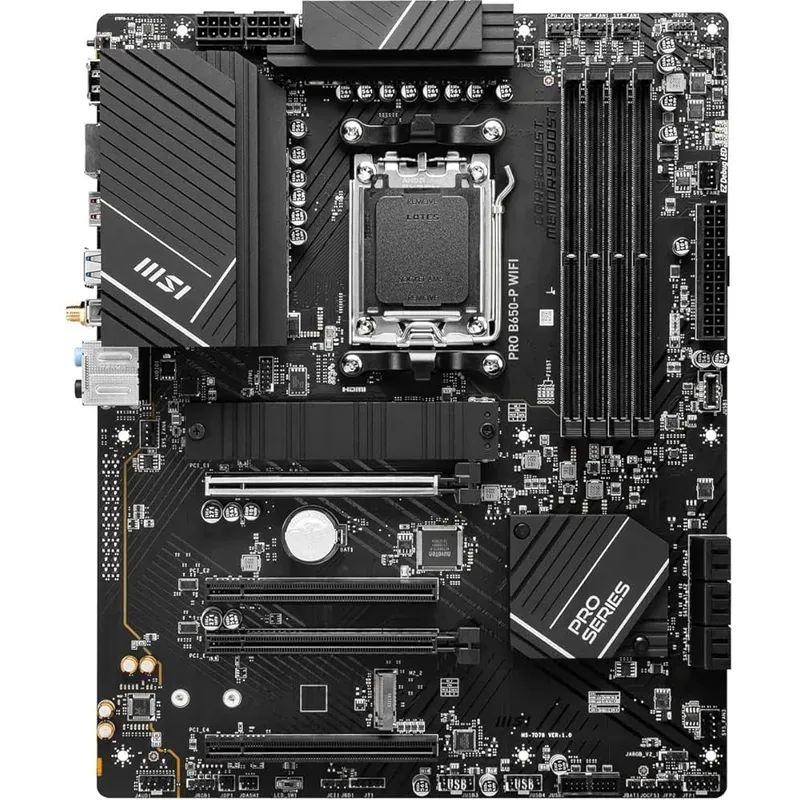
The MSI PRO B650-P WiFi is the correct pick when GPU and RAM spending matter more than board features. At $175 it’s the cheapest AM5 ATX board on this list, and its 12+2 phases of 75A SPS handle the 9700X’s 88W PPT without thermal issues — the 9700X is not a power-hungry chip. Stock gaming performance is identical to any other board here.
The standout spec is six SATA ports. Every B850 board on this list has four. For a build repurposing multiple 3.5-inch HDDs from an old NAS, or a home media server alongside a gaming workload, the PRO B650-P avoids a PCIe SATA expansion card entirely.
The real limitations are forward-facing: PCIe 4.0 M.2 caps at roughly 7 GB/s, so a Kingston Fury Renegade G5 runs at half its rated 14.8 GB/s. Wi-Fi 6E’s maximum theoretical throughput is lower than Wi-Fi 7 on new routers. USB tops out at 10Gbps on the rear panel. None of these are problems for a gaming build today; all become reasons to consider a board swap when the next GPU upgrade cycle arrives. If you’re building to last three-plus years, spend $20 more for the TUF B850-PLUS.
FAQ
Does the Ryzen 7 9700X require X870 or X870E? No. The 9700X runs fine on B650 and B850. X870 adds mandatory USB4 and certified PCIe 5.0 on both GPU and M.2 slots; X870E adds dual USB4 and more PCIe 5.0 M.2 bandwidth. Neither is required for the 9700X’s 65W TDP.
Is B850 worth paying more than B650 in 2026? For most new builds, yes. B850 mandates PCIe 5.0 M.2 and Wi-Fi 7, and current B850 boards cost only $20–$30 more than budget B650 options. That gap is worth it for a board intended to last through two GPU generations and support Gen5 SSDs.
Will these boards support future Ryzen AM5 CPUs? AMD has committed to AM5 socket support through at least 2027. All five boards here will receive BIOS updates for upcoming Ryzen 9000 series variants including X3D chips, based on AMD’s platform statements. The B850 and X870 boards are better positioned for future CPUs that may push higher power limits.
Can the 9700X be overclocked on these boards? The 9700X supports Precision Boost Overdrive (PBO) on all AM5 boards. With PBO enabled and a decent cooler — the Noctua NH-D15 G2 or a 240mm AIO — owner reports show 5–8% Cinebench gains without manual voltage tuning. All five boards handle PBO without thermal issues at the 9700X’s power envelope.
How much RAM do these boards support? B850 and X870 boards here support up to 256GB DDR5 across four DIMM slots. The MSI PRO B650-P WiFi supports up to 128GB. Validated DDR5 speeds range from DDR5-8000 to DDR5-8400+ depending on the board; the 9700X runs cleanly at DDR5-6000 CL30 with EXPO.
The Bottom Line
For the majority of Ryzen 7 9700X builds, the MSI MAG B850 Tomahawk MAX WiFi at $229 is the pick — 5GbE, dual PCIe 5.0 M.2, 80A VRM stages, and Wi-Fi 7 in a single package with nothing left out. Builders keeping costs tight should look at the ASUS TUF Gaming B850-PLUS WiFi at $195: VRM thermals are solid, PCIe 5.0 M.2 is covered, and Wi-Fi 7 is included. Only move to X870 if USB4 is a requirement, or to X870E if five M.2 slots and dual Thunderbolt are on the spec sheet.