Ryzen 9000 is now well into its second year on AM5, and the 9950X3D and 9800X3D have pushed buyers toward boards that can feed fast Gen5 storage without overspending. The MSI MAG X870 Tomahawk WiFi is MSI’s entry point to the X870 chipset: a 14+2+1 phase VRM, two PCIe 5.0 M.2 sockets, two rear USB4 ports, 5 GbE and Wi-Fi 7, with no RGB. The real question is whether USB4 justifies stepping up from MSI’s own B850 Tomahawk line, which shares most of this spec sheet.
| Spec | MSI MAG X870 Tomahawk WiFi 8.6/10 | MSI MAG B850 Tomahawk MAX WiFi 9/10 |
|---|---|---|
| Socket | AM5 | AM5 |
| Chipset | AMD X870 | AMD B850 |
| Form Factor | ATX | ATX |
| VRM | 14+2+1 phases, 80A Smart Power Stages | 14+2+1 phases, 80A SPS MOSFETs |
| M.2 Slots | 4x (2x PCIe 5.0, 2x PCIe 4.0) | 4x (2x PCIe 5.0, 2x PCIe 4.0) |
| Networking | 5 GbE LAN, Wi-Fi 7 | 5 GbE LAN, Wi-Fi 7 |
| Rear USB4 | 2x USB4 Type-C (40 Gbps) | None |
| Rating | 8.6/10 | 9/10 |
Prices change daily — tap Check Price for the current Amazon price.
Prices change daily — tap Check Price for the current Amazon price.
Quick Picks
- Best if you need USB4: The MSI MAG X870 Tomahawk WiFi is the only board here with rear 40 Gbps ports.
- Best if you don’t: The MSI MAG B850 Tomahawk MAX WiFi keeps the VRM, dual Gen5 M.2 and networking, and drops only USB4.
What X870 Adds Over B850
AMD requires USB4 support on X870 boards, which is the headline difference from B850. Both chipsets support the Ryzen 7000, 8000 and 9000 series on socket AM5, both support PBO and EXPO memory profiles, and both can provide PCIe 5.0 for the graphics slot and M.2 storage. If you never plug in a 40 Gbps device, the practical gap is small.
That makes the decision mostly about peripherals. A USB4 NVMe enclosure, a dock, or a fast external SSD for video work can use the full 40 Gbps on the X870 Tomahawk. On the B850 Tomahawk MAX WiFi, the same drive falls back to a slower rear USB port. Gaming frame rates with an identical CPU and GPU should be effectively the same on either board.
Power Delivery and CPU Support
The X870 Tomahawk uses 14 Vcore phases, 2 SoC phases and 1 miscellaneous phase, all with 80A Smart Power Stages, under an extended heatsink. That configuration is sized for the Ryzen 9 9950X and 9950X3D with PBO enabled, and it has ample margin for the 120W Ryzen 7 9800X3D or a 65W Ryzen 5 9600X. The B850 Tomahawk MAX WiFi uses the same 14+2+1 layout, so VRM capability is not a reason to pick one over the other.
MSI MAG X870 Tomahawk WiFi: Detailed Review
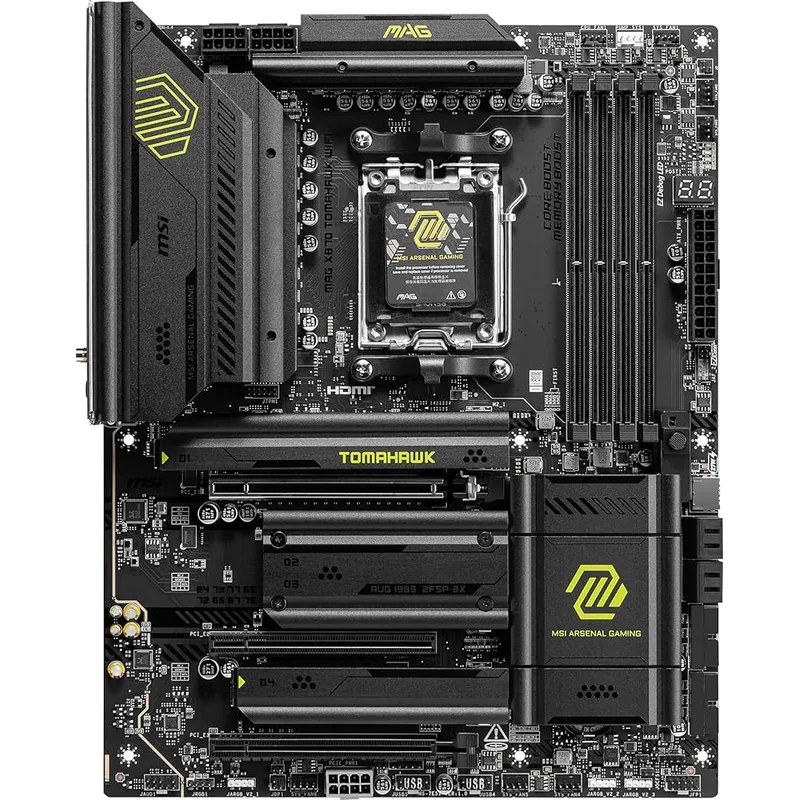
Storage is where this board is most flexible. Four M.2 slots split into two PCIe 5.0 and two PCIe 4.0, so a Gen5 boot drive and a Gen5 scratch drive can run alongside two Gen4 drives. The graphics slot is PCIe 5.0 x16, and the other expansion slots run at x4 and x1, which suits one GPU and an add-in card but not a multi-card setup.
Connectivity is complete: 5 GbE LAN, Wi-Fi 7 and two USB4 Type-C ports. A 5 GbE port only matters if your switch and NAS also run multi-gig, but it removes a future upgrade. MSI also includes EZ PCIe Release and EZ M.2 Shield Frozr II for tool-light assembly.
The compromises are modest. There is no onboard RGB, and the board runs on DDR5 across four DIMM slots with up to 256GB capacity, but for gaming the practical sweet spot remains a 2x16GB or 2x32GB EXPO kit. Owner and reviewer feedback, including KitGuru’s 8.5 score, frames it as a budget-friendly way into X870 rather than a feature-maximal flagship.
MSI MAG B850 Tomahawk MAX WiFi: The Value Alternative
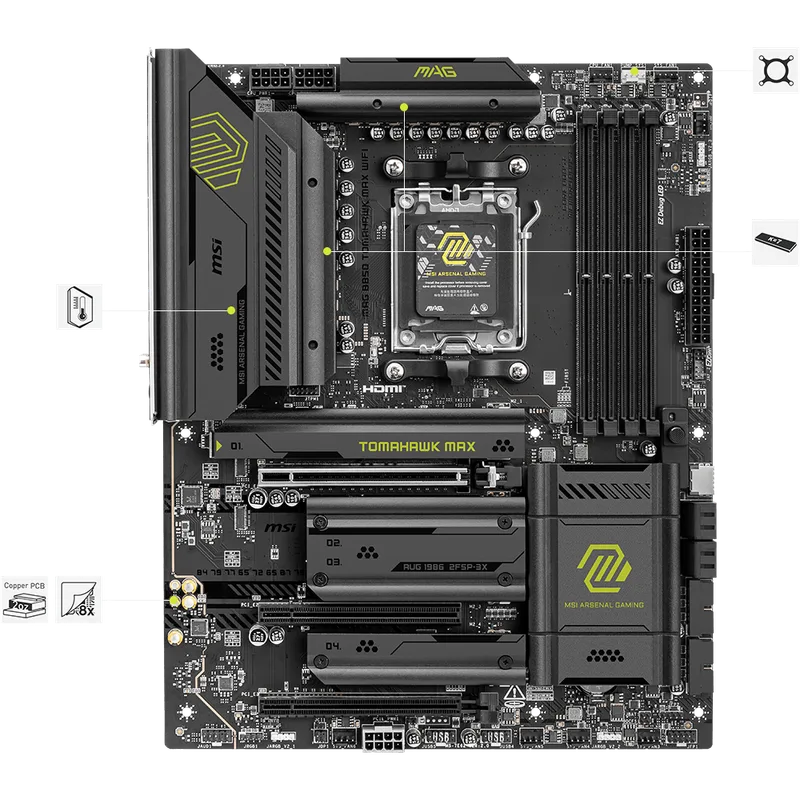
The B850 Tomahawk MAX WiFi is the board most buyers should compare against. It matches the X870 Tomahawk on VRM, M.2 count, networking and platform support, and it costs less. What you give up is rear USB4 and some PCIe lane assignment flexibility: one of the four M.2 slots shares bandwidth with the secondary expansion slot, so populate slots one and two with your fast drives.
Our full B850 Tomahawk review covers that board in more depth, including how its slots divide and the rear I/O layout.
Who Should Buy Which Board
Choose the X870 Tomahawk if your workflow includes fast external storage: a USB4 NVMe enclosure for camera footage, a docking station that carries display, network and storage over one cable, or a portable SSD you move between machines daily. Those devices are rated at up to 40 Gbps, and only the rear USB4 ports on this board deliver that speed. If you plan to keep the board through a future Ryzen generation on AM5, the extra connectivity also gives you more room before you need an add-in card.
Choose the B850 Tomahawk MAX WiFi if the build is a gaming machine with one or two internal NVMe drives. The storage, networking and VRM specifications match, so the money saved is better spent on a faster graphics card, which moves frame rates far more than a motherboard chipset does. Internal drives on either board use the same two PCIe 5.0 M.2 sockets, so USB4 is the only feature that separates them in daily use.
The B850 board also differs on lane sharing: one of its M.2 slots splits bandwidth with a secondary expansion slot, so you need to check the manual before filling every socket and slot at once. Either way, put your fastest drives in the two PCIe 5.0 sockets first, use the PCIe 4.0 sockets for bulk storage, and update to the latest BIOS before installing a new-generation CPU. Check MSI’s CPU support list for the minimum BIOS version before ordering a processor, since a board shipped with older firmware may not boot a newer chip without an update.
Compatibility Notes
- CPU: Ryzen 7000, 8000 and 9000 series (socket AM5). Older AM4 coolers do not fit without an adapter, so check mounting before reusing a cooler.
- Memory: DDR5 only. With the DDR5 shortage still keeping kit costs elevated, a 32GB EXPO kit is the realistic starting point.
- GPU and PSU: The PCIe 5.0 x16 slot works with any current graphics card. Match the PSU to the GPU maker’s recommended wattage; 750W Gold covers most single-GPU Ryzen builds.
- Display output: Use the graphics card’s outputs. Check the rear panel for video outputs before planning an APU-only build.
FAQ
Is the MSI MAG X870 Tomahawk WiFi good for the Ryzen 9 9950X3D?
Yes. The 14+2+1 phase VRM with 80A Smart Power Stages is designed for sustained loads from 16-core Ryzen 9000 chips, and the heatsink covers the power stages.
Should I buy X870 or B850 for gaming?
For gaming alone, B850 is enough: both boards offer PCIe 5.0 graphics and Gen5 storage, and frame rates with the same CPU and GPU are effectively identical. Pick X870 when you want rear USB4 or the chipset’s extra connectivity headroom.
Does the X870 Tomahawk have Wi-Fi 7?
Yes. It includes Wi-Fi 7 and Bluetooth, plus 5 GbE wired networking.
How many M.2 slots does it have?
Four: two PCIe 5.0 and two PCIe 4.0.
Does it have RGB lighting?
No. MSI leaves out onboard RGB on this board, though RGB headers can still drive strips and fans.
The Bottom Line
The MSI MAG X870 Tomahawk WiFi is the right pick if you want USB4 on a board with a strong VRM, dual Gen5 M.2 and 5 GbE. The MSI MAG B850 Tomahawk MAX WiFi is the smarter buy if you never use 40 Gbps peripherals, since it shares nearly everything else and leaves more budget for the CPU and GPU.