AMD confirmed Zen 6 “Olympic Ridge” desktop CPUs will stick with socket AM5, which means the X870E-vs-X670E question isn’t going away anytime soon — buyers building today still have to choose between paying full price for a newer X870E board or picking up a first-generation AM5 X670E board at a discount. With X670E boards now two generations removed from the current Ryzen 9000 lineup and increasingly hard to find new in some models, the real question is whether the spec differences between the two chipsets justify the price gap, or whether X670E is simply the better deal for most builds.
| Spec | ASUS ROG Crosshair X670E Hero 9.1/10 | GIGABYTE X870E AORUS Master 9.3/10 |
|---|---|---|
| Chipset | AMD X670E | AMD X870E |
| VRM | 18+2+2 phase, 110A power stages | 16+2+2 twin digital VRM, 110A power stages |
| Memory | 4x DDR5 DIMM, up to DDR5-8000 (OC) | 4x DDR5 DIMM, up to DDR5-8600 (OC) |
| Storage | 5x M.2 (3x PCIe 5.0), 6x SATA | 4x M.2 (3x PCIe 5.0, 1x PCIe 4.0), Wind Blade RAM fan |
| USB | USB 3.2 Gen 2x2, no native USB4 | Native USB4 (40Gbps), Wi-Fi 7 |
| Form Factor | ATX | ATX |
| Rating | 9.1/10 | 9.3/10 |
Prices change daily — tap Check Price for the current Amazon price.
Prices change daily — tap Check Price for the current Amazon price.
Quick Picks
- Best value if you find one in stock: The ASUS ROG Crosshair X670E Hero matches current X870E boards on VRM quality and PCIe 5.0 storage while costing noticeably less.
- Best for a future-proof build: The GIGABYTE X870E AORUS Master guarantees USB4 and adds Wi-Fi 7, features AMD didn’t require on X670E.
What Actually Changed
The headline difference is USB4. AMD made USB4 (40Gbps) mandatory on every X870 and X870E board, but left it optional on X670E — most X670E boards, including budget models, shipped with USB 3.2 Gen 2x2 instead and left USB4 out entirely. If you have Thunderbolt or USB4 peripherals, an external GPU enclosure, or just want the fastest external storage possible, that’s the one feature X670E can’t match without an add-in card.
Memory support moved up too. X870E boards commonly list DDR5-8400 or higher officially, while most X670E boards cap out around DDR5-6400 to DDR5-6800 stock-rated, with higher speeds achievable only through EXPO overclocking. In practice, very few gaming builds run memory anywhere near either ceiling — DDR5-6000 CL30 remains the sweet spot for Ryzen X3D chips regardless of which board you pick.
PCIe 5.0 storage and graphics support carried over from X670E to X870E largely unchanged; both platforms guarantee PCIe 5.0 on the primary GPU slot and at least one M.2 slot on higher-end boards. VRM quality is a wash — both chipsets have flagship boards in the 16-to-18-phase range with 110A power stages capable of running a Ryzen 9 9950X3D at full power, and budget boards on either chipset can be undersized. Check the specific board’s VRM, not just the chipset name.
Should You Buy X670E at a Discount?
If you can find a well-reviewed X670E board like the Crosshair Hero at a meaningful discount versus a comparable X870E board, it’s a legitimate buy. You’re not giving up PCIe 5.0 storage, GPU bandwidth, or VRM quality — you’re giving up guaranteed USB4 and some memory overclocking headroom, neither of which affects gaming frame rates. AMD’s AM5 socket commitment through at least Zen 6 means an X670E board bought today isn’t a platform dead-end; it’ll run next-generation Olympic Ridge chips with a BIOS update just like an X870E board will.
The case for paying more for X870E comes down to two things: you specifically want USB4 for external storage or displays, or you’re buying at a price point where the X870E board isn’t actually more expensive than a comparable X670E model — which happens more often than you’d expect once X670E boards go end-of-life and stock thins out. Availability, not raw features, ends up deciding a lot of these purchases.
ASUS ROG Crosshair X670E Hero
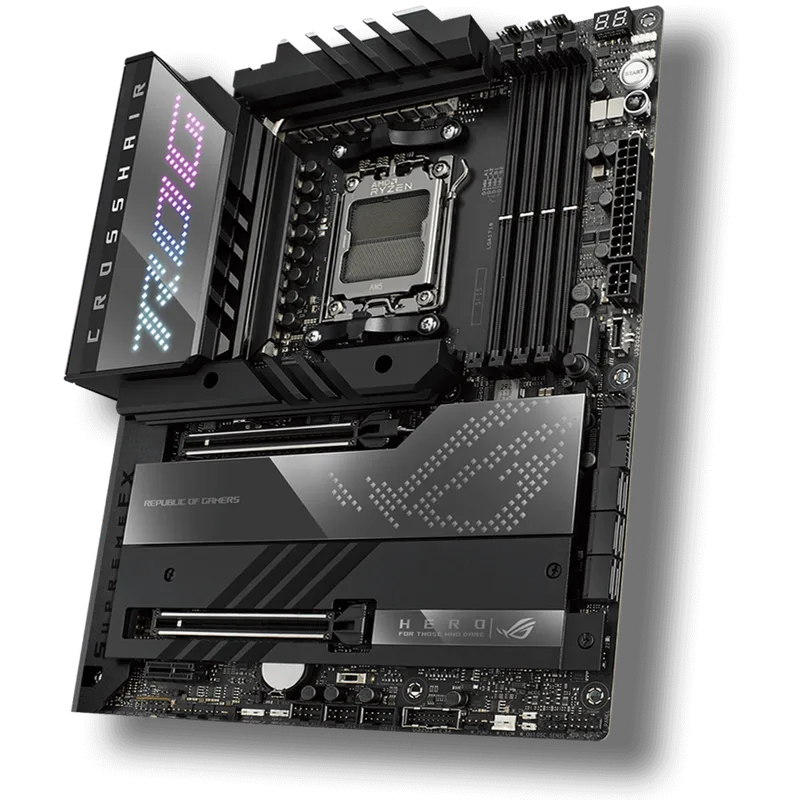
The Crosshair X670E Hero launched as ASUS’s flagship X670E board and still holds up as one of the best-built AM5 boards on the market, regardless of chipset generation. Its 18+2+2 phase VRM with 110A power stages was overbuilt for Ryzen 7000 at launch and has plenty of headroom for every Ryzen 9000 chip released since, including the power-hungry 9950X3D.
Storage and Connectivity
Five M.2 slots — three of them PCIe 5.0 — beat what most X870E boards offer at any price, including the newer AORUS Master’s four. Six SATA ports round out the storage options. The one real gap is USB4: this board predates AMD’s X870E mandate, so it relies on USB 3.2 Gen 2x2 and Wi-Fi 6E instead of USB4 and Wi-Fi 7.
Platform Notes
Runs any AM5 Ryzen chip, from the original 7000-series parts through the current 9000-series X3D lineup, with a current BIOS. Confirmed forward-compatible with AMD’s upcoming Zen 6 Olympic Ridge desktop chips on the same socket.
GIGABYTE X870E AORUS Master
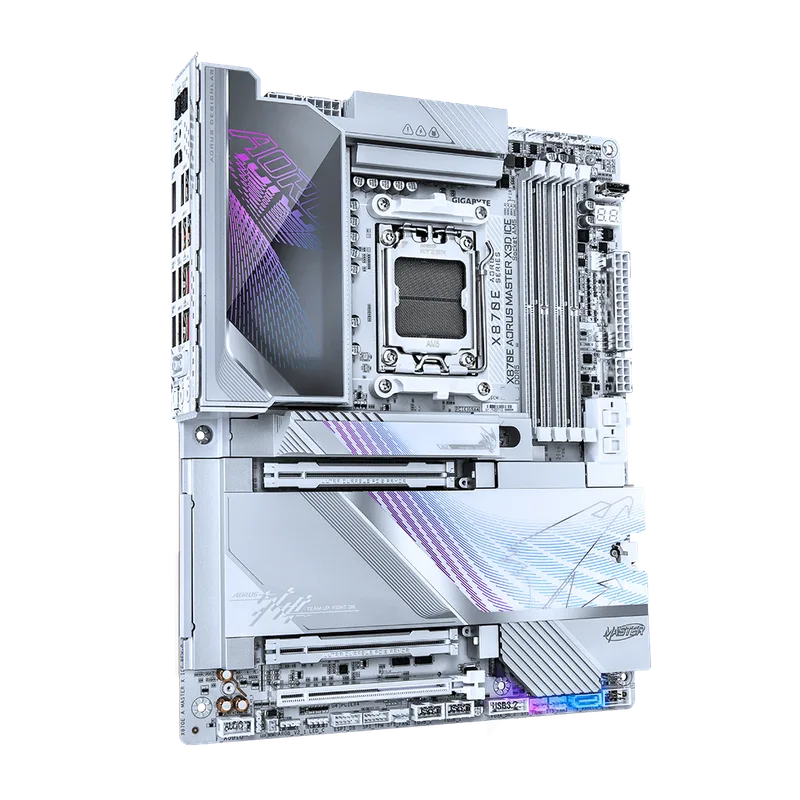
The X870E AORUS Master represents the current-generation AM5 flagship tier, built around GIGABYTE’s 16+2+2 twin digital VRM design rated to 110A per phase. It’s not a bigger VRM than the Crosshair Hero on paper, but it’s more than sufficient for any Ryzen 9000 chip on the market.
Storage and Connectivity
Four M.2 slots (three PCIe 5.0, one PCIe 4.0) is one fewer than the X670E Hero, but the top slot gets an oversized heatsink for sustained Gen 5 SSD performance. Native USB4 and Wi-Fi 7 come standard here — features AMD required on every X870E board — along with DDR5-8600 OC memory support for buyers chasing the fastest kits available.
Platform Notes
Same AM5 socket, same Ryzen 9000 and upcoming Zen 6 compatibility as the X670E Hero. The practical difference at build time is guaranteed USB4 and higher-rated memory overclocking, not raw gaming performance.
FAQ
Is X670E obsolete now that X870E exists? No. Both chipsets support the same current Ryzen 9000 CPUs and the same confirmed-AM5 Zen 6 chips coming later. X670E just lacks the mandatory USB4 spec that AMD added with X870E.
Does X870E offer better gaming performance than X670E? Not meaningfully. Gaming performance is determined by the CPU and GPU, not the chipset. A well-built X670E board runs a Ryzen 9 9950X3D exactly as fast as a comparable X870E board.
Should I pay more for an X870E board just for USB4? Only if you actually use USB4 or Thunderbolt devices — external SSDs, eGPU enclosures, or high-bandwidth docks. If your peripherals are keyboard, mouse, monitor, and standard USB storage, you won’t notice the difference.
Can I put a Ryzen 9000 X3D chip on an X670E board? Yes, as long as the board has a current BIOS. Every X670E board that shipped with Ryzen 7000 support can run Ryzen 9000 chips after a firmware update, including the X3D models.
Will X670E boards get cut off from future AMD CPUs? AMD has confirmed its next-generation Zen 6 “Olympic Ridge” desktop chips will use the same AM5 socket, so X670E boards remain a viable platform going forward rather than a dead end.
The Bottom Line
The ASUS ROG Crosshair X670E Hero is the smarter buy if you find it at a real discount — it matches current X870E boards on VRM quality, PCIe 5.0 storage, and CPU compatibility, and gives up only guaranteed USB4 and some memory overclocking headroom. The GIGABYTE X870E AORUS Master earns its higher price with native USB4, Wi-Fi 7, and higher-rated DDR5 support, features worth paying for if you’ll actually use them — otherwise you’re paying for connectivity your build will never touch.