Intel’s Arrow Lake Refresh landed in March 2026 with the Core Ultra 5 250K Plus, a drop-in upgrade over the original 245K that runs on the same LGA1851 socket and the same B860 motherboards already on shelves. That backward compatibility is good news for budget builders: every board below handles either chip with a BIOS update, so you’re not choosing a motherboard for one specific SKU. The five picks here span mATX and ATX, WiFi 6E and WiFi 7, and VRM designs from entry-level to genuinely overbuilt for the CPU tier they’re paired with.
| Spec | ASRock B860M-H2 7.9/10 | MSI PRO B860M-A WiFi 8.4/10 | ASRock B860 Pro RS WiFi 6E 8.5/10 | ASUS Prime B860-Plus WiFi 8.8/10 | GIGABYTE B860M AORUS Elite WIFI6E Unavailable 8.7/10 |
|---|---|---|---|---|---|
| socket | LGA1851 | LGA1851 | LGA1851 | LGA1851 | LGA1851 |
| chipset | Intel B860 | Intel B860 | Intel B860 | Intel B860 | Intel B860 |
| formFactor | Micro-ATX | Micro-ATX | ATX | ATX | Micro-ATX |
| memory | DDR5, 4 slots, up to 128GB, 8333+ MHz OC | DDR5, 4 slots, up to 8600+ MHz OC | DDR5, 4 slots, up to 256GB, 8666+ MHz OC | DDR5, 4 slots, up to 256GB, 8666+ MHz OC | DDR5, 4 slots, up to 9200 MHz OC |
| storage | 1x PCIe 5.0 M.2, 1x PCIe 4.0 M.2, 4x SATA3 | M.2 Gen5 x16 + Gen4 x16 slots, 4x SATA3 | PCIe 5.0 M.2 + PCIe 4.0 M.2 slots, SATA3 | 2x M.2 (PCIe 5.0 + PCIe 4.0), 4x SATA3 | 3x M.2 (1x PCIe 5.0), EZ-Latch tool-free install |
| networking | 1GbE LAN (Realtek 8111H), no WiFi | WiFi 7, 5GbE LAN | WiFi 6E, 2.5GbE LAN | WiFi 6E, 2.5Gb LAN | WiFi 6E, 2.5GbE LAN, USB4 Type-C |
| Rating | 7.9/10 | 8.4/10 | 8.5/10 | 8.8/10 | 8.7/10 |
Prices change daily — tap Check Price for the current Amazon price.
Prices change daily — tap Check Price for the current Amazon price.
Quick Picks
- Tightest budget: The ASRock B860M-H2 is the cheapest LGA1851 board with a real Amazon listing right now, and it still includes a PCIe 5.0 M.2 slot.
- Best all-around wireless board: The MSI PRO B860M-A WiFi pairs WiFi 7 and 5GbE LAN with a VRM that comfortably outruns its price.
- Best overall: The ASUS Prime B860-Plus WiFi balances power delivery, connectivity, and BIOS usability better than anything else in this roundup.
Buying Guide: What Matters for a Core Ultra 5 Board
Chipset tier. B860 is the mainstream Intel 800-series chipset and the one to buy for a Core Ultra 5 build — it supports the same PCIe 5.0 GPU lane and DDR5 memory controller as Z890, just without CPU overclocking and with fewer total PCIe lanes. None of that matters for a 245K or 250K Plus, since neither chip is meaningfully unlocked for multiplier overclocking anyway. Save the Z890 premium for a Core Ultra 7 or 9 build where the extra lanes and VRM ceiling actually get used.
VRM matters more than the spec sheet suggests. The Core Ultra 5 245K has a 125W base TDP but can pull well past that under PL2 boost. The ASRock B860M-H2’s 5+1+1+1+1 phase design is adequate for stock operation but leaves little thermal margin; the GIGABYTE AORUS Elite’s 12+1+2 design has room to spare even if you later drop in a Core Ultra 7. If you plan to keep the same board through a CPU upgrade, buy more VRM than the 245K strictly needs today.
M.2 slot count and generation. Every board here has at least one PCIe 5.0 M.2 slot for a next-generation NVMe drive, but slot count varies from 2 to 3. If you’re running a single boot drive, this doesn’t matter. If you’re planning a second or third NVMe drive down the line, the GIGABYTE AORUS Elite’s three-slot layout avoids a SATA fallback.
WiFi generation. WiFi 7 is still ahead of most home routers, so don’t pay a premium for it unless your router already supports it. WiFi 6E covers the vast majority of current home networks with less channel congestion than WiFi 6, and three of the five boards here use it. The ASRock B860M-H2 skips wireless entirely — factor in a PCIe WiFi card if you need it.
Memory support. All five boards handle DDR5 comfortably above the Core Ultra 5’s rated speeds, so raw MHz numbers on the spec sheet are mostly irrelevant at this CPU tier. What matters more is capacity: boards capped at 128GB are still plenty for a gaming build, but content creation or heavy multitasking rigs should look at the 256GB-capable options. For current DDR5 kit pricing and availability during the ongoing memory shortage, see our DDR5 RAM guide for Arrow Lake builds.
Detailed Reviews
ASRock B860M-H2 — Best Value
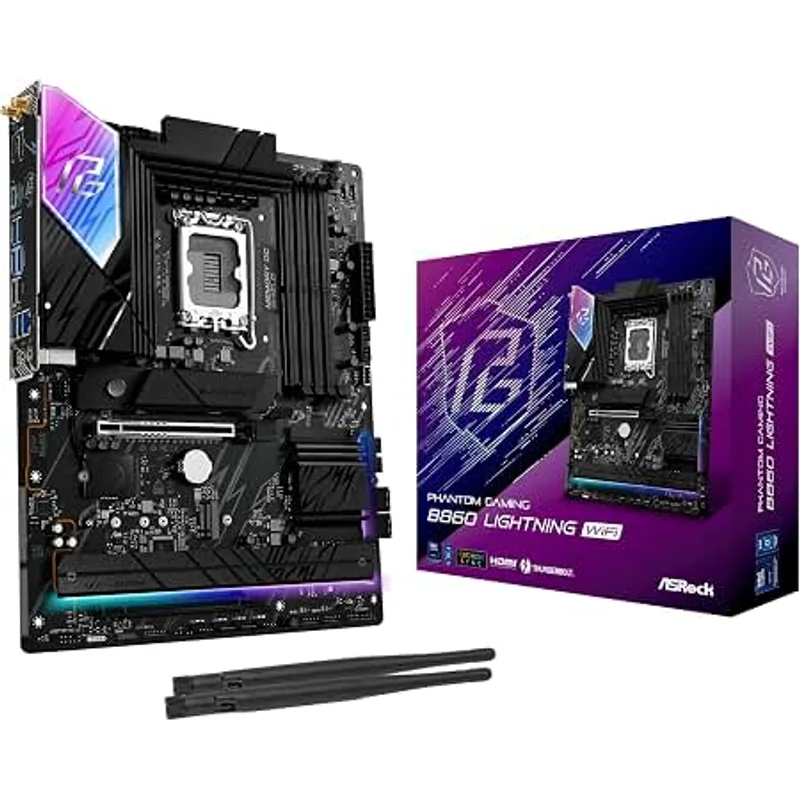
The ASRock B860M-H2 strips B860 down to essentials: one PCIe 5.0 M.2 slot, one PCIe 4.0 M.2 slot, four SATA ports, and a single Gigabit Ethernet port with no WiFi. That’s the trade-off for being the cheapest confirmed LGA1851 board currently listed on Amazon.
The 5+1+1+1+1 power phase design is the thinnest in this roundup. It runs the Core Ultra 5 245K at stock without issue, but there’s minimal margin if Intel’s boost behavior pushes power draw higher on a future BIOS update. This is a board for a straightforward gaming or productivity build, not one you plan to carry through several CPU generations.
The single standout spec is the USB 3.2 Gen2x2 Type-C port on the rear I/O, delivering 20Gbps — a spec that’s often reserved for boards $30-40 more expensive. If your case has front-panel USB-C, check the header compatibility before assuming it’ll connect; budget boards frequently omit the internal USB-C header even when the rear port supports it.
No WiFi is the real gap here. A basic PCIe WiFi 6 card adds cost and consumes a slot, so if wireless is a requirement, one of the WiFi-equipped boards below is the simpler purchase even at a higher price.
MSI PRO B860M-A WiFi — Best Budget WiFi Pick
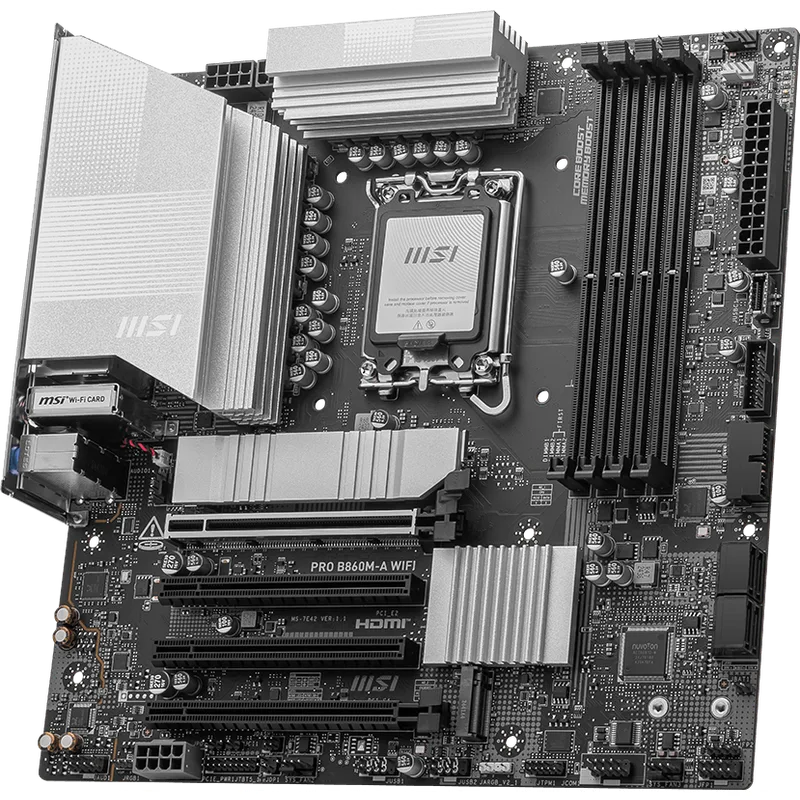
The MSI PRO B860M-A WiFi is the wireless surprise in this roundup: WiFi 7 and 5GbE LAN on a board that still undercuts the ASUS and GIGABYTE picks. Most competitors at this price point stop at WiFi 6E and 2.5GbE, so MSI is either ahead of the market or pricing this board aggressively to move Arrow Lake inventory — either way, it’s a genuine spec advantage.
MSI’s 12+1+1+1 phase VRM with 60A stages and a grounded heatsink design is a meaningful step up from the ASRock B860M-H2’s power delivery, and it’s rated for CPUs up to 105W sustained draw — comfortably inside Core Ultra 5 245K territory. MSI documentation frames this board for budget gaming and home-office builds rather than sustained heavy workloads, which lines up with where it sits in this lineup.
The EZ Mode BIOS is worth calling out specifically for first-time builders. It surfaces XMP/EXPO profile toggles, boot order, and fan curves without digging through advanced menus, which reduces the chance of a misconfigured BIOS on first boot.
Two M.2 slots (one Gen5, one Gen4) is the ceiling here — if you need three NVMe drives, look at the GIGABYTE AORUS Elite instead.
ASRock B860 Pro RS WiFi 6E — Best Full-ATX Budget Pick
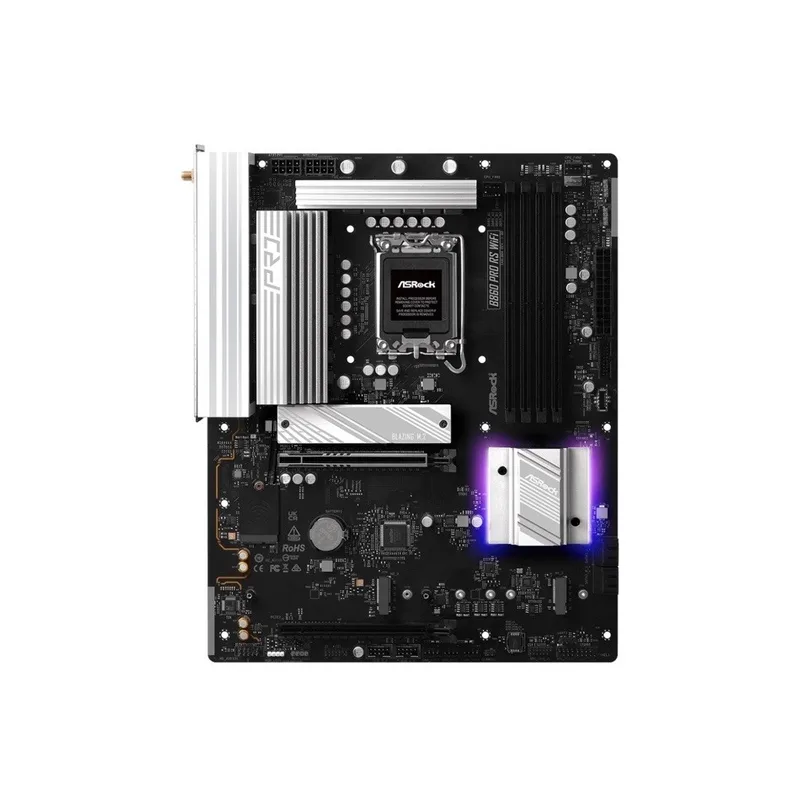
The ASRock B860 Pro RS WiFi 6E is the only full ATX board in this roundup, and it holds that size at a price that usually buys micro-ATX. ATX gets you more PCIe expansion slots, generally better spacing around the CPU socket for larger air coolers, and more front-panel header room — useful if your case has extensive RGB or fan headers to route.
The 10+1+1+1+1 Dr.MOS power design rated at 60A per phase is a clear step above the two mATX boards above it in price. It handles the Core Ultra 5 245K with room to spare and won’t be the bottleneck in this build. Memory support tops out at 256GB across four DIMMs — double the ASRock B860M-H2’s ceiling — which matters if you’re building for content creation rather than pure gaming.
WiFi 6E and 2.5GbE LAN cover typical home networking needs, though it’s worth noting the cheaper MSI board above actually includes the newer WiFi 7 standard. If wireless generation is your top priority, that’s a reason to consider MSI instead despite the smaller form factor.
The main reason to skip this board is size. If your case is micro-ATX or Mini-ITX, this won’t fit — check your case’s supported form factors before ordering.
ASUS Prime B860-Plus WiFi — Best Overall
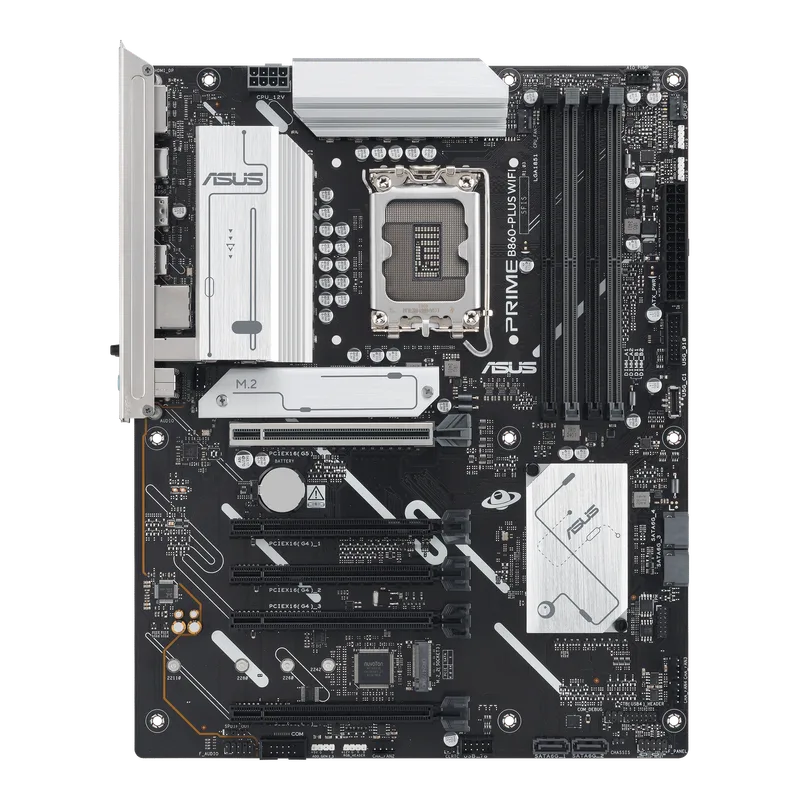
The ASUS Prime B860-Plus WiFi earns Best Overall by being the most complete package rather than the cheapest or the most powerful on any single spec. The 8+1+1+1 DrMOS power stages paired with ASUS’s Digi+ VRM controller deliver real-time voltage regulation that’s more refined than the raw phase count suggests, and it’s more than sufficient for the Core Ultra 5 245K or 250K Plus.
Connectivity is where this board pulls ahead of the ASRock Pro RS at a similar size and price: USB Type-C 20Gbps on both the front header and rear I/O, plus a DisplayPort output for using the CPU’s integrated graphics during troubleshooting or as a secondary display output. WiFi 6E and 2.5Gb LAN round out networking.
ASUS’s Q-LED debug lights are a small but genuinely useful feature for anyone building their first LGA1851 system — a bank of four LEDs indicates whether a boot failure is coming from the CPU, memory, GPU, or boot device, cutting troubleshooting time significantly versus guessing through component swaps.
The trade-off is price. This sits at the top of what most people would call “budget” for a B860 board, and the ASRock B860 Pro RS WiFi 6E delivers a similar practical experience — same 2 M.2 slots, same general performance ceiling — for less. Pick ASUS specifically for the BIOS experience and Q-LED debugging; pick ASRock if you just want the ATX form factor for less money.
GIGABYTE B860M AORUS Elite WIFI6E — Best VRM Headroom
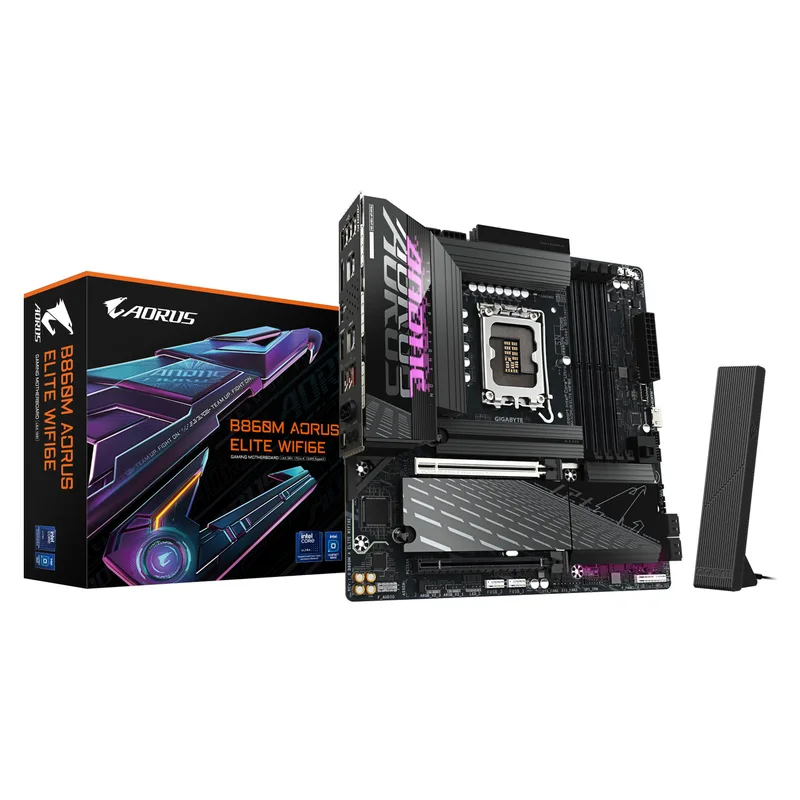
GIGABYTE B860M AORUS Elite WIFI6E
The GIGABYTE B860M AORUS Elite WIFI6E is the board to buy if you want a B860 platform that outlasts the Core Ultra 5 you’re pairing it with today. The 12+1+2 phase VRM using 60A Onsemi NCP302155 MOSFETs is the strongest power delivery in this entire roundup, with enough headroom to run a Core Ultra 7 or 9 at full boost if you upgrade the CPU later without touching the motherboard.
Three M.2 slots, including one PCIe 5.0 x4 slot, is the best storage expansion of any board here. GIGABYTE’s EZ-Latch tool-free M.2 installation removes the small screws that are easy to lose during a build, which is a minor but appreciated detail on a budget-tier board.
USB4 Type-C on the rear I/O is the standout connectivity spec — most B860 boards at this price stop at USB 3.2 Gen2x2, and USB4 support means external GPU enclosures, high-bandwidth displays, or fast external storage all work without an add-in card.
The trade-off is cost creep: the combination of a strong VRM, three M.2 slots, and USB4 pushes this board’s price into overlap with entry-level Z890 boards. If you’re certain you’ll never move past a Core Ultra 5, that overbuilt VRM is money that could go toward the GPU instead. If you build PCs that get CPU upgrades every few years without a full rebuild, it’s the smartest long-term buy in this roundup.
If you’re finalizing the rest of the platform, the Intel Core Ultra 5 245K itself is worth checking for current stock — it’s been selling in and out of stock alongside the March 2026 launch of the 250K Plus refresh.
FAQ
Q: Does the Core Ultra 5 250K Plus work in these B860 boards, or do I need the original 245K?
All five boards support both chips on the same LGA1851 socket. The Core Ultra 5 250K Plus, released in March 2026 as part of Intel’s Arrow Lake Refresh, is a drop-in replacement for the 245K with more E-cores and higher clocks. A BIOS update may be required if the board’s firmware predates the March 2026 launch — check the current BIOS version against each manufacturer’s support page before installing either CPU.
Q: Is B860 enough, or should I spend more on Z890?
B860 supports the full PCIe 5.0 GPU lane and DDR5 memory controller on the Core Ultra 5 245K and 250K Plus. Z890’s advantages — more total PCIe lanes, CPU overclocking support, and typically stronger VRM at the high end — matter for a Core Ultra 7 or 9 build, not a Core Ultra 5 one. Buying Z890 for a Core Ultra 5 245K is spending money on headroom the CPU can’t use.
Q: Do I need WiFi 7, or is WiFi 6E enough?
WiFi 7 requires a WiFi 7 router to see any benefit, and most home networks are still running WiFi 6 or 6E hardware. Unless you’ve already upgraded your router, WiFi 6E on the ASRock Pro RS, ASUS Prime, or GIGABYTE AORUS Elite covers current needs without paying for a standard your network can’t use yet.
Q: How many M.2 slots do I actually need?
One PCIe 5.0 M.2 slot for a boot drive covers most builds. A second slot is useful for a bulk storage drive or game library. Three slots, like the GIGABYTE AORUS Elite offers, only matters if you’re running multiple NVMe drives simultaneously — otherwise it’s future-proofing rather than a day-one requirement.
Q: Which board should a first-time builder pick?
The ASUS Prime B860-Plus WiFi is the friendliest for a first LGA1851 build. The Q-LED debug lights turn a dead-on-arrival boot into a quick diagnosis instead of a guessing game, and ASUS’s BIOS layout is among the clearest for a beginner. The MSI PRO B860M-A WiFi is a close second if budget is the deciding factor.
The Bottom Line
For a straightforward Core Ultra 5 245K build with no wireless needs, the ASRock B860M-H2 is the cheapest real LGA1851 board on the market and still includes a PCIe 5.0 M.2 slot. If WiFi matters and you want the newest wireless standard, the MSI PRO B860M-A WiFi pairs WiFi 7 with a VRM that outperforms its price. For most builders, though, the ASUS Prime B860-Plus WiFi is the smartest overall purchase — strong power delivery, complete connectivity, and genuinely useful debugging features — while the GIGABYTE B860M AORUS Elite WIFI6E is the pick if you want a board that can carry a CPU upgrade down the road without a full rebuild.