OLED gaming monitors are no longer a niche luxury — Samsung’s 5th-gen QD-OLED panels now offer 1,300 nits peak brightness with DisplayHDR True Black 500 certification, while LG’s latest WOLED line has closed the full-screen brightness gap that made earlier panels uncomfortable for desktop use. The 2026 lineup spans 240Hz to 480Hz and $599 to $1,299+ at 1440p, covering every use case from budget-conscious first-time OLED buyers to elite esports competitors chasing sub-millisecond pixel response.
| Spec | ASUS ROG Swift OLED PG27AQDP 9.4/10 | LG 27GX790A-B UltraGear OLED Unavailable 9.2/10 | Alienware AW2725DF 9.1/10 | MSI MPG 271QRX QD-OLED 8.9/10 | MSI MAG 271QPX QD-OLED E2 8.6/10 |
|---|---|---|---|---|---|
| panel | 27" WOLED (MLA+) | 27" WOLED | 26.7" QD-OLED (3rd Gen) | 27" QD-OLED (3rd Gen) | 27" QD-OLED (2nd Gen) |
| resolution | 2560x1440 (QHD) | 2560x1440 (QHD) | 2560x1440 (QHD) | 2560x1440 (QHD) | 2560x1440 (QHD) |
| refresh_rate | 480Hz | 480Hz | 360Hz | 360Hz | 240Hz |
| response_time | 0.03ms GtG | 0.03ms GtG | 0.03ms GtG | 0.03ms GtG | 0.03ms GtG |
| hdr | DisplayHDR True Black 400 | DisplayHDR True Black 400 | DisplayHDR True Black 400 | DisplayHDR True Black 400 | DisplayHDR True Black 400 |
| color | 99% DCI-P3, True 10-bit | — | 99.3% DCI-P3 | 99% DCI-P3, 1.07 Billion Colors | 99.1% DCI-P3 |
| Rating | 9.4/10 | 9.2/10 | 9.1/10 | 8.9/10 | 8.6/10 |
Prices change daily — tap Check Price for the current Amazon price.
Prices change daily — tap Check Price for the current Amazon price.
Quick Picks
- Best Overall OLED: ASUS ROG Swift OLED PG27AQDP — 480Hz WOLED with MLA+ brightness boost and active heatsink cooling at $799
- Best Value OLED: Alienware AW2725DF — 3rd-gen QD-OLED with USB-C and 3-year burn-in warranty at $599
- Best Competitive: LG 27GX790A-B — DP 2.1 with native 480Hz bandwidth, no DSC overhead, at $699
QD-OLED vs WOLED: What Actually Matters in 2026
Both technologies deliver infinite contrast ratios and 0.03ms pixel response, but they diverge in areas that matter depending on how you use your PC.
QD-OLED advantages: Quantum dot color conversion produces a wider color volume — blues, reds, and greens hit higher luminance simultaneously. Samsung’s 3rd-gen QD-OLED achieves 99.3% DCI-P3 and measures noticeably more vivid in HDR game content. The panel substrate is glass with a thin coating, which can create glare in bright rooms but also preserves perceived sharpness with less grain.
WOLED advantages: LG’s WOLED (White OLED) subpixel design achieves higher full-screen brightness and handles anti-glare coatings more naturally. The 2026 MLA+ update on LG’s own panels and the ASUS ROG PG27AQDP brings peak brightness above 1,300 nits — competitive with QD-OLED. WOLED also handles mixed-lighting desktop environments better for users who don’t game in a dark room.
The practical verdict at 1440p in 2026: QD-OLED wins for color vibrancy and competitive pricing at 360Hz. WOLED wins for maximum brightness ceiling and dedicated gaming setups that want 480Hz without DSC overhead. Neither panel type burns in faster than the other under normal gaming usage — both Samsung and LG have addressed this sufficiently in current-generation panels.
Buying Guide: What to Look For
Refresh rate vs panel quality: Moving from a 165Hz IPS to any OLED at 240Hz delivers a bigger perceptible jump than moving from 360Hz to 480Hz on the same OLED panel. If budget is a constraint, prioritize OLED panel quality at 240-360Hz over a cheaper non-OLED panel at 480Hz.
DSC at 480Hz: Most 480Hz panels at 1440p use Display Stream Compression over DP 1.4 to achieve their rated refresh rate. DSC 1.2a is visually lossless in real-world use — you won’t see artifacts. The LG 27GX790A-B is one of the few exceptions, using DP 2.1 for uncompressed 480Hz output.
OLED burn-in in 2026: Current OLED monitors at 2026 panel generations resist burn-in well under normal gaming use. Static HUD elements in games can cause temporary image retention, but permanent burn-in under varied gameplay requires thousands of hours of static-image abuse. All five monitors below include pixel refresher utilities and logo brightness limiters to mitigate this.
Console gaming: All five monitors support HDMI 2.1 with VRR. The Alienware AW2725DF and MSI MPG 271QRX both add USB-C video input, giving you a third source input for handheld devices or laptops.
PSU requirements: Monitors draw 40-80W from the wall. No GPU-specific PSU requirements apply — any PSU powering your GPU is sufficient.
Detailed Reviews
1. ASUS ROG Swift OLED PG27AQDP — Best Overall OLED
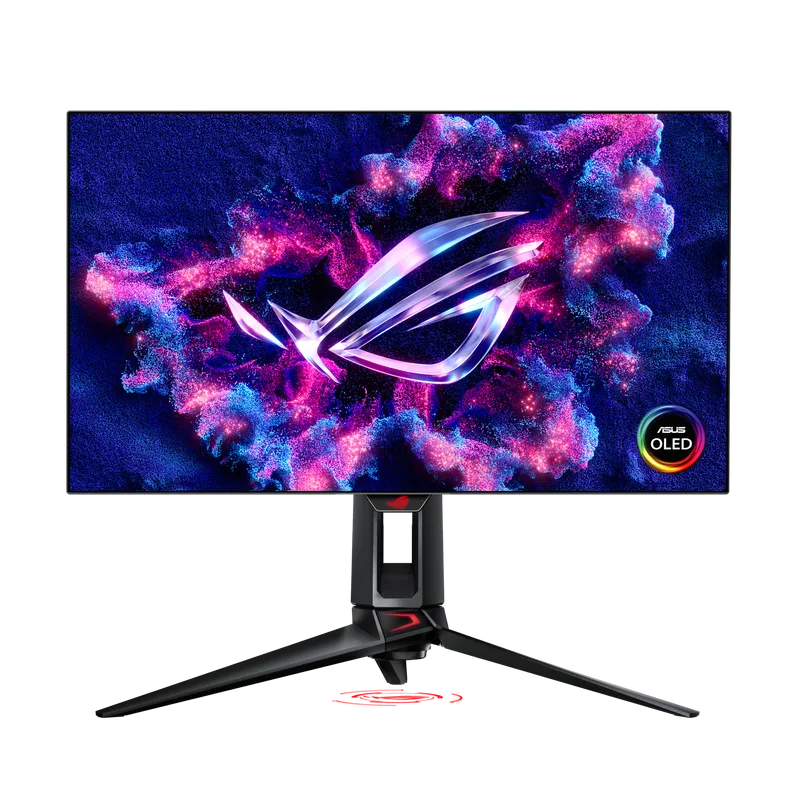
The ASUS ROG Swift OLED PG27AQDP leads this list because it solves two problems that plagued earlier 480Hz WOLED panels: insufficient brightness and thermal instability under load. ASUS added a custom heatsink bonded directly to the OLED panel, dissipating heat generated by the backplane and allowing sustained brightness above 250 nits SDR — other 480Hz OLED panels without cooling throttle down noticeably in extended sessions.
The MLA+ (Micro Lens Array Plus) layer is the other meaningful upgrade over the standard WOLED design. It redirects previously-wasted light forward, boosting peak brightness by roughly 30-40% compared to non-MLA WOLED while also widening viewing angles by 20%. At 1,300 nits peak, the PG27AQDP competes with premium QD-OLED panels in HDR highlights rather than conceding ground.
At 480Hz and 0.03ms GtG, the performance ceiling is higher than any QD-OLED at 1440p. In CS2 and Valorant, the difference between 360Hz and 480Hz is perceptible but subtle — the gap shrinks as frame rates rise. The PG27AQDP runs DP 1.4 with DSC at 480Hz, which is lossless in practice but technically compressed. If you need uncompressed 480Hz, the LG 27GX790A-B is the only alternative.
At $799, this is the most expensive panel at 1440p on this list. It earns the price premium for buyers who prioritize maximum brightness, maximum refresh, and long-term OLED durability — but the Alienware AW2725DF at $599 closes more distance than the $200 gap suggests for most gaming scenarios.
2. LG 27GX790A-B UltraGear OLED — Best Value 480Hz
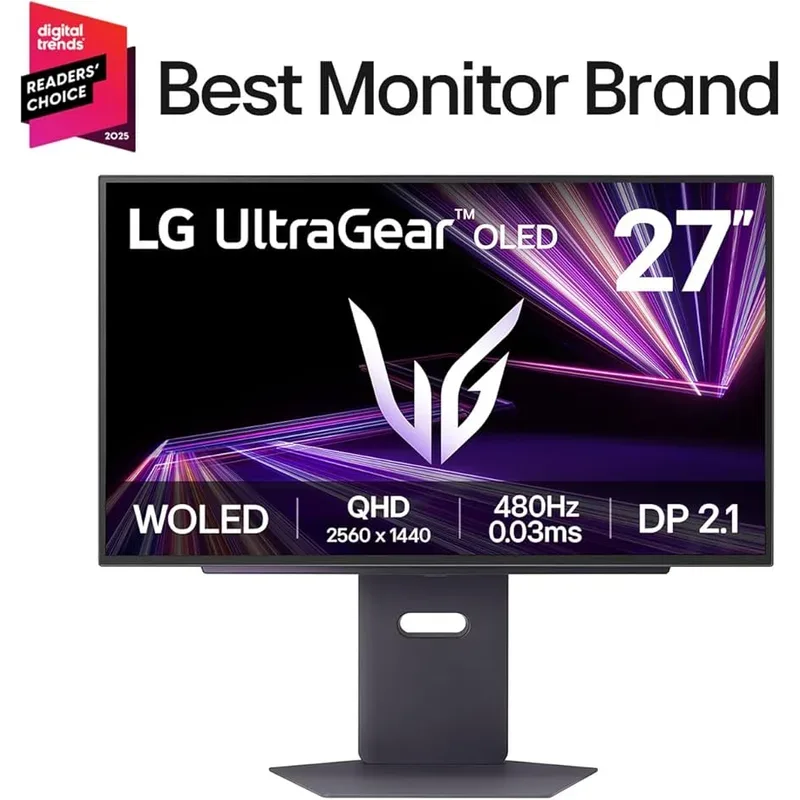
LG 27GX790A-B UltraGear OLED
The LG 27GX790A-B is the only 480Hz OLED monitor on this list shipping with DisplayPort 2.1, giving it native full-bandwidth 480Hz output without DSC compression. Whether this matters audibly in practice is debatable — DSC 1.2a at 480Hz produces visually identical output. But for users connecting high-end video capture or demanding a technically uncompressed signal chain, the LG is the only option.
The dual HDMI 2.1 ports are a genuine differentiator. The ASUS PG27AQDP and Alienware AW2725DF each offer only one HDMI 2.1 port. Running a PS5 at 4K/120Hz on one HDMI input while keeping a PC connected via DisplayPort means you never swap cables — the LG handles this natively.
Peak brightness hits 1,300 nits with 98.5% DCI-P3, matching the ASUS ROG figures closely. The difference between the two is primarily the heatsink: ASUS’ active cooling sustains these brightness figures longer in marathon sessions. The LG handles typical gaming sessions without noticeable throttle — the gap only appears in sustained static-image stress scenarios.
At $699, the LG saves $100 over the ASUS ROG while delivering near-identical panel performance. The trade-off is build quality and the absence of active cooling — LG’s stand and chassis feel less substantial than the ASUS ROG tier. For competitive players who game in controlled environments, those trade-offs are irrelevant to the actual gaming experience.
3. Alienware AW2725DF — Best QD-OLED at 1440p
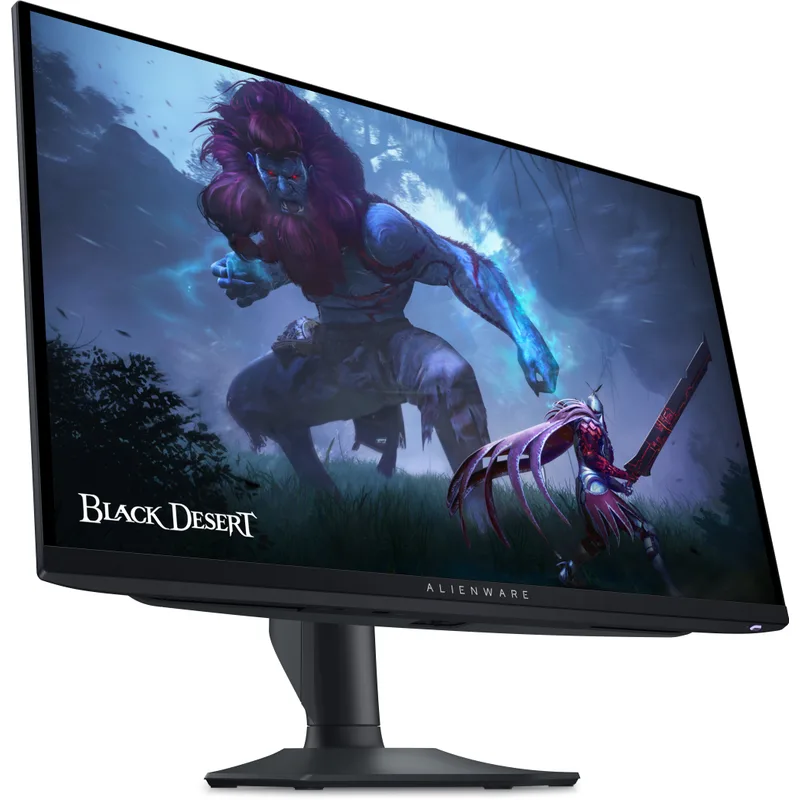
The Alienware AW2725DF was the world’s first 360Hz QD-OLED gaming monitor and it’s aged into the best value position on this list. Samsung’s 3rd-gen QD-OLED panel inside measures 99.3% DCI-P3 — marginally ahead of WOLED at equivalent brightness levels — and the glass substrate gives QD-OLED a crispness to edges that matte-coated WOLED panels can’t fully replicate.
The USB-C port with 90W power delivery sets the AW2725DF apart from both ASUS ROG and LG offerings at this price point. A single USB-C cable charges and displays from a gaming laptop simultaneously — a practical feature for users who switch between desktop and laptop gaming. No other panel under $800 on this list matches that connectivity.
Dell’s three-year OLED burn-in warranty is the most comprehensive coverage in this roundup. It explicitly covers burn-in from normal gaming usage, not just manufacturing defects. At $599, that warranty represents genuine peace-of-mind value for buyers uncertain about OLED longevity.
The 360Hz limitation is real but contextual. In CS2 and Valorant above 300 FPS, some players notice the 120Hz gap between this panel and the 480Hz options. For the vast majority of gaming — including competitive play at frame rates you can actually sustain with an RTX 5070 or RX 9070 XT — 360Hz is more than sufficient. For a deeper look at the AW2725DF’s features, real-world connectivity, and long-term ownership experience, see our full Alienware AW2725DF review.
4. MSI MPG 271QRX QD-OLED — Best for Competitive Gamers
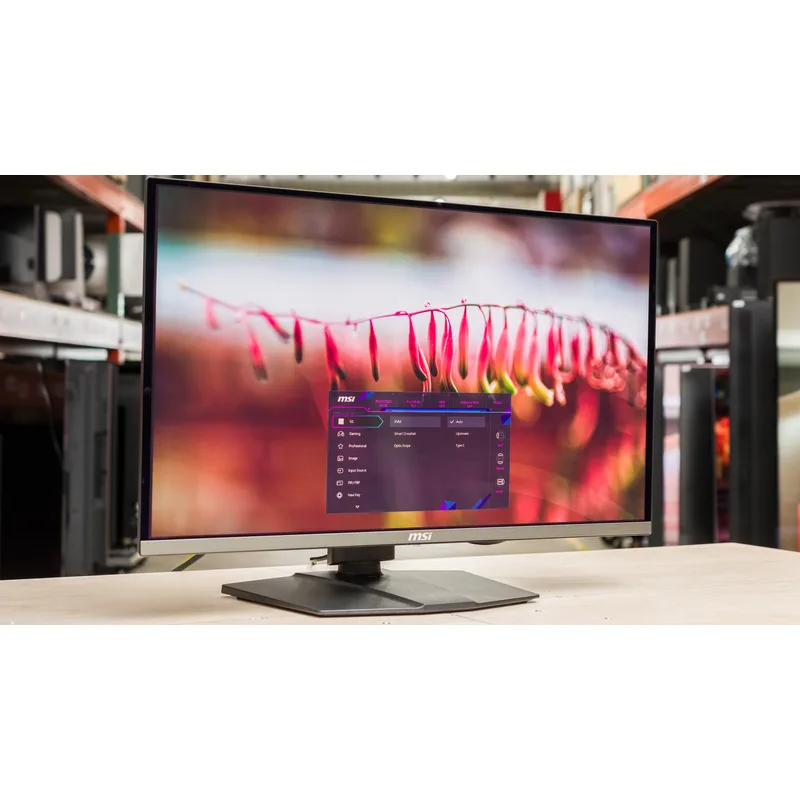
The MSI MPG 271QRX QD-OLED uses the same Samsung 3rd-gen QD-OLED panel as the Alienware AW2725DF — identical underlying hardware with different firmware tuning and chassis design. At $629, it costs $30 more than the AW2725DF for a panel that measures within the margin of error across brightness, color, and response time comparisons.
MSI’s value-add is the Gaming Intelligence AI feature, which auto-adjusts image processing based on detected game genre, and the Mystic Light RGB ambient backlighting. Neither meaningfully improves competitive gaming performance. The USB-C port is present here as well, matching the Alienware’s connectivity advantage.
Where the MPG 271QRX pulls ahead is aesthetics and stand design. The frameless front panel and triangular stand legs appeal to users building dark-themed setups, and the stand’s height, pivot, swivel, and tilt adjustments cover all standard ergonomic configurations.
For buyers choosing between the AW2725DF and MPG 271QRX: the Alienware wins on warranty coverage and the $30 price difference; the MSI wins on aesthetics and RGB if those matter to your setup. The gaming performance difference is negligible — same panel, same calibration tier.
5. MSI MAG 271QPX QD-OLED E2 — Best Entry-Level OLED
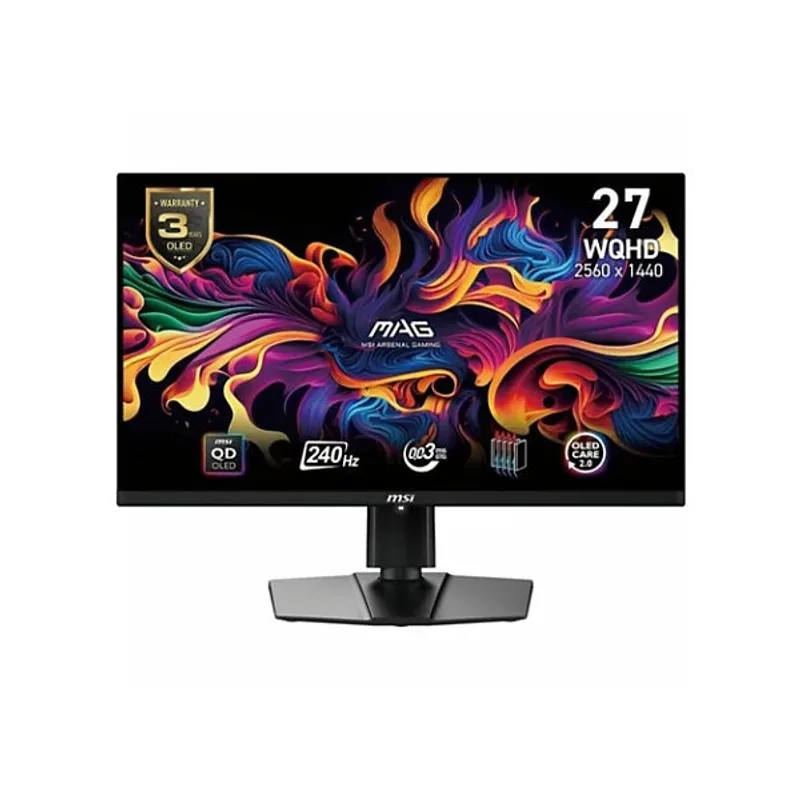
The MSI MAG 271QPX QD-OLED E2 brings OLED panel quality to buyers who don’t need — or can’t run — 360Hz+ frame rates. At 240Hz and $629, it trades raw refresh rate for broad compatibility: any GPU from an RTX 5060 Ti to a 9-year-old RTX 3070 can saturate 240Hz in modern titles at 1440p maximum settings.
The 2nd-gen QD-OLED panel delivers 99.1% DCI-P3 and 0.03ms response — identical key metrics to the 3rd-gen competition, with the primary measurable difference in peak brightness. The E2’s panel caps around 1,000 nits peak versus 1,300 nits on 3rd-gen designs. In SDR gaming, the gap is invisible. In HDR with aggressive tone mapping, the 3rd-gen panels deliver more headroom for specular highlights.
The anti-reflection coating is better than competing bare-glass QD-OLED panels. Standard QD-OLED monitors reflect ambient light significantly on the glass-panel surface; the MAG 271QPX E2’s coating reduces this, making it more usable in mixed-lighting rooms without blackout curtains.
HDMI 2.1 with VRR and ALLM handles PS5 and Xbox Series X at 4K/120Hz. The E2 is a strong dual-use gaming + console monitor that saves $60-$170 over 360Hz alternatives and directs those savings toward your GPU budget — where they have more impact on frame rates than the refresh ceiling difference.
FAQ
Q: Do OLED gaming monitors burn in with normal gaming use? All five monitors include pixel refreshers that run automatically when the panel is off, plus logo brightness limiters and screen savers for static elements. Permanent burn-in from varied gaming usage takes thousands of hours of extreme static-content abuse. Under normal gaming rotation, current-gen OLED panels last as long as IPS panels. Dell’s AW2725DF warranty explicitly covers it; the others cover manufacturing defects but not usage burn-in.
Q: Is 480Hz noticeably better than 360Hz in competitive games? At sustained frame rates above 400 FPS in lightweight titles like CS2 or Valorant, some players detect the difference in perceived smoothness. Below 360 FPS — where most gaming hardware operates — the gap between 360Hz and 480Hz is effectively imperceptible. The OLED panel quality difference between a 360Hz QD-OLED and 480Hz WOLED matters more than the refresh ceiling for players running an RTX 5070 or RX 9070 XT.
Q: What GPU do I need to run 360Hz+ at 1440p? Lightweight competitive titles (CS2, Valorant, Apex Legends) can hit 360Hz+ on an RTX 5060 Ti or RX 9060 XT at 1440p on reduced settings. AAA titles at maximum quality settings run 100-180 FPS on an RTX 5070 at 1440p — well below the 360Hz ceiling. The monitor refresh rate won’t be the limiting factor for most GPU tiers in single-player games.
Q: Do these monitors work with PS5 and Xbox Series X? All five support HDMI 2.1 with VRR and ALLM. At 1440p, the PS5 and Xbox Series X will output 1440p/120Hz with VRR on all of these. The Alienware AW2725DF and MSI MPG 271QRX add USB-C video input for a third source without cable swapping.
Q: Which OLED monitor is best for content creation alongside gaming? The ASUS ROG Swift OLED PG27AQDP and LG 27GX790A-B lead for content creation — both cover 99%+ DCI-P3 with True 10-bit output and factory calibration. The LG’s DP 2.1 bandwidth handles 10-bit HDR video workflows at full 480Hz without bandwidth compromise.
The Bottom Line
The Alienware AW2725DF at $599 delivers the best value in this roundup — 3rd-gen QD-OLED, USB-C charging, and the strongest warranty in the category at $100 below the next 480Hz WOLED options. For buyers who need maximum refresh rate and brightness, the ASUS ROG Swift OLED PG27AQDP at $799 is the current WOLED performance ceiling with its MLA+ panel and active heatsink. First-time OLED buyers who want to save GPU budget for frame rate headroom should consider the MSI MAG 271QPX QD-OLED E2 at 240Hz — every dollar saved on refresh rate above what your GPU can saturate is a dollar better spent on your graphics card.