Buying PC parts without checking compatibility first is expensive. The wrong socket, a mismatched memory type, or a PSU without a native 12V-2x6 connector can mean $50–$120 in return shipping or forced adapter workarounds. In 2026, compatibility got more structured: AMD’s AM5 and Intel’s LGA1851 are both DDR5-exclusive, NVIDIA’s Blackwell and AMD’s RDNA 4 GPUs require ATX 3.1 PSUs for safe connector operation, and PCIe 5.0 M.2 slots are now available on mid-range boards — but only one slot per board in the B-series tier. This guide walks through each compatibility layer with a verified reference build so you understand the rules, not just the answers.
| Spec | AMD Ryzen 7 9700X 9/10 | ASUS TUF Gaming B850-PLUS WiFi 8.8/10 | G.Skill Trident Z5 Neo RGB DDR5-6000 32GB CL30 8.9/10 | ASUS TUF RTX 5070 OC 9.1/10 | Corsair RM850e 2025 850W ATX 3.1 8.7/10 |
|---|---|---|---|---|---|
| Socket | AM5 | AM5 | — | — | — |
| Cores | 8C / 16T | — | — | — | — |
| Boost_Clock | 5.5 GHz | — | — | — | — |
| TDP | 65W cTDP | — | — | 250W | — |
| Memory | DDR5-5200+ (EXPO to 6000) | — | — | — | — |
| PCIe | PCIe 5.0 x16 + x4 | — | — | — | — |
| Rating | 9/10 | 8.8/10 | 8.9/10 | 9.1/10 | 8.7/10 |
Prices change daily — tap Check Price for the current Amazon price.
Prices change daily — tap Check Price for the current Amazon price.
Reference Build at a Glance
This build demonstrates a fully compatible AM5 system for 2026. Every pairing has been cross-checked: socket, DDR5 speed, PCIe generation, form factor, and PSU wattage. Use it as a template for verifying your own parts list.
| Component | Part | Price |
|---|---|---|
| CPU | AMD Ryzen 7 9700X | Check price |
| Motherboard | ASUS TUF Gaming B850-PLUS WiFi | Check price |
| RAM | G.Skill Trident Z5 Neo RGB DDR5-6000 32GB CL30 | Check price |
| GPU | ASUS TUF RTX 5070 OC | Check price |
| PSU | Corsair RM850e 2025 850W ATX 3.1 | Check price |
| Total (5 parts) | Check current price |
Storage, case, and cooler are excluded here. Compatible options for each are listed in the best AM5 motherboards guide and the best CPU coolers roundup.
Why These Parts Work Together
CPU → Motherboard: The Ryzen 7 9700X uses AM5. The ASUS TUF B850-PLUS WiFi uses AM5. Every B850 and X870 board in 2026 supports the full Ryzen 9000 lineup — no BIOS update required for 9700X on B850 boards shipping from mid-2025 onward.
CPU → RAM: AM5 Ryzen 9000 processors have a DDR5-6000 memory controller sweet spot. Run DDR5 faster and you need to manually adjust the FCLK ratio; run it slower and you leave bandwidth on the table. The G.Skill kit ships with an AMD EXPO profile at exactly DDR5-6000 CL30 — enable EXPO in BIOS and it configures itself.
Motherboard → RAM: The B850-PLUS WiFi has four DDR5 DIMM slots. It officially supports up to DDR5-8000+ with two-DIMM populated. Running four DIMMs caps the ceiling to ~DDR5-6400 in most cases; the two-stick DDR5-6000 configuration here is the stable, validated path.
GPU → Motherboard: The RTX 5070 uses PCIe 5.0 x16 electrically but works at full performance in any PCIe 4.0 x16 slot and with minimal loss even in a PCIe 3.0 x16 slot. The B850 primary PCIe slot is x16 Gen 5 — no negotiation needed.
GPU → PSU: RTX 5070 TDP is 250W. The Corsair RM850e is ATX 3.1, which handles 200% transient spikes (up to 500W momentary load from the GPU alone). It ships with a native 12V-2x6 cable — NVIDIA and AMD’s current recommendation for RTX 50 and RX 9000 cards.
System Total Draw: Ryzen 7 9700X at 65W PPT + RTX 5070 at 250W + ~50W for drives, fans, and RAM = ~365W sustained load. The 850W PSU runs at ~43% load during gaming — the efficiency sweet spot for 80+ Gold units.
Component Deep Dives
AMD Ryzen 7 9700X — Understanding CPU Compatibility
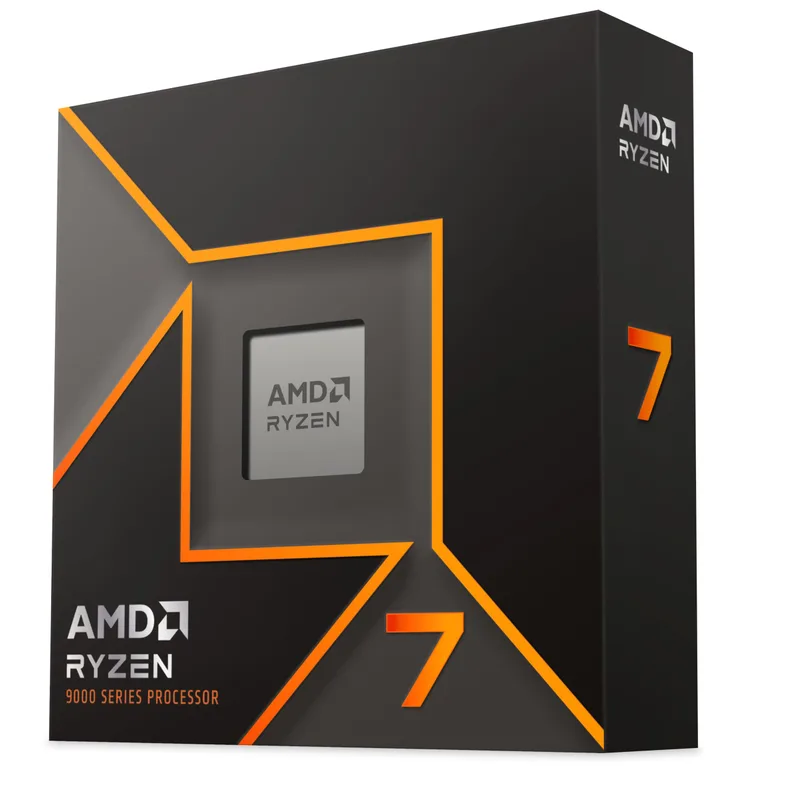
CPU compatibility depends on two things: socket and TDP headroom on the motherboard VRM.
The Ryzen 7 9700X uses the AM5 socket. AM5 is the same socket used by Ryzen 7000, 8000, and 9000 — AMD has confirmed AM5 support through at least Zen 5 and has publicly indicated Zen 6 support is planned. This means buying an AM5 board today doesn’t lock you out of the next CPU generation.
The 9700X has a 65W cTDP but can draw up to 88W PPT under sustained all-core loads. Most B850 boards have 12-phase or better VRMs that handle this without issue. Where this matters: if you upgrade to a Ryzen 9 9950X (170W PPT) later, you need a board with a VRM rated for that — check the manufacturer’s CPU compatibility page before purchasing.
Socket compatibility cheat sheet for 2026:
- AM5 CPUs (Ryzen 7000/8000/9000): require AM5 motherboards only
- LGA1851 CPUs (Core Ultra 200-series): require LGA1851 motherboards only
- AM4 CPUs (Ryzen 5000 and older): require AM4 motherboards — not compatible with AM5
- LGA1700 CPUs (12th/13th/14th Gen Intel): require LGA1700 — not LGA1851
ASUS TUF Gaming B850-PLUS WiFi — Motherboard Compatibility Rules
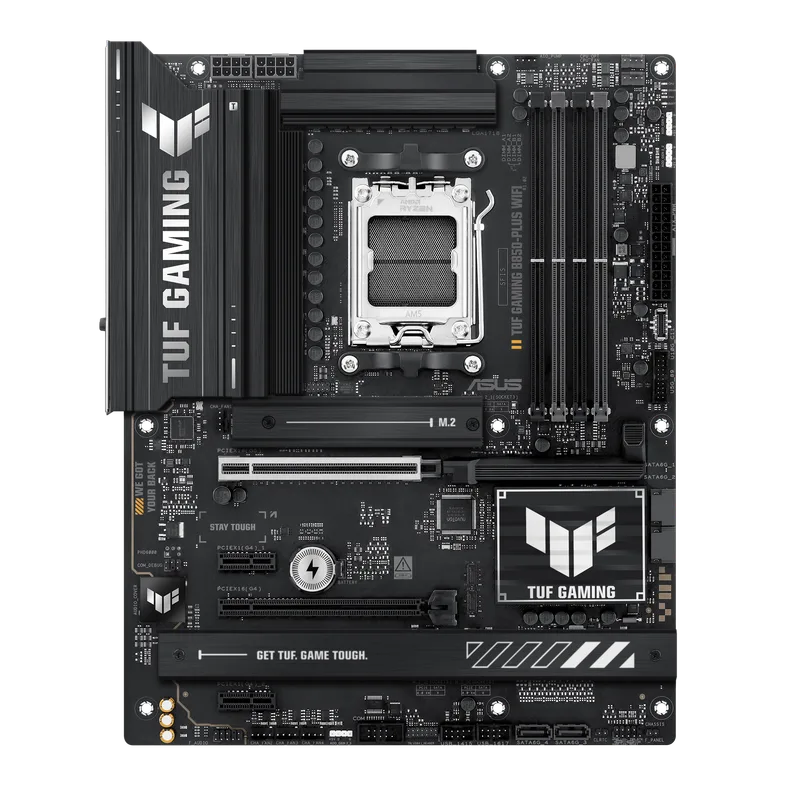
Motherboard compatibility splits into four layers: socket, chipset tier, form factor, and feature set.
Socket determines which CPUs fit. B850-PLUS WiFi is AM5. Full stop — no LGA1851 CPUs will physically seat in this board.
Chipset tier determines what’s unlocked. AMD’s 2026 lineup goes B850 → X870 → X870E:
- B850: overclockable RAM (EXPO/XMP), one PCIe 5.0 M.2 slot, two PCIe 4.0 M.2 slots, no CPU OC above Precision Boost default
- X870: same OC, adds more USB bandwidth and often more M.2 slots
- X870E: adds USB4 40Gbps, dual PCIe 5.0 M.2, PCIe 5.0 x4 second slot
Form factor determines case compatibility:
- ATX (305 × 244mm): fits Full-Tower and Mid-Tower cases; 6–9 mounting holes
- mATX (244 × 244mm): fits Mid-Tower and Micro-ATX cases
- Mini-ITX (170 × 170mm): dedicated small-form-factor cases only
The B850-PLUS is ATX. It fits any full-tower or mid-tower case with ATX motherboard support — which is every case over 30cm tall.
BIOS Flashback is worth specifically noting: this feature lets you update the BIOS by plugging a USB drive into a designated port with the PSU connected, but no CPU or RAM installed. Critical for first-gen Ryzen 9000 owners pairing with boards that shipped before those CPUs launched.
G.Skill Trident Z5 Neo RGB DDR5-6000 32GB CL30 — RAM Compatibility
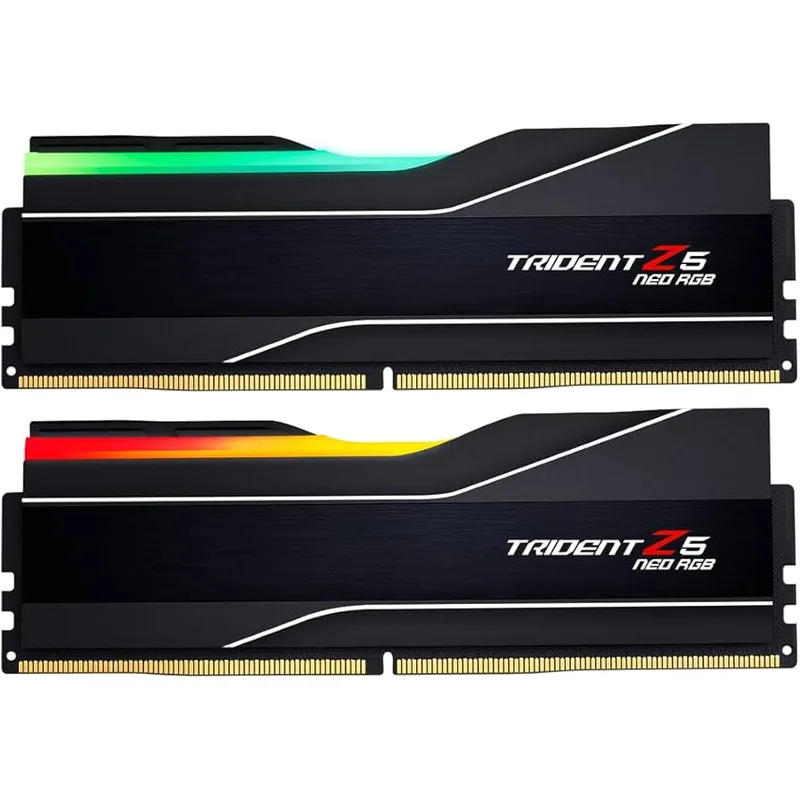
RAM compatibility in 2026 is simpler than it sounds: both AM5 and LGA1851 are DDR5-only. DDR4 is not physically compatible — the notch position is different and the pin count doesn’t match. There’s no adapting DDR4 sticks to a DDR5 board.
Within DDR5, the variables are speed, XMP/EXPO profile, and kit size.
Speed: AMD’s AM5 platform hits its memory controller efficiency peak at DDR5-6000 with 2× DIMMs. Running DDR5-7200 or faster requires manual BIOS adjustment and doesn’t improve gaming performance at 1440p per independent testing — it only matters for memory-bandwidth-limited workloads like Blender or HandBrake, where gains are around 10–12%. For Intel’s LGA1851, DDR5-6400 is the validated XMP sweet spot.
EXPO vs XMP: EXPO (Extended Profiles for Overclocking) is AMD’s equivalent of Intel’s XMP. A kit with both profiles (like this G.Skill Z5 Neo) works optimally on either platform. Kits labeled “Intel XMP 3.0 only” still physically fit AM5 boards, but the XMP profile won’t be recognized — you’d manually set the speed or run at DDR5-4800 JEDEC default.
Kit configuration: Two DIMMs at 32GB (2×16GB) is the sweet spot. Four DIMMs (2×16GB + 2×16GB = 64GB) works but may cap your stable speed ceiling by ~400 MT/s. If you need 64GB later, buy a new 2×32GB kit rather than adding two more sticks.
ASUS TUF RTX 5070 OC — GPU Compatibility
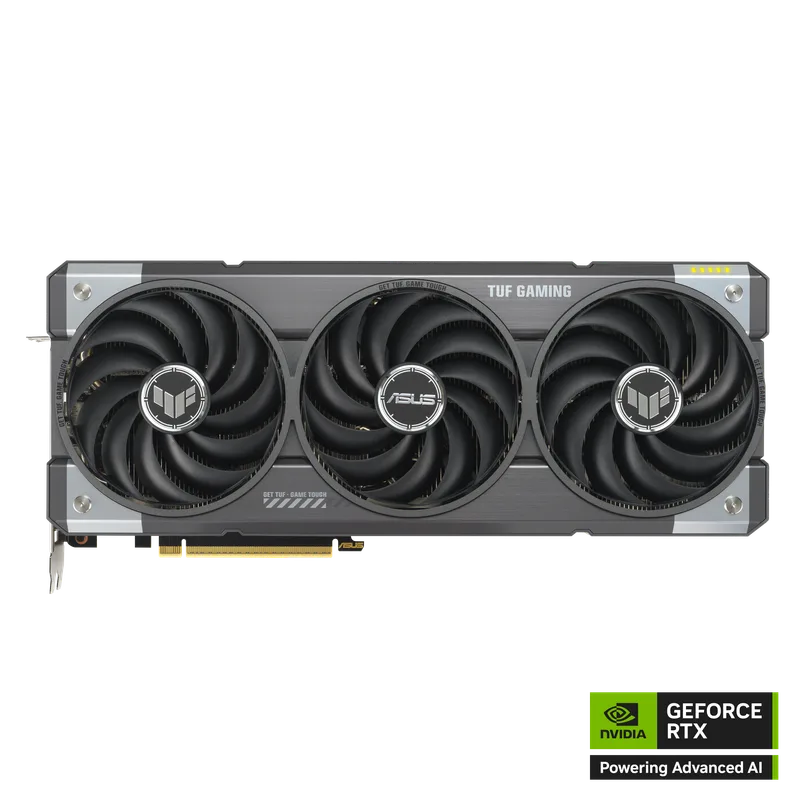
GPU compatibility has three dimensions: PCIe slot, power connector, and physical clearance.
PCIe slot backward compatibility: Every modern GPU — including Blackwell RTX 50-series and RDNA 4 RX 9000-series — uses a PCIe x16 slot and is backwards-compatible across generations. An RTX 5070 in a PCIe 3.0 x16 slot loses less than 3% performance at 1440p per independent testing. The only time slot generation matters is PCIe 3.0 x8 (bifurcated slots), where bandwidth-limited scenarios like 4K video playback can be affected. Most modern boards run the primary GPU slot at x16 regardless of generation.
Power connector: RTX 50-series and RX 9000-series GPUs use the 16-pin 12V-2x6 connector. Older PSUs ship with 8-pin PCIe cables and use an adapter. The 2026–2026 adapter fires on RTX 4090s were traced to improperly seated adapters, not the connector itself — but the safest path is a PSU that ships with a native 12V-2x6 cable, like the Corsair RM850e 2025.
Physical clearance: The TUF RTX 5070 OC is a 3.6-slot card, 336mm long. Before buying, measure your case’s GPU clearance. Most mid-towers accommodate 350mm+. Budget and compact cases (e.g., Fractal Node 202, NZXT H1) have limits around 305mm — verify before ordering.
PSU minimum wattage for common GPUs (2026):
- RTX 5060 (180W TDP): 550W minimum
- RTX 5060 Ti (200W TDP): 650W minimum
- RTX 5070 (250W TDP): 750W minimum
- RTX 5070 Ti (300W TDP): 850W minimum
- RTX 5080 (360W TDP): 850W minimum (1000W recommended for OC headroom)
- RTX 5090 (575W TDP): 1000W minimum
Corsair RM850e 2025 850W ATX 3.1 — PSU Compatibility
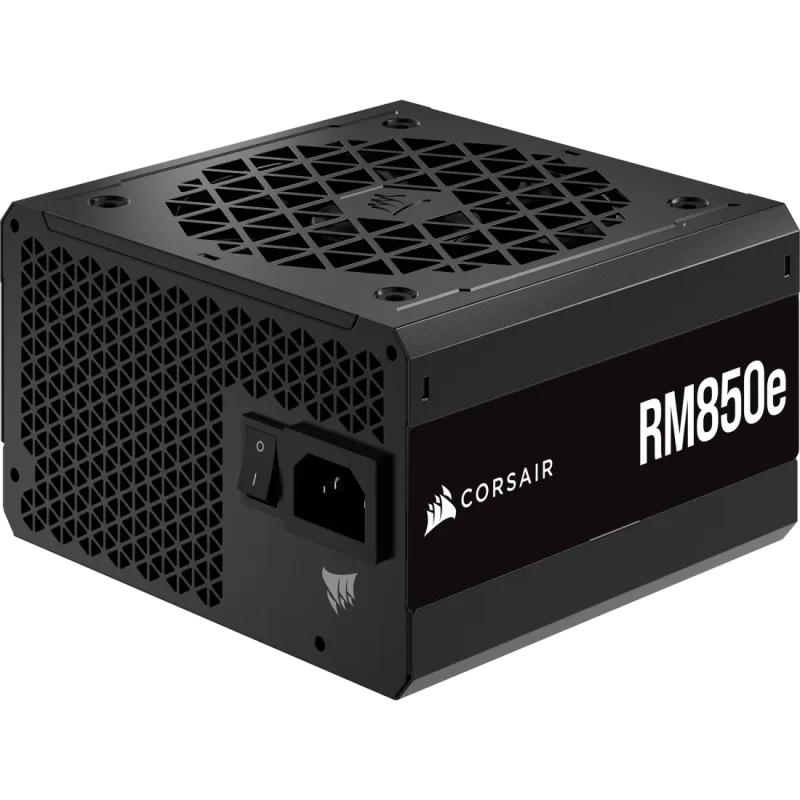
PSU compatibility comes down to four factors: wattage, standard (ATX 3.0 vs ATX 3.1), connector availability, and physical size.
Wattage calculation: Add your CPU TDP + GPU TDP + 100W for the rest of the system. Then add 20% buffer for transient spikes and future upgrades. For a Ryzen 7 9700X (65W) + RTX 5070 (250W): 65 + 250 + 100 = 415W × 1.2 = ~500W minimum. Choosing 850W gives substantial headroom for a GPU upgrade without touching the PSU.
ATX 3.1: Released in 2026 and now standard on quality PSUs, ATX 3.1 mandates the ability to handle 200% transient current spikes — exactly what high-end GPUs produce during load spikes. Pre-ATX 3.0 PSUs (pre-2022) can trip overcurrent protection with RDNA 4 and Blackwell cards at peak spike. Any PSU from a reputable brand purchased in 2026 or later is likely ATX 3.0 or 3.1 compliant, but verify the spec sheet.
ATX form factor vs SFX: Standard ATX PSUs (150 × 86 × 140mm) fit all mid-tower and full-tower cases. SFX PSUs (125 × 63.5 × 100mm) are for compact ITX cases. They’re not interchangeable — an SFX PSU won’t mount in an ATX case without an adapter bracket, and a standard ATX PSU physically won’t fit in an SFX case.
80+ certification: 80 Plus Gold operates at ~90% efficiency under typical load. Platinum is ~92%. The $10–$20 price premium for Platinum pays back in ~2–4 years at 8 hours/day gaming. For casual use, Gold is adequate.
Compatibility Checklist
Run through this before finalizing any parts list:
- CPU socket matches motherboard socket — AM5 CPU + AM5 board, or LGA1851 CPU + LGA1851 board. No exceptions, no adapters exist.
- RAM type matches the platform — AM5 and LGA1851 are DDR5-only. Confirm no DDR4 sticks are in your cart.
- RAM has the correct profile — EXPO for AMD, XMP for Intel. Dual-profile kits work on both.
- Motherboard form factor fits the case — ATX, mATX, or Mini-ITX. Case product pages list supported form factors explicitly.
- GPU length fits the case — measure the case’s GPU clearance in millimeters and compare to the card’s listed length.
- PSU wattage covers CPU TDP + GPU TDP + 100W system overhead — add 20% buffer.
- PSU has a native 12V-2x6 cable — or confirm your GPU ships with an 8-pin adapter that’s rated for the card’s TDP.
- CPU cooler TDP rating exceeds your CPU’s PPT — 9700X at 88W PPT needs a cooler rated 100W+; a Ryzen 9 9950X at 170W PPT needs 200W+ cooler capacity.
- Cooler height fits the case — most mid-towers clear 160mm–165mm. Verify before buying a 168mm Noctua NH-D15.
- M.2 slots match NVMe generation — PCIe 5.0 SSDs in a PCIe 4.0 M.2 slot will throttle to Gen 4 speeds; they still work, just not at Gen 5 rated speeds.
What This Build Handles
| Use Case | Settings | Expected Performance |
|---|---|---|
| 1080p competitive (CS2, Valorant) | High/Ultra | 300–400+ FPS |
| 1440p AAA gaming (Cyberpunk 2077) | Ultra RT off | 90–120 FPS |
| 1440p with ray tracing (Cyberpunk) | High RT, DLSS Quality | 75–100 FPS |
| 4K gaming | High settings, DLSS Quality | 55–75 FPS |
| 1080p video encoding (HandBrake) | CPU encode | Real-time at ~1.3× on 8 cores |
| NVENC AV1 streaming (OBS) | 6000 kbps target | Zero gaming FPS impact |
These figures are based on published RTX 5070 benchmarks from Tom’s Hardware and Hardware Unboxed using a comparable AM5 platform.
Upgrade Path
First upgrade — storage: The B850-PLUS WiFi has one PCIe 5.0 M.2 slot and two PCIe 4.0 M.2 slots plus 6 SATA ports. Add a Gen 5 NVMe (like the Kingston Fury Renegade G5) for a load-time improvement in open-world games without touching the build.
Second upgrade — GPU: The 850W PSU supports anything up to the RTX 5080 (360W TDP). Swapping the RTX 5070 for an RTX 5080 or a future RTX 6070 requires only reseating the GPU and connecting the same 12V-2x6 cable.
CPU upgrade: The AM5 socket supports Zen 5 (Ryzen 9000) today and is planned for Zen 6. Upgrading from 9700X to a 9800X3D or future Zen 6 flagship requires only a BIOS update — no new board.
RAM expansion: The board has four slots. Adding two more 16GB sticks is possible but may cap your stable DDR5 ceiling at ~6000–6200 MT/s. For more RAM, swapping to a 2×32GB kit at DDR5-6000 CL30 is the cleaner path.
FAQ
Do I need a PCIe 5.0 GPU slot for an RTX 5070? No. PCIe 5.0 cards are backwards-compatible with PCIe 4.0 and 3.0 slots. Performance loss at 1440p in a PCIe 4.0 x16 slot is under 2% according to GamersNexus testing.
Can I use DDR4 RAM on an AM5 motherboard? No. AM5 and LGA1851 are physically and electrically DDR5-only. The DIMM notch position is different — DDR4 sticks won’t seat in a DDR5 slot.
Is EXPO required for DDR5-6000 to run at DDR5-6000? Yes. Without enabling EXPO (AMD) or XMP (Intel) in BIOS, DDR5 defaults to JEDEC speeds — typically DDR5-4800. Enabling EXPO applies the manufacturer’s validated voltage, timing, and frequency settings automatically.
Does the motherboard’s PCIe 5.0 M.2 slot require a Gen 5 SSD? No. PCIe 5.0 M.2 slots are backwards-compatible with Gen 4 and Gen 3 drives. Running a Gen 4 SSD in a Gen 5 slot works at Gen 4 speeds without any issues.
What happens if my PSU doesn’t have a 12V-2x6 cable? You’ll use an adapter (8-pin to 16-pin). NVIDIA ships adapters with Founders Edition cards. The risk is improperly seated connections — ensure all pins click fully into the connector. The failure mode is heat buildup at the connector, not immediate damage.
The Bottom Line
Compatibility in 2026 has clear rules: AM5 and LGA1851 are DDR5-only, both support PCIe 5.0, and Blackwell/RDNA 4 GPUs work best with an ATX 3.1 PSU that includes a native 12V-2x6 cable. The reference build above — Ryzen 7 9700X, ASUS TUF B850-PLUS WiFi, G.Skill DDR5-6000 32GB, RTX 5070, and Corsair RM850e 850W — demonstrates all five compatibility layers working correctly together. Run the 10-point checklist against your own parts list before ordering, and you’ll avoid the most common return scenarios.