DRAM and NAND prices are both up sharply industry-wide in 2026, which has pushed more builders toward targeted upgrades instead of full rebuilds — but it also means picking the wrong upgrade first wastes real money at today’s inflated component pricing. Hardware upgrade guides converged this year on a similar default order — storage, then RAM, then GPU, then CPU — but that generic order only holds if you skip the one step that actually matters: confirming which component is your real bottleneck before you buy anything. This guide covers both: the diagnostic questions to ask first, and one current, in-stock pick per upgrade category with real 2026 pricing.
| Spec | Samsung 990 PRO 1TB NVMe SSD 9/10 | Corsair Vengeance RGB DDR5-6000 CL30 32GB 8.7/10 | Sapphire Pulse RX 9070 XT 16GB 9/10 | Corsair RM850e (2025) 9.1/10 | AMD Ryzen 7 9800X3D 9.4/10 |
|---|---|---|---|---|---|
| interface | PCIe 4.0 x4, NVMe 2.0 | — | PCIe 4.0 x16 | — | — |
| form_factor | M.2 2280 | — | — | — | — |
| seq_read | 7,450 MB/s | — | — | — | — |
| seq_write | 6,900 MB/s | — | — | — | — |
| endurance | 600 TBW | — | — | — | — |
| warranty | 5 years | — | — | 7 years | — |
| Rating | 9/10 | 8.7/10 | 9/10 | 9.1/10 | 9.4/10 |
Prices change daily — tap Check Price for the current Amazon price.
Prices change daily — tap Check Price for the current Amazon price.
Upgrade Priority at a Glance
| Order | Upgrade | Pick | Price | Do this when… |
|---|---|---|---|---|
| 1 | Storage | Samsung 990 PRO 1TB NVMe | Check price | Still on a SATA SSD or HDD — this is the cheapest, safest upgrade regardless of what else is wrong |
| 2 | RAM | Corsair Vengeance RGB DDR5-6000 CL30 32GB | Check price | System stutters or swaps to disk with normal multitasking, and you’re already on 16GB or less |
| 3 | GPU | Sapphire Pulse RX 9070 XT 16GB | Check price | Task Manager or an in-game overlay shows GPU usage pinned near 100% while the CPU sits well below it |
| 4 | PSU | Corsair RM850e (2025) 850W | Check price | Only needed alongside a GPU upgrade that draws more than your current unit’s rated headroom |
| 5 | CPU | AMD Ryzen 7 9800X3D | Check price | GPU usage sits noticeably below 100% while frame rates are still capped — the rarest real bottleneck of the five |
Prices reflect current Amazon street pricing as of September 2026 and will move with the ongoing DRAM and NAND shortages — check current pricing before buying, especially on the RAM kit.
Why This Order (And When to Break It)
Storage goes first because it’s the only upgrade with zero downside. A NVMe SSD swap never makes anything worse, it’s the cheapest item on this list even at 2026’s inflated NAND pricing, and it fixes a real, measurable bottleneck — boot time, load screens, and file transfers — on essentially any system, regardless of what else is wrong with it. There’s no diagnostic step needed here; if you’re not already on a fast NVMe drive, this is always upgrade number one.
RAM comes second, but only if you’re actually short on it. 16GB is the practical floor for 2026’s OS and background app footprint; below that, or right at it with heavy multitasking, you’ll see stutter and disk swapping that no GPU or CPU upgrade fixes. If you’re already running 32GB and not seeing memory pressure in Task Manager, skip this step entirely — more RAM past your actual working set does nothing for gaming FPS.
GPU is the upgrade most people should be doing, and most people do too early. Before buying one, open Task Manager’s Performance tab or an in-game overlay like MSI Afterburner during the game or workload where performance feels bad. If GPU usage is pinned at or near 100% while the CPU sits comfortably lower, the GPU is your bottleneck and this is the upgrade that actually moves the needle — often by a larger margin than any other single change on this list.
PSU upgrades are conditional, not sequential. You don’t upgrade a power supply on its own schedule — you upgrade it when a GPU purchase demands more headroom than your current unit safely provides. The RM850e above pairs specifically with the RX 9070 XT’s 300W draw; if your GPU upgrade pulls less power, keep your existing PSU and put that money toward the card itself.
CPU is last because it’s the least likely actual bottleneck, and the most disruptive to fix. A CPU upgrade that isn’t a same-socket swap drags in a new motherboard and, often, new RAM — turning a single-component upgrade into a platform change. Confirm the CPU is genuinely limiting you first: GPU usage noticeably below 100% while frame rates stay flat is the signal. In GPU-bound scenarios — which describes most 1440p and 4K gaming — a CPU upgrade barely moves the number on the screen.
Component Deep Dives
Storage: Samsung 990 PRO 1TB NVMe SSD
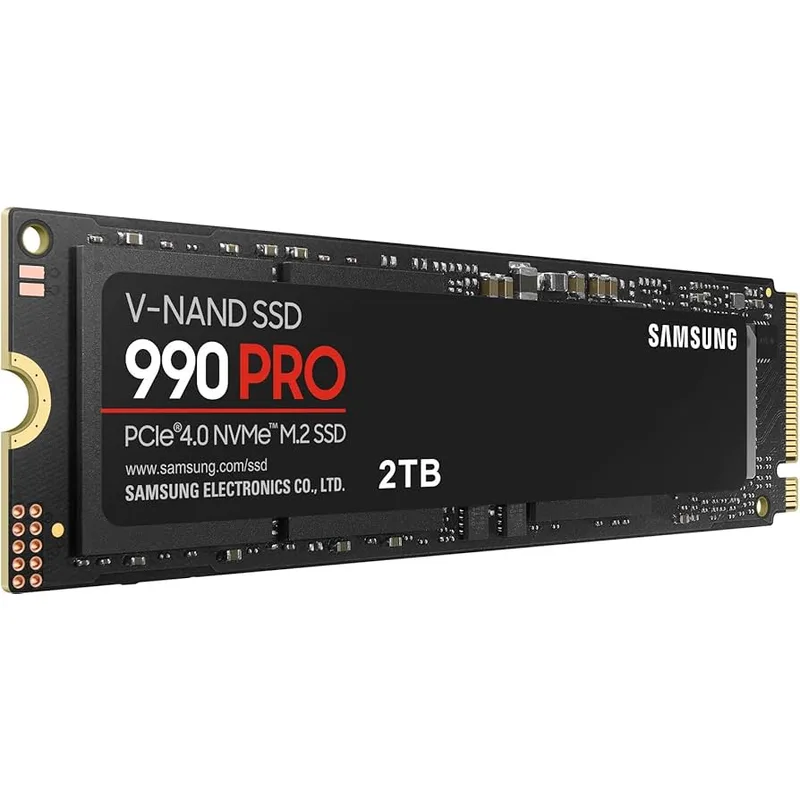
At 7,450 MB/s sequential read, the Samsung 990 PRO turns a 60-90 second cold boot on a SATA drive into single-digit seconds, and level loads that used to carry a loading-screen tip now finish before you’ve read it. It’s a PCIe 4.0 drive rather than the newer PCIe 5.0 Gen5 parts on the market, which is exactly why it’s the right upgrade pick here — Gen5 speeds are wasted on anything other than large sequential file transfers, while the 990 PRO’s random read performance is what actually governs boot and load times.
NAND shortage pricing is the honest caveat: this exact drive sold for well under $150 in 2025, and the API-verified price today runs in the $200s depending on the listing. It’s still the cheapest upgrade on this list by a wide margin, and unlike every other item here, it slots into essentially any motherboard built in the last several years without a platform check.
RAM: Corsair Vengeance RGB DDR5-6000 CL30 32GB
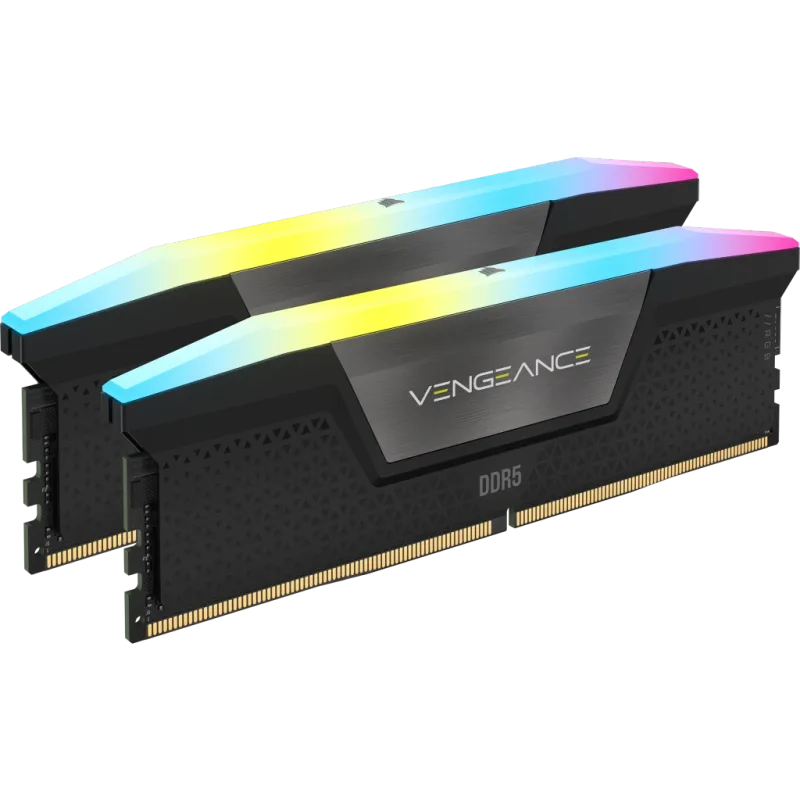
The Corsair Vengeance RGB DDR5-6000 CL30 sits at the practical efficiency sweet spot on both AM5 and current Intel platforms — faster-rated kits exist, but the real-world gaming gain past 6000MT/s narrows fast while pricing keeps climbing. CL30 timings are tight enough that this kit competes with hand-tuned options without the manual BIOS work, and the dual EXPO/XMP 3.0 profile support means it works identically whether the platform underneath is AMD or Intel.
The catch in 2026 is straightforward: this is a DDR5 kit, so it only makes sense as an upgrade if the motherboard underneath already supports DDR5. Buying it ahead of a planned CPU/platform upgrade that’s still DDR4-based just strands the purchase — check platform compatibility before the RAM, not after.
GPU: Sapphire Pulse RX 9070 XT 16GB
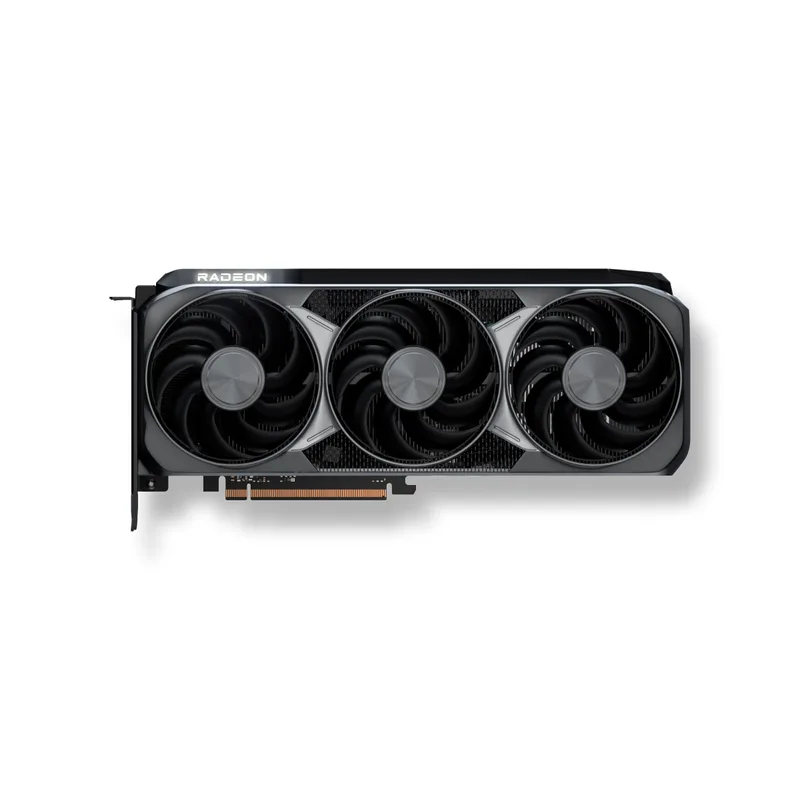
This is the upgrade that produces the biggest visible change on screen, and the Sapphire Pulse RX 9070 XT’s 16GB VRAM buffer on a 256-bit bus is specifically what keeps that improvement consistent at 1440p and 4K, where 8-12GB cards start dropping frames from texture streaming rather than raw compute limits. RDNA 4’s Navi 48 die also carries FSR 4 upscaling down from AMD’s flagship tier, so image quality with upscaling enabled doesn’t take the usual mid-tier compromise.
PSU requirement: at 300W TDP, this card needs a PSU with either a native 12V-2x6 connector or enough 8-pin headroom via adapter, and a unit rated comfortably above the combined system draw — see the RM850e pairing below if your current PSU is under 750W or older than a few years.
PSU: Corsair RM850e (2025)
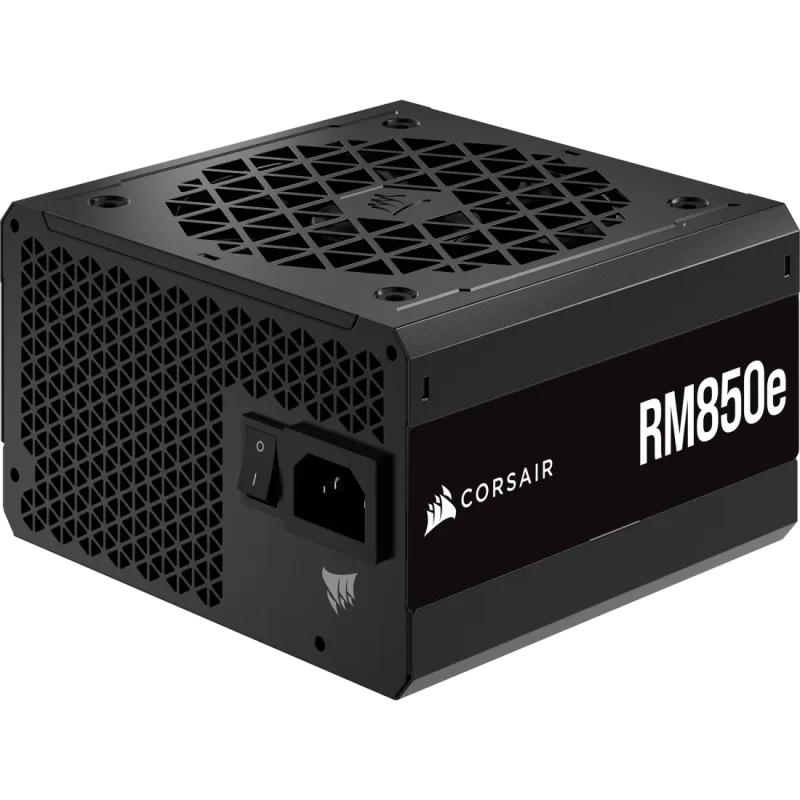
The Corsair RM850e (2025) exists on this list purely as the GPU upgrade’s dependency, not as a standalone priority — an 850W ATX 3.1 PSU with a native 12V-2x6 connector is the direct-plug pairing for the RX 9070 XT above, with enough combined headroom for a Ryzen 7 9800X3D on the same rail without approaching the unit’s rated ceiling. Zero RPM fan mode means it’s silent through idle and normal desktop use, only spinning up under sustained gaming load.
Skip this purchase if your GPU upgrade pulls meaningfully less than 300W, or if your current PSU is already ATX 3.0/3.1 rated at 750W or higher — in either case, that budget is better spent on the GPU itself.
CPU: AMD Ryzen 7 9800X3D
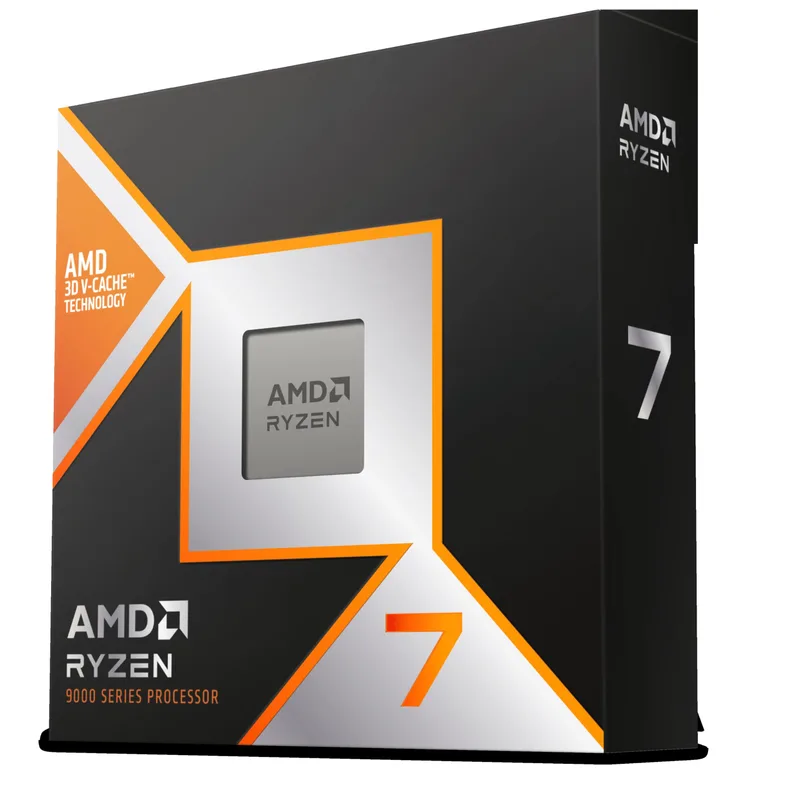
The AMD Ryzen 7 9800X3D’s 3D V-Cache advantage is real but scenario-specific: it shows up clearly in CPU-bound situations — high-refresh competitive shooters, simulation and strategy titles, and 1% lows in engines that lean on single-thread and cache performance. In GPU-bound scenarios, which covers most 1440p and 4K gaming with a card like the RX 9070 XT above, the gap versus a cheaper Ryzen 7 9700X or the previous-generation 7800X3D shrinks to single digits.
The bigger practical issue is platform lock-in: this is an AM5 chip requiring DDR5 memory, so on an older AM4 or Intel LGA1700 system, it’s not a drop-in swap — it’s a motherboard and RAM purchase bundled with the CPU. Confirm GPU usage is comfortably below 100% with flat frame rates before committing to this upgrade; if GPU usage is already near 100%, the CPU was never the bottleneck.
Upgrade Tips
Check GPU usage before buying anything above rank 2. Task Manager’s Performance tab (Windows 11) or MSI Afterburner’s on-screen overlay both show real-time GPU and CPU utilization during actual gameplay. This five-minute check prevents the single most common upgrade mistake: buying a CPU when the GPU was the limiter, or vice versa.
Never buy RAM and a GPU in the same shortage window without checking pricing first. DDR5 and NAND pricing both move week to week in 2026’s shortage market. If a planned upgrade includes both, price-check each separately before ordering — the total can shift meaningfully in either direction over a few weeks.
A platform-locked CPU upgrade is really three purchases. Moving to AM5 from an older socket means motherboard plus DDR5 RAM plus the CPU itself, not just the CPU. Price the full bundle before deciding a CPU is the right upgrade — a same-socket chip on your current platform is almost always the cheaper, lower-risk move if one exists.
Match PSU wattage to the GPU you’re buying, not a round number. Look up the specific card’s rated TDP and connector type rather than assuming “850W covers everything.” A 300W-class card like the RX 9070 XT needs headroom a 550-650W unit from an older build may not comfortably provide.
Performance Impact by Upgrade
| Upgrade | Where it helps most | Typical real-world impact |
|---|---|---|
| Storage (HDD/SATA → NVMe) | Boot time, level loads, file transfers | Boot in seconds instead of a minute-plus; load screens cut dramatically |
| RAM (16GB → 32GB) | Multitasking, background apps, some open-world titles | Eliminates stutter and disk swapping under memory pressure; minimal FPS change if you weren’t memory-constrained |
| GPU (mid-tier → RX 9070 XT class) | Any GPU-bound title, especially 1440p/4K | Often the single largest FPS jump on this list — can approach double frame rates in strongly GPU-bound scenarios |
| PSU | No direct performance impact | Enables the GPU upgrade above; stability and headroom only |
| CPU (older gen → 9800X3D) | CPU-bound titles: esports, simulation, high-refresh 1080p | Meaningful 1% low and average FPS gains in CPU-bound scenarios; small in GPU-bound ones |
Impact ranges are based on component-tier characteristics rather than a specific benchmark run — actual results vary by game, resolution, and which component was genuinely the bottleneck beforehand.
When to Stop Upgrading and Rebuild Instead
If your current build needs three or more of these five upgrades to hit your performance target, do the math on a full rebuild before buying piecemeal — a new CPU, motherboard, and RAM together often price out close to what those same three parts cost as separate upgrades, minus the labor of doing it in stages. Our upgrade vs. build new guide covers that decision in more depth, and our component roundups cover alternatives at every tier if the picks above don’t fit your budget or platform.
FAQ
What’s the single best PC upgrade for the money in 2026?
For most people still on a SATA SSD or hard drive, storage. It’s the cheapest item on this list even at current NAND shortage pricing, it never makes anything worse, and it fixes a bottleneck — boot and load times — that exists on nearly every system regardless of what else needs upgrading.
How do I know if my GPU or CPU is the actual bottleneck?
Open Task Manager’s Performance tab or an in-game overlay like MSI Afterburner while running the game or task that feels slow. GPU usage pinned near 100% with the CPU well below it means the GPU is limiting you. CPU usage maxed with GPU usage clearly lower means the opposite. This five-minute check is worth doing before any GPU or CPU purchase.
Is it worth upgrading RAM if I’m already at 32GB?
Rarely, for gaming. 32GB covers the large majority of 2026 games and normal multitasking without memory pressure. Check Task Manager’s memory usage under your actual workload first — if you’re not consistently near your installed capacity, more RAM won’t raise your frame rate.
Do I need to upgrade my PSU every time I upgrade my GPU?
Only if the new card’s rated TDP and connector requirements exceed what your current unit safely provides. A 300W-class card like the RX 9070 XT needs more headroom than a 550-650W unit from an older build typically offers; a smaller GPU upgrade may not require a PSU change at all.
Is the Ryzen 7 9800X3D worth it if I’m only gaming at 1440p or 4K?
For most people at those resolutions, no — those resolutions are usually GPU-bound, where the 9800X3D’s cache advantage narrows to single digits versus cheaper chips. It’s a clearer win at 1080p and in CPU-bound competitive or simulation titles, where the gap is largest.
The Bottom Line
Diagnose before you buy: check GPU and CPU utilization under your actual workload before spending on either one. When the order isn’t obvious, storage is always upgrade one — it’s cheap, safe, and universally useful. RAM and a GPU follow only if Task Manager actually confirms the bottleneck, a PSU upgrade rides along only when the GPU demands it, and a CPU upgrade — especially a platform change to AM5 like the Ryzen 7 9800X3D — should be the last purchase you make, not the first.