NVIDIA launched the RTX 5060 Ti on May 19, 2026, as the first Blackwell GPU to hit the mainstream sub-$500 tier. GamersNexus titled their coverage “More Marketing BS” after NVIDIA’s promotional slides leaned on comparisons to the 2016 GTX 1060 rather than current alternatives like the RTX 4070 or RX 9060 XT — but the hardware itself performs better than the launch controversy suggests. At $449 for the cheapest 16GB variant, it lands at roughly RTX 4070 performance levels while drawing only 180W.
| Spec | MSI Gaming RTX 5060 Ti 16G OC Unavailable 9/10 | ASUS TUF RTX 5060 Ti 16GB OC Unavailable 8.8/10 | ZOTAC Gaming RTX 5060 Ti 16GB Twin Edge OC Unavailable 8.7/10 | GIGABYTE RTX 5060 Ti Gaming OC 16G Unavailable 8.5/10 | GIGABYTE RTX 5060 Ti WINDFORCE 8G Unavailable 8/10 |
|---|---|---|---|---|---|
| CUDA Cores | 4,608 | 4,608 | 4,608 | 4,608 | 4,608 |
| Memory | 16GB GDDR7 | 16GB GDDR7 | 16GB GDDR7 | 16GB GDDR7 | 8GB GDDR7 |
| Memory Bus | 128-bit | 128-bit | 128-bit | 128-bit | 128-bit |
| Bandwidth | 448 GB/s | 448 GB/s | 448 GB/s | 448 GB/s | 448 GB/s |
| TDP | 180W | 180W | 180W | 180W | 180W |
| PCIe | Gen 5.0 | — | — | — | Gen 5.0 |
| Rating | 9/10 | 8.8/10 | 8.7/10 | 8.5/10 | 8/10 |
Prices change daily — tap Check Price for the current Amazon price.
Prices change daily — tap Check Price for the current Amazon price.
Quick Picks
- Best overall: MSI Gaming RTX 5060 Ti 16G OC at $519 — best price among full-size 16GB variants, solid TORX cooling
- Closest to MSRP: ZOTAC Gaming RTX 5060 Ti 16GB Twin Edge OC at $449 — SFF-friendly, $70 cheaper than MSI, identical rasterization
- Premium build: ASUS TUF RTX 5060 Ti 16GB OC at $549 — IP5X, 0dB fan stop, 3-year warranty
- Budget 8GB: GIGABYTE RTX 5060 Ti WINDFORCE 8G at $379 — fine at 1080p, skip DLSS 4 MFG
RTX 5060 Ti: Specs and Architecture
The RTX 5060 Ti is built on NVIDIA’s GB206 Blackwell die — the same architecture as the RTX 5070 and 5080, scaled to the mid-range. The specs:
- 4,608 CUDA cores (same count across all AIB variants)
- 128-bit GDDR7 memory bus running at 28 Gbps = 448 GB/s bandwidth
- 180W TDP — requires a minimum 12V-2x6 or 8-pin connection
- PCIe 5.0 with full backward-compatibility to PCIe 4.0 motherboards
The 128-bit bus is narrower than the RTX 4070’s 192-bit interface — a genuine constraint that limits 4K performance. At 1080p and 1440p, the 28 Gbps GDDR7 speed compensates well enough that most gaming workloads won’t feel bandwidth-starved.
DLSS 4 is the RTX 5060 Ti’s headline feature. Multi-Frame Generation can multiply effective output frame rates 2×–4× in supported titles, and the Transformer Model upscaling replaces the older CNN-based DLSS 3 model for cleaner edge reconstruction at 1440p. The critical constraint: DLSS 4 MFG needs VRAM headroom for frame buffering and AI model data. The 8GB variant runs 22% slower than the 16GB with MFG active, according to Tom’s Hardware testing — a significant enough gap to make the 16GB the recommended spec.
16GB vs 8GB: Which Version to Buy
Buy the 16GB. Here is the breakdown:
At 1080p and 1440p rasterization, both versions perform within 1% of each other. Same 4,608 CUDA cores, same GPU die, same clock configuration — the 8GB just ships with half the GDDR7 capacity. The performance gap opens in three scenarios:
- DLSS 4 Multi-Frame Generation: 16GB runs 22% faster with MFG enabled (Tom’s Hardware data) because MFG requires a VRAM buffer for the generated frames.
- AI workloads: Stable Diffusion XL is effectively unusable on the 8GB — 97.6% slower than the 16GB according to Tom’s Hardware testing.
- 1440p max settings: 2026 titles can push 8GB VRAM limits at maximum texture quality, requiring quality reductions.
The ZOTAC Twin Edge OC at $449 costs $70 more than the GIGABYTE 8GB. That $70 premium buys 16GB GDDR7 and eliminates the MFG gap — it’s the right trade for almost all buyers.
The 8GB makes sense in a narrow case: pure 1080p gaming at high (not ultra) settings, no DLSS 4 MFG, and a strict budget that makes $379 vs $449 a meaningful difference.
AIB Variants Reviewed
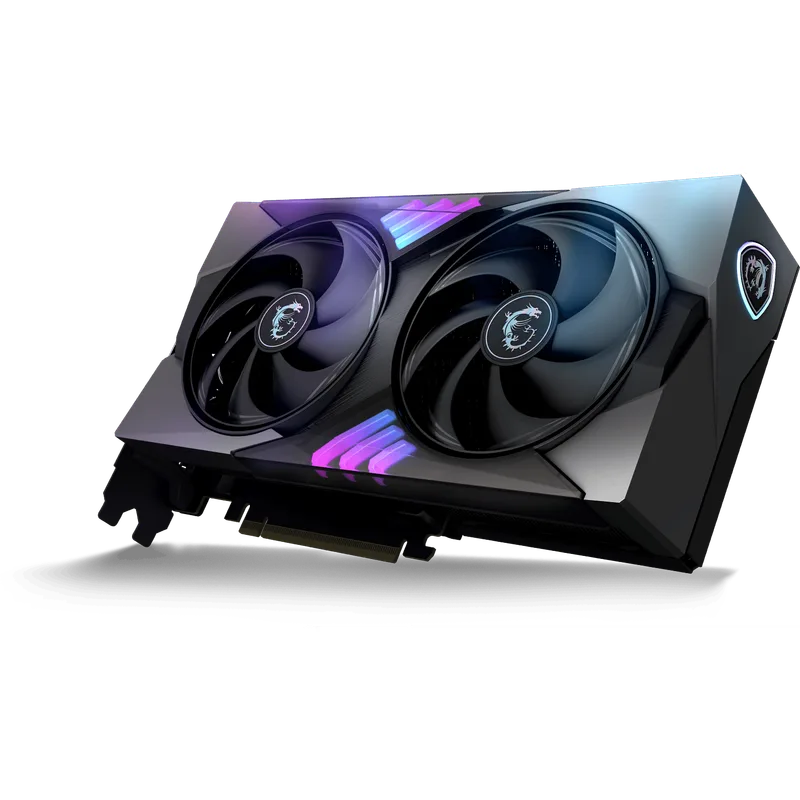
#1 MSI Gaming RTX 5060 Ti 16G OC — Best Overall
MSI Gaming RTX 5060 Ti 16G OC
At $519, the MSI Gaming 16G OC sits $90 above MSRP but still $30 under the ASUS TUF and GIGABYTE Gaming OC at the same 16GB tier. The TORX 4.0 fan array and dual-heatpipe design handle the 180W thermal load without hitting thermal throttle in typical gaming conditions — owner reports consistently place junction temperatures under 75°C in open-bench mid-tower configurations.
The feature set matches the price tier honestly: dual fans, RGB on the logo, no zero-RPM mode, no dual BIOS switch. MSI doesn’t overcharge for features that aren’t there. The card length is full-size, giving the heatsink more fin surface area than compact SFF-ready designs. For a standard mid-tower build on a B850 or X870 motherboard, this is the cleanest price-to-performance combination in the 16GB RTX 5060 Ti lineup.
#2 ASUS TUF RTX 5060 Ti 16GB OC — Best Build Quality
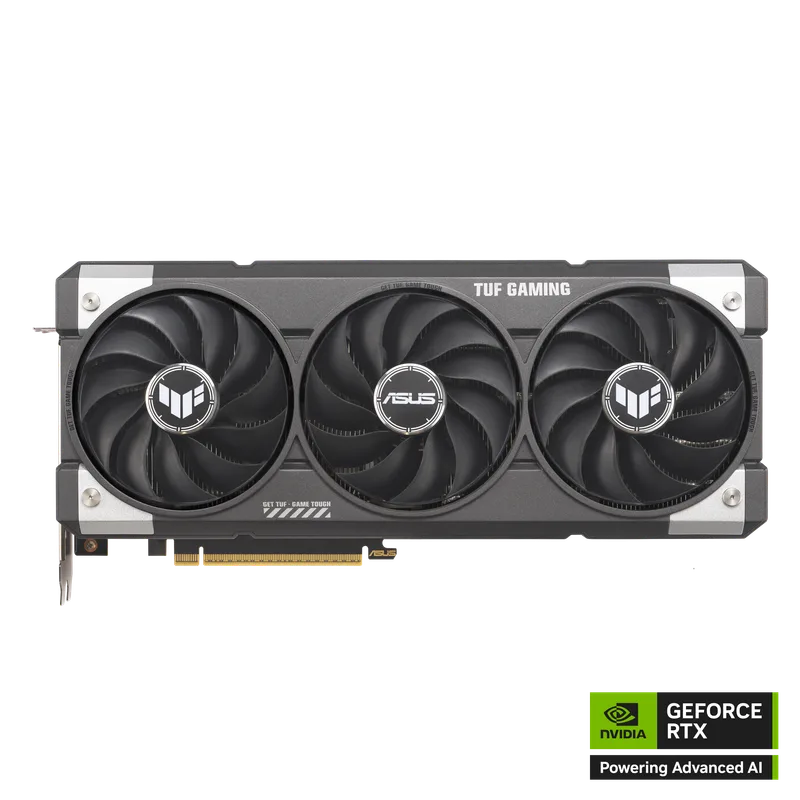
ASUS TUF RTX 5060 Ti 16GB OC
The TUF line’s reputation is built on durability, and the RTX 5060 Ti OC delivers the full package: military-grade capacitors and chokes, a protective polymer PCB coating for moisture resistance, IP5X dust-resistant fan blades, and 0dB fan stop mode that spins the fans down completely below 55°C. At idle and during light desktop work, this card is completely silent.
The 3.1-slot cooler uses Axial-tech fan blades and a large aluminum heatsink block with extended fin stack — ASUS reports lower sustained temperatures than the 2.5-slot MSI Gaming, though both run within acceptable limits for the 180W TDP.
At $549, the ASUS TUF is $100 over the ZOTAC Twin Edge OC and $120 above MSRP. The premium makes practical sense for two types of builds: SFF cases where the GPU never comes out and longevity matters most, and dusty or humid environments where PCB coating and IP5X fans earn their keep over years of use.
#3 ZOTAC Gaming RTX 5060 Ti 16GB Twin Edge OC — Best Value
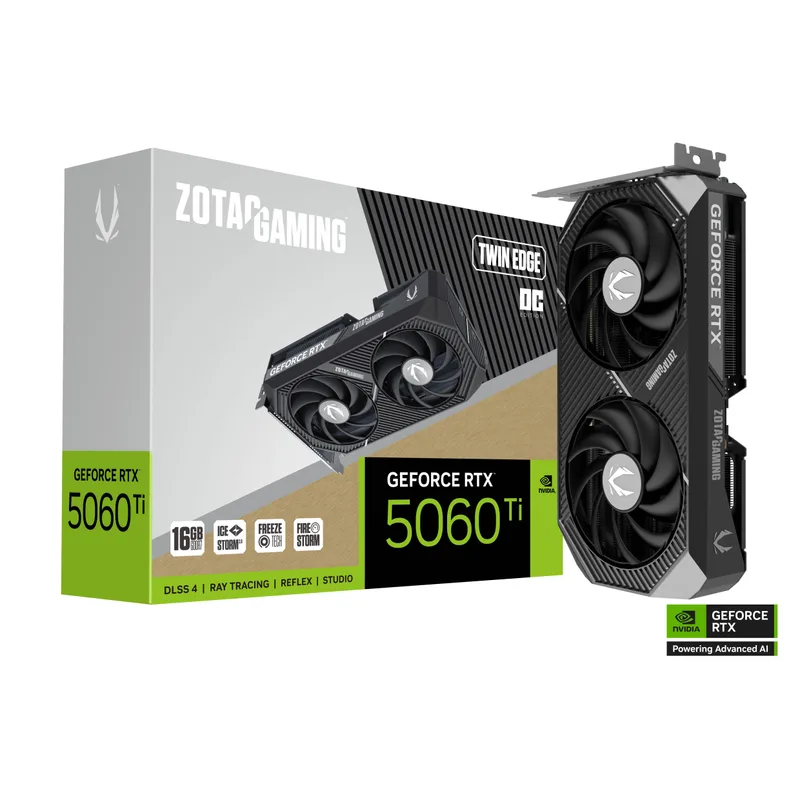
ZOTAC Gaming RTX 5060 Ti 16GB Twin Edge OC
At $449, the ZOTAC Twin Edge OC is the most affordable 16GB RTX 5060 Ti from a major AIB as of June 2026 — $20 over MSRP and $70 cheaper than the MSI Gaming OC. The IceStorm 2.0 dual-fan design is SFF-Ready: shorter card length that fits mITX cases and slim mATX enclosures that reject the longer MSI or GIGABYTE Gaming OC boards.
Thermal performance relative to card size is respectable. Owner reports place the ZOTAC Twin Edge within 5°C of triple-fan designs during typical gaming sessions. Under sustained mixed workloads (rendering + gaming), the gap opens further in favor of larger cards — but for the use case of a gaming PC running 1080p or 1440p titles, the difference is negligible.
The trade-offs: no dual BIOS switch, no 0dB fan stop mode, and the shorter heatsink generates slightly more audible fan noise under load than the MSI or ASUS TUF. For buyers who prioritize price-per-performance and don’t need premium extras, this is the recommended pick in the 16GB tier.
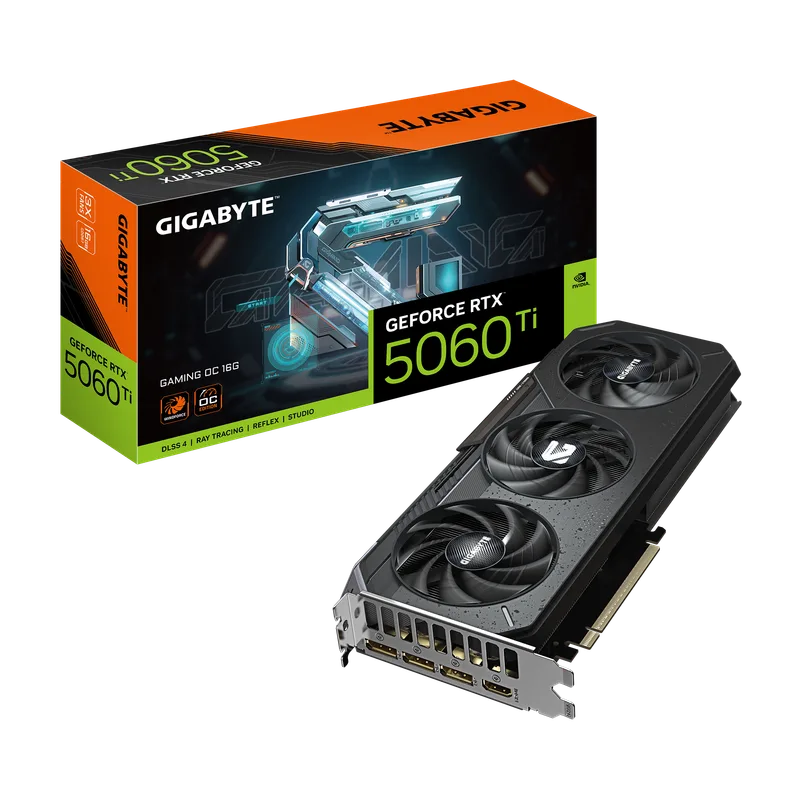
#4 GIGABYTE RTX 5060 Ti Gaming OC 16G — Triple-Fan Option
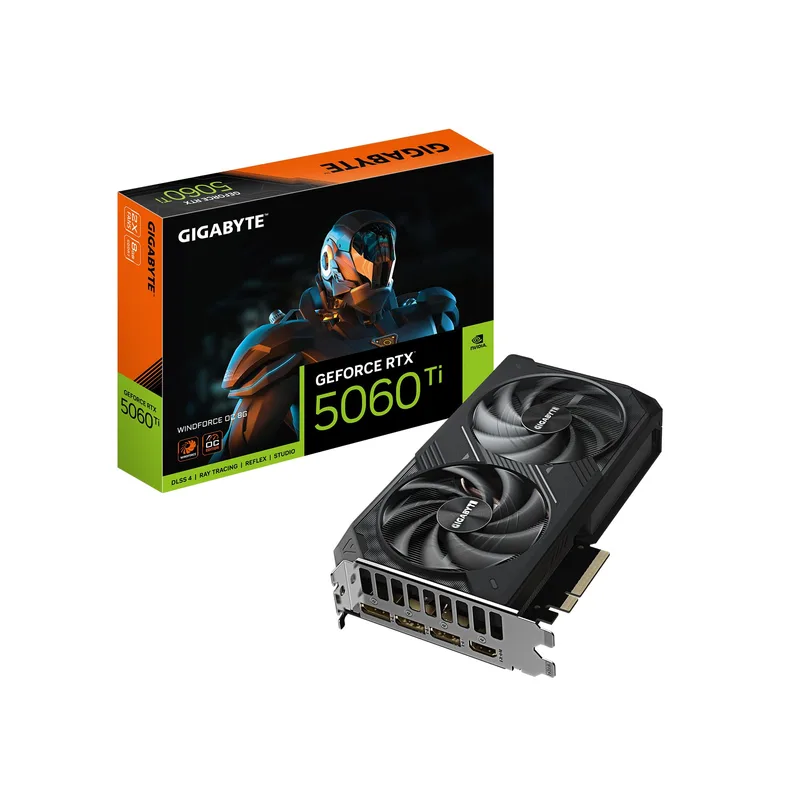
GIGABYTE RTX 5060 Ti Gaming OC 16G
GIGABYTE’s Gaming OC is the only triple-fan 16GB RTX 5060 Ti in this roundup. The WINDFORCE 3X cooling system — three semi-passive fans on an extended PCB — gives it the lowest sustained temperatures of any 5060 Ti variant. Community thermal testing places the Gaming OC 3–4°C cooler than the dual-fan MSI Gaming under prolonged stress.
The issue is value positioning: at $549 it matches the ASUS TUF’s street price, but the TUF has IP5X dust resistance, PCB coating, and a 3-year warranty with military-grade component certification. The GIGABYTE Gaming OC offers better cooling and RGB FUSION 2.0 ecosystem integration for GIGABYTE motherboard owners — but fewer durability-focused features for the same price.
For builds with heavy sustained workloads — video rendering, extended gaming sessions at 1440p, or dual GPU setups where heat management matters — the WINDFORCE 3X cooling is a genuine advantage. For pure gaming use, the MSI Gaming OC at $30 less delivers comparable results.
#5 GIGABYTE RTX 5060 Ti WINDFORCE 8G — Budget Pick
GIGABYTE RTX 5060 Ti WINDFORCE 8G
The WINDFORCE 8G is the only 8GB variant in this roundup, and it earns its place at $379 for one narrow audience: 1080p gamers who won’t use DLSS 4 Multi-Frame Generation and need to minimize cost.
At 1080p rasterization, the 8GB delivers identical performance to the 16GB variants — same 4,608 CUDA cores, same GPU frequency, same architecture. The $70 saved vs the cheapest 16GB (ZOTAC at $449) is real money. The problem surfaces the moment you enable DLSS 4 MFG: the 22% performance deficit documented by Tom’s Hardware means that a 1440p/144Hz gaming scenario with MFG enabled sees the 8GB fall notably behind. Additionally, Stable Diffusion XL and other VRAM-intensive AI workloads are effectively non-functional on 8GB.
For a strictly 1080p 60Hz or 1080p 144Hz build without AI workload requirements, the 8GB is a legitimate option. For anything involving 1440p gaming, DLSS 4 MFG, or AI image generation, the 16GB ZOTAC at $449 is the right call.
Performance vs the Competition
The RTX 5060 Ti’s actual competitive position — not NVIDIA’s GTX 1060 comparisons — looks like this based on community benchmark data from howmanyfps.com and published review data:
| GPU | 1080p Avg FPS | 1440p Avg FPS | VRAM | TDP | Street Price |
|---|---|---|---|---|---|
| RTX 5060 Ti 16GB | ~99 | ~57 | 16GB GDDR7 | 180W | $449–$549 |
| RX 9060 XT 16GB | ~94 | — | 16GB GDDR6 | 170W | ~$399 |
| RTX 4070 12GB | ~99 | ~57 | 12GB GDDR6X | 200W | ~$480 used |
| RTX 4060 Ti 16GB | ~83 | — | 16GB GDDR6 | 165W | ~$350 |
At 1080p, the RTX 5060 Ti averages approximately 99 FPS across tested titles — about 5% faster than the RX 9060 XT’s 94 FPS average. At 1440p, community aggregate data places both at approximately 57 FPS for the RTX 5060 Ti, landing it at the RTX 4070’s performance level. In Cyberpunk 2077 specifically at 1440p native, benchmark coverage puts the card at approximately 68 FPS — demanding but playable, and DLSS 4 Quality mode pushes this above 100 FPS on the 16GB variant.
Against the RX 9060 XT: The RTX 5060 Ti runs roughly 5% faster at 1080p rasterization. The RX 9060 XT starts at $399 — $50 below the cheapest 16GB RTX 5060 Ti. For pure rasterization value per dollar, the RX 9060 XT is the better deal. The RTX 5060 Ti earns back its premium through DLSS 4 MFG support, better ray tracing throughput, and the 5% higher native FPS ceiling.
Against the RTX 4070: At 1440p, these two cards trade blows. The RTX 5060 Ti matches used RTX 4070 performance while drawing 20W less and costing slightly less on the new market than RTX 4070s on the used market. The 5060 Ti has the GDDR7 bandwidth advantage and DLSS 4 support; the 4070’s 192-bit bus provides a more comfortable buffer at higher resolutions.
The Sapphire Pulse RX 9060 XT at $399 remains the strongest AMD alternative for budget-focused 1440p builds.
FAQ
Is the RTX 5060 Ti worth buying in June 2026? Yes, if you’re upgrading from a card older than the RTX 4060 Ti generation. The 16GB GDDR7, DLSS 4 support, and 20% rasterization improvement over the 4060 Ti make it a solid 1440p card through at least 2028. The catch is street pricing — the cheapest 16GB variant runs $449 vs a $429 MSRP, and prices haven’t settled at launch.
Does the RTX 5060 Ti run on a PCIe 4.0 motherboard? Yes. It’s natively PCIe 5.0 but fully backward-compatible with PCIe 4.0 slots. The performance cost of PCIe 4.0 x16 vs PCIe 5.0 x16 is less than 1% in gaming workloads — it is not a meaningful factor.
What PSU do I need? A 650W ATX 3.1 PSU is the recommended minimum. The RTX 5060 Ti draws 180W peak and connects via a 12V-2x6 or 8-pin connector depending on the AIB. The Cooler Master MWE Gold 750 V3 at $85 covers this with headroom.
RTX 5060 Ti vs RX 9060 XT — which should I buy? RTX 5060 Ti if you use DLSS 4 MFG or need the higher FPS ceiling at 1440p. RX 9060 XT if you want the best rasterization value per dollar and are comfortable with AMD’s FSR 4 upscaling. The $50 price gap (RTX 5060 Ti $449 vs RX 9060 XT $399) is the key trade-off.
Is the 8GB version worth buying at all? For strict 1080p gaming without DLSS 4 MFG, yes — it’s the same rasterization GPU at $379. For 1440p, DLSS 4 MFG, or AI workloads, no — spend the extra $70 for the ZOTAC 16GB.
The Bottom Line
The RTX 5060 Ti is a legitimate RTX 4070-class card for 1080p and 1440p gaming at 180W. GamersNexus’s “Marketing BS” label refers to NVIDIA’s launch comparisons, not the hardware — which performs competitively once you look at honest current-gen benchmarks against the RX 9060 XT and RTX 4070.
Buy the ZOTAC Gaming RTX 5060 Ti 16GB Twin Edge OC at $449 for the best price-to-performance ratio. Buy the MSI Gaming RTX 5060 Ti 16G OC at $519 for a full-size card with better sustained thermals in mid-towers. Either way, choose the 16GB — the 8GB’s 22% DLSS 4 MFG deficit makes it a choice you’ll regret at 1440p.