Disclosure: PCBuildRanked earns from qualifying Amazon purchases.
The streaming GPU question in 2026 isn’t about raw gaming performance — it’s about encoder generation, VRAM headroom under combined load, and whether your CPU has enough breathing room while OBS runs alongside your game. NVIDIA’s 9th-gen NVENC with AV1 B-frame support changed the calculus significantly, and AMD’s RDNA 4 AMF encoder finally became a legitimate option. Here’s what the hardware actually looks like.
| Spec | NVIDIA GeForce RTX 5070 Founders Edition Unavailable 9.3/10 | MSI Gaming RTX 5060 Ti 16G OC Unavailable 8.9/10 | MSI GeForce RTX 5070 Ti 16G Gaming Trio OC Plus 9/10 | Sapphire Pulse AMD Radeon RX 9070 XT 16GB 8.3/10 | Gigabyte GeForce RTX 5060 WINDFORCE OC 8G Unavailable 7.8/10 |
|---|---|---|---|---|---|
| GPU | NVIDIA Blackwell GB205 | NVIDIA Blackwell GB206 | NVIDIA Blackwell GB203 | AMD RDNA 4 Navi 48 | NVIDIA Blackwell GB206 (cut-down) |
| VRAM | 12GB GDDR7 | 16GB GDDR7 | 16GB GDDR7 | 16GB GDDR6 | 8GB GDDR7 |
| Encoder | 9th-gen NVENC (dual) | 9th-gen NVENC (dual) | 9th-gen NVENC (dual) | RDNA 4 AMF (AV1 B-Frames) | 9th-gen NVENC (single) |
| TDP | 250W | 180W | 300W | 304W | 150W |
| Boost_Clock | 2.51 GHz | 2.57 GHz | 2.58 GHz | 2.97 GHz | 2.51 GHz |
| Interface | PCIe 5.0 x16 | PCIe 5.0 x8 | PCIe 5.0 x16 | PCIe 4.0 x16 | PCIe 5.0 x8 |
| Rating | 9.3/10 | 8.9/10 | 9/10 | 8.3/10 | 7.8/10 |
Prices change daily — tap Check Price for the current Amazon price.
Prices change daily — tap Check Price for the current Amazon price.
Quick Picks
Best overall: The NVIDIA RTX 5070 FE gives you dual 9th-gen NVENC engines, AV1 B-frame encode, and 12GB GDDR7 — all the encoder quality you need for professional-grade streams at $635 street.
Best value: The MSI RTX 5060 Ti 16G OC streets around $499 with the same dual NVENC generation as the RTX 5070 and 16GB GDDR7 — more VRAM for streaming overlays and capture at a lower price.
Best AMD: The Sapphire Pulse RX 9070 XT runs RDNA 4’s upgraded AMF encoder with AV1 B-frames. The gap with NVENC narrowed substantially; it’s now a valid choice for AMD-committed setups or Linux streamers.
What Actually Matters for Streaming GPUs
The Encoder Is the Priority, Not Gaming Benchmarks
Most streaming GPU guides pick cards on gaming performance and note encoder support as an afterthought. That’s backwards. If you’re streaming, your GPU’s encoder quality is what your audience sees — your gaming FPS is secondary.
NVIDIA’s 9th-gen NVENC (present on all RTX 50 series cards) supports AV1 with B-frame encoding. At a 6,000 kbps stream bitrate, NVENC AV1 produces output that rivals 8,000 kbps H.264 for perceived quality. For platforms with bitrate caps (Twitch at 8,000 kbps, YouTube at 51,000 kbps), better encoder efficiency means cleaner output at any cap you’re working within.
AMD’s RDNA 4 AMF encoder added AV1 B-frame support, addressing the main complaint about RDNA 3’s AV1 implementation. The quality gap with NVENC has meaningfully closed, though NVENC still produces cleaner output at matched bitrate settings.
VRAM Under Combined Load
When you game and stream simultaneously on a single PC, your GPU handles two VRAM consumers: the game’s framebuffer and the encoder’s capture buffer. A title that uses 8GB at 1440p max settings may push toward 10GB when OBS is also active with high-bitrate capture.
Cards with 8GB can stream 1080p without issues. For 1440p streaming — particularly with complex OBS scenes, browser sources, and overlay assets — 12GB or 16GB is the practical minimum for headroom. The RTX 5060 Ti 16GB at $499 is the strongest value play here: same encoder generation as the RTX 5070, more VRAM.
CPU Relief Is a Real Metric
x264 encoding at “medium” preset on a 12-thread CPU consumes 50-60% of CPU time. That’s processor bandwidth your game and OBS scenes are competing for. NVENC AV1 drops encoder CPU overhead to under 15%. That relief translates to more stable frame times in CPU-limited games, and it matters more the weaker your processor is.
Single vs. Dual NVENC Engines
The RTX 5060 and some lower-end Blackwell cards ship with a single NVENC engine. The RTX 5060 Ti and above ship with dual engines. For standard single-PC streaming, one NVENC engine is sufficient. The dual-engine advantage shows up in simultaneous recording and streaming, or multi-output professional setups.
Streaming Software Setup Notes
For OBS Studio, select the NVIDIA NVENC H.264 or NVIDIA NVENC AV1 encoder under Settings > Output > Encoder. AV1 is only worth enabling if your destination platform supports AV1 ingest — YouTube does, Twitch added AV1 support in 2025. For AMD cards, use AMD HW H.264 (AMF) or AMD HW AV1 (AMF) and confirm your platform supports AV1 before committing.
Detailed Reviews
1. NVIDIA GeForce RTX 5070 — Best for Streaming
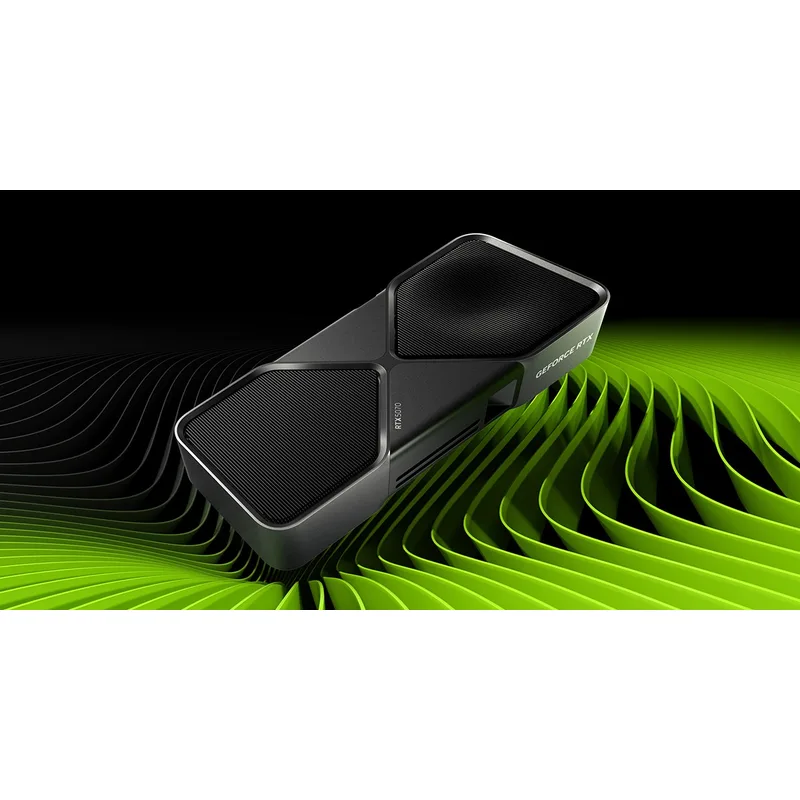
NVIDIA GeForce RTX 5070 Founders Edition
The RTX 5070 is the best single-PC streaming GPU in 2026 unless budget is the overriding constraint. The dual 9th-gen NVENC engine configuration means you can run a primary stream to Twitch or YouTube at 1080p60 or 1440p60 while simultaneously recording a local uncompressed capture — without any observable impact on gaming frame times.
AV1 B-frame encoding is where the RTX 5070 makes a measurable difference. NVENC AV1 requires roughly 25-35% less bitrate than H.264 to produce equivalent perceived quality. On a platform with a hard bitrate ceiling, that’s not a subjective preference — it’s your audience seeing cleaner video.
Gaming performance comfortably handles 1440p at high-to-ultra settings in current titles. The 12GB GDDR7 with 672 GB/s bandwidth stays out of trouble under combined gaming and encode load for all 1440p titles in 2026. The only scenario where 12GB feels tight is 4K capture combined with VRAM-intensive game texture packs — a relatively niche production case.
Street pricing has settled around $635, roughly $86 above the $549 MSRP. For streamers specifically, the dual NVENC + AV1 combination justifies the premium over the RTX 5060 Ti if you’re running 1440p streams or need simultaneous stream and record.
2. MSI Gaming RTX 5060 Ti 16G OC — Best Value Streaming GPU
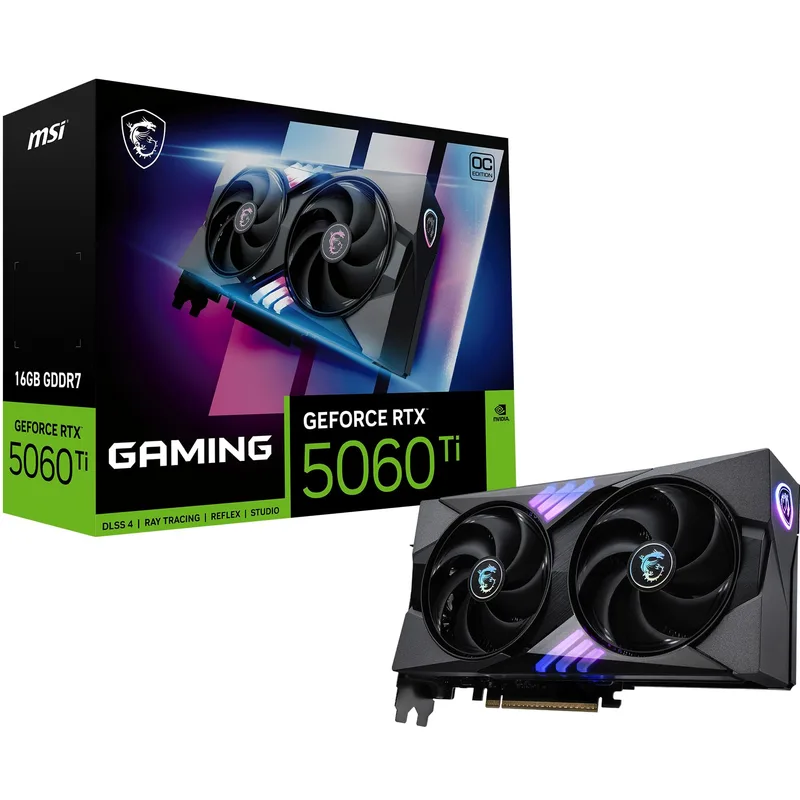
MSI Gaming RTX 5060 Ti 16G OC
The strongest value play on this list. At $499 street price, the RTX 5060 Ti 16GB gets you the identical encoder hardware as the RTX 5070 — same 9th-gen NVENC, same AV1 B-frame support, same dual-engine configuration — with 16GB GDDR7 instead of 12GB. For streaming applications specifically, it outperforms the RTX 5070 in one dimension: VRAM headroom under load.
Streaming 1080p or 1440p at 60fps with OBS NVENC AV1 running alongside an open-world title? The 16GB buffer means you’re not within reach of VRAM limits where the RTX 5070 can theoretically approach them in the heaviest texture scenarios. The 180W TDP also makes it the most PSU-friendly card on this list — a quality 550W unit handles it cleanly.
Gaming performance at 1080p is effortless. At 1440p, the 4,608 CUDA cores deliver solid results at high settings — roughly 20-25% below the RTX 5070 in demanding titles. DLSS 4 upscaling closes much of that gap in supported games. For streamers who prioritize output quality over peak gaming frame rates, the performance trade is easy to accept at a $136 price difference.
The PCIe 5.0 x8 interface is a minor footnote. On PCIe 4.0 or 5.0 boards, there’s no practical impact. On a PCIe 3.0 board, you could see a 2-5% performance reduction in bandwidth-limited scenarios — still perfectly functional.
3. MSI RTX 5070 Ti Gaming Trio OC Plus — Best for High-End or Dual-PC Setups
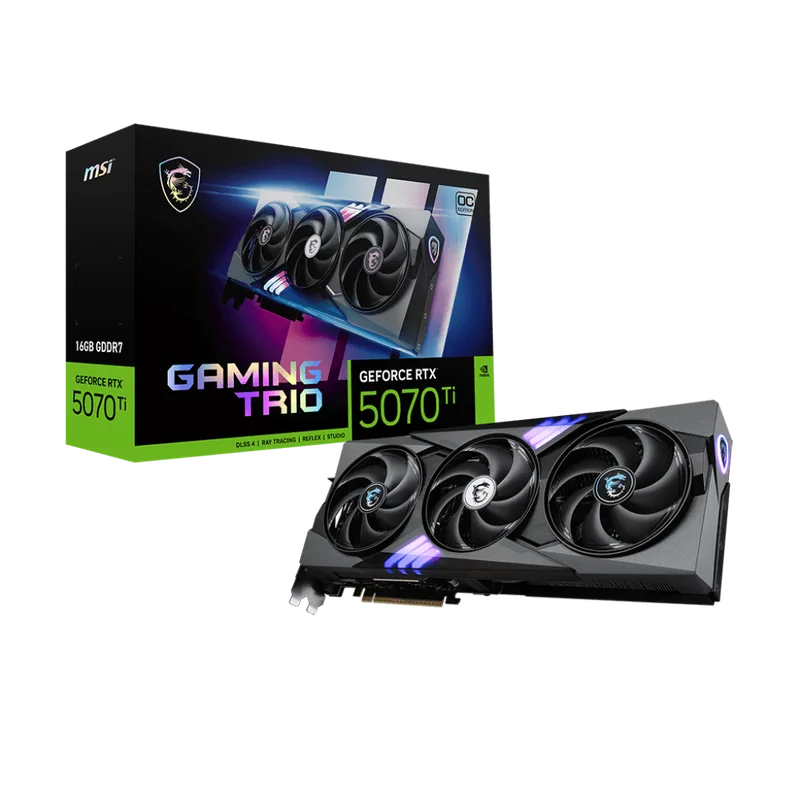
MSI GeForce RTX 5070 Ti 16G Gaming Trio OC Plus
The RTX 5070 Ti occupies a specific niche: streaming while gaming at 4K, running two simultaneous streams for multi-platform setups, or content creators who need both a high-performance render GPU and a capable streamer in one card.
The 8,960 CUDA cores and 16GB GDDR7 on a 256-bit bus (896 GB/s) mean you’re genuinely not GPU-bound at 4K gaming — the encoder has clean headroom without competing with the game’s framebuffer. In a single-PC streaming setup at 4K 60fps with NVENC AV1, frame times stay consistent in a way that lower-tier cards can’t guarantee.
At $1,049 street, the value argument requires honest examination. For 1080p and 1440p streaming — which describes the overwhelming majority of content creators — the RTX 5070 at $635 or the RTX 5060 Ti at $499 do the same encoder work at lower cost. The RTX 5070 Ti earns its price in two scenarios: 4K streaming production setups, or users who need maximum gaming and encoding throughput and want one card rather than a dual-PC rig.
The TRI FROZR 4 triple-fan cooler handles the 300W TDP well. Sustained combined gaming and encode sessions stay below 70°C in open-air cases.
4. Sapphire Pulse RX 9070 XT 16GB — Best AMD Streaming GPU
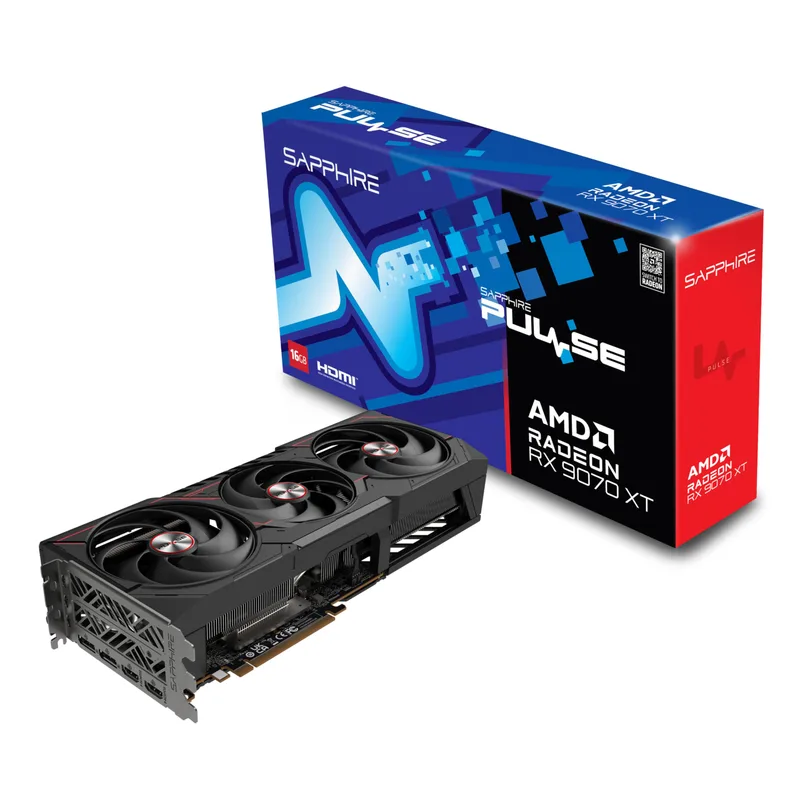
AMD’s RDNA 4 made a significant leap in encoder quality. The RX 9070 XT’s AMF encoder now supports AV1 B-frames — a critical addition that RDNA 3 lacked — which addresses the main quality deficiency in AMD’s previous AV1 implementation.
In practical streaming tests, RDNA 4 AMF AV1 produces noticeably better output than RDNA 3 AMF AV1 at equivalent bitrates. The gap with NVENC AV1 at matched settings is narrower than any previous AMD generation. For 1080p streaming at the standard Twitch 6,000-8,000 kbps bitrate range, the quality difference between NVENC AV1 and RDNA 4 AMF AV1 requires close inspection to identify.
The 16GB GDDR6 at 576 GB/s handles simultaneous gaming and capture load well. Gaming performance trades blows with the RTX 5070 in rasterization-heavy titles, putting the RX 9070 XT in the same performance tier while carrying 4GB more VRAM at $45 above the RTX 5070 street price.
The honest caveats: NVENC AV1 still edges RDNA 4 AMF AV1 in perceptual quality at the bitrate ranges most streamers use. AMD’s OBS integration is functional but the NVENC documentation, community presets, and troubleshooting resources are substantially more mature. Expect more configuration time to get AMF optimized. For Linux streamers or AMD-committed builds, the gap is acceptable.
5. Gigabyte RTX 5060 WINDFORCE OC 8G — Entry-Level NVENC AV1
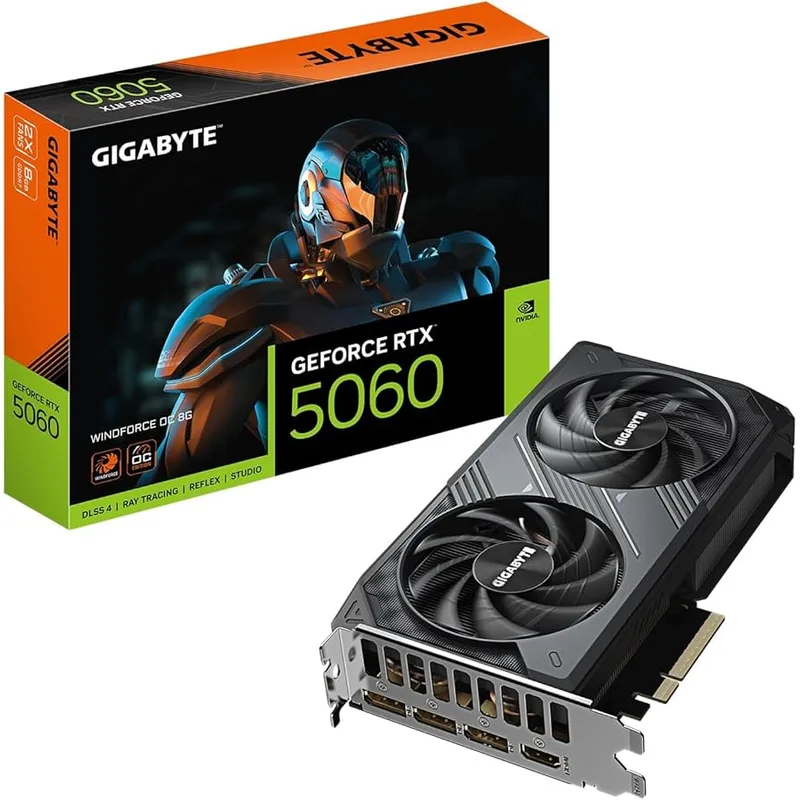
Gigabyte GeForce RTX 5060 WINDFORCE OC 8G
The RTX 5060 is the minimum threshold for NVENC AV1 streaming, and the Gigabyte WINDFORCE OC is a competent execution of that hardware. The single 9th-gen NVENC engine delivers the same AV1 encode quality per session as its bigger siblings — same encoder generation, same codec support.
At 150W TDP and $329, it’s the most accessible NVENC AV1 streaming card available. 3,840 CUDA cores drive 1080p gaming at high settings without strain, and adding NVENC AV1 encode to an active OBS session doesn’t visibly impact gaming frame rates at 1080p.
The 8GB GDDR7 limit is the genuine constraint. 1080p gaming plus OBS encode fits comfortably within 8GB. Move to 1440p with texture-heavy games plus OBS sources and overlay assets, and the buffer pressure becomes measurable. For dedicated 1080p streamers on tight budgets, 8GB clears the requirements without issue. For anyone targeting 1440p output or who might upgrade their resolution, the additional $100 for the RTX 5060 Ti 16GB is the right decision.
The single NVENC engine also means no simultaneous independent stream + local record with different quality settings — you get one encoder session at a time.
Encoder Quality at a Glance
The encoder tier hierarchy in 2026 looks like this:
| Card | Encoder | AV1 B-Frames | Engines | 1080p60 Encode CPU% |
|---|---|---|---|---|
| RTX 5070 Ti | 9th-gen NVENC | Yes | 2 | ~10% |
| RTX 5070 | 9th-gen NVENC | Yes | 2 | ~10% |
| RTX 5060 Ti | 9th-gen NVENC | Yes | 2 | ~11% |
| RTX 5060 | 9th-gen NVENC | Yes | 1 | ~11% |
| RX 9070 XT | RDNA 4 AMF | Yes | 1 | ~15% |
CPU overhead figures are approximate at 1080p60 with AV1 quality preset in OBS on a 12-thread processor. x264 medium preset for comparison: 52-60%.
Recommended OBS Settings by Card
RTX 5070 and 5060 Ti (primary recommendation):
- Encoder: NVIDIA NVENC AV1
- Rate Control: CBR
- Bitrate: 8,000 kbps (YouTube) / 6,000 kbps (Twitch)
- Preset: P4 (Slow) — offers quality uplift without meaningful GPU overhead
- Psycho Visual Tuning: On
- Max B-Frames: 4
RTX 5060 (1080p setups):
- Same NVENC AV1 settings above
- If VRAM pressure occurs at 1440p, drop to NVENC H.264 at P4 preset
RX 9070 XT:
- Encoder: AMD HW AV1 (AMF)
- Rate Control: CBR
- Bitrate: 8,000 kbps (YouTube) / 6,000 kbps (Twitch)
- Quality Preset: Quality
- Note: Verify AV1 platform support before enabling — use H.264 AMF as fallback
PSU Requirements for Streaming Builds
Running OBS encode and gaming simultaneously draws close to TDP limits on all cards here. Use these minimums:
- RTX 5060 (150W): 450W minimum, 550W recommended
- RTX 5060 Ti (180W): 550W minimum, 650W recommended
- RTX 5070 (250W): 650W minimum, 750W recommended
- RX 9070 XT (304W): 750W minimum, 850W recommended
- RTX 5070 Ti (300W): 750W minimum, 850W recommended
FAQ
Do I need a dedicated streaming GPU?
For single-PC streaming setups, no — modern GPU encoders handle encode as a background process without touching gaming shader performance. The decision is about which GPU gets you NVENC or AMF AV1 support, dual encode engines, and enough VRAM for combined load. For dual-PC setups (a dedicated streaming PC), any GPU with NVENC works — the RTX 5060 is overkill; an RTX 4060 handles the encode job.
Is NVENC AV1 actually better than x264?
At the bitrate ranges most streaming platforms support, NVENC AV1 P4 preset produces output that matches or exceeds x264 “fast” preset quality while consuming 50-60% less CPU. Compared to x264 “slow” (which the CPU can’t sustain in real-time on most hardware), NVENC AV1 Quality preset is competitive at equivalent quality levels. The practical answer: yes, NVENC AV1 is better unless you have a 32-thread CPU doing nothing but x264.
Should I use AV1 or H.264 for streaming in 2026?
Use AV1 if you’re streaming to YouTube (supports AV1 ingest) or platforms with confirmed AV1 support. Twitch added AV1 support in 2025 but viewer-side compatibility is still maturing. For maximum compatibility across all viewers and platforms, H.264 NVENC remains the safer default. AV1’s bandwidth efficiency advantage is most impactful if you’re hitting a platform’s bitrate ceiling.
Can I stream at 1440p on these GPUs?
Yes, with the right settings. The RTX 5070 and 5060 Ti handle 1440p60 NVENC AV1 streaming alongside 1440p gaming without frame rate impact. The RTX 5060’s 8GB VRAM is the limiting factor for 1440p simultaneous gaming + streaming — test with your specific titles before committing.
Is AMD viable for streaming in 2026?
For single-PC streamers who want to stay in the AMD ecosystem, the RX 9070 XT is the first AMD card in years that’s a legitimate streaming recommendation. RDNA 4 AMF AV1 with B-frames closed the quality gap meaningfully. The caveats — community support, documentation maturity, and NVENC’s persisting quality edge — are real but manageable if you’re willing to spend time optimizing settings.
The Bottom Line
For single-PC streaming in 2026, the RTX 5060 Ti 16GB at $499 is the card to buy. Dual 9th-gen NVENC, AV1 B-frame support, 16GB GDDR7, and 180W TDP — it matches the RTX 5070’s encoder quality at $206 less. If you’re streaming at 4K or need dual simultaneous outputs, step up to the RTX 5070 at $635. And if you’re on a tight budget but need NVENC AV1, the RTX 5060 at $329 covers 1080p streaming without compromise.